Exclude Manager ProProfessional visual manager for files.exclude with groups, pins, search, and scope switching directly in a sidebar tab. Installation Launch VS Code Quick Open ( Ctrl+P), paste the following command, and press enter.Copied to clipboard |

What is Exclude Manager Pro?Exclude Manager Pro takes file exclusion management to the next level. It replaces the raw
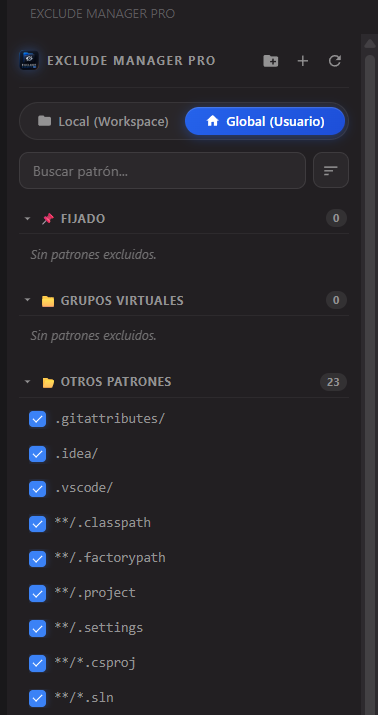
Feature Showcase🗂️ Full Sidebar PanelExclude Manager Pro lives in its own Activity Bar icon and opens as a dedicated webview sidebar. The panel is divided into three sections: Pinned, Virtual Groups, and Other Patterns — always clearly organized.
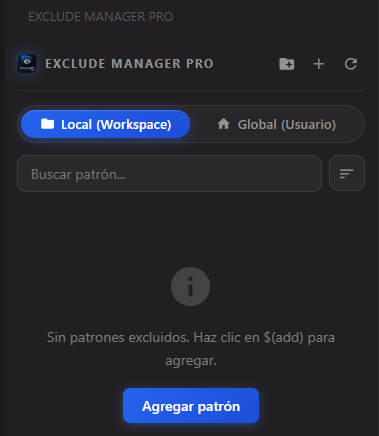
🌐 Scope Tabs (Global / Workspace)Switch between your User (Global) settings and Workspace settings using the tab buttons at the top of the panel. Both scopes are managed completely independently.
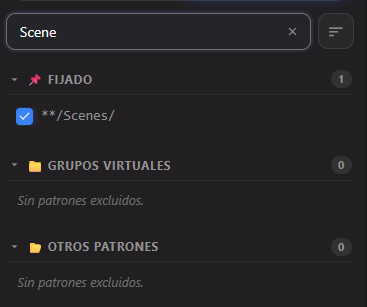
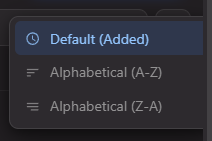
🔍 Live Search & SortType in the search bar to filter patterns in real time. Use the sort button to choose between: Default (Added order), Alphabetical A→Z, or Z→A.
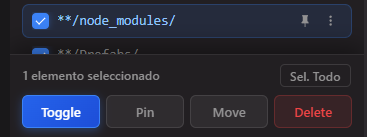
☑️ Multi-Select & Bulk ActionsHold click to select multiple patterns at once. A floating action bar appears with Toggle, Pin, Move, and Delete — apply changes to all selected items in one shot.
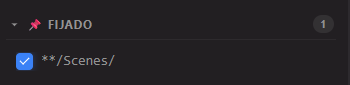
📌 Pinned SectionRight-click any pattern and pin it. Pinned patterns are always shown at the very top of the panel in their own dedicated PINNED section, regardless of search or sort state.
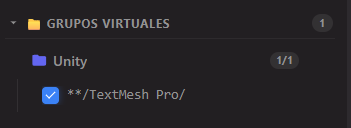
📁 Virtual GroupsCreate named groups to organize your exclusion patterns logically (e.g.,
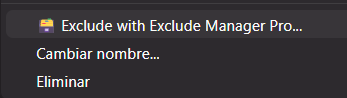
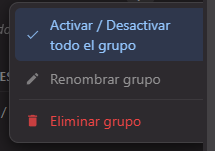
🖱️ Context MenusRight-click a pattern for quick access to Rename and Delete actions. Right-click a group to Toggle All, Rename, or Delete the group.
💡 Smart Empty StateWhen a scope has no exclusions, the panel shows an informative message and a direct "Add Pattern" button — no hunting through menus.
🧭 How to Use
⚙️ ConfigurationThis extension directly reads and writes VS Code's native configuration — no custom database or sync service required.
🔄 Auto-SyncIf you manually edit your 🌎 Bilingual Support (EN / ES)Exclude Manager Pro automatically adapts to your VS Code display language:
📋 Requirements
📄 ChangelogSee CHANGELOG for a full list of changes across versions. Made with ❤️ by Latin Tools ⭐ If Exclude Manager Pro saves you time, please give it a star on the Marketplace — it really helps! |