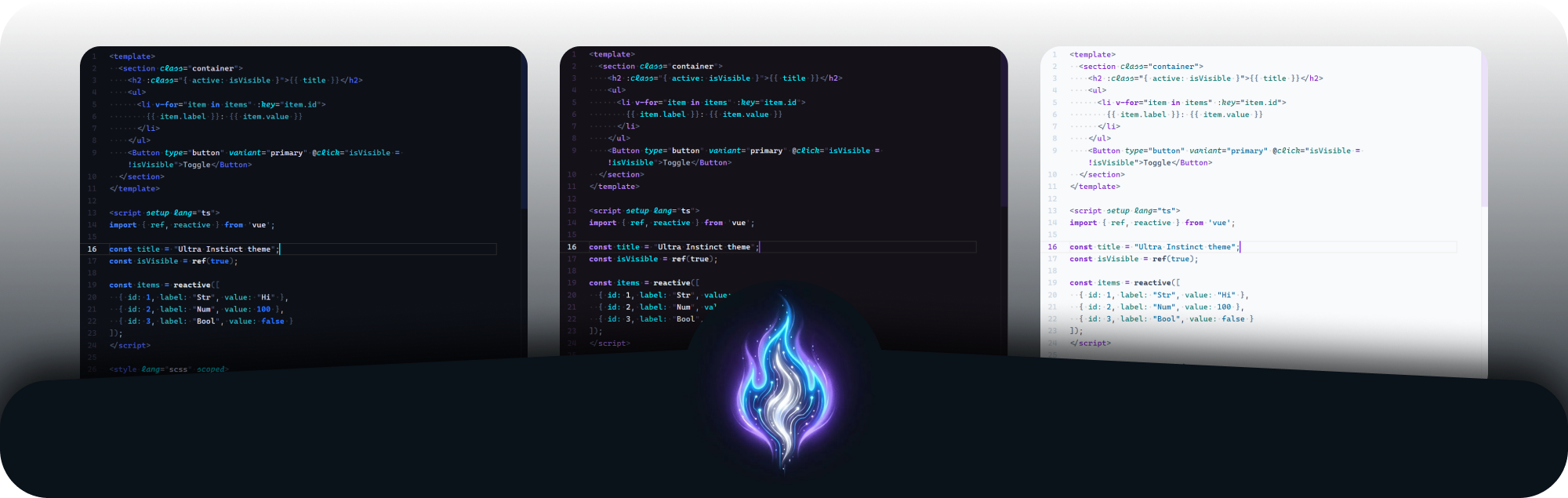
Ultra Instinct Theme


Works on VS Code · Cursor · Windsurf · VSCodium
Sensory-first theme. less noise, more focus
A 443-color-key theme trilogy for VS Code, Cursor, Windsurf & every fork. Built to eliminate cognitive noise — the interface disappears and your instincts take over.
ultrainstincttheme.com →
Table of Contents
Why I Built This
I have Autism and High Potential, and I built this theme for everyone.
Most themes overwhelm me — too many borders, too many colors screaming for attention. I couldn't find one that just shuts up and lets me see the code. So I designed Ultra Instinct from a neurodivergent lens: reduce visual entropy until only the code remains. Every color, every contrast level, every border was chosen to minimize cognitive noise. This is sensory-first design.
The result is just less noise and more focus — and that works for any brain.
Features
| Category |
Detail |
| Color coverage |
443 color keys per variant — one of the most exhaustive themes available |
| 3 variants |
Sign (raw, electric), Mastered (calm, divine), Mastered Light (sharp, clean) |
| Cursor Agent |
progressBar, chat.*, inlineChat.*, interactive.*, diffEditor.*, terminal.* — full Agent UI themed |
| 6 bracket levels |
editorBracketHighlight.foreground1-6 with distinct accent-gradient colors |
| 33 icon colors |
symbolIcon.* differentiated by semantic type — breadcrumbs and outline never looked better |
| 16 ANSI terminal colors |
Custom-mapped to each variant's palette |
| All languages |
25 generic TextMate rules + 21 semantic tokens. 8 languages with extra precision scopes |
| Semantic highlighting |
Full semanticTokenColors for TypeScript, Rust, Python, Go, and more |
| Sticky scroll |
Themed headers when scrolling through long files |
| Notebooks |
Full notebook UI coverage including status icons |
| Welcome page |
Even the empty-workspace screen matches your theme |
| WCAG 2.1 AA |
Main text and syntax highlighting exceed 4.5:1 contrast ratio |
Variants
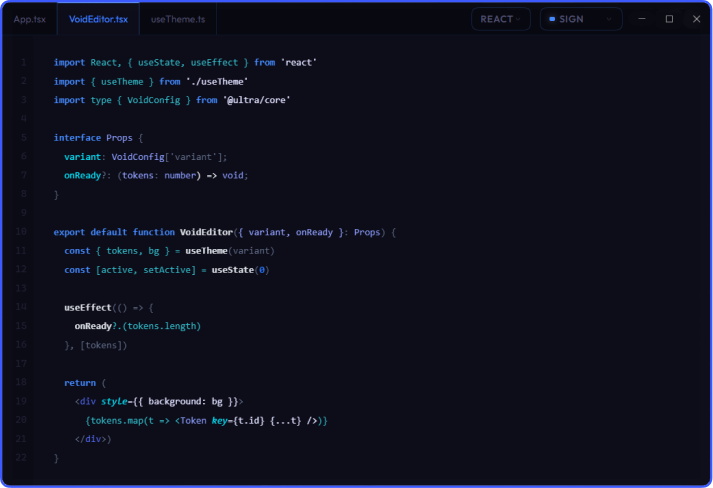
Ultra Instinct Sign
Electric blue on deep charcoal (#0d1017). Raw and intense — built for debugging and diving into unfamiliar codebases.
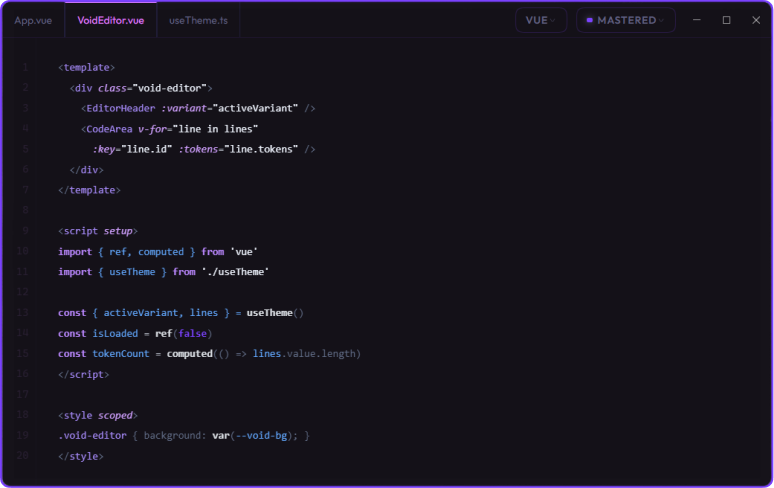
Ultra Instinct Mastered
Purple and silver on dark void (#141118). My daily driver, and the one most people stick with. Calm and legible, built for long sessions without eye fatigue.
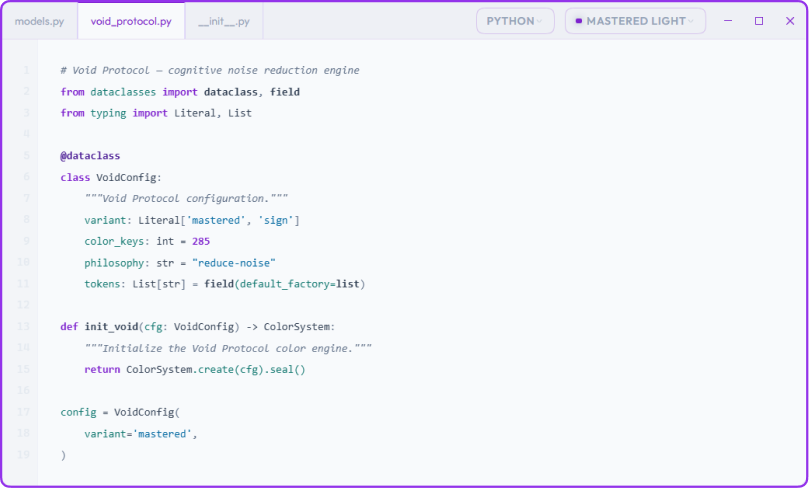
Ultra Instinct Mastered Light
Silver backgrounds with purple accents. For bright rooms, presentations, or when you want something different.
AI Editor Support
Ultra Instinct is built from the ground up for AI-assisted coding. These editors are fully themed:




Themed AI surfaces:
- Agent progress —
progressBar styled with the theme accent
- Inline chat (
Cmd+K / Ctrl+K) — background, border, input field, focus border, shadow, result pane
- Tab predictions — inline suggestion background and foreground
- Interactive code regions — active (being edited) and inactive (accepted) AI-modified code highlights
- Chat panel — request bubbles, slash commands, avatars, file-edit badges
- Agent windows — panel backgrounds, borders, and terminal output
Language Support
Every language looks great out of the box. 25 generic TextMate rules handle keywords, strings, numbers, functions, types, operators, braces, and comments across all languages. 21 semantic tokens provide fine-grained highlighting for TypeScript, Rust, Python, Go, Java, C++, C#, and any language with an LSP.
Additionally, 8 languages receive targeted scopes for maximum precision:
| Language |
Extra Precision |
| TypeScript / JavaScript |
Constants (UPPER_CASE), type annotations, builtin types |
| Python |
Logical operators (and, or, not, in, is), builtin functions |
| Rust |
Storage types, attributes (#[...]), macros, lifetimes, metavariables |
| YAML |
Keys, values, booleans, nulls, timestamps, punctuation |
| Shell / Bash |
Builtins, control flow (if, for, while), variable definitions |
| Markdown |
H1-H6 headings (differentiated by brightness), list bullets, blockquotes |
| JSON |
Structure keys with distinct color from string values |
| CSS |
Selectors, class names, IDs, property names |
Installation
Works on VS Code, Cursor, Windsurf, VSCodium, and all VS Code-based editors.
Via your editor's Extensions panel:
- Open Extensions (
Ctrl+Shift+X)
- Search
Ultra Instinct Theme
- Click Install
- Select your variant:
Sign, Mastered, or Mastered Light
Via command line:
code --install-extension JuanLias.ultra-instinct-theme
On Open VSX (VSCodium / Windsurf):
# Install via Open VSX
codium --install-extension JuanLias.ultra-instinct-theme
Recommended Configuration
Add this to your settings.json to get the intended experience:
{
  "editor.cursorBlinking": "smooth",
  "editor.cursorSmoothCaretAnimation": "on",
  "editor.renderLineHighlight": "gutter",
  "editor.renderWhitespace": "all",

  // Recommended typography
  "editor.fontFamily": "'Cascadia Code NF', 'Fira Code', monospace",
  "editor.fontLigatures": true
}
Bracket pair colorization is optional. The theme includes 6 distinct bracket highlight colors (editorBracketHighlight.foreground1-6). Enable VS Code's built-in bracket pair colorization for an additional rainbow effect, or disable it to use the theme's own carefully tuned punctuation tones. Both work great.
Accessibility
Good contrast isn't a feature — it's the baseline. Main text and syntax highlighting exceed 4.5:1 contrast ratio, and every color was chosen to reduce eye strain during long sessions.
Ancillary text like code lens and ghost suggestions uses reduced opacity by design — visible when you need it, invisible when you don't.
If something is hard to read, open an issue. Accessibility is a conversation, not a checkbox.
Author

Juan Lias
Product Design Engineer



Contributing
Found a missing color key? Want to add language support? Open an issue or submit a pull request. Theme files live in themes/ — one JSON file per variant.
All three variants must maintain key parity. When adding a new color key, add it to all three files.
License
MIT © Juan Lias