Skip to content
| Marketplace
Sign in
Visual Studio Code>Themes>Zenith ReadableNew to Visual Studio Code? Get it now.
Zenith Readable

Zenith Readable

Jordan Walker

|
2 installs
| (0) | Free
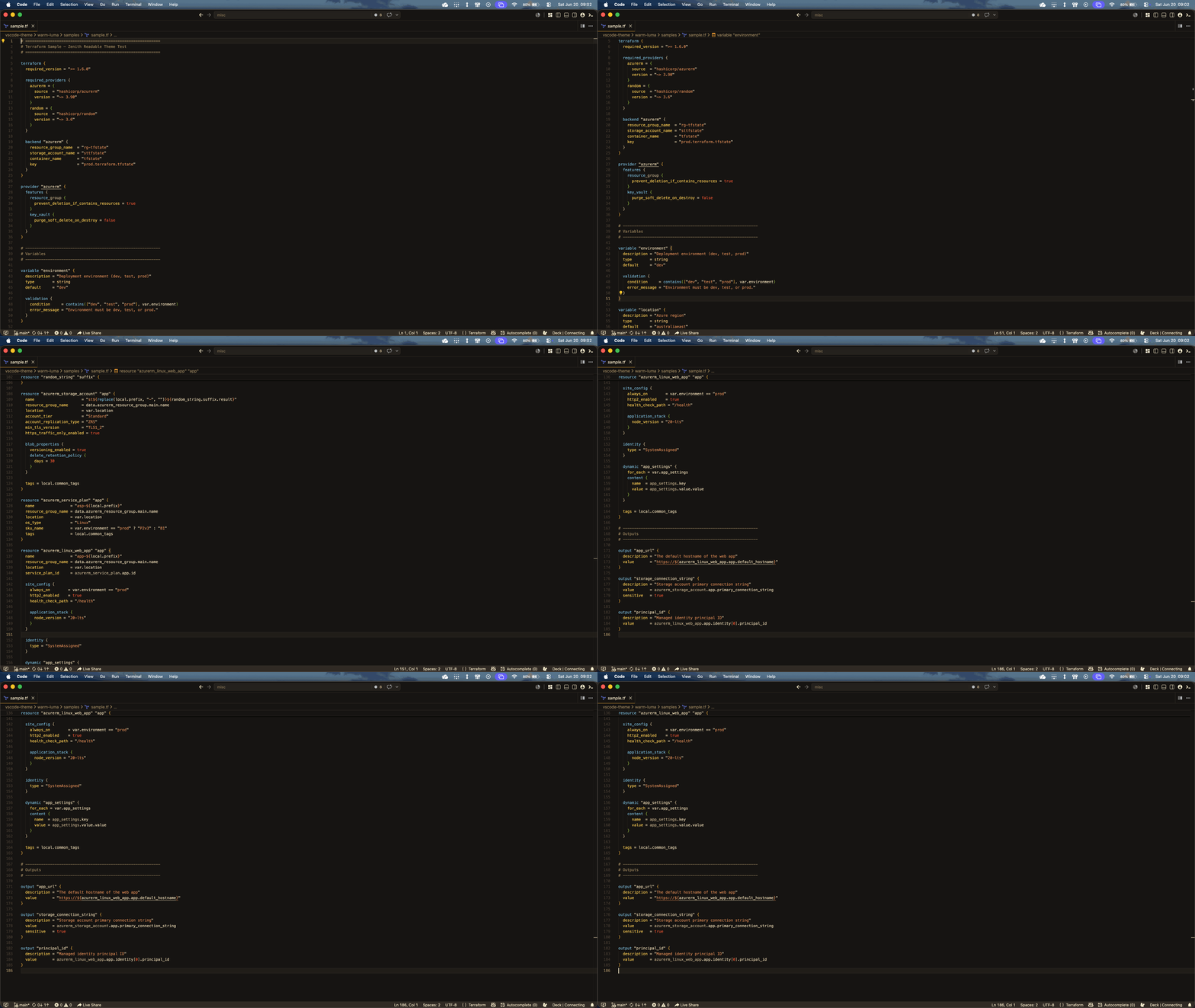
Zenith theme with improved contrast and full Terraform/HCL colour support. Forked from the original Zenith Theme by britown.
Installation
Launch VS Code Quick Open (Ctrl+P), paste the following command, and press enter.
Copied to clipboard
More Info

Zenith Readable

A dark VS Code theme forked from the excellent Zenith Theme by britown. Big thanks to britown for the original design — this fork builds on that foundation with improved contrast and language-specific colour tuning.

What's different

  • Higher contrast text throughout for easier reading
  • Terraform / HCL gets a full colour treatment:
    • Orange — block type keywords (resource, variable, output, data, module)
    • Purple #C792EA — block labels and names ("aws_instance", "my_bucket")
    • Light blue — attribute names (provider, scope, role_definition_name)
    • Teal — built-in functions and type names
    • White — variable references and expressions
    • Red — numbers and booleans
  • Reduced orange overuse — only Terraform block keywords stay orange, everything else uses a distinct palette

Installation

  1. Open VS Code
  2. Cmd+Shift+P → Extensions: Install from VSIX...
  3. Select the .vsix file

Or search Zenith Readable in the Extensions marketplace.

Credits

Original Zenith Theme © britown — all credit for the base design goes to them.

  • Contact us
  • Jobs
  • Privacy
  • Manage cookies
  • Terms of use
  • Trademarks
© 2026 Microsoft