
Skip to content
| Marketplace
Sign in
Visual Studio Code>Themes>Romanesca RosenkreuzNew to Visual Studio Code? Get it now.
Romanesca Rosenkreuz

Romanesca Rosenkreuz

IKadzura

|
42 installs
| (0) | Free
Four dark rooms, one signature. A perceptually-engineered theme family with 99% coverage of VS Code's colour surface.
Installation
Launch VS Code Quick Open (Ctrl+P), paste the following command, and press enter.
Copied to clipboard
More Info
Romanesca Rosenkreuz

Romanesca Rosenkreuz

Four dark rooms. One signature.

A theme family where the code colours never change and the room always does — engineered in OKLCH, measured against WCAG, and defended by a build that refuses to ship a colour it cannot prove.

Version Coverage Keys Gates Variants License


The idea

Most theme families change everything between variants, so switching means relearning what a string looks like. This one changes only the room.

The syntax palette is shared by all four variants, byte for byte. A keyword is the same white in Schatten as in Graphit; a number is the same amber. What moves is the architecture around it — the depth of the surfaces, the colour of the lines, the accent that marks what is active. You can switch variants by mood or by ambient light without your code becoming unfamiliar.
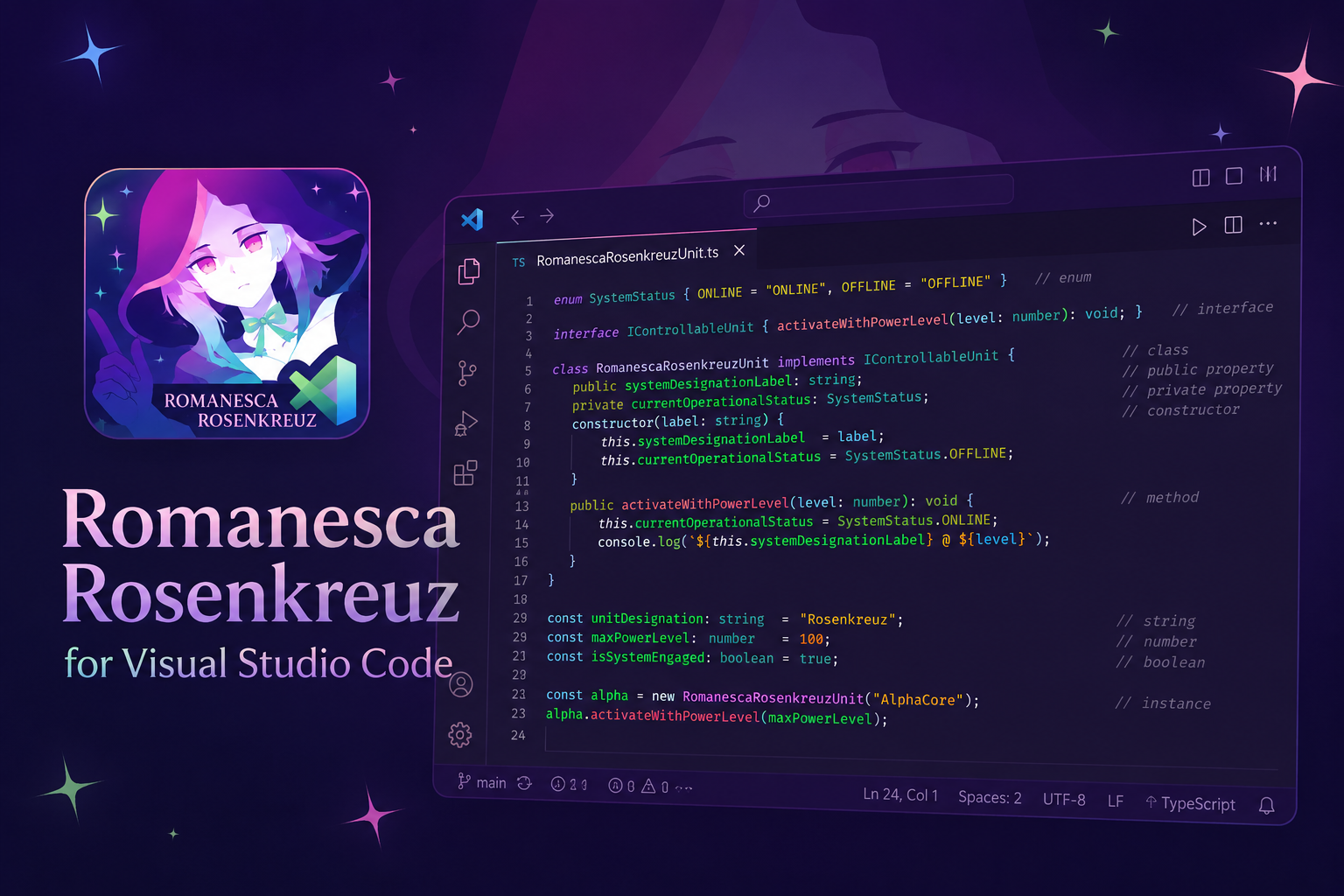
Theme overview

The four rooms

Variant Room Accent Built for
🟣 Romanesca Deep violet #b080ff The original. Warm, saturated, unmistakable.
🟡 Rheingold True black #ffd700 OLED panels. Gold is rare on purpose.
🔵 Graphit Soft charcoal #00d9e8 Long sessions and bright rooms.
🔴 Schatten Absolute black #ff2d78 Maximum contrast, minimum noise.

Pick one with Ctrl/Cmd+K Ctrl/Cmd+T.

What is engineered here

Lines that exist

A stroke is defined by the contrast ratio it must achieve against the surface it divides, not by a colour someone picked. The build solves for the lightness that hits the target, per surface, per variant.

This matters more than it sounds. A fixed lightness step gives a different contrast ratio on every surface, because relative luminance is nearly flat near black — and two of these variants are built on #000000, which is exactly where that assumption collapses. Stated as a ratio instead, a visible line is true by construction:

Surface boundary Before Now
Schatten sidebar 1.07 1.72
Rheingold sidebar 1.22 1.71
Graphit sidebar 1.38 1.71
Floating widgets, all variants 1.24 – 1.71 2.35 – 2.38
Context menus, all variants unthemed 2.35 – 2.38

Three levels, each named for its job: subtle divides within a surface, default separates two panes, strong frames anything that floats.

Foregrounds that are measured, not guessed

Every colour that sits on a coloured fill — badges, buttons, prominent status items — picks black or white by measuring both. Rheingold's gold badge used to carry white text at ratio 4.89; it now carries black, and no one had to notice.

Depth that is frozen

The six surfaces of each room are authored by hand, not generated. The build pins their OKLCH lightness to a baseline and fails if any of them drifts, so the depth can never be quietly lost to a refactor. It also enforces that the ladder climbs: a variant whose sidebar and editor read as one surface is a bug, not a preference.

Neutrals with a temperature

Each room's greys carry a trace of its own hue — chroma below 0.02, lightness untouched to within 0.0018, far under what an eye can resolve. Surfaces read as one material instead of as grey that happens to have colour nearby.

Coverage

903 of VS Code's 910 official colour keys, up from 366.

Newly dressed in 1.0: the entire overview ruler, every context menu, the terminal's missing half, sticky scroll, inlay hints, merge conflicts, the debug console, test explorer and coverage, notebooks, inline AI edits, and tab hover states.

Seven keys are left unset on purpose — editor.selectionForeground, editorBracketMatch.foreground and their relatives would override syntax colour inside a selection or a search hit, flattening the code colours the theme exists for. A deliberate omission is reported by the build, never failed on.

The gates

The build refuses to write a theme that fails any of these.

Gate Refuses
keys A key that is not in VS Code's official registry. Unknown keys are ignored in silence — this caught symbolIcon.enumForeground, a typo that had left enum icons unthemed, and 24 more.
values A role that resolved to something that is not a colour.
ownership Two modules writing the same namespace. The previous build had 33 such collisions, each silently won by whichever file spread last.
contrast A stroke darker than its surface, a stroke below its ratio, or text that cannot be read on its own fill.
ladder Surface lightness drifting from the frozen baseline, or a ladder that stops climbing.
scopes A textmate scope claimed twice, or a semantic wildcard outranking an explicit rule — both invisible failures that leave rules that never render.
npm run verify     # lint + format + all six gates, no writes
npm run build      # verify, then emit all four variants
npm run package    # verify, build, then produce the .vsix

Architecture

src/
├── kernel/color.js          OKLCH maths — the only file allowed to do colour arithmetic
├── syntax.js                the shared code palette, one source for all four variants
├── identity/*.identity.js   what a variant IS: six surfaces, an accent family, a text ramp
├── roles.js                 identity → placement vocabulary (stroke / wash / veil / state)
├── colors/*.colors.js       20 modules, each declaring the namespaces it owns
├── tokens/*.js              textmate rules, per language
└── semantic.js              LSP-driven token colours
verify/index.js              the six gates
data/                        VS Code's official key registry + the frozen ladder baseline

The chain runs one way: a colour module may read roles, never a raw palette. That is what makes "which line goes here?" a question with one answer instead of twenty, and it is why the sixteen hand-picked accent opacities the old build carried collapsed into one six-step scale.

Adding a colour means finding the module that owns its namespace and reaching for the role that names the job. If no role fits, that is a signal the role layer is missing a job — not an invitation to reach past it.

Recommended settings

{
  "editor.semanticHighlighting.enabled": true,
  "editor.bracketPairColorization.enabled": true,
  "editor.guides.bracketPairs": "active",
  "editor.stickyScroll.enabled": true
}

Semantic highlighting is worth turning on — 40 semantic rules ship here and they carry the type-aware colours that textmate scopes cannot resolve.

Changelog

See CHANGELOG.md.


Built by Adi Sunetra · kasuganozomi

Licensed CC BY-NC-ND 4.0 — see LICENSE

  • Contact us
  • Jobs
  • Privacy
  • Manage cookies
  • Terms of use
  • Trademarks
  • Your Privacy Choices
  • Consumer Health Privacy
© 2026 Microsoft


