Kimi Code VS Code 插件 —— 个人修改版 (Fork)
Kimi Code for VS Code — Unofficial Personal Fork
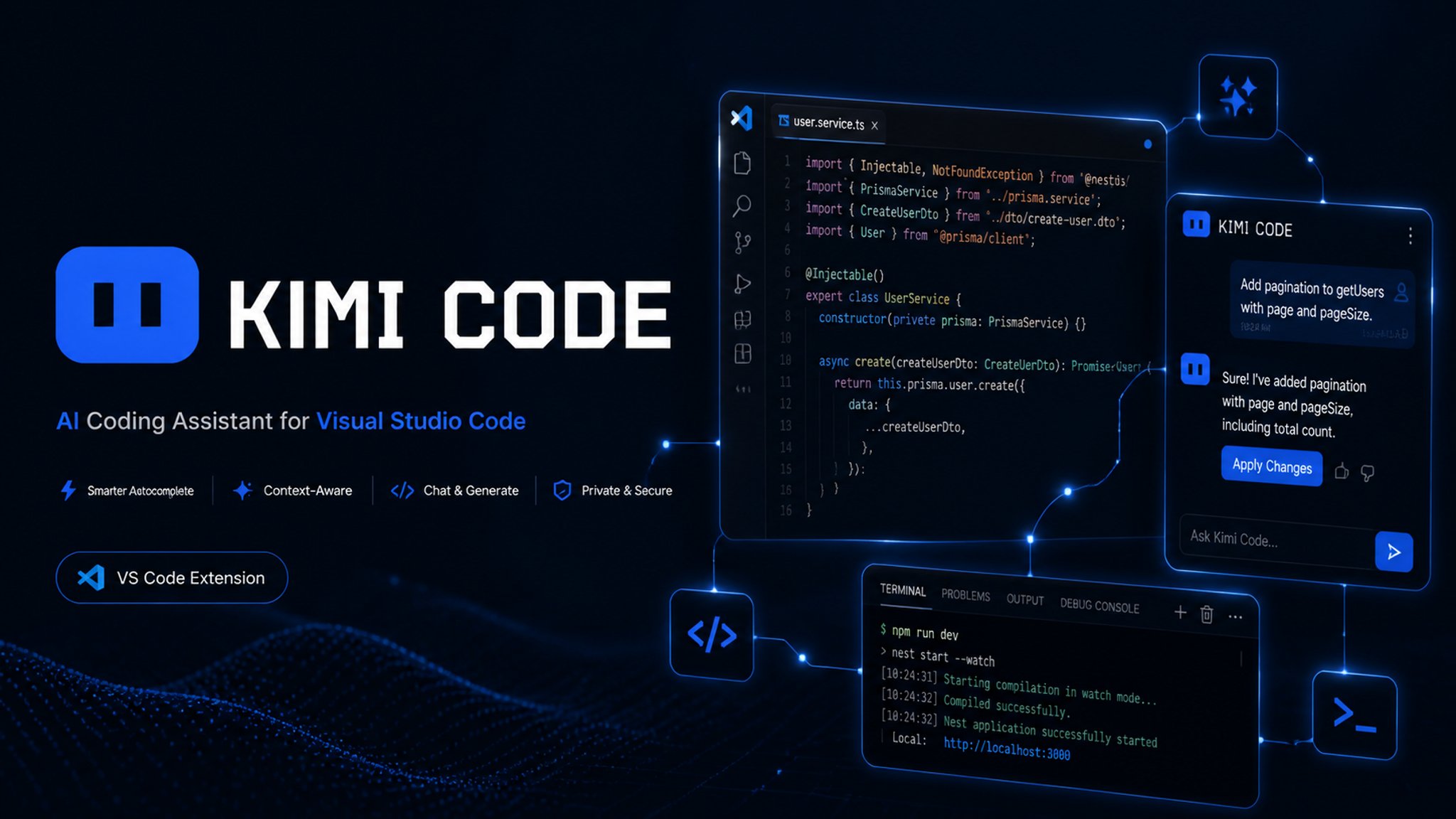
本插件是 Moonshot AI 官方 Kimi Code VS Code 插件的第三方修改版(fork)。
English:
This extension is a third-party modified build (fork) of Moonshot AI's official Kimi Code VS Code extension.
市场地址 / Marketplace:marketplace.visualstudio.com/items?itemName=GXGLEO.kimicode-vscode-fork(缓存看不到最新版本时请以此为准 / Check here if a cached page hides the latest release)
最后更新:2026-09-20 | Last updated: 2026-09-20
⚠️ 注意:该插件项目由 K3 MAX 自主修改并同步,界面尽可能还原 Web 端界面功能。
⚠️ Note: this fork is modified and maintained with K3 MAX; the UI mirrors the Kimi Web experience as closely as possible.
⚠️ 声明 | Disclaimer
- 本插件是 个人定制修改版,与官方版 完全隔离:扩展 ID
moonshot-ai.kimicode-vscode-fork、displayName "Kimi Code (Fork)",命令 / 设置前缀均为 kimifork.*,视图容器 kimifork-sidebar。可与官方版同时共存,互不冲突。
- 本项目 不隶属于 Moonshot AI,不提供官方支持,使用风险自负。
- 原版仓库删除了与 VS Code 无关的部分(Kimi Code CLI/TUI、kimi-web、kap-server、vis 等);本仓库只包含
apps/vscode 插件及构建闭包内必需的 11 个私有内部包(它们不发布到 npm registry,是编译必需依赖)。
- 习惯用 VS Code 后被迫用了 5 小时额度,于是改了 VS Code 插件;加上目前官方主要在维护 bug、没有具体功能设置上的更新,所以根据不同人的使用需求增加了一些功能,方便对齐 Web 版本。
English:
- This is a personal customized build, fully isolated from the official one: extension ID
moonshot-ai.kimicode-vscode-fork, display name "Kimi Code (Fork)", kimifork.* command/setting prefixes, and a kimifork-sidebar view container. It coexists with the official extension without conflicts.
- This project is not affiliated with Moonshot AI; no official support is provided — use at your own risk.
- Parts unrelated to VS Code were dropped (Kimi Code CLI/TUI, kimi-web, kap-server, vis, etc.); this repo contains only the
apps/vscode extension plus the 11 private internal packages in its build closure (not published to npm; required to compile).
- Origin story: I prefer working in VS Code and kept burning through the 5-hour quota, so I modified the VS Code extension. Since upstream currently focuses on maintenance fixes rather than new feature settings, this fork adds features based on real usage needs, aligning with the Web version.
✨ 与原版的差异(定制功能) | Differences from Upstream
🤖 会话与标题 | Sessions & Titles
会话标题自动生成:官方 V2 引擎已提供该功能但默认关闭,本插件默认开启。
Automatic session titles: provided by the official v2 engine but off by default; this fork turns it on by default.
📊 额度 | Quota
额度状态栏:5 小时 / 7 天额度同心环实时显示,颜色随用量变化(70% 起黄 → 100% 红),含重置倒计时与 Tooltip;额度查询固定走直连,不经系统代理,避免代理导致偶发查询失败。
Quota status rings: live concentric rings for the 5-hour / 7-day quotas; color shifts with usage (yellow from 70%, red at 100%), with reset countdown and tooltip. Quota lookups always connect directly, bypassing the system proxy, to avoid intermittent proxy-related failures.
🛡️ 权限与审批 | Permissions & Approval
Plan 审批(Claude 式 UX):Plan 模式弹窗支持 执行 / Revise+反馈 / 选项,不再在 YOLO 下静默直接执行;计划完成时先在编辑器中打开计划文件,再弹窗确认。
Plan approval (Claude-style UX): the plan-mode dialog offers Execute / Revise with feedback / options instead of silently auto-executing in YOLO mode; when planning finishes, the plan file opens in the editor first, then the confirmation dialog appears.
🧠 上下文 | Context
压缩后界面同步:/compact 完成后对话列表与引擎真实上下文同步——压缩记录显示为 Claude Code 风格的单行标记(手动/自动 + 释放 token 数),点击可展开压缩摘要;上下文查看器打开时自动刷新。
Post-compaction UI sync: after /compact, the chat list matches the engine's real context — the compaction entry renders as a Claude Code–style single-line marker (manual/auto + tokens freed) that expands to the compaction summary; the context viewer refreshes automatically while open.
📜 历史记录 | History
历史记录加载体验:打开 / 切换历史对话立即显示加载遮罩;加载完成后直接定位到最新消息,不再有从上往下的滚动动画;点选会话后列表立即收起,不再挂在遮罩上。
History loading UX: opening or switching to a past conversation shows a loading overlay immediately; once loaded it jumps straight to the newest message (no top-to-bottom scroll animation); picking a session collapses the list at once instead of leaving it hanging over the overlay.
Kimi 眼睛加载动画:历史加载、会话列表、上下文查看器等加载场景,居中显示毛玻璃加载胶囊——左侧 Kimi 眼睛徽标(左右漂移 + 眨眼,复刻 Kimi Web 左上角图标动画),右侧「加载中…」文案。
Kimi eyes loading animation: loading states (history, session list, context viewer) show a centered frosted-glass capsule — the Kimi eyes badge on the left (drifting and blinking, replicating the Kimi Web top-left icon animation) with "Loading…" text on the right.
🤝 子代理 | Subagents
子代理自定义供应商:可在 VS Code 内为子代理配置自定义供应商(密钥存 SecretStorage,安全),支持添加 / 编辑(密钥留空保持不变)/ 删除。
Custom subagent providers: configure custom providers for subagents inside VS Code (keys stored securely in SecretStorage); add / edit (leave the key field empty to keep the stored key) / delete supported.
子代理独立模型(secondary model):子代理可绑定独立供应商模型(如 DeepSeek),主代理 Kimi + 子代理 DeepSeek 分流,高峰期更稳更快。
Dedicated subagent model (secondary model): subagents can bind an independent provider/model (e.g. DeepSeek) — main agent on Kimi, subagents on DeepSeek — for steadier, faster runs at peak hours.
子代理模型徽标:使用第三方模型的子代理在卡片尾部标注紫色模型名徽标,跟随主模型的不标记(实时与历史回放均生效)。
Subagent model badge: subagents running on third-party models show a purple model-name badge at the end of their card; subagents following the main model stay unmarked (works live and in history replay).
🌐 界面 | UI
界面语言:中英文切换(设置 kimifork.language)。
UI language: Chinese/English switch (setting kimifork.language).
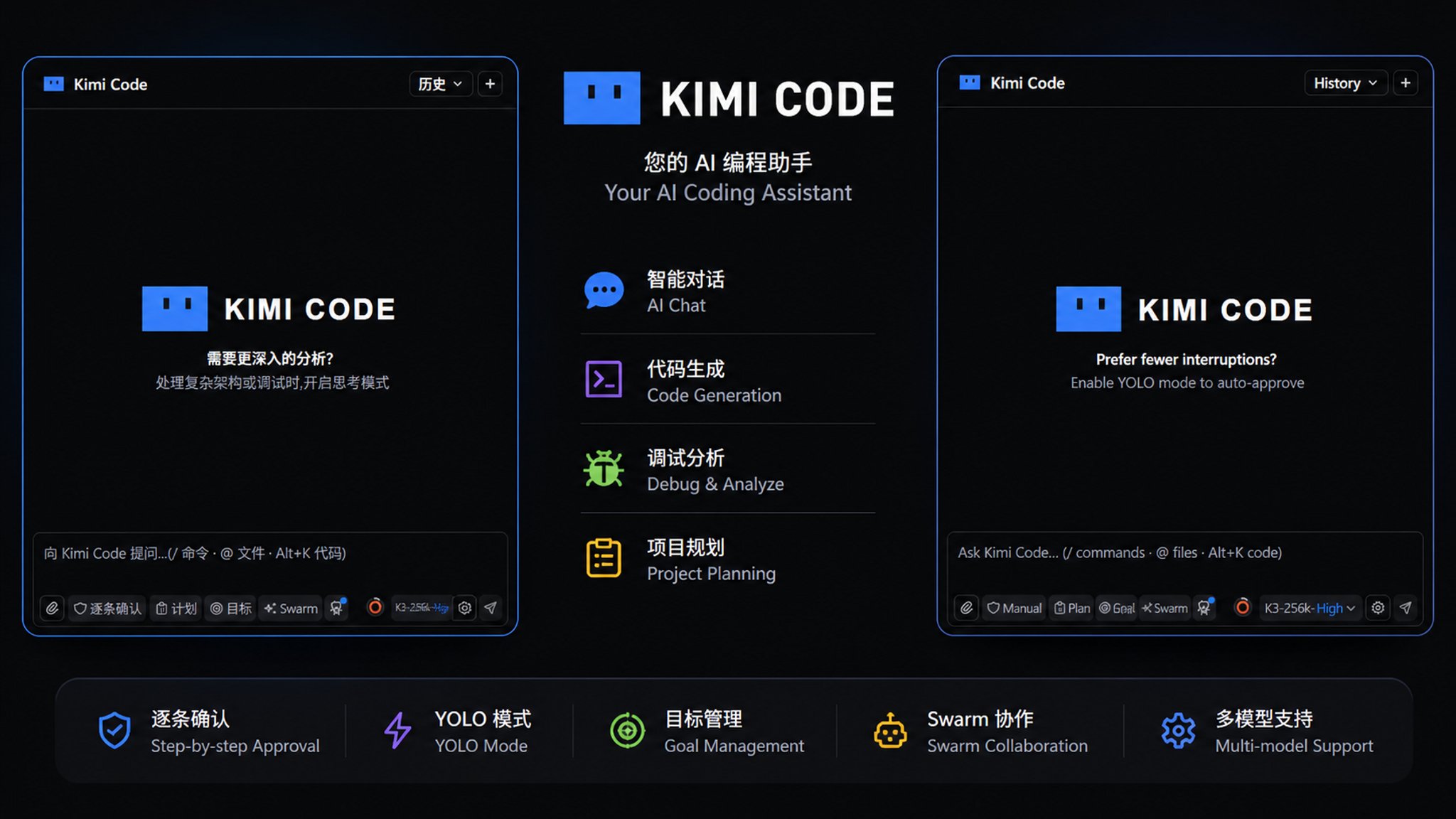
Logo 与视觉:复刻 Kimi Code CLI 蓝色标识、对话框头像、状态栏布局调整;所有开关 开 = 蓝色 / 关 = 灰色,状态一眼可辨。
流式动效(桌面端同款):正在输出的正文末尾显示闪烁的打字机光标;思考块标签在推理期间以 1.6 秒呼吸动画提示进行中(均尊重系统「减少动态效果」设置)。
Logo & visuals: the Kimi Code CLI blue logo, chat avatars, and an adjusted status-bar layout; every toggle is blue when on and gray when off — state at a glance.
Streaming motion (same as the desktop app): a blinking typewriter cursor follows the tail of in-flight text, and the thinking label breathes while reasoning streams (both honor reduced motion).
Web 同款输入区:状态行左侧保留队列 / 文件修改,右侧为后台 Bash / 子 Agent / 当前进度(待办)/ 上下文查看器(仅在本对话调用过后显示);模式与模型选择器(参考 kimi code web 界面);有待发消息时队列按钮蓝色高亮。
Web-style input area: the status row keeps queue / file-changes on the left, and background Bash / sub-agents / current progress (todos) / context viewer on the right (each shown only after use in the current conversation); mode & model pickers modeled on the Kimi Code Web UI; the queue button highlights blue while messages are pending.
性能与稳定性:历史记录长对话加载优化、上下文压缩后查看器、对话框防草稿回流、终止响应更可靠。
Performance & stability: faster loading of long history conversations, a post-compaction context viewer, no draft backflow into the input box, and more reliable response cancellation.
🖼️ 界面预览 | UI Preview
⌨️ 快捷键 | Keyboard Shortcuts
本 fork 独有:
| 快捷键 |
作用 |
Alt + Enter |
立即发送:任务进行中把消息直接插入当前回合(不经过排队),空闲时等同普通发送 |
Shift + Tab |
循环切换权限模式(逐条确认 → 自动通过 → 完全自主),仅插件窗口内生效,弹窗打开时不抢占焦点导航 |
Ctrl/Cmd + Enter |
审批 / 计划弹窗的修改意见框内提交修改意见(Esc 取消修改) |
English (fork-only):
| Shortcut |
Action |
Alt + Enter |
Send now: while a task is running, insert the message directly into the current turn (bypassing the queue); equals a normal send when idle |
Shift + Tab |
Cycle permission modes (confirm each → auto-approve → full autonomy); only inside the extension window, and never steals focus navigation while a dialog is open |
Ctrl/Cmd + Enter |
Submit feedback in the revision box of approval / plan dialogs (Esc cancels) |
官方原有(沿用上游,行为未改动):
| 快捷键 |
作用 |
Ctrl/Cmd + Shift + K |
聚焦插件输入框 |
Alt + K |
在编辑器中把选中代码作为 @ 引用插入对话 |
Ctrl/Cmd + N |
新建对话 |
Enter / Shift + Enter |
发送 / 换行(设置里可切换为 Ctrl + Enter 发送) |
↑ / ↓ |
输入框翻阅历史输入 |
@ 菜单:↑↓ 选择、Tab/Enter 确认、←→ 进出文件夹、Esc 关闭 |
文件引用选择 |
Esc |
关闭图片预览、队列面板等弹层 |
English (upstream, unchanged):
| Shortcut |
Action |
Ctrl/Cmd + Shift + K |
Focus the extension input box |
Alt + K |
Insert the selected editor code into the conversation as an @ reference |
Ctrl/Cmd + N |
New conversation |
Enter / Shift + Enter |
Send / newline (can be switched to Ctrl + Enter send in settings) |
↑ / ↓ |
Browse input history in the input box |
@ menu: ↑↓ select, Tab/Enter confirm, ←→ enter/leave folders, Esc close |
File reference picker |
Esc |
Close overlays such as image preview and the queue panel |
🔧 构建与打包 | Build & Package
环境要求:Node.js >= 24.15.0、pnpm 10.33.0(engine-strict 已启用,版本不满足会直接失败)。
English: Requirements: Node.js >= 24.15.0, pnpm 10.33.0 (enforced via engine-strict; the install fails on older versions).
pnpm install
cd apps/vscode
pnpm typecheck
pnpm build
node scripts/vsix-package.mjs
产出 | Output:apps/vscode/artifacts/vsix/kimi-code-<版本号>-universal.vsix(默认打通用包,全平台可装;文件名带版本号,如 kimi-code-0.9.1-universal.vsix,多次打包不再互相覆盖。需要分平台包时执行 node scripts/vsix-package.mjs all)
安装到 VS Code | Install into VS Code
解包 vsix 中的 extension/ 子树到 VS Code 扩展目录(如 ~/.vscode/extensions/moonshot-ai.kimicode-vscode-fork-<版本号>),然后执行 Developer: Reload Window。
English: Unpack the extension/ subtree from the vsix into your VS Code extensions directory (e.g. ~/.vscode/extensions/moonshot-ai.kimicode-vscode-fork-<version>), then run Developer: Reload Window.
注意:扩展菜单里的 "Reset Kimi" 只刷新 webview,不重载扩展宿主;修改代码后必须 Reload Window 才生效。
English: "Reset Kimi" in the extension menu only refreshes the webview, not the extension host — after code changes you must Reload Window for them to take effect.
📁 目录结构 | Repository Layout
apps/vscode/          # 插件源码(extension host + React webview UI + 打包脚本)
packages/             # 构建闭包内的 11 个私有内部包(编译需要)
build/                # 构建工具(raw-text loader 等)
scripts/              # postinstall(node-pty 修复)
English:
apps/vscode/          # extension source (host + React webview UI + packaging scripts)
packages/             # 11 private internal packages in the build closure (required to compile)
build/                # build tooling (raw-text loader, etc.)
scripts/              # postinstall (node-pty fix)
🕓 更新记录 | Changelog
2026-09-20(0.9.19 · 黑底 Logo + 欢迎页圆形动效):
- Logo 底色统一为黑色(此前深色主题下为白色),覆盖顶栏、对话头像、账号弹窗等所有出现位置
- 欢迎页的静态方形横幅换成圆形动态品牌 Logo(眼睛自动巡视/眨眼 + 轻微漂浮),旁边配 KIMI CODE 文字标;尊重系统「减少动态效果」设置
English:
- The logo tile is now always black (previously white on dark themes) everywhere — header, chat avatars, account dialog
- The welcome screen's static square banner is replaced by a round, animated brand logo (idle eye motion, blink, gentle bob) with a KIMI CODE wordmark; honors reduced motion
2026-09-20(0.9.18 · 同步品牌信息):
README 头图换新为新品牌风格,更新记录文案梳理;无功能变化
English: Brand sync only: new README hero image, release notes tidied; no functional changes
2026-09-20(0.9.16 · 桌面端品牌 Logo + 眨眼彩蛋 + 流畅性提升):
- 对话头像、面板顶部、账号兜底头像改用桌面端 Kimi Code CLI 品牌 Logo(圆角方块底板 + 蓝色渐变圆脸 +
>_ 终端条),替换旧的蓝色矩形头像图
- 移植桌面端彩蛋:Logo 眼睛每 16 秒左右瞟动、每 11 秒自动眨眼,点击任意 Logo 立即眨一次眼;纯 CSS/SVG,尊重「减少动态效果」
- 扩展市场图标与侧边栏图标换成桌面端官方应用图标
- 流畅性提升:面板动画已全面改为纯 CSS/SVG 实现——0.9.15 移除 Rive 运行时(webview 包体减小约 8MB,不再加载 WebAssembly、无 canvas 重绘循环),新 Logo 与工作指示器动画开销几乎为零;配合 0.9.12 的流式渲染优化与长对话卡死修复,面板整体更轻快
English:
- Chat avatar, panel header, and account fallback avatar now use the desktop Kimi Code CLI brand logo (rounded tile + blue gradient face +
>_ terminal bar), replacing the old flat avatar image
- Ported the desktop easter egg: the logo's eyes glance around every 16 s, auto-blink every 11 s, and blink once when clicked; pure CSS/SVG, honors "reduced motion"
- Marketplace and activity-bar icons now match the desktop app icon
- Fluency: every panel animation is now pure CSS/SVG — 0.9.15 removed the Rive runtime (~8 MB smaller webview bundle, no WASM, no canvas repaint loop); combined with 0.9.12's streaming-render smoothing and long-session freeze fixes, the panel feels noticeably snappier
2026-09-20(0.9.15 · 工作指示器对齐桌面端现版):
- 工作指示器改为桌面端当前版本的纯 CSS「Kimi 小脸」:圆角矩形蓝色小脸,眼睛会左右瞟动 + 眨眼,状态文字呼吸(首个内容流出前「请求中…」,之后「工作中…」);替换 0.9.14 的 Rive 版本(其静止状态是个蓝色圆球,与桌面端不符)
- 完全移除 Rive 运行时:webview 包体减小约 8 MB,撤回 0.9.14 临时加入的
wasm-unsafe-eval CSP 放宽;尊重系统「减少动态效果」设置
English:
- The working indicator now matches the current desktop app: a pure-CSS "Kimi face" — a rounded-rect blue badge with glancing, blinking eyes plus a breathing status label — replacing 0.9.14's Rive mascot (whose resting state rendered as a plain blue circle)
- Rive runtime removed entirely: ~8 MB smaller webview bundle, and 0.9.14's temporary
wasm-unsafe-eval CSP relaxation is reverted; honors "reduced motion"
2026-09-20(0.9.14 · 桌面端吉祥物工作指示):
- 对话进行中显示桌面端同款 Kimi 吉祥物动画 + 呼吸状态文字(首个内容流出前「请求中…」,之后「工作中…」),替换原来的转圈「处理中...」;吉祥物用桌面端 Rive 动画,加载前显示静态备用图
- 助手消息头像改为圆角
English:
- While a turn is in flight, the desktop app's animated Kimi mascot (Rive) shows under the last message with a breathing status label ("Requesting…" until first content, then "Working…"), replacing the old spinner row; a static fallback shows until the runtime loads
- The assistant message avatar now renders with rounded corners
2026-09-20(0.9.13 · 修复对话无法打开):
- 修复 0.9.12 引入的回归:上游 #3785 让引擎在每次创建/恢复会话时严格校验子代理
[secondary_model] 配方,配方里残留失效模型别名(如自定义供应商被删/改名后)会导致所有对话打不开。现在扩展启动时自动校验该配方,发现失效别名就重置为「跟随主模型」并弹警告提示
English:
- Fixed a 0.9.12 regression: upstream #3785 made the engine fail-fast validate the
[secondary_model] recipe on every session create/resume, so a stale model alias (e.g. left by a removed/renamed custom provider) blocked every conversation. The extension now validates the recipe at startup and resets it to "follow the main model" (with a warning) when it references undefined models
2026-09-20(0.9.12 · 桌面端流式动效 + 目标模式修复 + 官方同步):
- 流式体验对齐 Kimi 桌面端:正在输出的正文末尾显示闪烁的打字机光标;思考块标签在推理期间改为呼吸动画,不再转圈(尊重系统「减少动态效果」)
- 目标模式修复:目标更新实时渲染;长对话下取消/停止不再卡死弹窗;流式渲染更顺滑
- 同步官方上游修复(截至九月中旬):#3889 大仓库会话恢复与索引提速(扫描缓存 + O(1) 会话定位 + 会话索引自动压缩);#3778 子代理作用域 LRU 缓存;#3892 监视器洪水修复;#3840 Windows 8.3 短路径监听崩溃;#3887 会话删除/归档卡死;#3837 撤销后重建对话记录;#3911 压缩前预裁剪历史;#3869 yolo 放行无法分析的 bash;#3879 系统提示不再禁止目录外路径;#3667 MCP 工具延迟披露;#3787 托管用量配额模型等 20 余项
English:
- Streaming UX from the Kimi desktop app: blinking typewriter cursor at the tail of in-flight text; the thinking label breathes instead of spinning (honors reduced motion)
- Goal mode fixes: live goal updates in chat; cancel/stop no longer freezes the dialog on long sessions; smoother streaming
- Synced 20+ upstream fixes (through mid-September): #3889 large-workspace resume & index speedup (scan cache + O(1) session lookup + session-index compaction); #3778 subagent scope LRU; #3892 watcher flood; #3840 Windows 8.3 short-path watch crash; #3887 session delete/archive hang; #3837 transcript rebuilt after undo; #3911 compaction pre-shrink; #3869 yolo approves unanalyzable bash; #3879 no outside-dir ban in system prompt; #3667 deferred MCP tool disclosure; #3787 managed-usage quota model; and more
2026-09-14(0.9.11 · 重新发布):
- 0.9.10 内容不变,仅递增版本号重新发布,绕过市场网页端静默上传失败(无功能变更)
English:
- Re-release of 0.9.10 with a bumped version number to work around a silent marketplace upload rejection (no functional changes)
2026-09-14(0.9.10 · 变更胶囊悬停 + 切账号保持模型 + 官方同步):
- 顶部「变更」胶囊不再内联显示
+N/-N 行数,只显示变更数量([N]个变更),鼠标悬停才显示具体增删行数
- 切换账号不再把模型重置为该账号按字母序的第一个别名:现在按当前模型 id 跨账号匹配(例如保持 K3-256K,不再跳回 K3),目标模型支持时还会恢复原有思考强度
- 同步官方上游修复(MoonshotAI/kimi-code):#3459 停止交接步骤与子代理 stop_reason;#3734 重试时作废上一段流式残留(修复重试后文本乱码/重复);#3654 MCP 结构化工具结果;#3649 支持 HEIC/HEIF/BMP 图片;#3652 按供应商能力做图片格式门控;#3645 大文件分页读取;#3658 glob 结果分页;#3688 MCP 工具结果附件;#3657 目标时间预算(部分移植)。#3697(插队打断后台等待)经评审不可移植:依赖本 fork 没有的上游 machine/WaitFor 层
English:
- The file-changes pill in the top bar no longer shows inline
+N -N line counts — it shows only the changed-file count ([N] changes), and hovering reveals the exact added/deleted lines
- Switching accounts no longer resets the session model to the account's first alphabetical alias: the switch matches the current model id across accounts (e.g. staying on K3-256K instead of jumping back to K3), and the previous thinking effort is restored when the target model supports it
- Synced upstream fixes from MoonshotAI/kimi-code: #3459 stop-handoff steps & subagent
stop_reason; #3734 discard a retried attempt's partial stream state (fixes duplicated/garbled text after retries); #3654 MCP structured tool results; #3649 HEIC/HEIF/BMP image support; #3652 image-format gating by provider capability; #3645 paged reads for large files; #3658 glob result pagination; #3688 MCP tool-result attachments; #3657 goal time budgets (partial). Upstream #3697 (steer interrupts background waits) is not portable: it depends on upstream's machine/WaitFor layer that this fork does not have
2026-09-12(0.9.9 · 移除 V1 引擎 + 计划模式思考强度):
- 移除 v1 旧引擎回退开关(
kimifork.useAgentCoreV1 设置与 KIMI_CODE_LEGACY_FLAG 环境变量已删除):扩展固定运行 v2 引擎,启动失败的报错不再提示回退;SDK 内的 v1 包仍保留用于会话互通
- 新增设置项「计划模式最高思考强度」(默认关闭):开启后进入计划模式时自动把思考强度提升到当前模型支持的最高档,退出计划模式(执行/拒绝/手动关闭)时恢复原有强度;窗口重载后退出计划模式也能从会话元数据中恢复
English:
- Removed the legacy v1 engine rollback switch (the
kimifork.useAgentCoreV1 setting and the KIMI_CODE_LEGACY_FLAG env var are gone): the extension always runs the v2 engine, and engine startup errors no longer suggest rolling back; the v1 harness package remains inside the SDK for session interop
- New setting "Max thinking in plan mode" (default off): entering plan mode raises thinking effort to the current model's highest supported level, and exiting plan mode (approve / revise / manual toggle) restores the previous effort — restored from session metadata even after a window reload mid-plan
2026-09-12(0.9.8 · 计划审批界面重做):
- 计划审批参考 Claude Code:计划正文在审批对话框内以完整 Markdown 格式渲染(标题/加粗/列表/表格/代码高亮),不再自动打开原始
.md 源码标签页、不再退化为无格式纯文本
- 新增设置项「在编辑器中打开计划」(默认关闭):开启后计划审批出现时自动在 VS Code 中以渲染预览(Markdown Preview,不再是源码)打开计划文档;审批对话框计划路径旁保留手动「在编辑器中打开」入口
English:
- Plan review redesigned to match Claude Code: the plan renders inline in the approval dialog with full Markdown formatting (headings, bold, lists, tables, code highlighting) instead of auto-opening the raw
.md source in an editor tab or falling back to unformatted plain text
- New setting "Open plan in editor" (default off): when enabled, a plan review also opens the plan document in VS Code as a rendered Markdown preview (
markdown.showPreview, no longer the raw source); a manual "Open in editor" link remains next to the plan path
2026-09-12(0.9.7 · 插队消息修复):
- 修复队列「立即插入(插队)」消息被静默丢弃:插队回显落在没有活动步骤的时间窗时(如 TurnBegin 与 StepBegin 之间、刚附着到忙碌会话时)不再丢弃——自动补建步骤或退化为普通用户气泡,插队的文字和图片都会显示在对话里
- 队列「立即插入」失败不再静默:请求被拒绝时弹出错误提示,消息保留在队列中
English:
- Fixed queue "Insert now (steer)" silently dropping the message: the steer echo landing outside a live step (between TurnBegin and StepBegin, or right after attaching to a busy session) is no longer discarded — it attaches to a created step or falls back to a plain user bubble, so steered text and images always show up in the conversation
- Queue "Insert now" failures are no longer silent: a rejected steer request surfaces an error toast and keeps the message in the queue
2026-09-04(0.9.6 · 账号额度展示):
- 账号管理弹窗:额度行下方常显各窗口的重置倒计时 + 精确重置时间,无需悬停
- 设置菜单账号行:文字额度改为与输入框状态栏一致的同心圆环(外环 5 小时、内环 7 天),悬停显示已用百分比与重置倒计时
- 设置菜单账号行:「默认」标签与当前账号对号移到账号名称后面,额度圆环保持右对齐
English:
- Account Management dialog: each window's reset countdown and exact timestamp now sit on an always-visible line below the quota line
- Settings menu account rows: the text quota is replaced by the same concentric ring indicator as the composer status bar (outer = 5h, inner = 7d); hover for percent used and reset countdowns
- Settings menu account rows: the default badge and current-account check moved right after the account name, keeping the quota rings right-aligned
2026-09-03(0.9.5 · 官方上游同步):
- 会话中断恢复后队列消息不再卡死——prompt 决议事件持久化到会话日志(官方 PR #3371)
- 危险 bash 命令(如
rm -rf、磁盘/格式化操作)在所有权限模式下都需批准,YOLO 也不例外;auto 模式直接拒绝,可通过配置关闭(官方 PR #3290)
- 子代理次模型池从实验特性毕业、默认启用,并上报每个子代理绑定的模型及来源(官方 PR #3334)
- 步骤重试与中断事件持久化到会话 wire 日志,恢复的会话保留每步的重试/中断历史(官方 PR #3428;0.9.2 的实时重试丢弃修复不受影响)
⚠ 暂未同步(留待后续版本):官方 PR #3459——强制停止(重复熔断/步骤上限)后追加纯文本交接步骤,让子代理向主代理汇报停止原因和恢复提示;依赖官方子代理生命周期的 DI 重构,将单独安排移植。
English:
- Queued prompts no longer get stuck after an interrupted session resumes — prompt resolution events are persisted to the session log (upstream PR #3371)
- Dangerous bash commands (e.g.
rm -rf, disk/format operations) now require approval in every permission mode including YOLO — auto mode denies them outright; the guard can be turned off via config (upstream PR #3290)
- The subagent secondary-model pool graduated out of experimental and is enabled by default, reporting each spawned subagent's bound model and how it was chosen (upstream PR #3334)
- Step retry and interrupt events are persisted to the session wire log, preserving per-step retry/interrupt history across resumes (upstream PR #3428; the 0.9.2 realtime retry-discard fix is unaffected)
⚠ Not yet synced (planned for a later release): upstream PR #3459 — a text-only handoff step after forced stops so subagents report their stop reason and a resume hint to the parent agent; it depends on an upstream DI rework of the subagent lifecycle and will be ported in its own round.
2026-09-02(0.9.4 · 多账号与消息操作):
- 右键自己发送的消息可修改或删除:通过引擎会话 undo 回滚到该消息之前,记录仍保留在日志中但不再参与上下文;修改会把原文填回输入框重新发送(豆包式),生成中执行会先停止生成;菜单同时保留「复制消息」入口
- 支持同时登录多个 Kimi Code 官方账号:「账号管理」内添加账号(VS Code 内完成 OAuth 设备码流程)、按模型切换当前账号或单独退出任一账号;输入框下方额度条跟随当前模型所属账号,显示其 5 小时/7 天额度与重置时间
- 账号体验完善:头像缺失或加载失败时回落到 Kimi 默认头像;账号卡支持编辑显示名(铅笔图标),可加星标设为默认账号——新会话直接从该账号启动
- 设置菜单在「账号管理」下以二级行直接列出每个已登录账号的名字和 5 小时/7 天用量;账号管理弹窗内同样逐账号显示额度
- 第三方模型接口(如 DeepSeek)并入账号管理:自定义供应商表单和列表从子代理模型对话框抽成共享区块,两个入口管理同一份供应商
- 菜单布局:「账号管理」移到「精简模式」下方并以分隔线划分,底部账号行只保留登录/退出
- 一键切换账号:点设置菜单里的账号行即把当前窗口的会话切到该账号(会话级,不动全局默认模型),✓ 标记本窗口正在使用的账号——不同窗口可以同时各用各的账号;点未登录的账号则打开管理弹窗先登录
感谢 @firehot 在 PR #1 中提供的 ACP 适配思路,本轮的多账号能力受此启发。
English:
- Right-click your own message to edit or delete it: the conversation rolls back to just before that message via the engine's conversation undo — records stay in the session log but stop feeding the context; edit refills the input box for a corrected resend (Doubao-style), acting mid-stream stops the generation first, and the menu keeps a "Copy message" entry
- Multiple official Kimi Code accounts can stay signed in at once: add accounts in Account Management (full OAuth device flow inside VS Code), switch the active account per model pick, or log any of them out; the usage bar below the composer follows the account owning the current model, with its 5-hour/7-day quota and reset times
- Account polish: avatars fall back to the Kimi logo when missing or broken; each account gets an editable display name (pencil icon) and a star to mark it as default — new sessions start on the default account
- The settings menu lists every signed-in account as a secondary row under Account Management with its name and 5-hour/7-day usage; the Account Management dialog shows the same per-account usage line
- Third-party provider access (e.g. DeepSeek) now lives inside Account Management too: the custom provider form and list were extracted from the subagent model dialog into a shared section, both entries managing the same providers
- Menu layout: Account Management moved below Compact Mode with dividers; the bottom account row keeps only sign-in/out
- One-click account switching: clicking an account row in the settings menu switches this window's session to that account (session-level — the global default model is untouched), with a check marking the account this window is using; different windows can run on different accounts at the same time, and clicking a signed-out account opens the management dialog to log in first
Thanks @firehot for the ACP adaptation proposal in PR #1 — it inspired this round's multi-account work.
2026-08-31:
- 队列消息的图片/视频显示为编号标签(图片 1/视频 1,悬停出缩略图);队列行文字与操作按钮放大,按钮独立到右侧竖线分隔的常显区域
- 移除界面层「自动压缩上下文」开关:压缩交由引擎按当前模型窗口 85% 自动处理(与官方一致),手动 /compact 不受影响
English:
- Queued images/videos show as numbered chips (Image 1 / Video 1, hover for a thumbnail); queue rows use larger text, and the actions (steer / edit / move up / delete) live in a dedicated right-side zone with bigger, always-visible buttons
- Removed the UI-level auto-compact toggle: compaction is left to the engine's own auto-compaction (85% of the current model's context window), matching upstream; manual /compact is unaffected
2026-08-29:
- 修复绑定自定义供应商的子代理报 apiKey 缺失:v2 引擎补齐 api_key_env_var 密钥间接引用(供应商 schema / 密钥解析 / 设置页已配置判断三处对齐 v1)
- 修复长时间无人值守回合后文本乱码、整段重复:步骤遇可重试错误重跑时重发已输出文本且无回滚标记,现引擎宣告重试即丢弃失败残留(含子代理步骤)
- 切换会话不再中断进行中的任务:最后一个视图离开时忙碌会话转后台保活,回合结束且 60 秒内无视图重挂才回收
- 修复切回后台运行中的会话时、切走期间生成的内容丢失:保活会话回放的是首次打开时冻结的快照,重附着现改为现读 wire 日志、回放最新状态
- 头部 Kimi Code 标识右侧显示当前会话标题(加载时解析,LLM 标题/重命名实时刷新,窄窗口自动隐藏)
- 头部状态胶囊移除上下文占比(输入区已有上下文圆环),保留重试指示与输入/输出 token 数
- 「在新标签页打开」不再镜像其他窗口的会话:新面板落在欢迎页自行挑选历史;原地重载的重附着改为各窗口各回各的会话
- 生成中切换/新建对话的确认文案改为说明任务在后台继续运行、可从历史切回,不再声称「将截断输出」
English:
- Fixed subagents on custom providers failing with a missing apiKey: the v2 engine now honors the api_key_env_var key indirection (provider schema, auth resolution, and the settings-page configured check, all aligned with v1)
- Fixed garbled, self-duplicating text after long unattended turns: retried steps re-streamed their output with no rollback marker; the failed attempt's remainder is now discarded as soon as a retry is announced (subagent steps included)
- Switching conversations no longer interrupts running work: a busy session stays alive in the background after its last view detaches, and is reaped only when no view re-attaches within 60 seconds of it settling
- Fixed switching back to a conversation still running in the background losing everything generated while away: a kept-alive session replayed a snapshot frozen at its first open; re-attaching now re-reads the wire log and replays the latest state
- The header shows the current conversation's title next to the Kimi Code logo (resolved on session load, refreshed live on LLM titles/renames, auto-hidden in narrow windows)
- The header status pill drops the context-usage percentage (the composer row already has the context ring), keeping the retry indicator and input/output token counts
- "Open in New Tab" no longer mirrors another window's conversation: new panels start on the welcome screen; reload re-attach now returns each window to its own session
- The mid-stream switch/new-conversation confirmation now explains the task keeps running in the background and can be revisited from History, instead of claiming the output would be truncated
2026-08-28:
- 同步官方修复:同一会话并发打开/重附着导致的流式消息重复渲染,视图打开操作串行化后不再出现(#3276)
- 同步官方修复:v2 状态快照补齐 contextUsage 字段,SDK 侧上下文用量数据完整(#3098)
- 同步官方修复:子代理自定义模型(secondary_model)不再被引擎按模型池级联覆写(#3284)
- 同步官方修复:思考强度超过模型默认档时仅当前会话生效,不再意外写成该模型的持久默认(#3205)
- 同步官方修复:MCP 工具结果中 structuredContent 与正文重复时不再双倍输出(#3234)
- 同步官方修复:并行工具调用集中触发时提升 abort 监听器上限,长回合不再刷 MaxListeners 警告(#3241)
- 同步官方修复:不允许后台提问时 AskUserQuestion 隐藏并拒绝 background 参数,避免高峰期子代理问题卡死(#3159)
- 补回上游 .gitattributes(强制 LF 检出),修复 Windows 下工具描述文件 CRLF 导致的引擎测试快照哈希漂移
- 修复长回合进行中已发送文本莫名回到输入框:发送 RPC 的 10 分钟桥接超时在回合中途误触发并被误判为「未发送成功」回滚;现该 RPC 不再设客户端超时,握手完成后到达的失败按运行时错误保留现场,不再回填输入框
- 同步官方修复:恢复被中断的会话不再反复崩溃——代理生命周期上下文在 scope 拆除期间保持激活,会话关闭路径等待异步拆除完成(#3206)
- 同步官方修复:会话日志损坏自愈——恢复时检测到损坏/截断的 wire 日志,自动截断到有效前缀并保留 .bak 备份,不再导致会话无法恢复(#3281)
- 同步官方修复:恢复会话时告知模型「之前的后台任务已被终止」——合并为一条 system-reminder 注入,不自动开新回合(#3292)
- 同步官方修复:undo 后「手动停止」状态残留——undo 回卷对应回合时同步清除回合结果(#3278)
- 同步官方修复:绑定 secondary 模型的子代理忽略默认思考强度——secondary_model.default_effort 现在优先生效(#3191)
- 同步官方修复:OAuth 登录被自身 provisioning 写入误取消——自身写入不再终止登录流程(#3294)
- 同步官方修复:swarm 独立 [swarm] timeout_ms 配置,不再跟随 subagent 超时(#3198)
- 同步官方修复:任务协议携带 run_in_background,前台子代理不再被误报为后台任务(#3239)
- 修复:长回合中重附着会话(切窗口/重载面板)后发送按钮不变停止、「处理中」消失——历史回放末尾追加引擎忙闲宣告,加载不再无条件复位流式状态
- 修复:输入框右上的待办列表从不显示——webview 匹配的工具名(SetTodoList)与引擎实际名(TodoList)不一致,且 v2 引擎的 TodoList 结果未携带结构化展示数据(已补齐,对齐 v1)
English:
- Synced upstream fix: duplicated streaming output when the same session was opened/re-attached concurrently — view-open operations are now serialized (#3276)
- Synced upstream fix: v2 status snapshots now carry the
contextUsage field, completing SDK-side context-usage data (#3098)
- Synced upstream fix: custom subagent models (secondary_model) are no longer cascade-overwritten by the engine's model pool (#3284)
- Synced upstream fix: thinking effort above the model's default tier now applies only to the current session instead of being persisted as the model default (#3205)
- Synced upstream fix: MCP tool results no longer double-print structuredContent that duplicates the text body (#3234)
- Synced upstream fix: raised the abort-listener ceiling for parallel tool bursts — no more MaxListeners warnings on long turns (#3241)
- Synced upstream fix: AskUserQuestion hides and rejects the background parameter when background questions are not allowed, avoiding stuck subagent questions at peak hours (#3159)
- Restored upstream
.gitattributes (forces LF checkouts), fixing engine test snapshot hash drift caused by CRLF tool-description files on Windows
- Fixed sent text returning to the input box mid-turn on long runs: the send RPC's 10-minute bridge timeout fired mid-turn and was misclassified as a pre-send failure, deleting the exchange and rolling the text back; the RPC no longer has a client-side deadline, and failures arriving after the handshake are treated as runtime errors that keep the exchange on screen
- Synced upstream fix: resuming an interrupted session no longer crashes repeatedly — the agent lifecycle context stays active through scope teardown, and the session-close path awaits async teardown (#3206)
- Synced upstream fix: corrupted session journals now self-heal — restore detects corrupted/truncated wire logs, truncates them to the valid prefix, and keeps a .bak backup instead of failing to resume (#3281)
- Synced upstream fix: on resume, the model is told its previous-session background tasks were terminated — delivered as a single system-reminder injection with no auto-turn (#3292)
- Synced upstream fix: stale "manually stopped" status after undo — undoing a turn now clears the turn outcome it describes (#3278)
- Synced upstream fix: secondary-bound subagents now honor the default thinking effort — secondary_model.default_effort takes precedence (#3191)
- Synced upstream fix: OAuth login no longer cancels itself when its own provisioning writes the provider (#3294)
- Synced upstream fix: swarms get an independent [swarm] timeout_ms and no longer follow the subagent timeout (#3198)
- Synced upstream fix: the task protocol carries run_in_background, so foreground subagents are no longer misreported as background tasks (#3239)
- Fix: after re-attaching to a session mid-turn (window switch / panel reload), the send button now turns into Stop and the "processing" indicator stays — the history replay ends with the engine's busy announcement instead of unconditionally resetting the streaming state
- Fix: the todo list pill above the composer never appeared — the webview matched a stale tool name (SetTodoList) instead of the engine's actual TodoList, and the v2 engine's TodoList result carried no structured display payload (added, mirroring v1)
2026-08-26:
- 每条对话显示时间戳(今天显示时分,跨天带日期),历史回放保留原始发送时间
- 修复 v2 引擎下上下文用量圆环消失/冻结:状态事件只有 token 数没有比例时自动换算;重新进入会话时状态播报补齐上下文快照
- 立即发送快捷键由 Shift+Enter 改为 Alt+Enter,Shift+Enter 恢复换行
- 修复编辑子代理自定义供应商保存失败:引擎重写配置把 source 展成子表后,再次保存未剥除旧子表导致 TOML 重定义报错;密钥留空且无已存密钥时改为明确提示重填一次
English:
- Every message shows a timestamp (time-of-day within today, date across days); history replay keeps the original send times
- Fixed the context-usage ring disappearing/freezing on the v2 engine: derive the ratio when a status event only carries token counts, and include the context snapshot in the status announcement when re-entering a session
- Send-now shortcut changed from Shift+Enter to Alt+Enter; Shift+Enter is a newline again
- Fixed failing saves when editing a subagent custom provider: after the engine rewrote config with source expanded as a sub-table, re-saving didn't strip the old sub-table and hit a TOML redefinition error; an empty key field with no stored key now clearly asks you to re-enter it once
2026-08-25:
- 立即发送(Alt+Enter / 队列 ⚡)的消息气泡正常显示图片,不再只见文字
- 消息加入队列时队列按钮闪烁提醒动画,不再弹顶部横幅
- 引擎报错按界面语言显示:额度不足/限流/认证失败等卡片与提醒已汉化,原文保留在详情行
English:
- Send-now (Alt+Enter / queue ⚡) message bubbles now render images, not just text
- The queue button plays a flash animation when a message is queued, instead of a top banner
- Engine errors follow the UI language: quota-exceeded / rate-limit / auth-failure cards and alerts are localized, with the original text kept in the details line
2026-08-24:
- 每次打开插件默认从首页开始,不再自动恢复上次对话
- Alt+Enter 立即发送:任务进行中直接把消息插入当前回合(不经过排队),空闲时等同普通发送;插入的消息以行内气泡即时显示
- 切换权限模式不再弹顶部提示窗;新增 Shift+Tab 循环切换权限模式(逐条确认 → 自动通过 → 完全自主),仅插件窗口内生效
- 设置开关保存失败时回滚并弹错提示,不再静默丢失
- 「精简模式」开关:输入框按钮任意宽度下图标化;模型名称与思考强度永不截断;窄宽度下工具栏自动折叠(完整 → 图标 → ⋯ 菜单)
- 错误卡片移除「重试」按钮,报错后在输入框手动重输指令
English:
- The extension now opens on the home page instead of auto-restoring the last conversation
- Alt+Enter send-now: while a task is running, inserts the message directly into the current turn (no queue); a normal send when idle; inserted messages appear instantly as inline bubbles
- Switching permission modes no longer pops a top notification; new Shift+Tab cycles permission modes (confirm each → auto-approve → full autonomy), only inside the extension window
- Failed settings saves now roll back and show an error instead of being silently lost
- "Compact mode" toggle: input-area buttons become icons at any width; model name and thinking effort are never truncated; the toolbar auto-collapses at narrow widths (full → icons → ⋯ menu)
- Removed the "Retry" button from error cards — re-enter the command in the input box after an error
2026-08-21:
- 修复切窗或重载后当前对话从界面消失:窗口内重载自动重附着会话并回放,进行中回合恢复流式状态
- 修复重发请求丢失中断前的思考记录显示,有内容的中断轮次保留为历史
- 子代理供应商支持编辑已保存项(密钥留空保持不变)
- 计划文件改为在 VS Code 编辑器中打开审查;计划输出注入文档编排格式更易读
- 修复切换计划模式后模型选择被状态播报打回旧模型
- 同步官方 0.37.1~0.38.0 共 11 项引擎/扩展修复;提问对话框多选题改为勾选 + 提交
English:
- Fixed the current conversation disappearing after switching windows or reloading: in-window reloads now re-attach the session and replay it, restoring streaming state for in-flight turns
- Fixed resubmitted requests losing the pre-interruption thinking display; interrupted turns with content are kept as history
- Subagent providers support editing saved entries (empty key field keeps the existing key)
- Plan files now open in the VS Code editor for review; plan output injects document-formatting guidance for readability
- Fixed the model selection being reverted to the old model by a status announcement after switching to plan mode
- Synced 11 official engine/extension fixes from 0.37.1~0.38.0; multi-select questions in the ask dialog now use checkboxes + submit
2026-08-20:
- 子代理卡片显示第三方模型徽标(跟随主模型不标记)
- 额度查询固定直连、绕过系统代理
- 运行中发消息自动排队、回合结束按序补发;有排队时队列按钮蓝色高亮
- 待办胶囊更名「当前进度 done/total」
- 历史记录点选后立即收起列表
English:
- Subagent cards show a third-party model badge (unmarked when following the main model)
- Quota lookups always connect directly, bypassing the system proxy
- Messages sent mid-run are queued automatically and replayed in order when the turn ends; the queue button highlights blue while queued
- The todo capsule was renamed to "current progress done/total"
- The history list collapses immediately after picking a session
2026-08-19:
- KIMI 眼睛加载动画 + 毛玻璃居中加载模块(历史 / 会话列表 / 上下文查看器)
- 子代理可绑定独立模型/供应商,高峰期分流
- /compact 压缩标记改为单行可展开
- 修复历史对话图片裂开(引擎 blobref 引用按需解析)
- 修复额度用尽后重试导致最后一轮对话从界面消失
English:
- Kimi eyes loading animation + frosted-glass centered loading module (history / session list / context viewer)
- Subagents can bind an independent model/provider to offload peak-hour traffic
- /compact markers became single-line expandable entries
- Fixed broken images in history conversations (engine blobref references resolved on demand)
- Fixed the last exchange disappearing from the UI after retrying when quota was exhausted
2026-08-18:
- AI 自动生成会话摘要标题(已手动命名不覆盖)
- 模式开关拆分为 计划 / 目标 / Swarm 三个并排按钮,说明悬浮显示;目标激活可暂停 / 继续 / 取消
- 附件曲别针点击直接打开文件选择器,不再向输入框写入 @
- 上下文圆环点击直接压缩上下文
- 上下文查看器打开自动刷新;状态行胶囊按本对话使用情况显示
- 打开历史对话显示加载动画并直达最新消息
- 开关控件统一:开 = 蓝色,关 = 灰色
English:
- AI-generated session summary titles (manually renamed titles are not overwritten)
- Mode switches split into three side-by-side buttons — Plan / Goal / Swarm — with hover descriptions; an active goal can be paused / resumed / cancelled
- The attachment paperclip opens the file picker directly instead of typing
@ into the input
- Clicking the context ring compacts context directly
- The context viewer auto-refreshes while open; status-row capsules reflect the current conversation's usage
- Opening a history conversation shows a loading animation and jumps straight to the newest message
- Toggle controls unified: blue when on, gray when off
License
Apache-2.0,基于 Moonshot AI 原版修改。原版版权归 Moonshot AI 所有。
Apache-2.0 — modified from Moonshot AI's original project. Original copyright belongs to Moonshot AI.

