markdown-highlight-mark
Support for highlight syntax ==...== in Markdown previews, including Jupyter Notebook previews, with six optional colors.
Demo

Markdown preview example
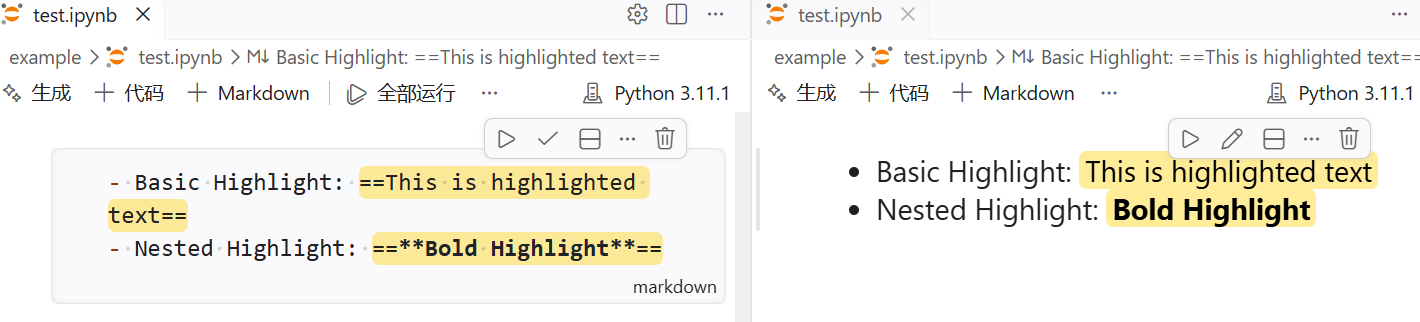
Jupyter Notebook preview example
Usage
Basic
Basic: ==this is highlighted==
Nested: ==**bold highlighted**== or **==bold highlighted==**
Colors
Put a color emoji right after the opening ==:
| Color |
Syntax |
Preview |
| Red |
==🔴Important== |
==🔴Important== |
| Orange |
==🟠Follow up== |
==🟠Follow up== |
| Yellow |
==🟡Remember this== |
==🟡Remember this== |
| Green |
==🟢Done== |
==🟢Done== |
| Blue |
==🔵Reference== |
==🔵Reference== |
| Purple |
==🟣Idea== |
==🟣Idea== |
The emoji is a color marker only: ==🔴Important== renders as <mark data-highlight="red">Important</mark>, so the emoji itself is not shown. It must come immediately after the opening == — anywhere else, such as ==Important🔴==, it is treated as normal text and the highlight uses the default color.
Creating highlights without typing the emoji
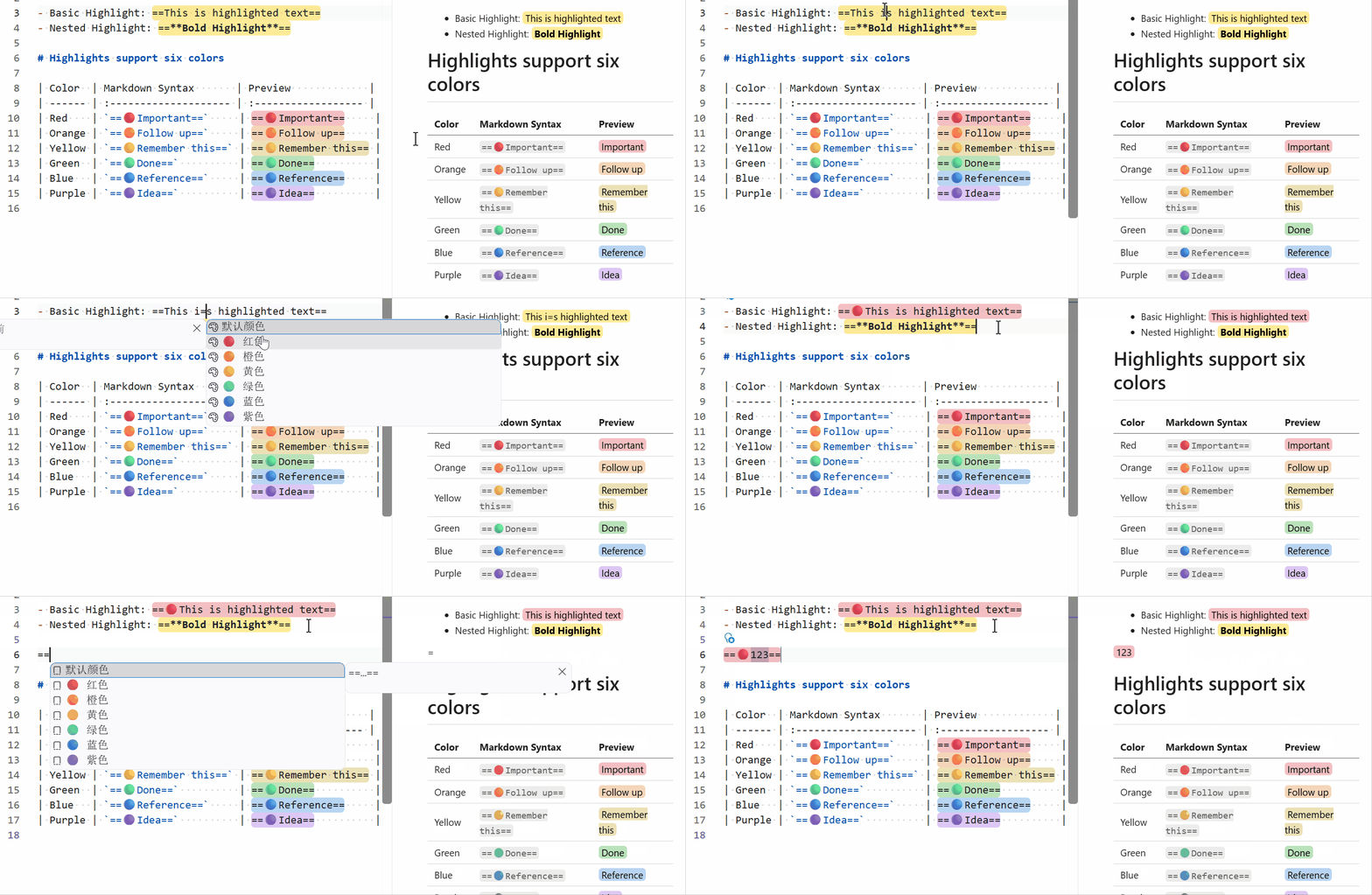
Autocomplete — type == in a Markdown editor, then pick a color from the suggestion list:
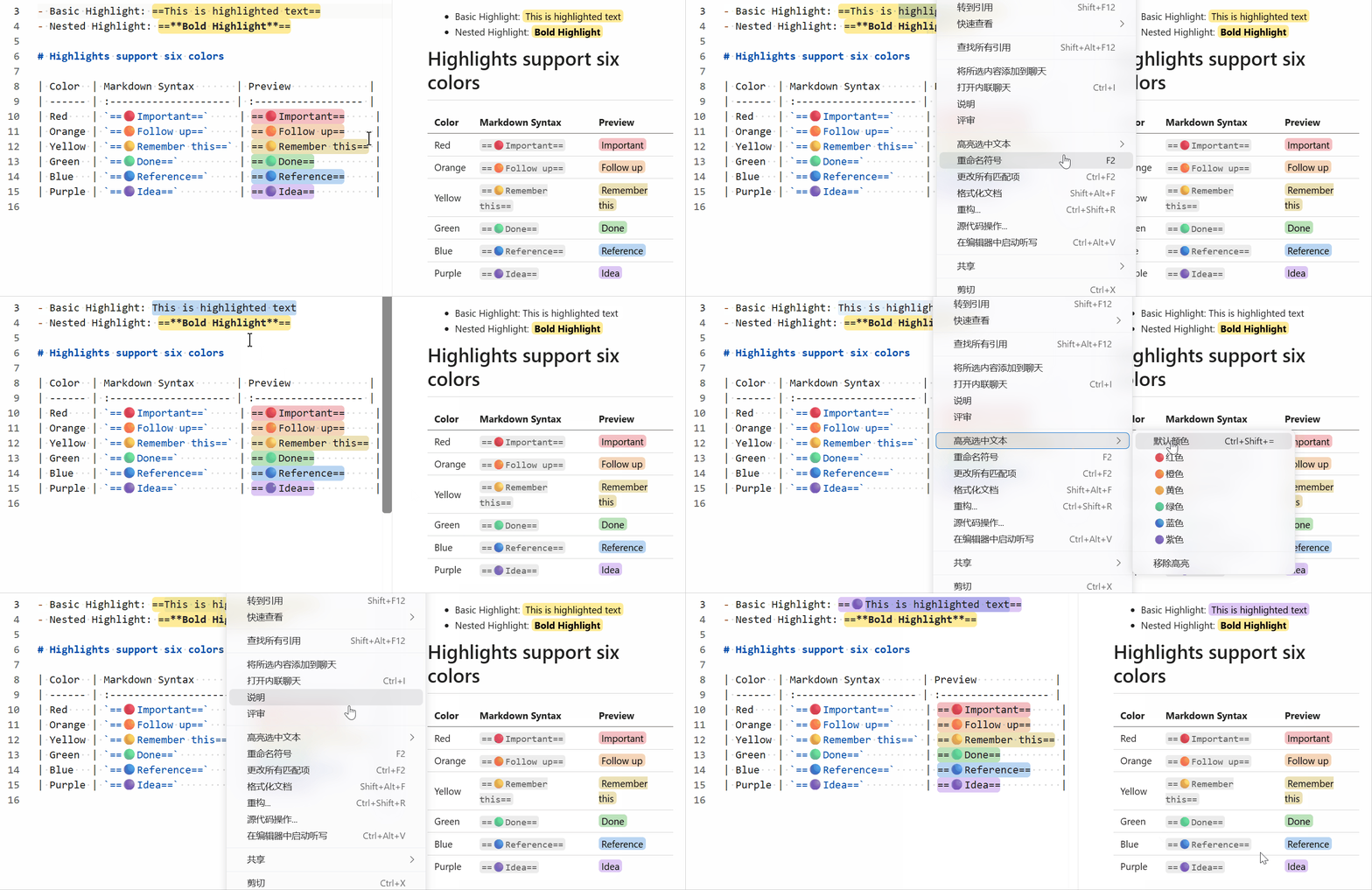
Context menu — select text, then choose "Highlight Selected Text" and pick a color:
Quick fix — put the cursor inside an existing highlight and use the lightbulb to change its color, switch back to the default color, or remove the highlight:
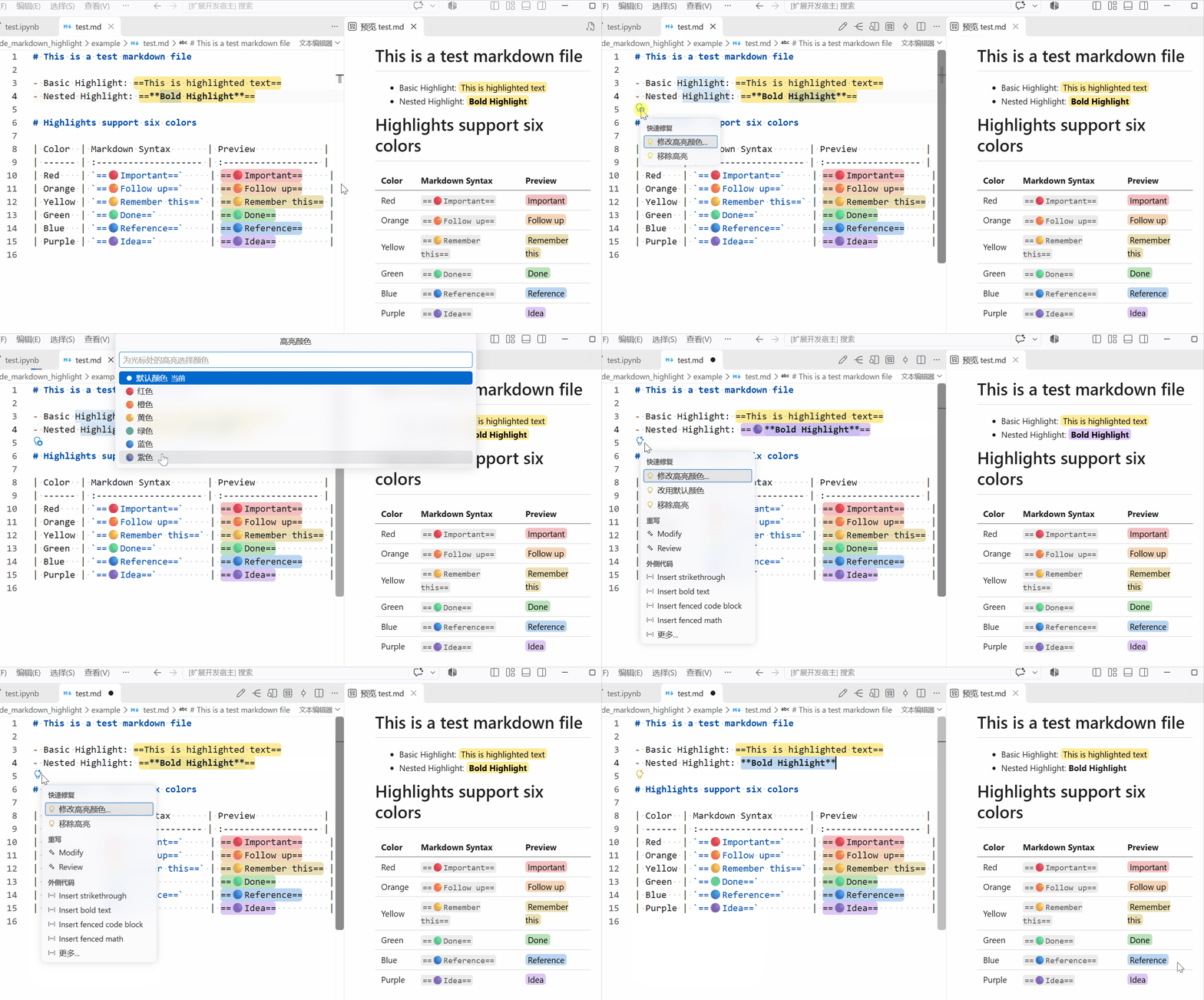
All of these also work on an existing highlight: applying a color to text that is already inside ==...== changes that highlight instead of nesting a new one, and "Remove Highlight" strips the == markers and keeps the text.
Keybinding
| Shortcut |
Action |
Ctrl + Shift + = |
Highlight the selection (or start a new highlight at the cursor) with the default color |
Note: The keybinding may conflict with other extensions or VS Code features. Adjust in settings if needed.
Hand-written HTML
If you write HTML directly, the data-highlight attribute is styled by the preview as well (no emoji needed):
<mark data-highlight="red">Important</mark>
Installation
- You can install the extension from the Visual Studio Code Marketplace or by searching for "markdown highlight mark" in the Extensions view in VS Code.
- Alternatively, you can download the extension from the Releases page on GitHub.

