DuckCode
The IDE for safe dbt changes
See downstream breakage before dbt run, CI, or merge.
What DuckCode Does
DuckCode is a VS Code extension for dbt teams that need to change models safely.
It builds lineage locally, detects downstream impact while you are still coding, shows column-level breakage, and generates a validation plan before you run dbt or wait for CI to fail.
Built for:
- dbt engineers
- analytics engineers
- tech leads working in Snowflake and dbt repos
Proof
Tested on GitLab's public analytics repo.
- One column change in
fct_invoice was flagged as HIGH impact
- DuckCode detected
14 downstream dependencies automatically
- The result was produced locally, before commit and before CI
DuckCode's core proof loop is simple:
- Change a model or column
- See downstream models, pipelines, and dashboards at risk
- Get a validation plan for what to test next
What You See In The Extension
These are real extension screenshots that show why teams trust DuckCode during dbt changes.
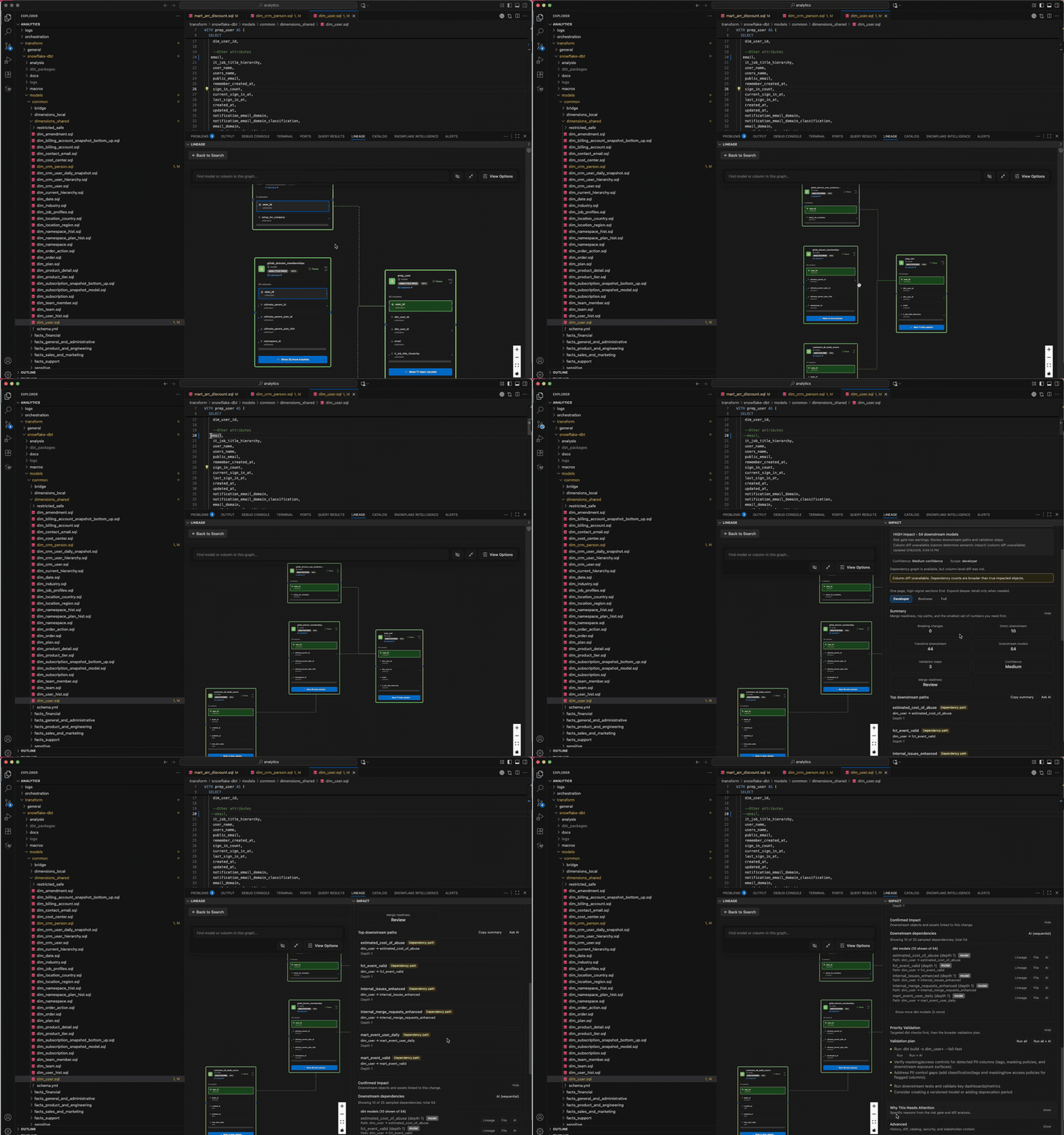
1. Complete dbt SDLC flow
DuckCode fits into the actual delivery path, not just a single isolated view.
Why this builds trust:
- it shows where impact analysis fits before PR review, CI, and release
- teams understand the end-to-end operating model immediately
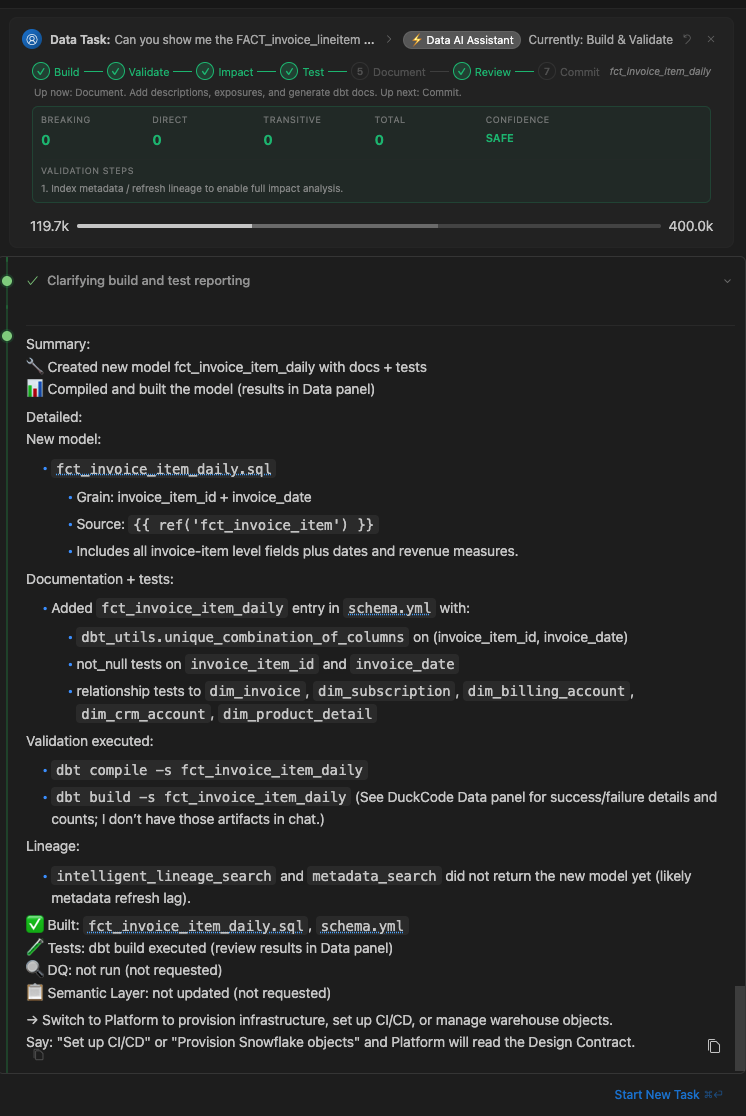
Risk is surfaced early, while the engineer is still working.
Why this builds trust:
- users can see that risky downstream change is flagged before deployment
- the extension is not waiting for CI to discover breakage
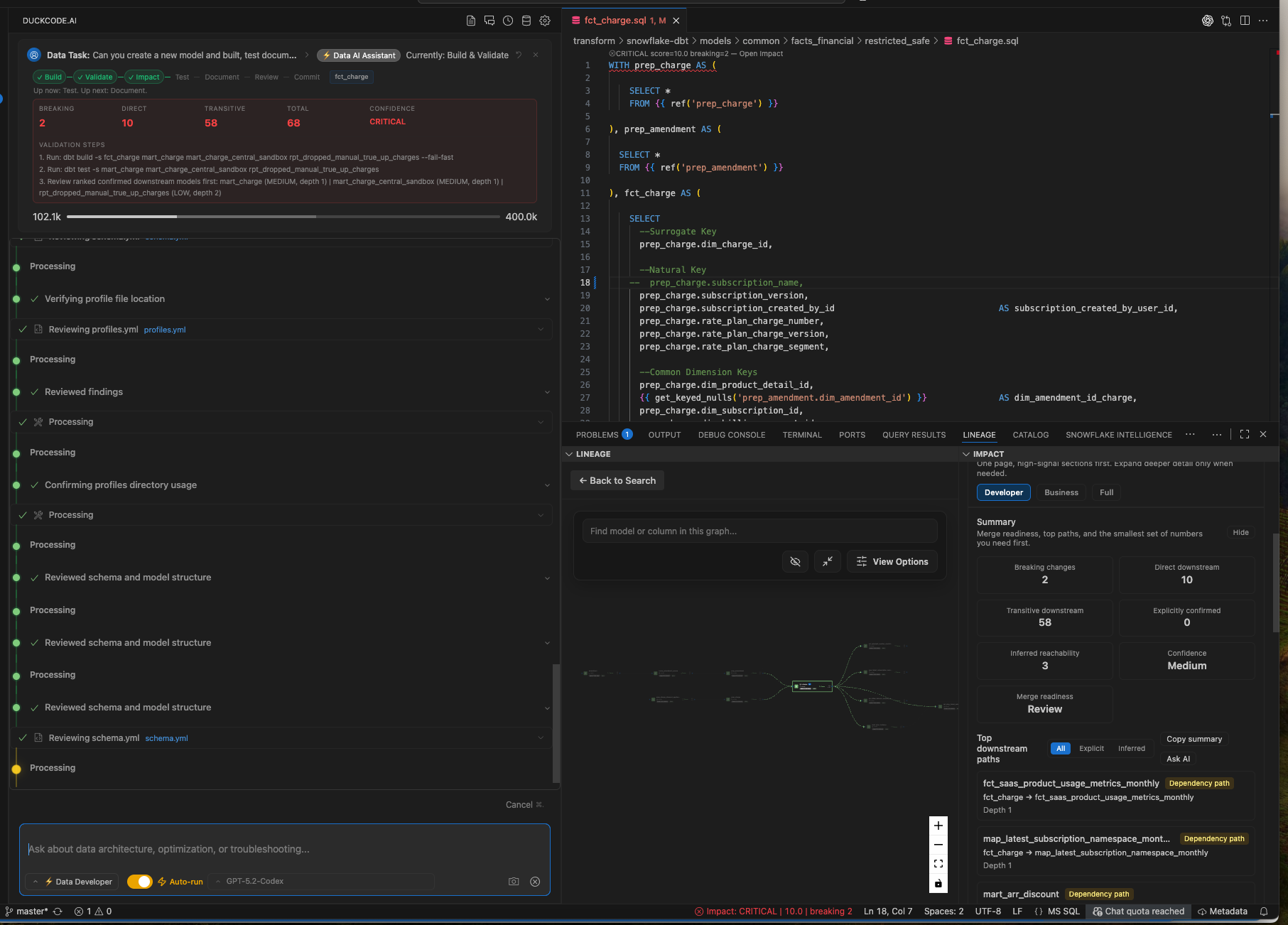
3. Column-level lineage for the model
The analysis goes deeper than model names and reaches field-level dependency detail.
Why this builds trust:
- engineers can inspect which exact downstream columns are affected
- teams can validate whether a rename or logic change will break reports or models
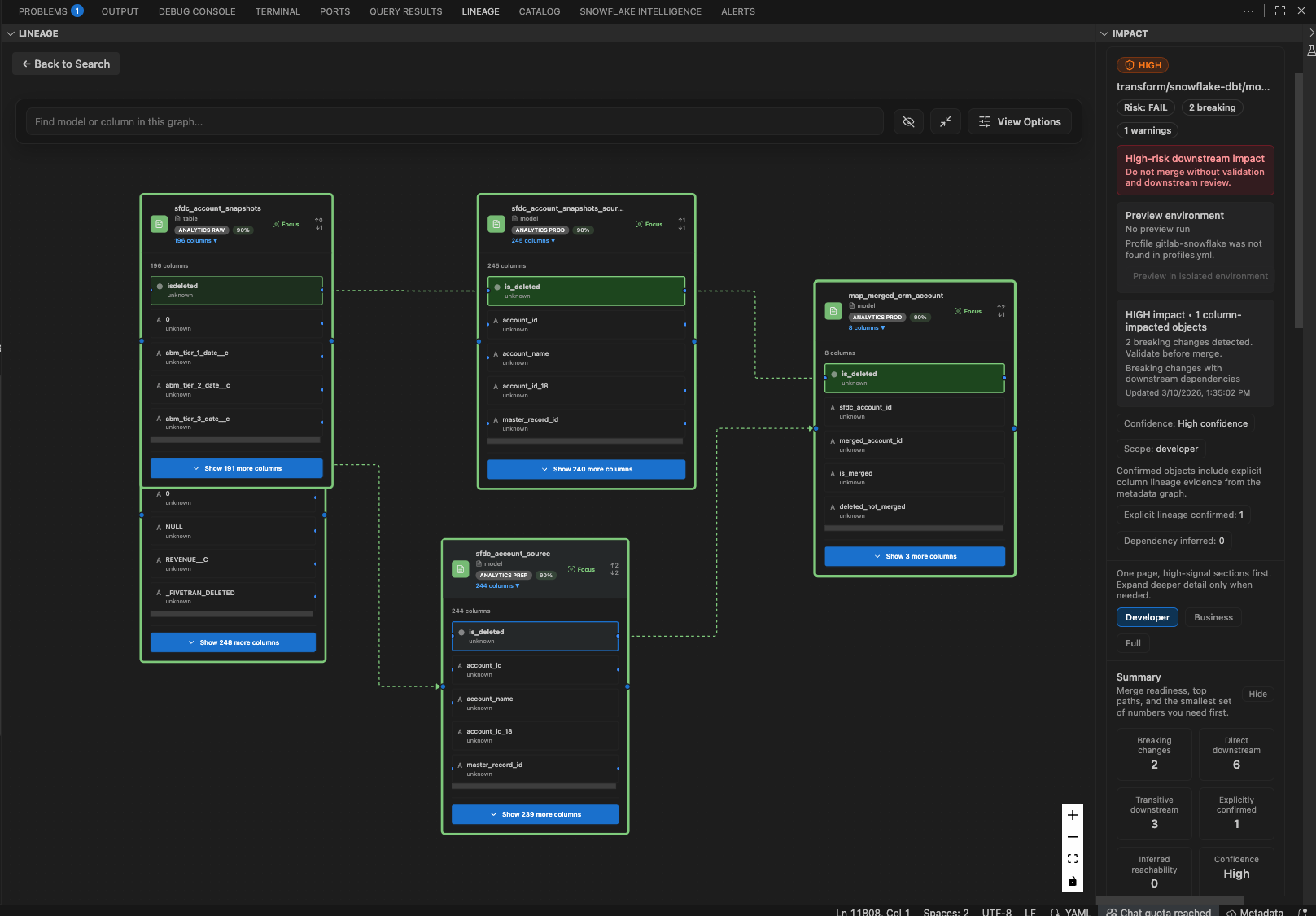
4. In-depth impact dependencies
DuckCode makes the downstream blast radius inspectable instead of hiding it behind a summary score.
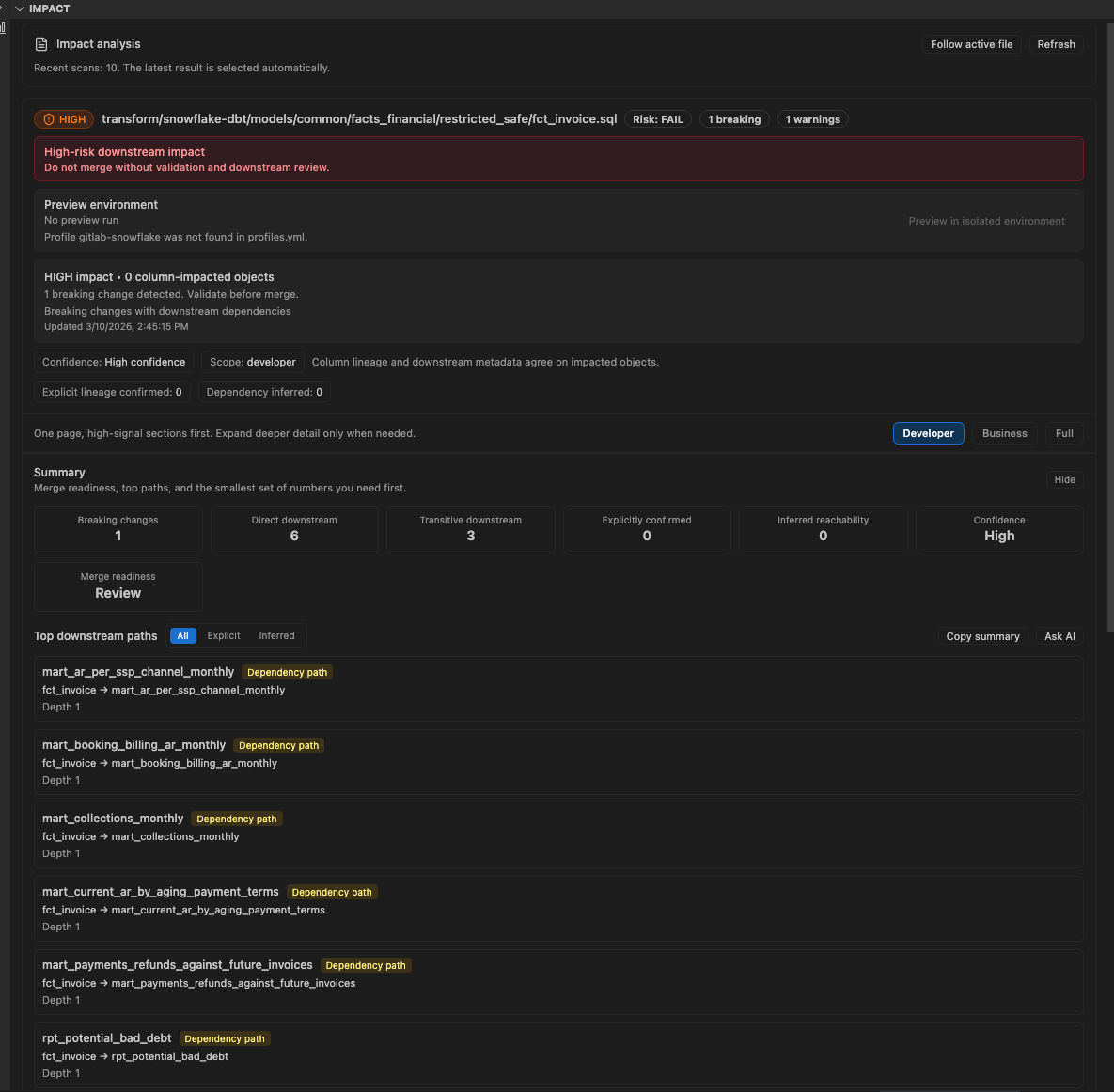
Why this builds trust:
- teams can see affected downstream models clearly
- reviewers can identify where testing and communication need to happen
5. Additional impact dependency coverage
The dependency analysis extends far enough to support real release decisions.
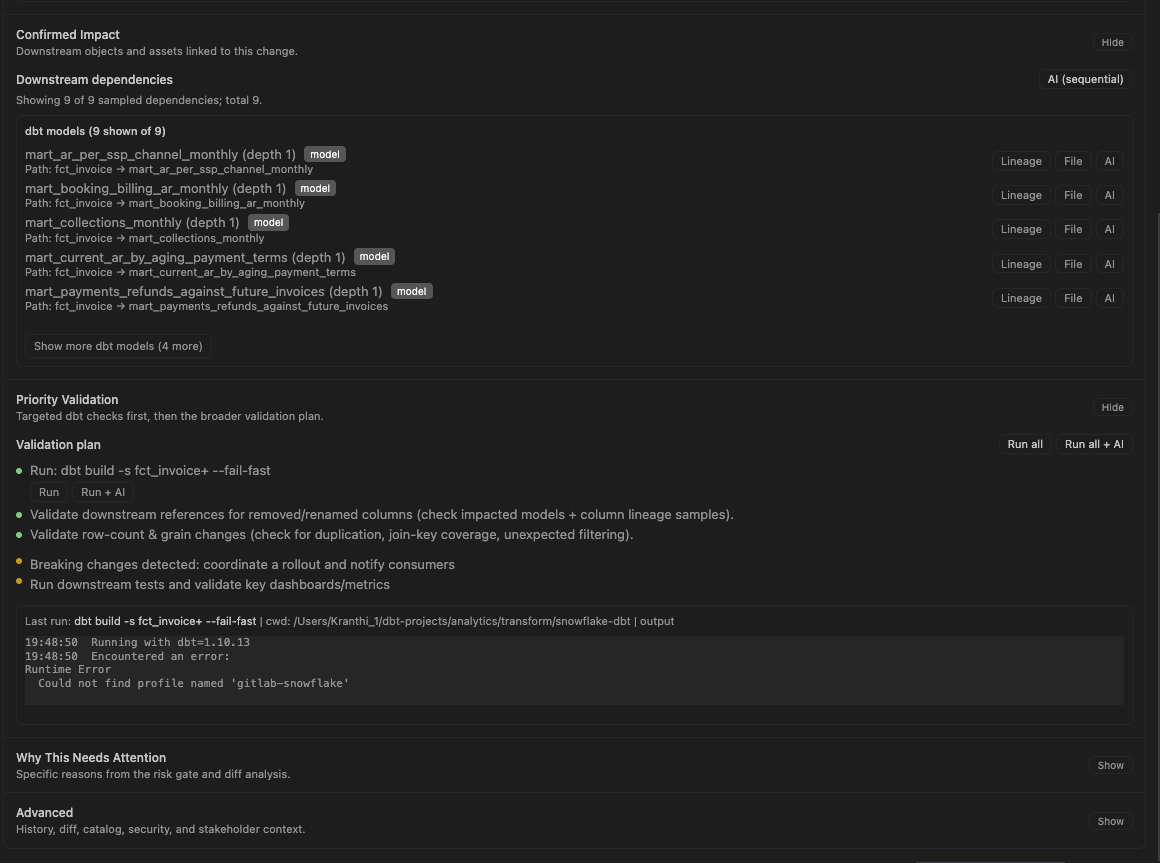
Why this builds trust:
- leads get a broader view of blast radius before approval
- the scope of risk is visible, not guessed
Why Teams Install It
- Real-time impact detection: see downstream breakage before
dbt run, PR review, or CI
- Offline lineage: lineage is built and stored locally; data stays on your machine
- Column-level precision: know which downstream columns are affected, not just which models
- Validation plans: get a concrete list of checks to run after each risky change
- Optional AI help: add your own provider for autocomplete, auto-debug, and fix suggestions
Getting Started
1. Install the extension
code --install-extension DuckCode.duck-code
2. Open your dbt project
DuckCode works best in repos with:
dbt_project.ymlmodels/target/manifest.json
From the DuckCode welcome flow:
- Click
Analyze my dbt project
- Select
target/manifest.json
- Let DuckCode build local metadata and lineage
4. Make a change and open Impact
Edit a model, then open the Impact view to see:
- downstream models at risk
- affected columns
- validation steps to run before merge
5. Optionally connect AI
DuckCode supports your existing setup with:
- OpenAI
- Anthropic
- Gemini
- Snowflake Cortex
- VS Code Language Model providers such as GitHub Copilot
AI setup is optional for impact detection and local lineage.
Example Workflow
Use DuckCode when you want to answer questions like:
"If I rename this column in fct_invoice, what breaks downstream?"
"What dashboards depend on this dbt model?"
"Which downstream columns are affected by this change?"
"What should I validate before I commit this change?"
Typical flow:
- Open a dbt model in VS Code
- Make a column or logic change
- Review DuckCode's downstream impact summary
- Open lineage for the affected model
- Run the suggested validation plan
Secondary Capabilities
DuckCode also includes:
- context-aware AI autocomplete grounded in your dbt project
- AI-assisted debugging for dbt and SQL issues
- local lineage search and exploration
- documentation and prompt customization workflows
These are secondary to the primary job: making dbt changes safely.
Traction Assets
The repo now includes a reusable proof and outbound package:
Learn More
Make one dbt change and see what breaks before CI does.