
RapiDBFree database management tool inside VSCode Installation Launch VS Code Quick Open ( Ctrl+P), paste the following command, and press enter.Copied to clipboard |

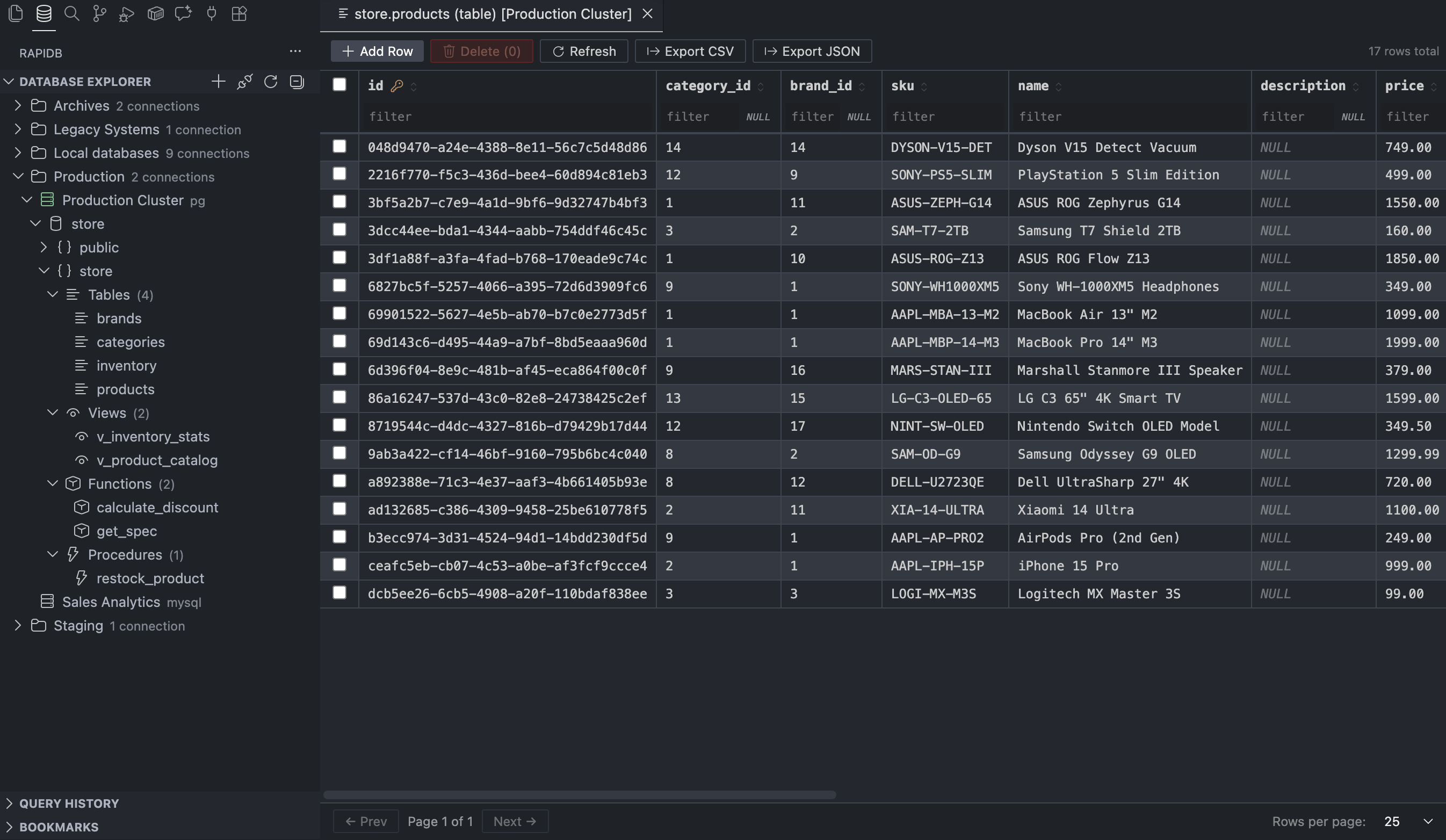
RapiDB - Database Client for VS CodePostgreSQL · MSSQL · MySQL · MariaDB · SQLite · OracleRedis · MongoDB · Elasticsearch · DynamoDBAll in one place. Never leaving your editor.

You're deep in the code. Something's off in the data. Now you have to alt-tab to DBeaver, wait for it to wake up, click through five menus... RapiDB kills that context switch. Your database lives in the sidebar - same window, same shortcuts, same theme. ⚡ What it actually does🔌 Connect to anythingPostgreSQL, MS SQL Server, MySQL, MariaDB, SQLite, Oracle, Redis, MongoDB, Elasticsearch, DynamoDB - all supported out of the box. SSL, self-signed certs, SSH tunneling, connection folders to keep things organized. 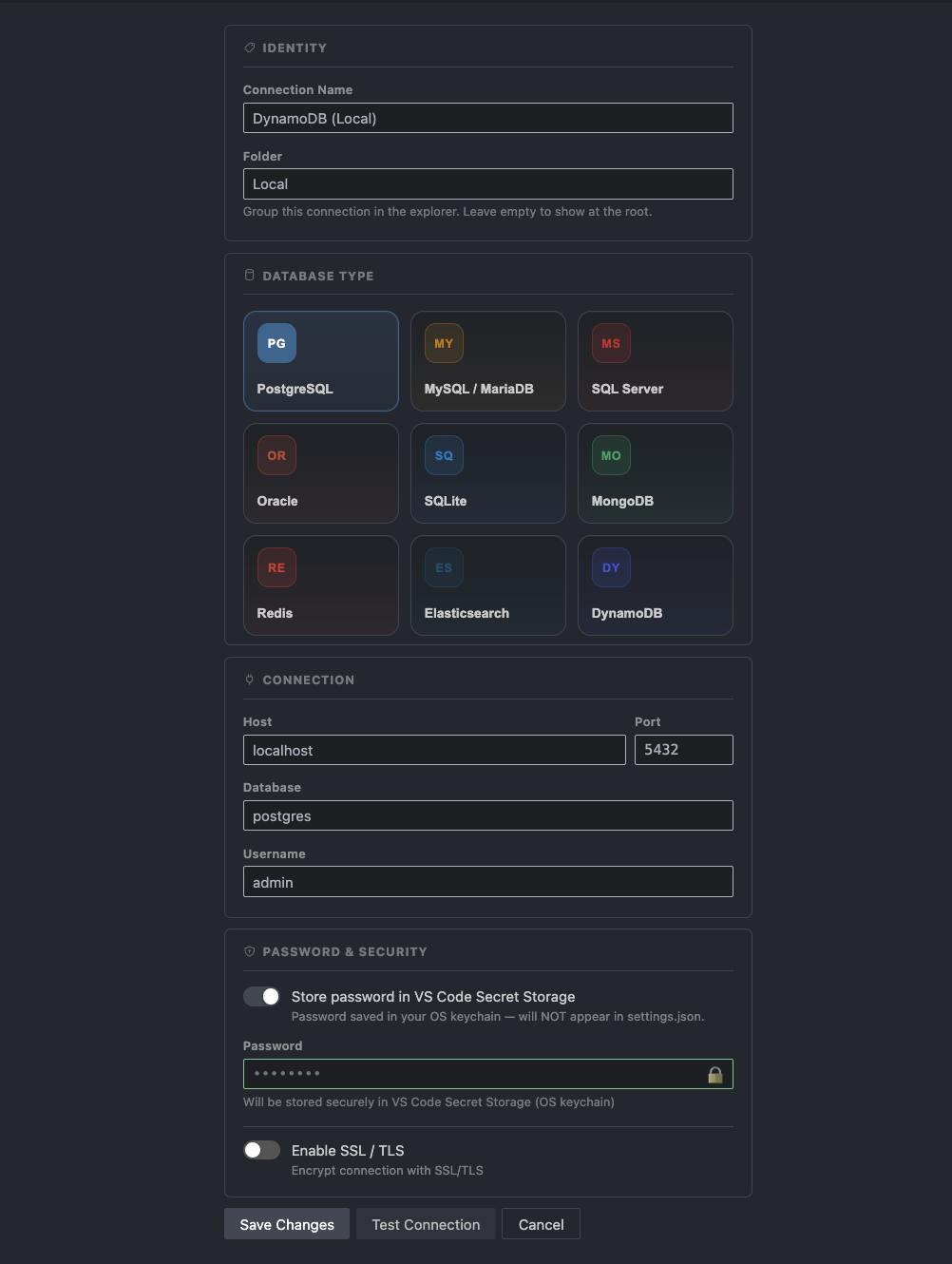
🌲 Browse your schema without a single querySaved connections can be grouped into folders, and each connection expands into databases → schemas → tables, views, materialized views, functions, procedures, sequences, and types. Right-click any object to copy its name, inspect columns with PK/FK badges, constraints, indexes, and triggers, open the data viewer where it applies, or pull the DDL / definition - no typing required. 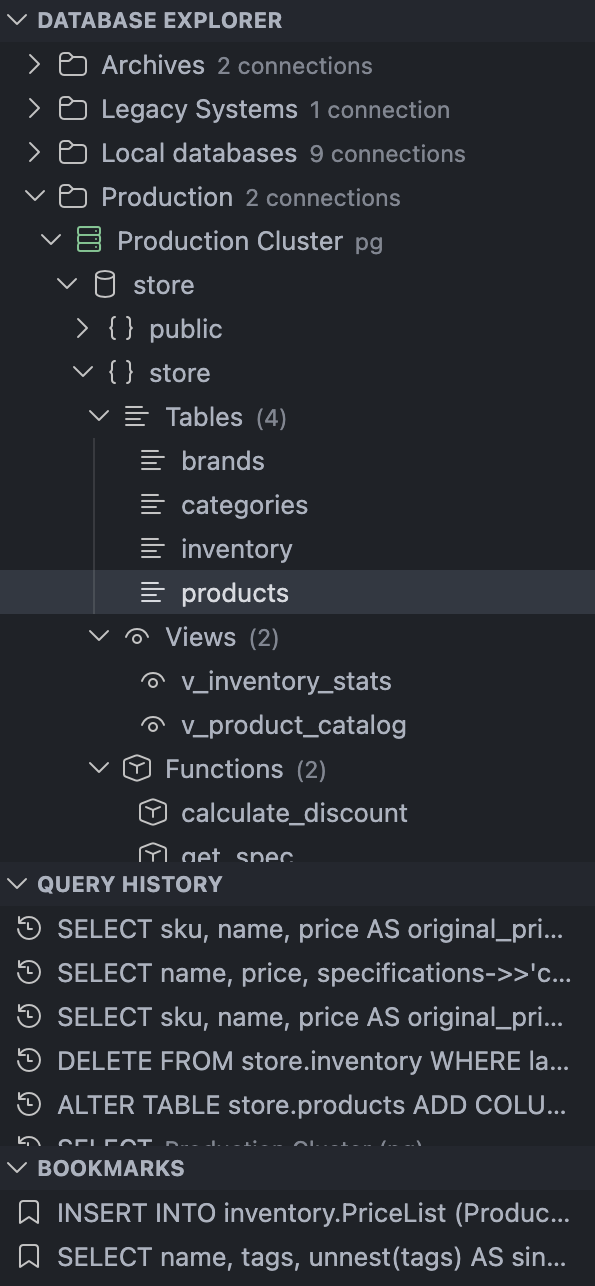
🗂️ Query History & BookmarksEvery query you run lands in Query History - click any entry to reopen it in the editor. Queries you want to keep forever go into Bookmarks with a single press. Query History limit is configurable. 🧩 ERD with foreign key linksOpen ERD from a database or schema node to visualize tables and the foreign key relationships between them. The diagram is built from live schema metadata, so it stays aligned with the current database snapshot. 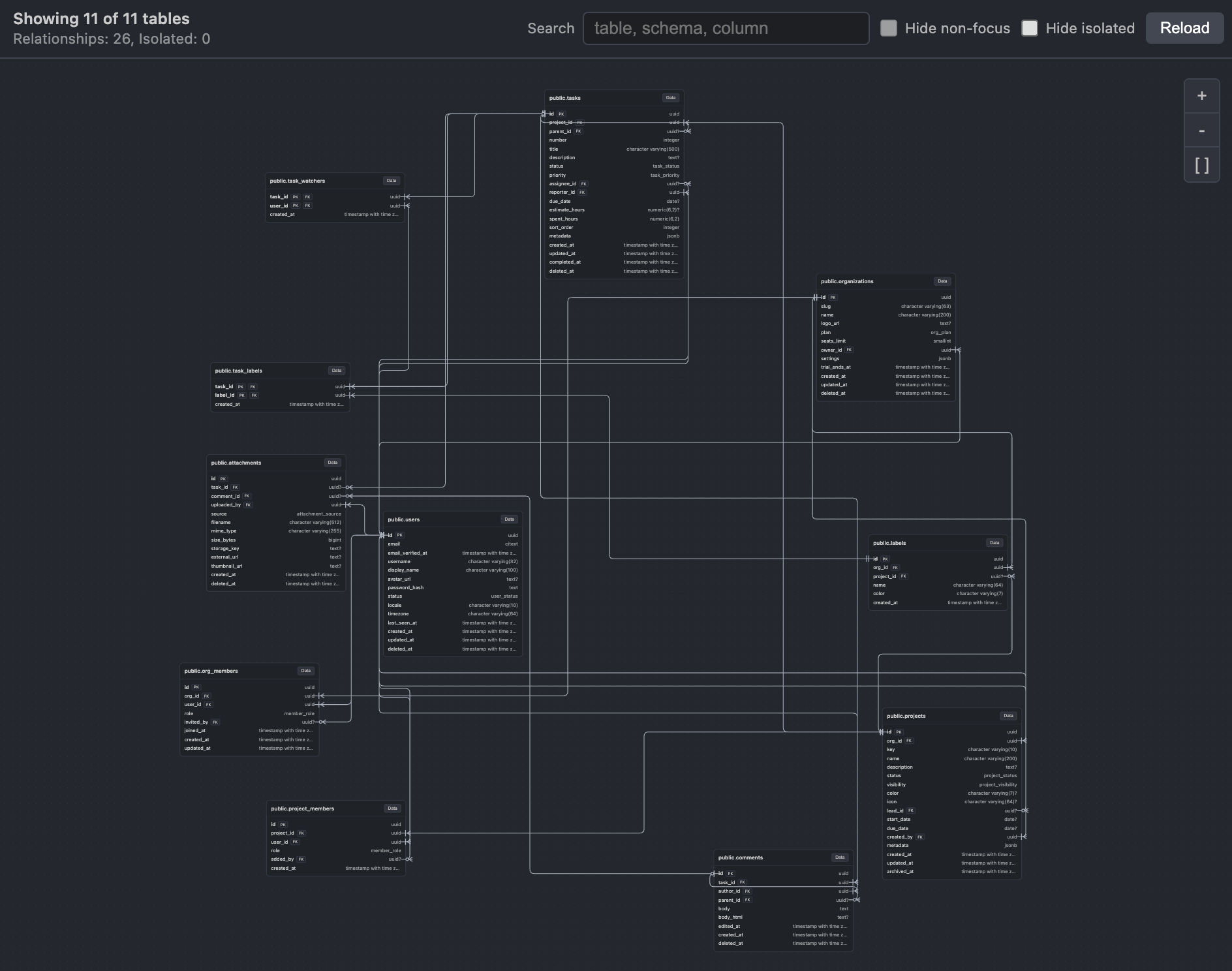
✏️ A real SQL editor, not a textareaThe query editor runs on Monaco - the same engine as VS Code itself. You get:
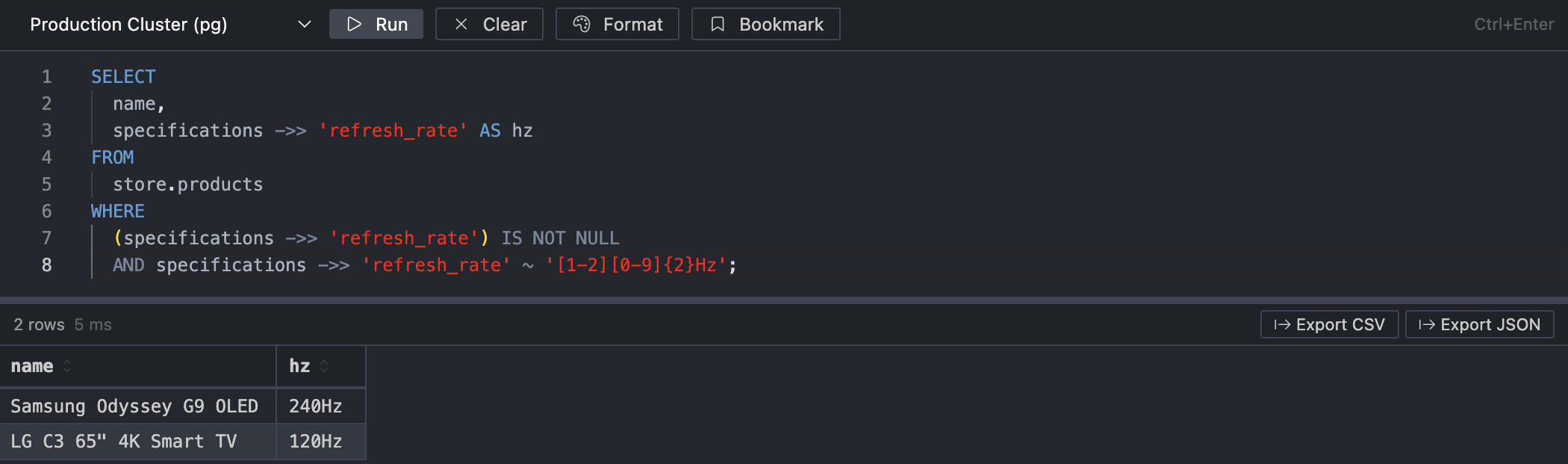
📊 Results that don't freeze at 10k rowsResults land in a virtualized table - no jank, no browser tab hanging:
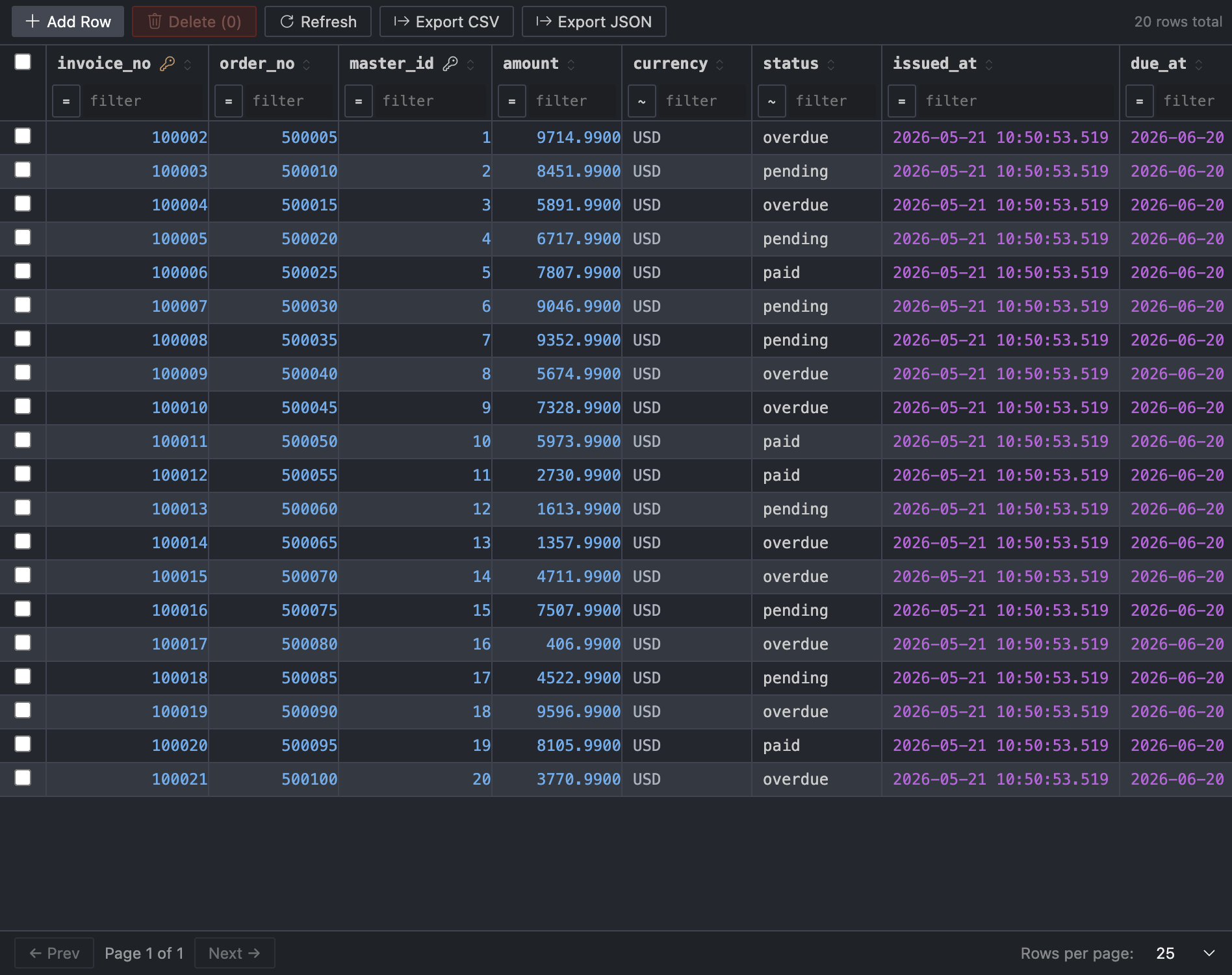
✍️ Browse and edit table dataClick any table → the Table Data Viewer opens:
⚙️ Settings worth knowing
🚀 Get started in 4 steps💬 Found a bug? Have an idea?⭐ Leave a review in the Marketplace - even a short one helps others decide whether RapiDB fits their workflow, and tells me what's working. 🐛 Open an issue on GitHub - I'm tracking everything there and fixing issues fast. Drop an issue with steps to reproduce and the DB type, and I'll get back to you quickly. 🛠️ For developersStack:
PRs and contributions are welcome at github.com/DmitriiKholkin/RapiDB. For maintainer and support documentation, start at docs/README.md or docs/DEVELOPER_HANDBOOK.md. MIT License · Made with love and the desire to never alt-tab again |


