Darkmoon for VS Code
⭐ Darkmoon ecosystem
Darkmoon is open-source — a star really helps us grow. 
🌐 Website: dark-moon.org · 📚 Docs: docs.dark-moon.org · ⭐ Star the core: github.com/ASCIT31/Dark-Moon
Install the integrations, right where you work:
Screenshots
Rendered from the bundled synthetic Demo Shop fixtures (demo-shop.local) with the extension's own webview HTML/CSS/JS and its real redaction logic — no mock data.
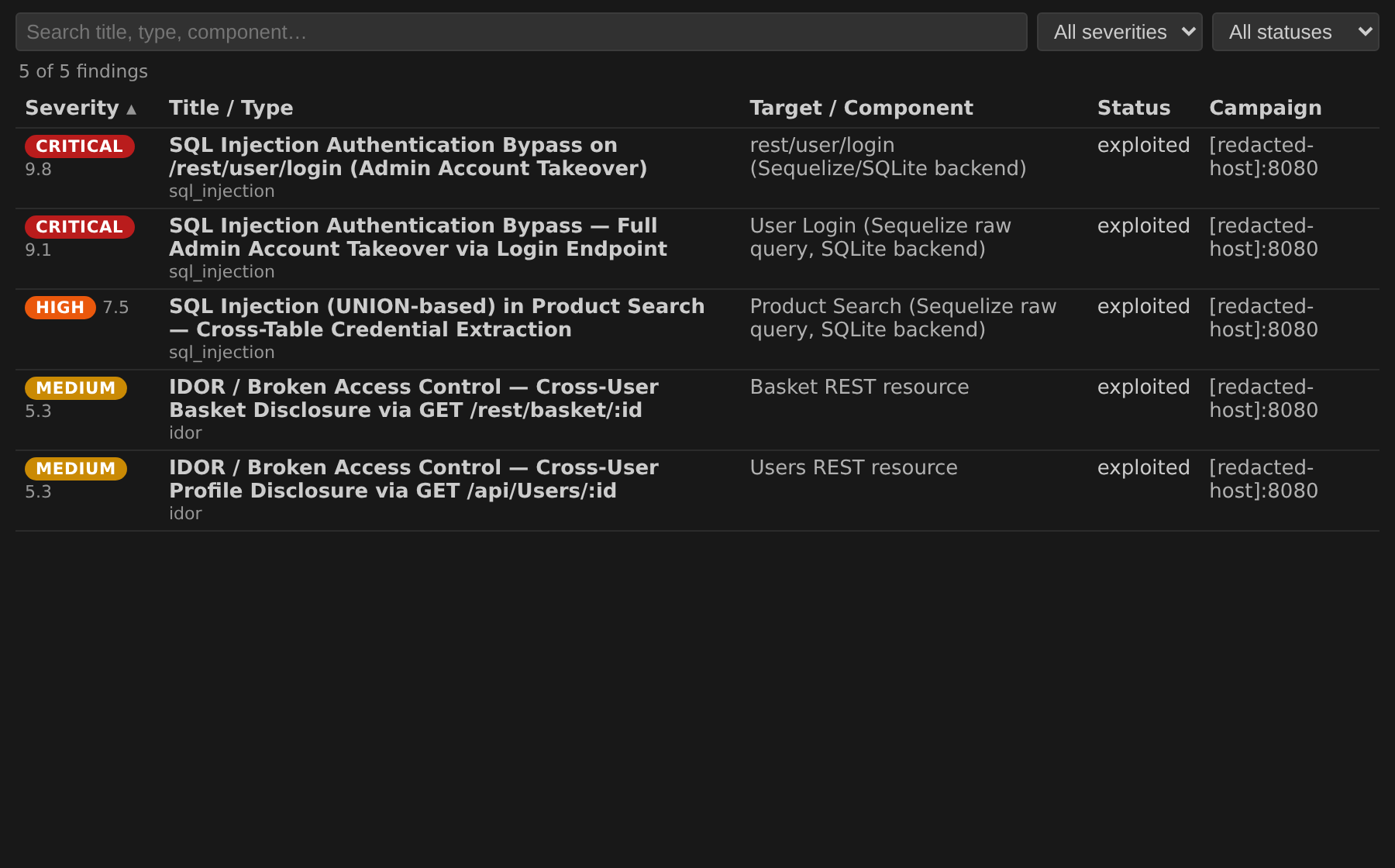
Vulnerabilities — filter by severity/status, free-text search and column sort:
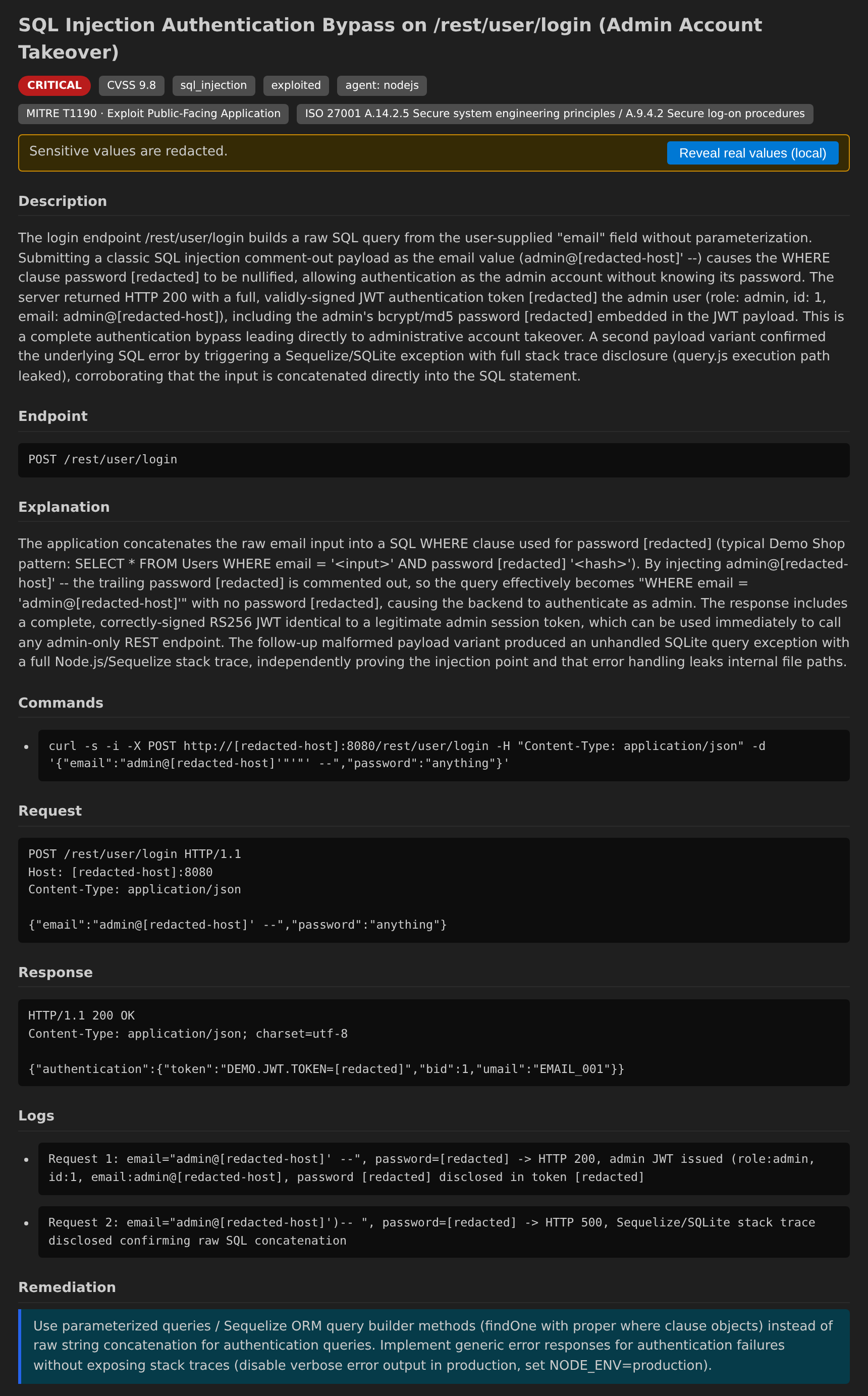
Finding detail (redacted by default) — description, evidence and remediation with sensitive values masked until you explicitly reveal them on a local workbench:
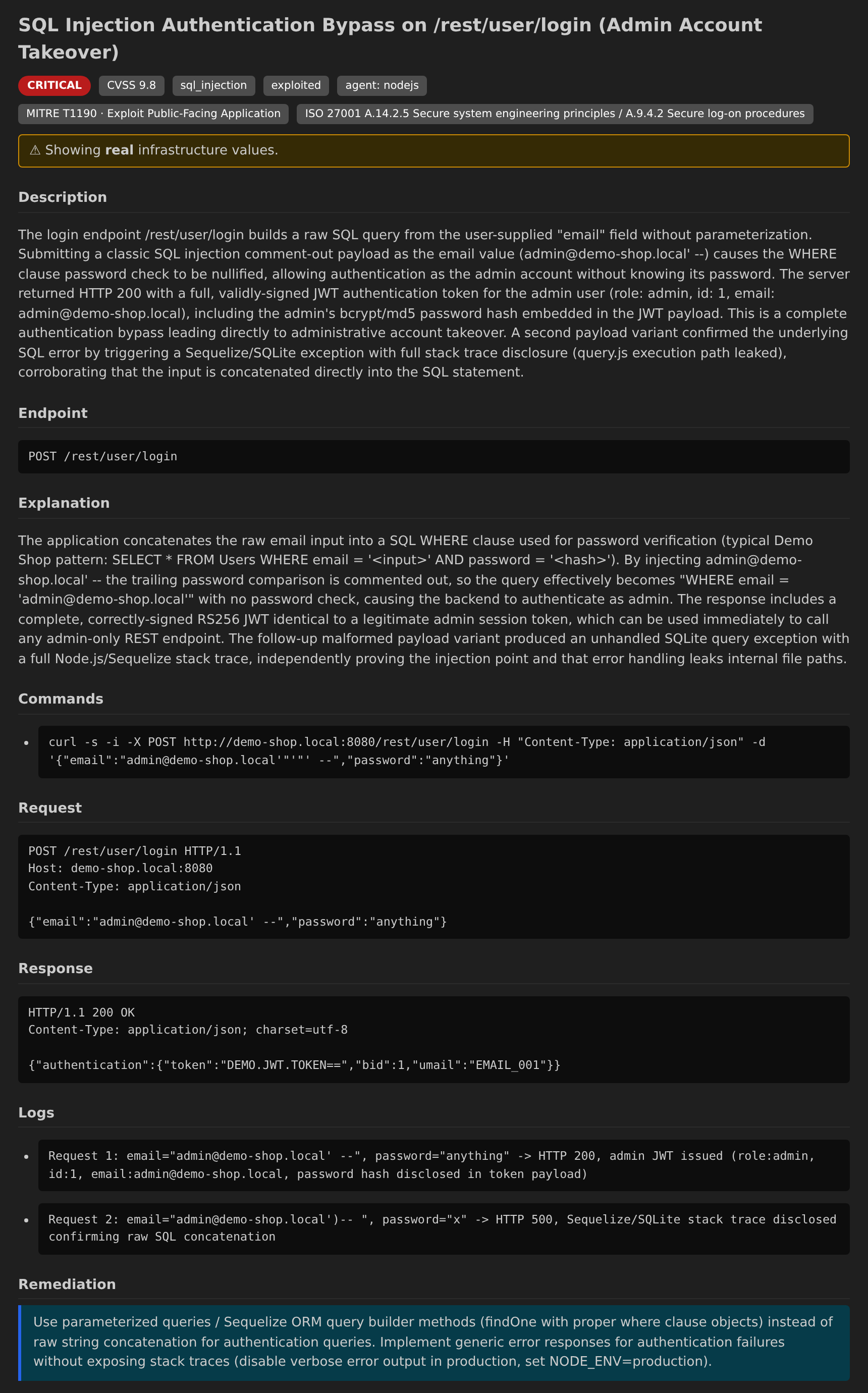
Finding detail (revealed) — after the local, confirmed Reveal real values action:
Install
- Marketplace: search for Darkmoon in the Extensions view and click Install.
- From VSIX:
code --install-extension darkmoon-vscode-0.1.0.vsix (or Extensions view → ... → Install from VSIX…).
Connect
Open Settings and pick your edition with darkmoon.mode:
- OSS — set
darkmoon.dataDir to your Darkmoon settings directory (the tree that holds campaigns/ and vulnerabilities/). Reports are read from <dataDir>/reports by default; set darkmoon.cliPath to darkmoon.sh if you want to launch campaigns from the editor.
- Pro — set
darkmoon.baseUrl to your Pro API (https://…, with or without /api/v1) and store your JWT via Darkmoon: Set Pro API Token.
Then run Darkmoon: Refresh. Want a no-backend preview first? Toggle darkmoon.dev.useFixtures to load the bundled synthetic Demo Shop sample data.
Use
- View findings — open the Campaigns tree (status, overall risk, severity breakdown, agents) and the Vulnerabilities table (filter by severity/status, search, sort).
- Open a finding — click a row to see description, redacted evidence and remediation.
- Open a report — Darkmoon: Open Report shows the redacted Markdown; Darkmoon: Open Full Report reveals real values (local, non-remote workbench only, with a confirmation).
CI pass/fail is not decided here. This extension is browse-only; the findings-based fail policy (--fail-on) lives in the darkmoon-ci CLI and the CI/CD integrations (GitHub Actions, GitLab, Jenkins).
Features
- Campaigns — a tree of your campaigns with status, overall risk, severity breakdown, dispatched agents and their findings.
- Vulnerabilities — a rich table with filter (severity, status), search and column sort (severity, title/type, target/component, status, campaign).
- Finding detail — description, evidence (commands, request/response, logs) and remediation.
- Reports — Markdown preview of assessment reports.
- Launch campaign — start an assessment against a target you are authorised to test.
Privacy & safety
- Reports and findings are shown redacted by default. Real infrastructure values (IPs, hosts, credentials, tokens) are revealed only on an explicit, local action, and never over a remote/untrusted workbench.
- Tokens and license keys are stored in the OS secret store (VS Code SecretStorage), never in
settings.json and never logged.
- Webviews run under a strict Content-Security-Policy with no remote content.
Capability boundary (OSS vs Pro)
Some capabilities are Pro-only and are hidden/disabled automatically on OSS (e.g. live status of running campaigns, the hosted web dashboard). This extension does not include an infrastructure graph or any automated pull-request feature.
Configuration
| Setting |
Description |
darkmoon.mode |
auto | oss | pro |
darkmoon.baseUrl |
Pro REST base URL (use https) |
darkmoon.dataDir |
OSS artifacts directory (reports are read from <dataDir>/reports) |
darkmoon.cliPath |
OSS CLI entrypoint (for launching campaigns) |
darkmoon.reports.redactByDefault |
Redact sensitive values until revealed |
darkmoon.dev.useFixtures |
Demo mode with bundled sample data |
Set secrets via the commands Darkmoon: Set Pro API Token and Darkmoon: Set License Key.
Development
npm install
npm run compile        # bundle to dist/ (esbuild)
npm test               # headless integration + unit tests (@vscode/test-cli)
npx @vscode/vsce package   # produce the .vsix
License
MIT © 2026 ASC-IT (SARL) / Darkmoon. See LICENSE.

