ToDoSync - Notion Task Management for VS Code
Sync your VS Code workspace tasks directly with Notion databases. No local markdown files, Notion is your single source of truth.
📸 Screenshots
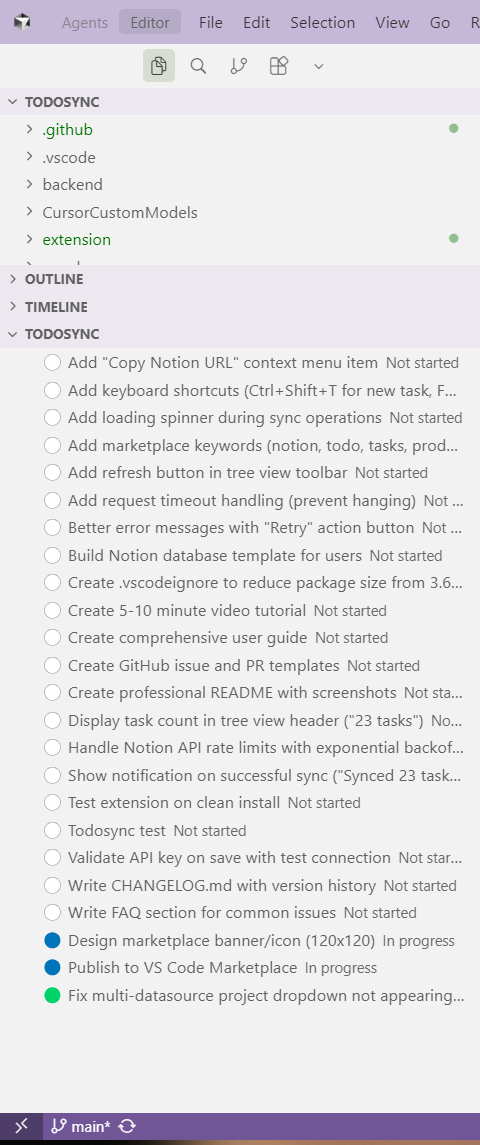 Manage all your tasks directly in the VS Code sidebar with color-coded status indicators
Real-Time Notion Sync
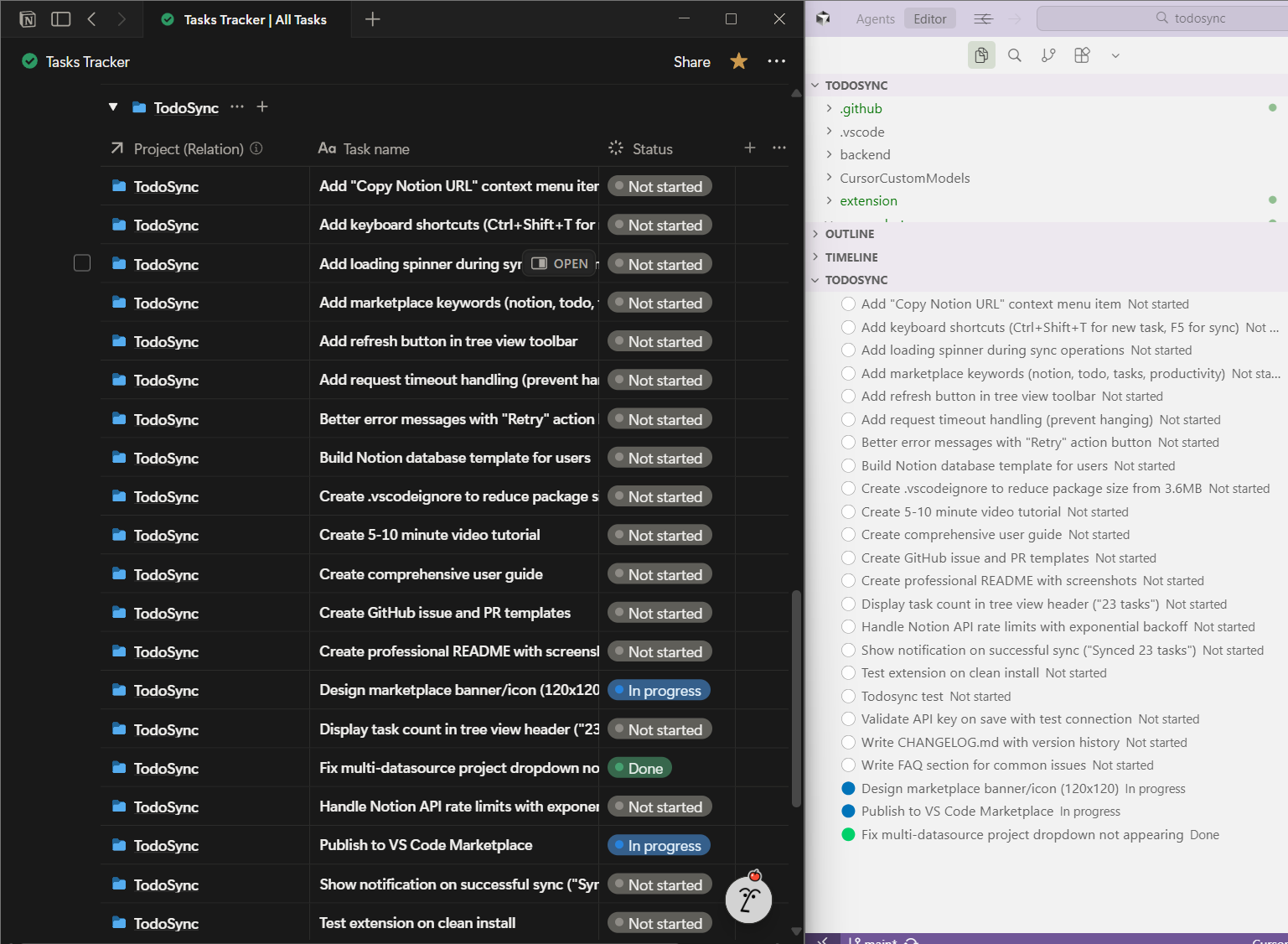 Changes sync instantly between VS Code and Notion - your tasks, everywhere
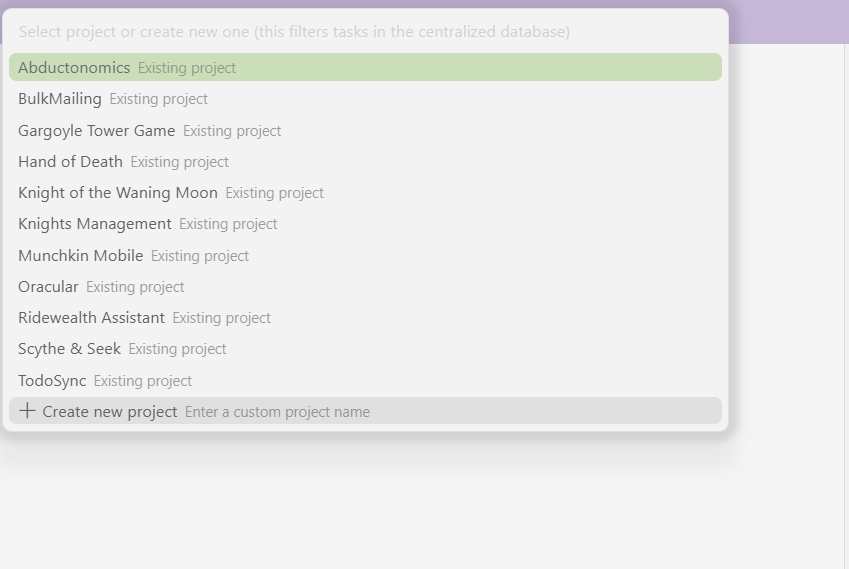
Centralized Project Management
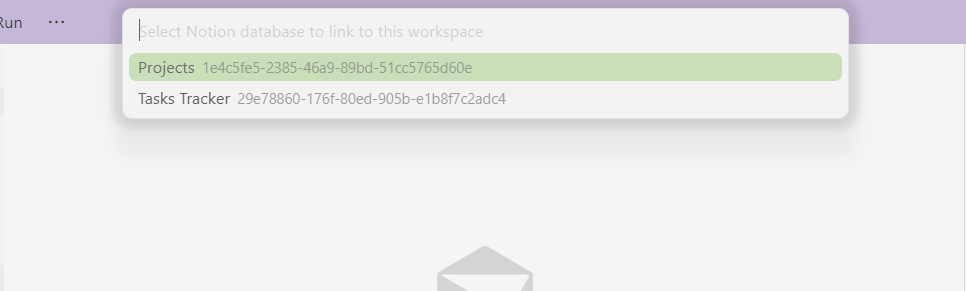 Select from existing projects or create new ones in your centralized Notion database
Bulk Import Tasks
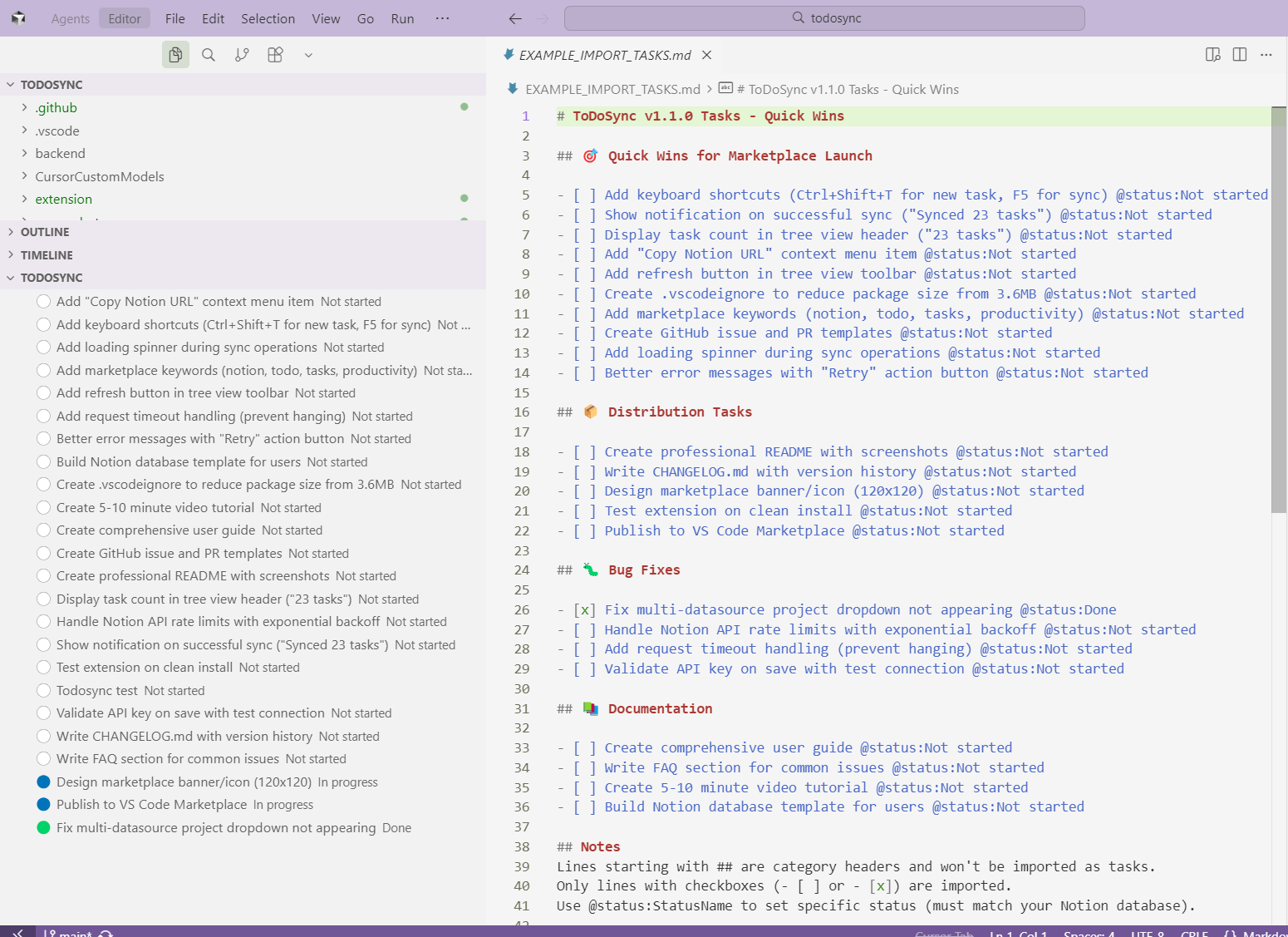 Import dozens of tasks in seconds from markdown files
Quick Command Access
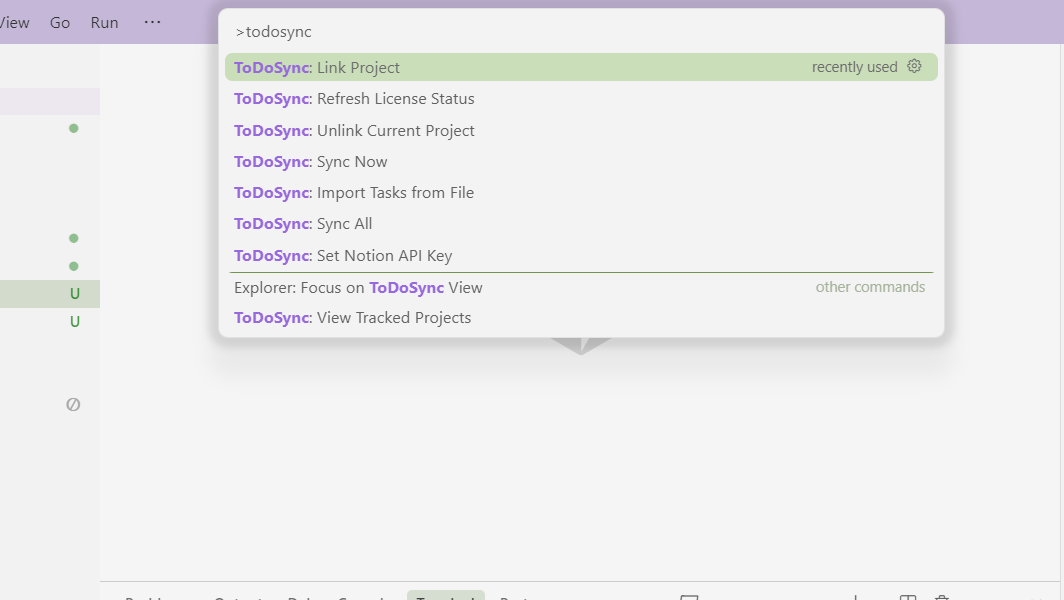 Access all ToDoSync features from the Command Palette
Project Management
 View and manage all your tracked projects
Simple Configuration
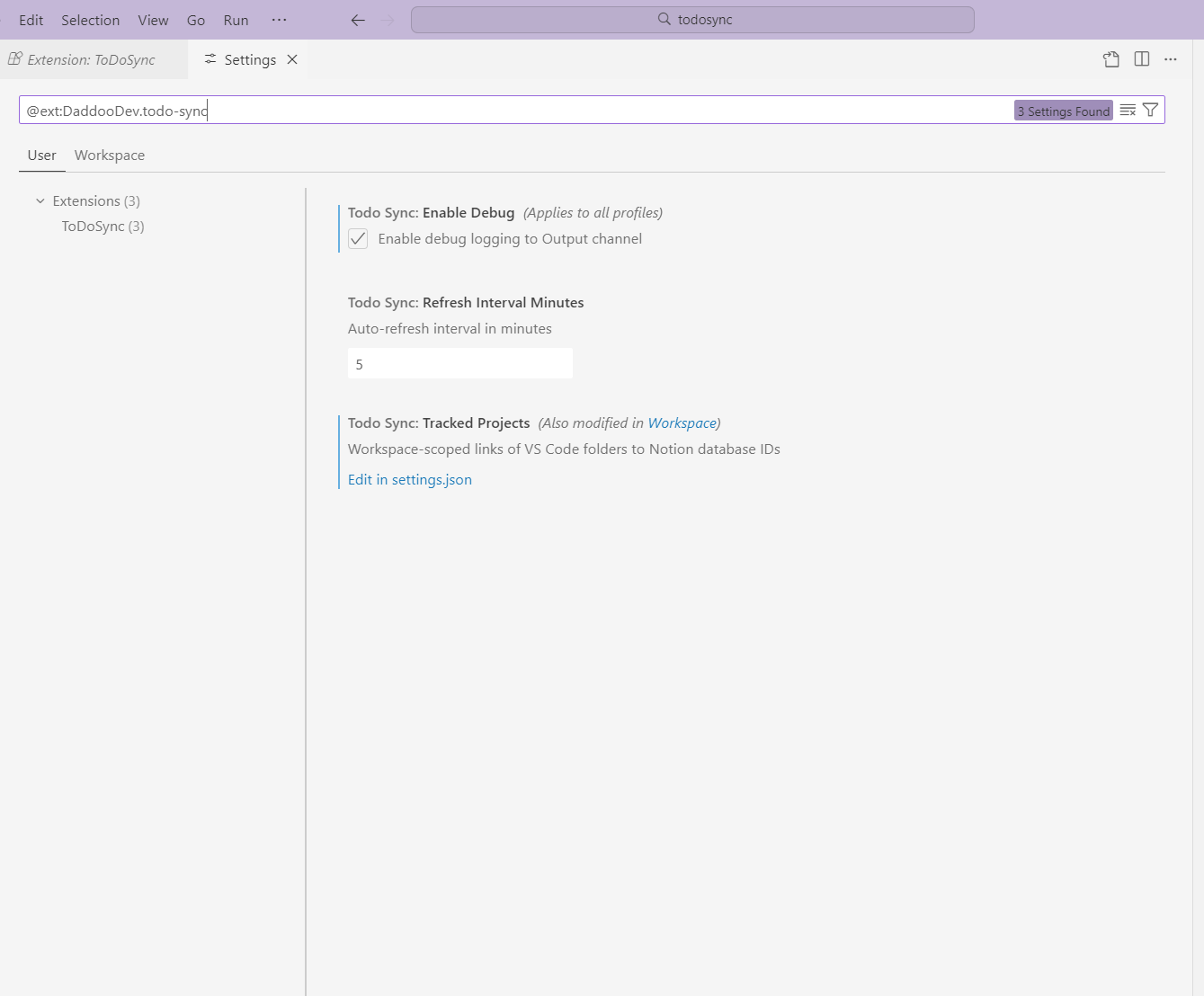 Easy setup with minimal configuration required
✨ Features
- 🔄 Bi-directional Sync - Real-time sync between VS Code and Notion
- 📁 Centralized Mode - Use ONE Notion database for ALL your projects with automatic filtering
- 🎯 Multi-Datasource Support - Full support for Notion's advanced multi-datasource databases
- 📝 Bulk Import - Import tasks from markdown files with simple checkbox format
- 🎨 Color-Coded Status - Visual status indicators (⚪ Not started, 🔵 In progress, 🟢 Done)
- ⚡ Auto-Refresh - Automatic sync every 5 minutes + on window focus
- 🔐 Secure - API keys stored in VS Code SecretStorage or .env file
- 💎 Freemium - Free tier (1 project) or Pro (unlimited projects)
- 🤖 Ask AI Sparkle Button - Click the ✨ button beside any task (or the toolbar icon) to copy full context + local JSON path for AI assistants
- 🧭 Guided Onboarding - Inline prompts show exactly what to do next (add API key, connect workspace, add your first task)
- 🔘 Inline Quick Actions - Add task, sync now, and Ask AI buttons live directly in the ToDoSync tree for a clean VS Code UI
📦 Installation
- Install from VS Code Marketplace (search "ToDoSync")
- Or install manually: Download
.vsix file → Extensions → Install from VSIX
🚀 Quick Start
1. Get Your Notion API Key
- Go to Notion Integrations
- Click + New integration
- Name it "ToDoSync" and select your workspace
- Copy the Internal Integration Token
- In Notion, share your database with the integration
2. Set Up in VS Code
- Open Command Palette (
Ctrl+Shift+P)
- Run:
ToDoSync: Set Notion API Key
- Paste your API key
- Run:
ToDoSync: Link Project
- Select your Notion database
- Select a project (or create new one)
- Done! Tasks will appear in the sidebar
📚 Usage
Core Commands
- Link Project - Connect current workspace to Notion database
- Sync Now - Manually refresh tasks from Notion
- Add Task - Create new task in Notion
- Import Tasks from File - Bulk import from markdown files
- View Tracked Projects - Manage all linked projects
- Unlink Project - Remove current workspace link
- Ask AI (Copy Task Snapshot) - Use the ✨ command to grab the selected task’s details +
.todosync/tasks.json location for AI prompts
- Click the ✨ icon that appears inline on every task row to copy that task’s payload to your clipboard instantly.
- Use the ✨ toolbar icon (top-right of the ToDoSync tree) or run
ToDoSync: ✨ Ask AI (Copy Task Snapshot) to pick from all synced tasks.
- The clipboard payload always includes:
- Task title, status, and category
- Project name + Notion database ID
- Local mirror file path (
.todosync/tasks.json) so AI tools can open the latest snapshot
- Great for dropping straight into an AI chat without hunting through Notion.
Create a markdown file with checkboxes:
## Quick Wins
- [ ] Add keyboard shortcuts
- [ ] Create documentation
- [x] Fix critical bug

## Features
- [ ] Add dark mode @status:In progress
- [ ] Implement search
Then: ToDoSync: Import Tasks from File → Select your file
Metadata tags (optional):
@status:StatusName - Set specific status@priority:High - Set priority (if DB has priority property)@due:2025-12-31 - Set due date (if DB has due date property)
🗄️ Notion Database Setup
Quick Start: Follow our step-by-step template guide to create a ToDoSync-ready database.
Basic Mode
Each database needs:
- Title property - For task name
- Status property - For task status (with "Not started", "In progress", "Done" options)
Centralized Mode (Recommended)
Use ONE database for all projects:
- Title property - For task name
- Status property - For task status
- Project property (Relation) - Links to a Projects database
Benefits:
- Manage all projects in one place
- Easy cross-project visibility
- Consistent task structure
- Filter tasks by project automatically
See detailed setup guide →
💎 Pricing
Free Tier
- ✅ 1 project
- ✅ All core features
- ✅ Unlimited tasks
Pro Tier ($2.99/year)
- ✅ Unlimited projects
- ✅ Unlimited databases
- ✅ Mix centralized + separate databases
- ✅ Priority support
To upgrade: Use the "Upgrade to Pro" button in the ToDoSync panel when you hit the one-project limit. That opens the purchase link with your ID so your license is applied correctly. Do not use a standalone payment link (e.g. from a doc) or the purchase may not be tied to your install.
🔧 Configuration
Settings
todoSync.enableDebug - Enable debug logging (default: false)todoSync.refreshIntervalMinutes - Auto-sync interval (default: 5)todoSync.hideCompletedTasks - Hide completed tasks from tree view (default: false)todoSync.trackedProjects - Workspace-specific project links (managed automatically)
Task Organization with Categories
Add a Category property (Select type) to your Notion database to organize tasks into collapsible sections:
- In Notion, add a "Category" property (Select type)
- Add options: Features, Bug Fixes, Documentation, etc.
- Assign categories to your tasks
- Tasks automatically group by category in VS Code with completion counts
Benefits:
- Organize large task lists into logical sections
- See completion progress per category
- Collapse categories you're not working on
- Import automatically assigns categories from
## Section Headers
API Key Storage
Option 1: SecretStorage (Recommended)
- Run
ToDoSync: Set Notion API Key
- Stored securely in VS Code
Option 2: .env file (For teams)
NOTION_API_KEY=secret_xxxxxxxxxxxxx
🐛 Troubleshooting
Not seeing your database?
- Make sure you shared the database with your Notion integration
- Run
ToDoSync: Sync Now to refresh
Tasks not syncing?
- Check your API key:
ToDoSync: Set Notion API Key
- Verify database is shared with integration
- Enable debug logging and check Output panel
No project dropdown?
- Your database needs a "Project (Relation)" property
- See Centralized Mode setup above
Free tier limit reached?
- Free tier is limited to 1 project
- Upgrade to Pro for unlimited projects
📝 Release Notes
See CHANGELOG.md for detailed version history.
v1.0.1 (Latest)
- ✨ Import tasks from markdown files
- 🚀 3x faster bulk operations
- 🐛 Fixed multi-datasource database support
- 💎 Pro tier licensing with Stripe integration
🤝 Contributing
Found a bug? Have a feature request?
📚 Documentation
📄 License
MIT License - See LICENSE for details
🔗 Links
Made with ❤️ by DaddooDev
Enjoying ToDoSync? Leave a review ⭐

