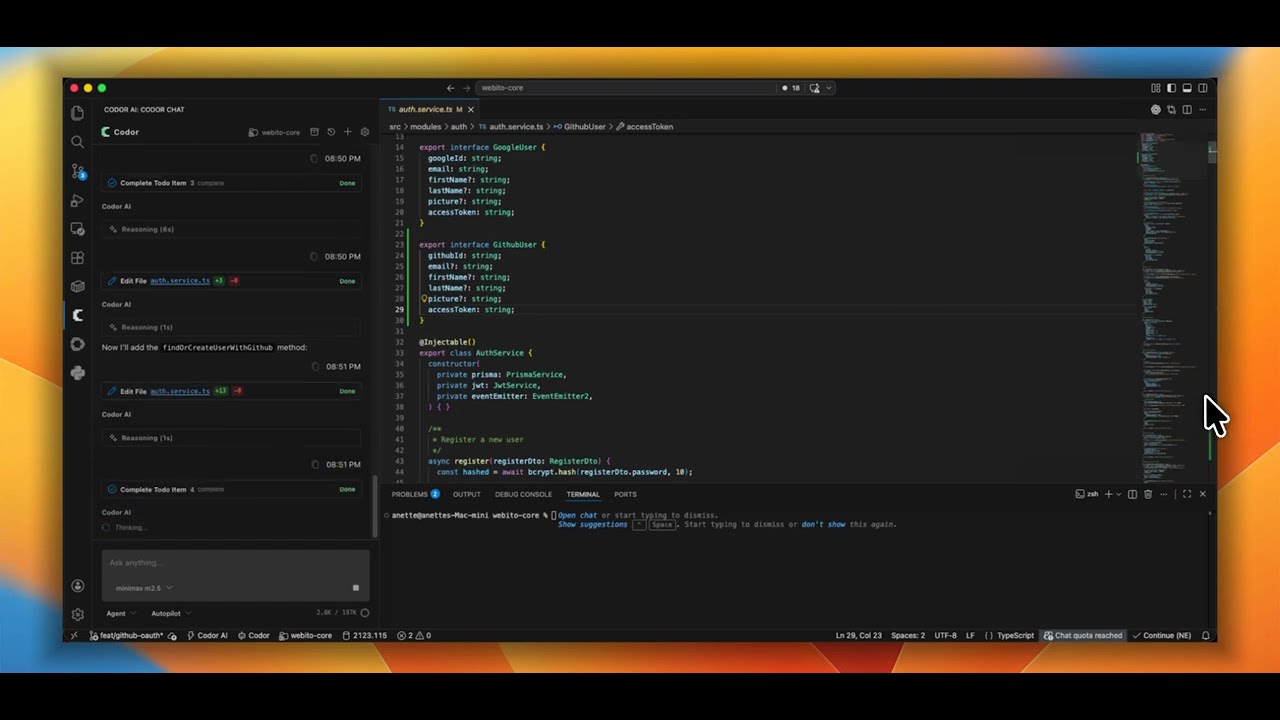
A codebase-aware AI coding assistant for VS Code with multi-step execution, visual diffs, and local workspace tools.
Codor brings conversational AI and agentic task execution directly into your VS Code workspace. Instead of copying and pasting code between your browser and editor, Codor reads files, searches symbols, runs terminal commands, and applies precise file edits with interactive diff review.
⚡ What Codor Does
Multi-Step Task Execution: Breaks down complex changes into structured steps and executes file reads, edits, and terminal checks in sequence.
Interactive Visual Diffs: Every file edit is previewed side-by-side in your editor. You inspect and approve before changes are written to disk.
Local Workspace Tools: Operates directly inside your open workspace using dedicated tools for searching, reading, editing, and running commands.
Semantic Code Search: Explores code by meaning and structure through vectorized codebase indexing.
Resilient Session History: Retains recent tool actions and execution checkpoints so you can resume interrupted tasks seamlessly.
🛠️ Workspace Tools
Codor interacts with your project using local client-side tools:
Tool
Description
read_file
Reads workspace files with line-range targeting (bounded for low token latency)
edit_file
Applies precise search-and-replace edits with interactive diff review
search_files
Searches file paths and text patterns across workspace folders
search_code
Performs semantic, vector-based codebase search
run_command
Executes shell commands and tests in your integrated terminal
fetch_web_docs
Fetches external documentation and API references directly into chat
🎯 Operating Modes
Agent Mode: Autonomous multi-step coding partner with full workspace and terminal tool access.
Ask Mode: Read-only Q&A and code explanation without modifying files.
Architect Mode: High-level implementation planning and system design.