Agent-Native Plans for VS Code
Agent-Native Plans turns the
plans and reviews your coding agent produces into rich, interactive surfaces you
can actually read — diagrams, file maps, annotated code, wireframes, and open
questions instead of a wall of chat text. This extension opens those surfaces in
a VS Code side panel, right next to the files being changed, and connects your
workspace to the Plan MCP so agents like Claude Code, Codex, and GitHub Copilot
can create them.
Plans come from two skills — /visual-plan and /visual-recap — in the
open-source BuilderIO/skills repo.
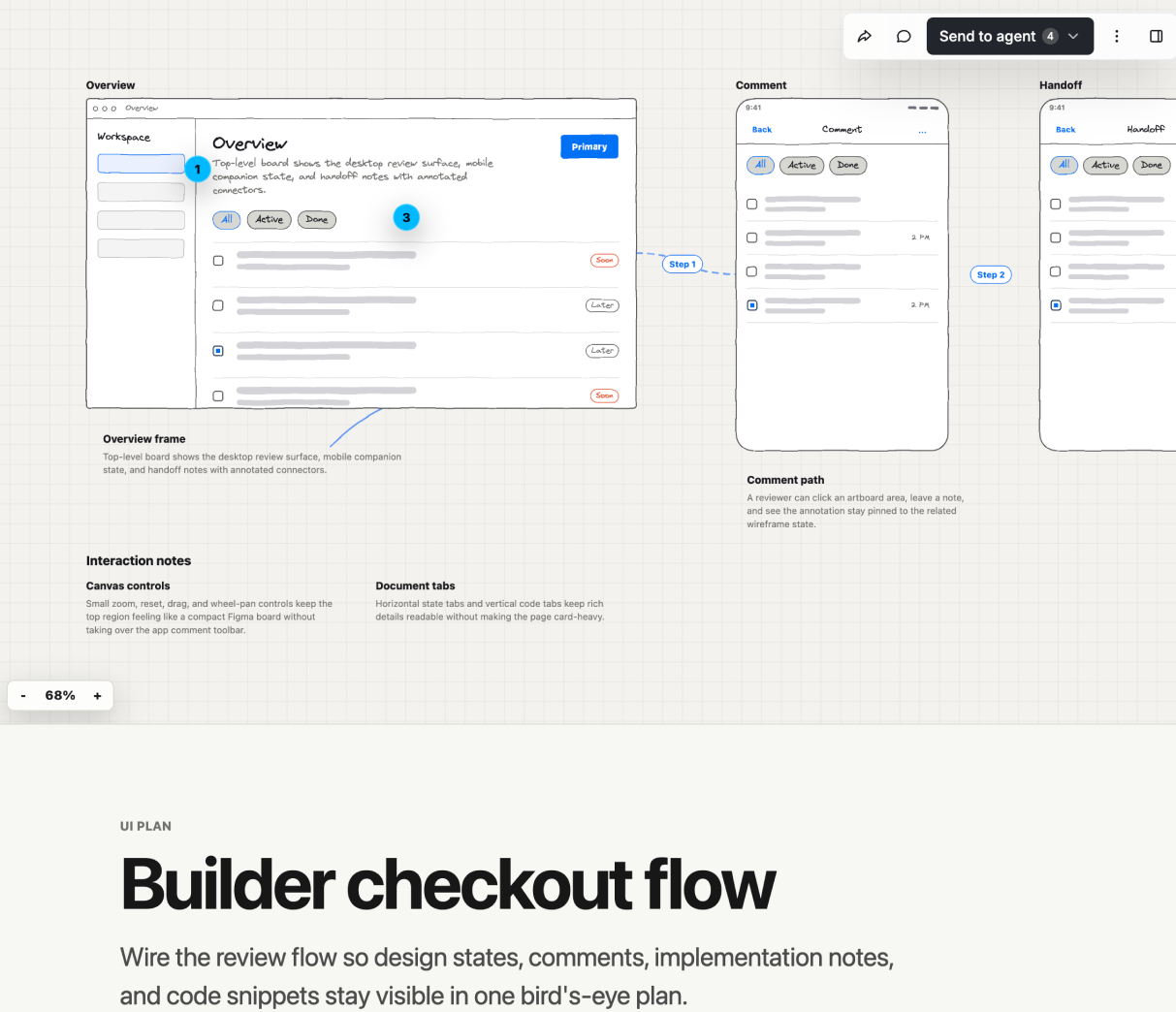
/visual-plan
Turn ordinary text plans into rich interactive visual plans with diagrams, file
maps, annotated code, open questions, and UI/prototype review when useful.
Solves for plans that are too important to bury in chat. The output is
scannable, commentable, and intuitive enough for a human to approve before code
changes start.
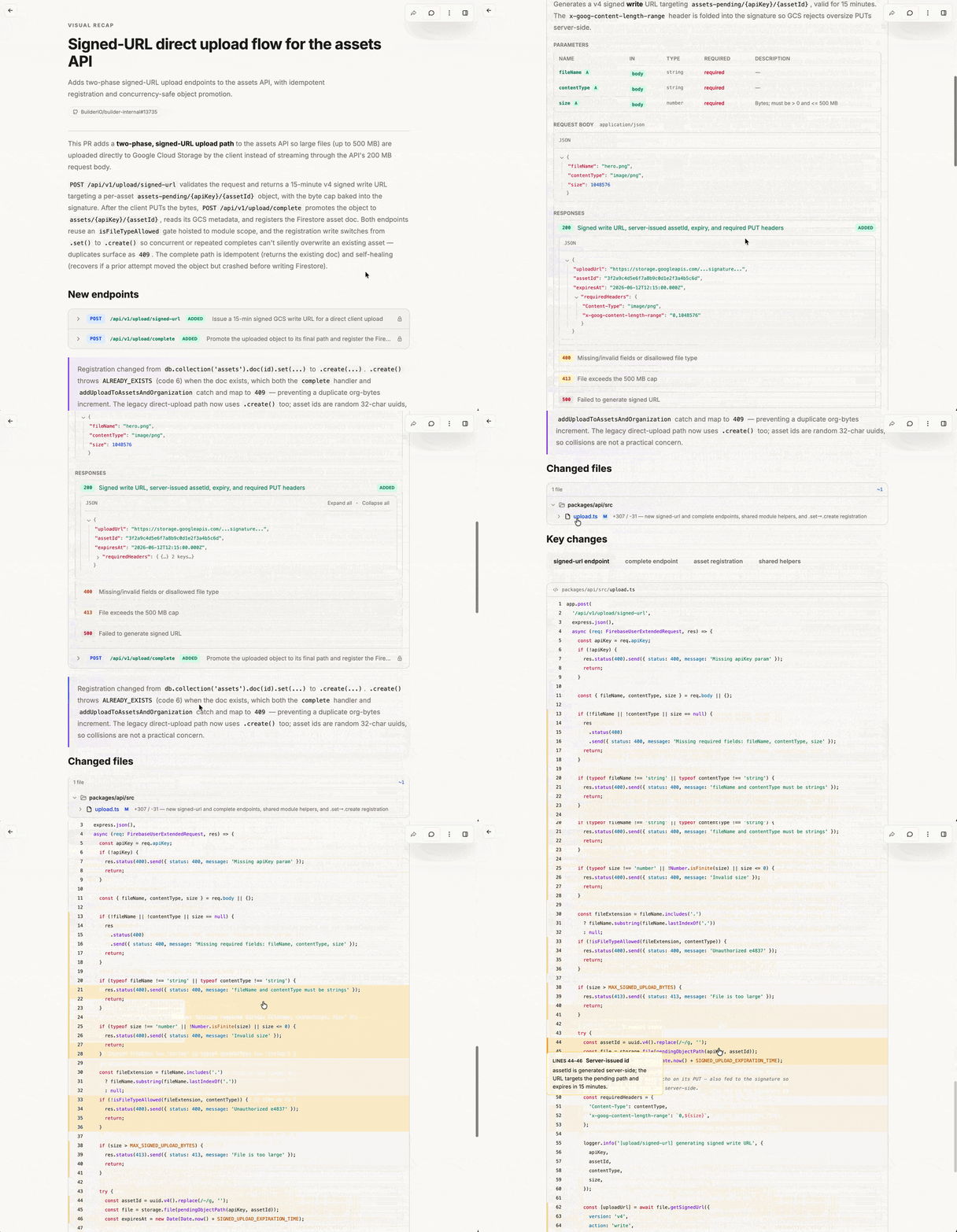
/visual-recap
Turn a branch, commit, or PR diff into an interactive visual recap with annotated
diffs, diagrams, API/schema summaries, file maps, UI state summaries, and focused
review notes.
Solves for diffs that hide the shape of the change. Reviewers can understand
contracts, architecture moves, schema changes, and UI impact before diving into
raw line-by-line review.
Visual plans and recaps are MDX, customizable with your own components, and
viewed with the Agent-Native Plans app.
Source here.
What this extension adds
Without it, an agent's plan link opens in a separate browser tab. With it:
- Review in a side panel. Open any plan or recap in a VS Code webview so it
stays next to the code it describes.
- One-click handoff from any agent. Plans tools return a
vscode://builder.agent-native/open?url=... link; the extension decodes it and
opens the plan in the editor.
- Connect your workspace to the Plan MCP. A single command runs the
@agent-native/core connect flow for VS Code / GitHub Copilot, so your agent
can create plans and recaps directly.
Install
Install
Agent-Native Plans
from the Visual Studio Marketplace, or run:
code --install-extension Builder.agent-native
To add the /visual-plan and /visual-recap skills to your coding agent:
npx @agent-native/skills@latest add
Commands
- Agent Native: Open Agent Native opens the configured default app.
- Agent Native: Open Agent Native URL opens any
http(s) Agent Native app
URL or vscode://builder.agent-native/open?url=... handoff link.
- Agent Native: Connect Workspace to Agent Native MCP runs the existing
@agent-native/core connect flow for VS Code / GitHub Copilot MCP.
Handoff URL
External agents can open a focused Agent Native app view with:
vscode://builder.agent-native/open?url=https%3A%2f%2fplan.agent-native.com
The embedded URL must be http or https.
Development
pnpm --filter agent-native build
pnpm --filter agent-native test
pnpm --filter agent-native test:e2e

