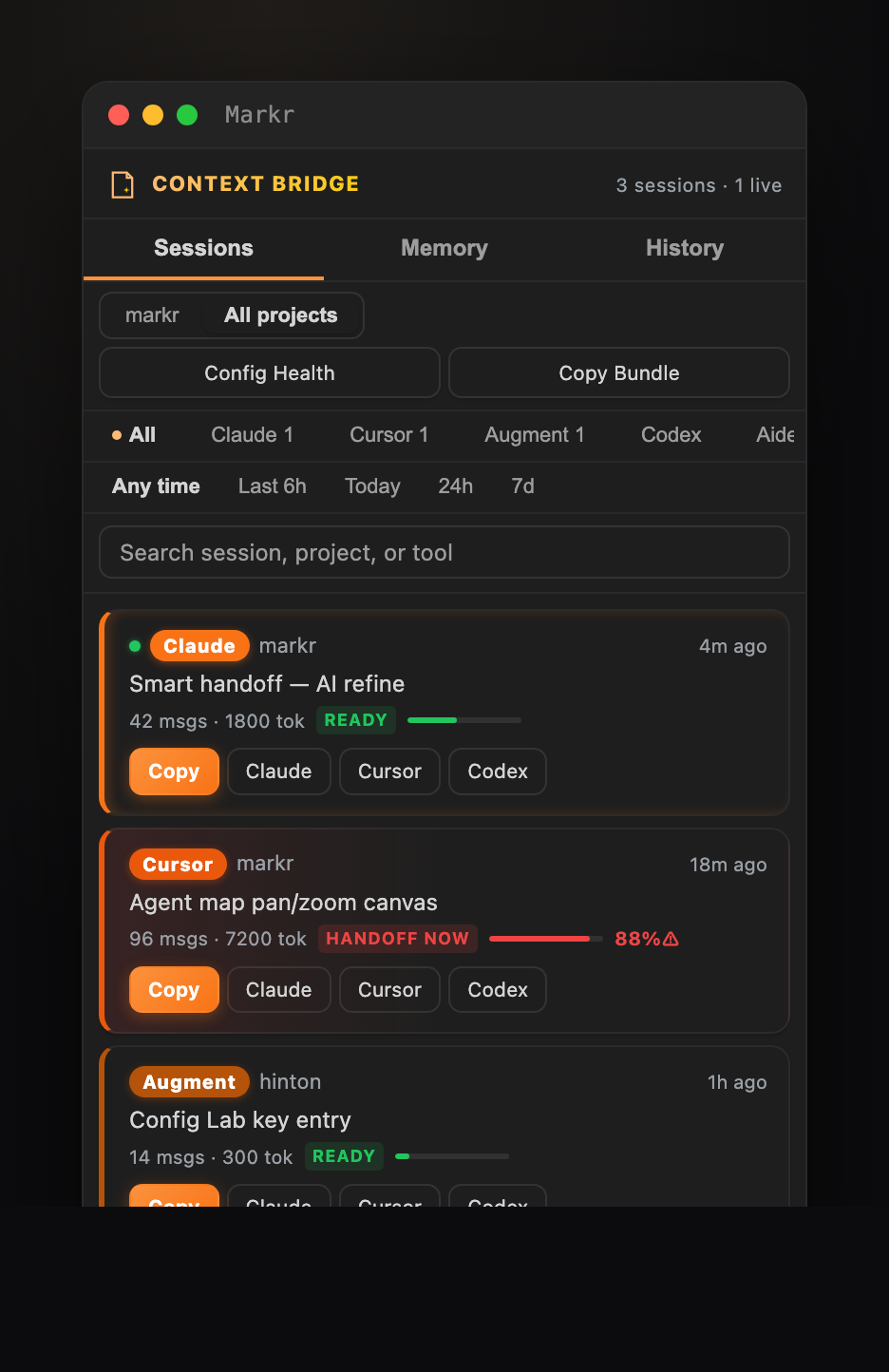
Markr — AI Coding Cockpit & Markdown PreviewThe cockpit for AI coding — see every session across Claude Code, Cursor, Augment, Codex, Cline, Windsurf & Gemini in one command center (Markr Studio), hand off context between tools so you never lose it (Context Bridge + Smart Handoff), and keep your agent configs healthy (Config Lab, Config Healt Installation Launch VS Code Quick Open ( Ctrl+P), paste the following command, and press enter.Copied to clipboard |


MarkrThe cockpit for AI coding. See every session, hand off between tools, never lose context.Markr Studio · Context Bridge handoffs · Smart Handoff (✨ AI refine) · Cross-session memory · AI Agent Map · Config Lab & Health — plus a best-in-class Markdown preview (Mermaid · KaTeX · live TOC · copy-as-PNG · themes · PDF export).
Install on VS Code · Install on Cursor / Open VSX · Report a Bug · Request a Feature What is Markr?Markr is the cockpit for AI coding — the one vendor-neutral place that sits above Claude Code, Cursor, Windsurf, Codex, Augment and the rest. As you work across more than one AI tool, Markr lets you see every session in one command center (Markr Studio), carry context between tools without losing it (Context Bridge + Smart Handoff), and keep your agent instructions healthy (Config Lab, Config Health, AI Agent Map). No tool builds this — they want lock-in; Markr is the layer that makes your agents portable. It's also a free, open-source, best-in-class Markdown preview for VS Code and Cursor — GitHub-accurate typography, tables, Mermaid, KaTeX, a live Activity Bar panel and split-edit mode — which is how most people first meet Markr. Whether you're juggling AI agents, managing a Click the Markr icon in the Activity Bar. Or open any ✨ New in 6.8 — the AI workbench, elevated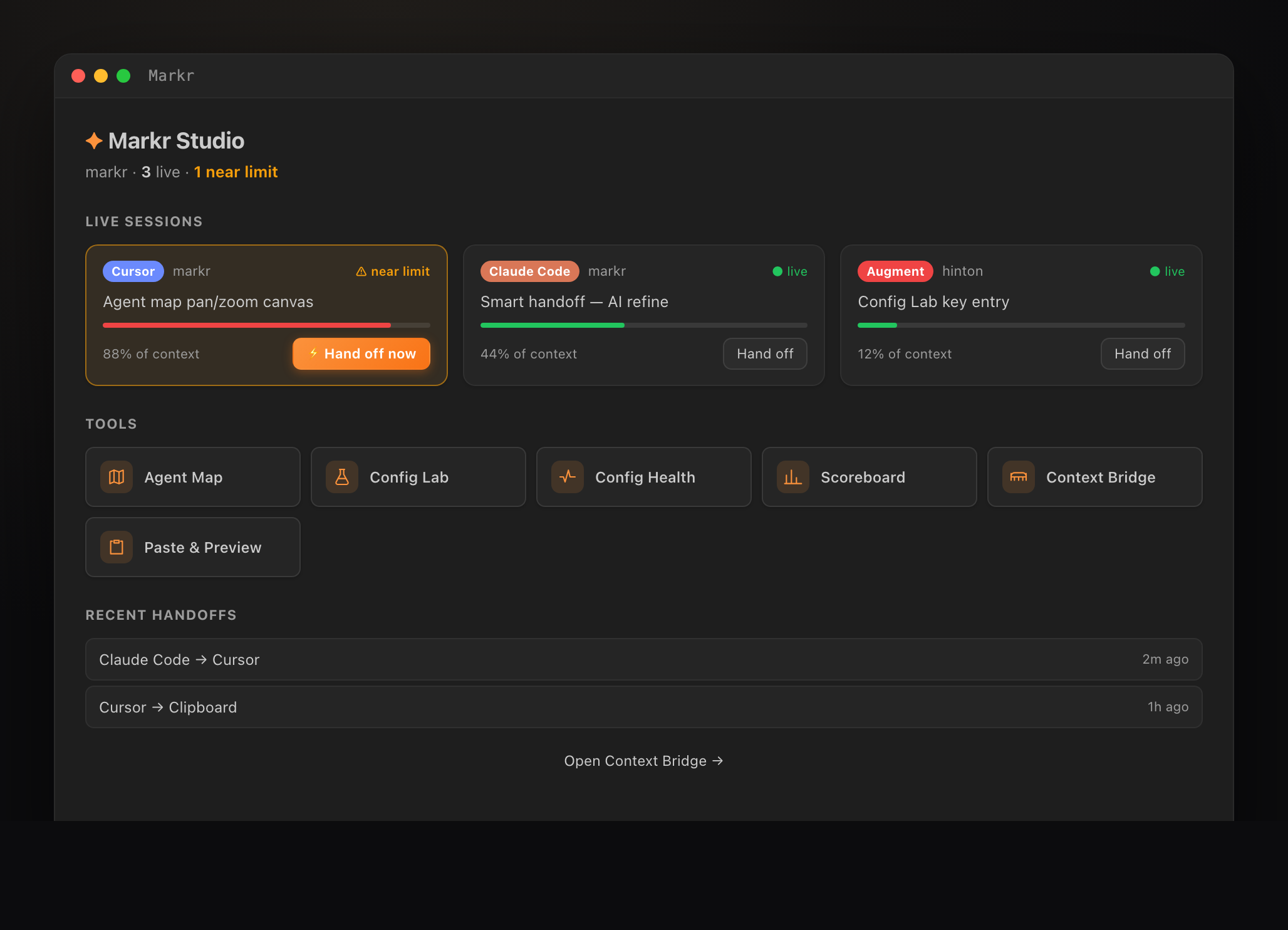
✦ Markr Studio — one command center for the AI workbench. See every live session and how close it is to its context limit, hand a near-limit one off in a single click, launch every tool, and review recent handoffs. 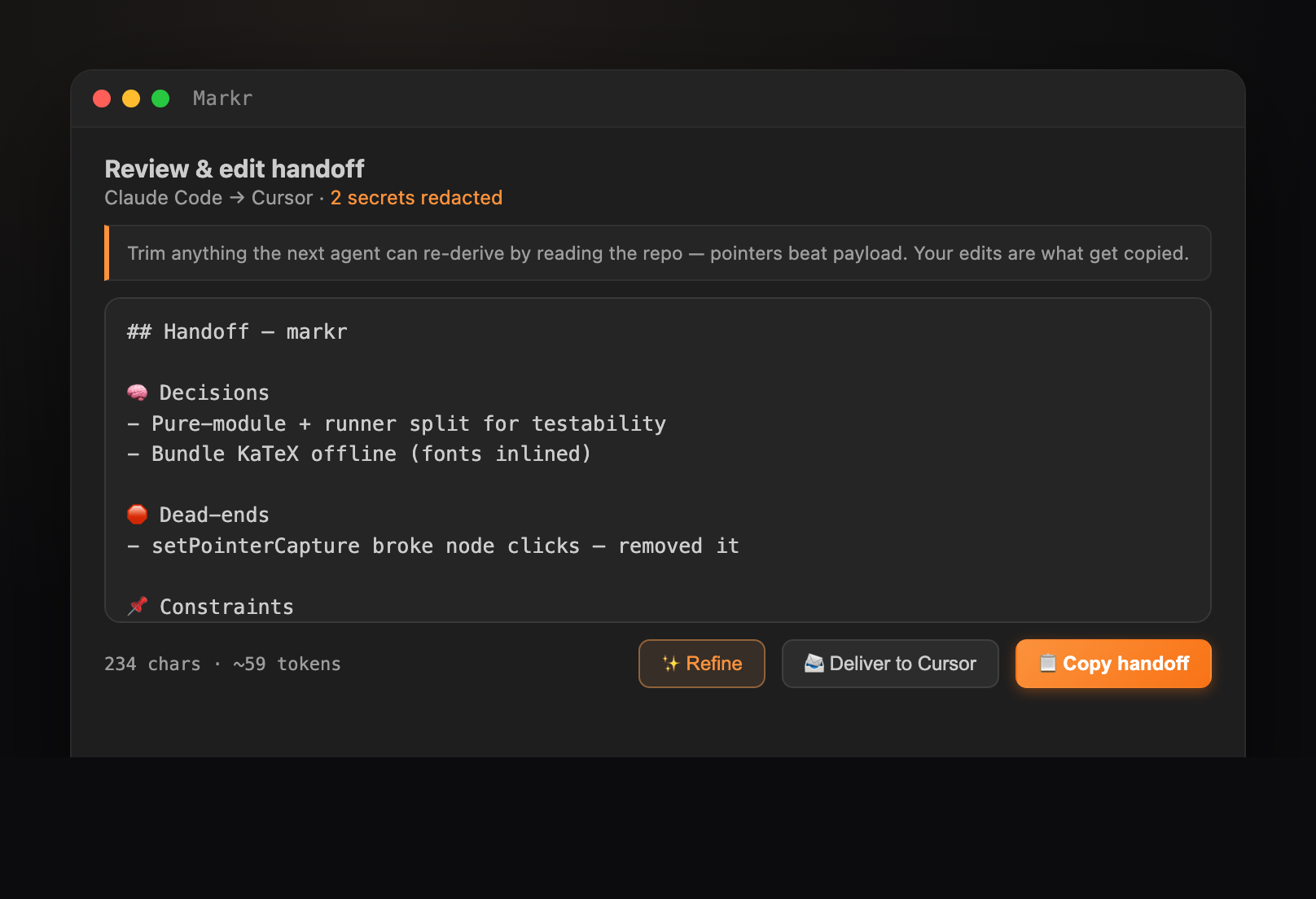
✦ Smart Handoff. Every handoff opens in a review & edit panel — trim it, or hit ✨ Refine to have your configured AI model rewrite it densely and accurately (secrets re-redacted before sending, one-click ↩ Revert). Your edits are what get copied.
✦ Context Bridge, and every Markr surface, redesigned on a new premium design system — soft-elevation cards, a segmented scope toggle, and full keyboard navigation. 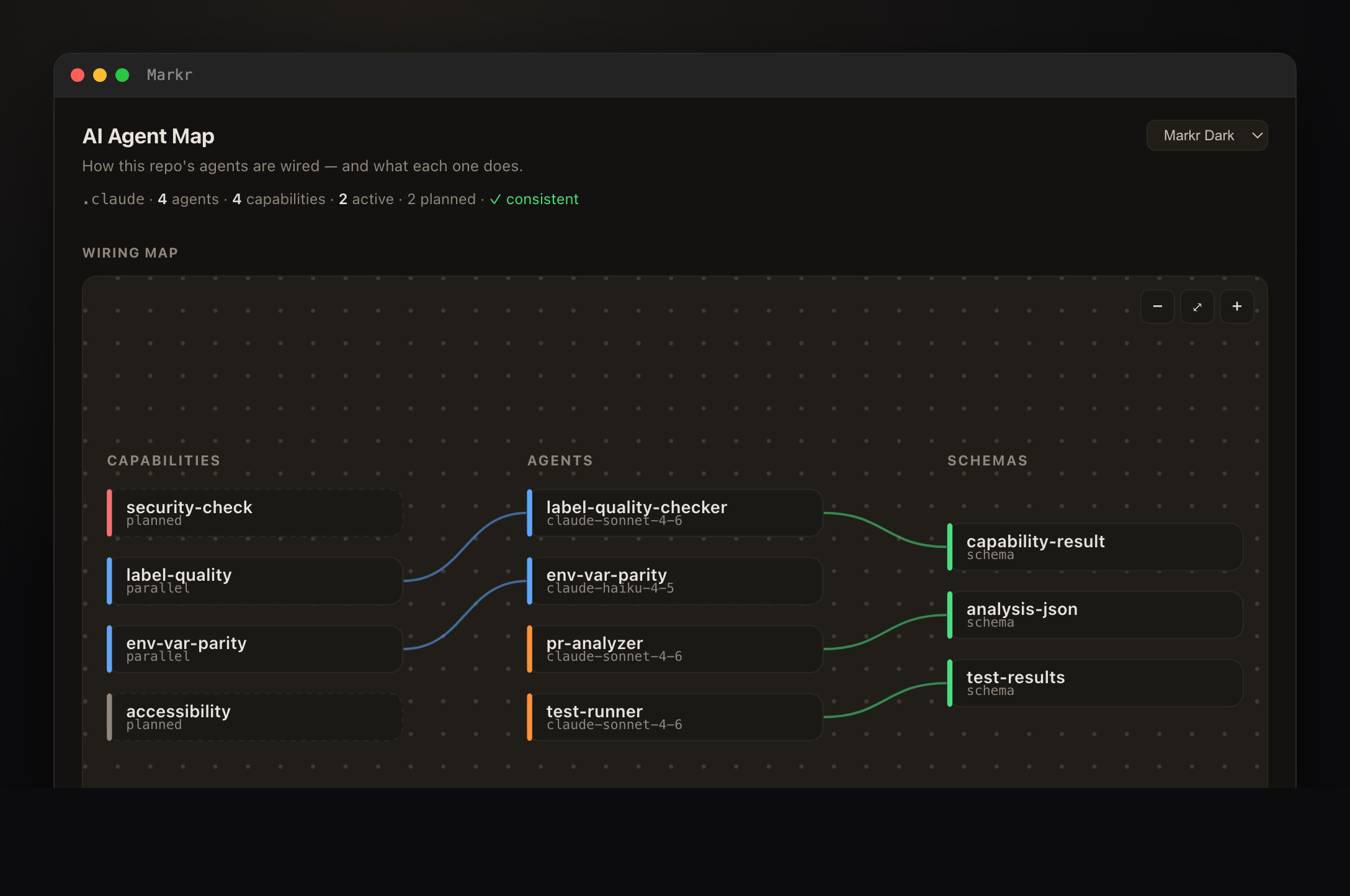
✦ AI Agent Map — an interactive pan/zoom map of how a See it in action
✦ NEW in 5.0 (beta) — Context Bridge. See every AI coding session across Claude Code, Cursor, Augment & Codex in one sidebar. Pick one, hand it off to another tool, and Markr writes a Conditional Residual Handoff — decisions, dead-ends, constraints & the uncommitted git diff, not a chat dump. 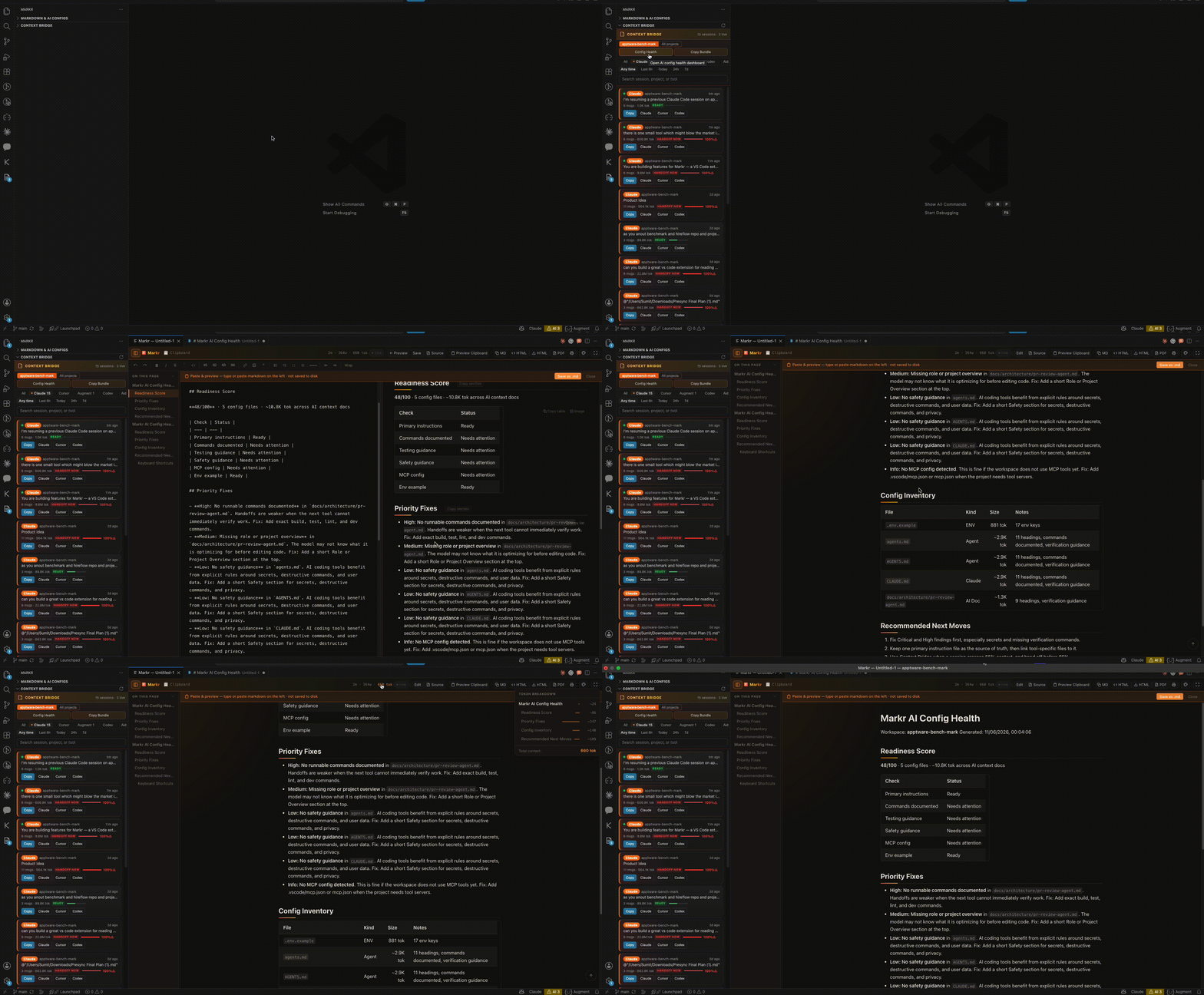
✦ AI Config Health. Score your AI config workspace out of 100 — findings flag missing testing guidance, secrets in config, absent verification commands, with concrete fixes ranked by severity. 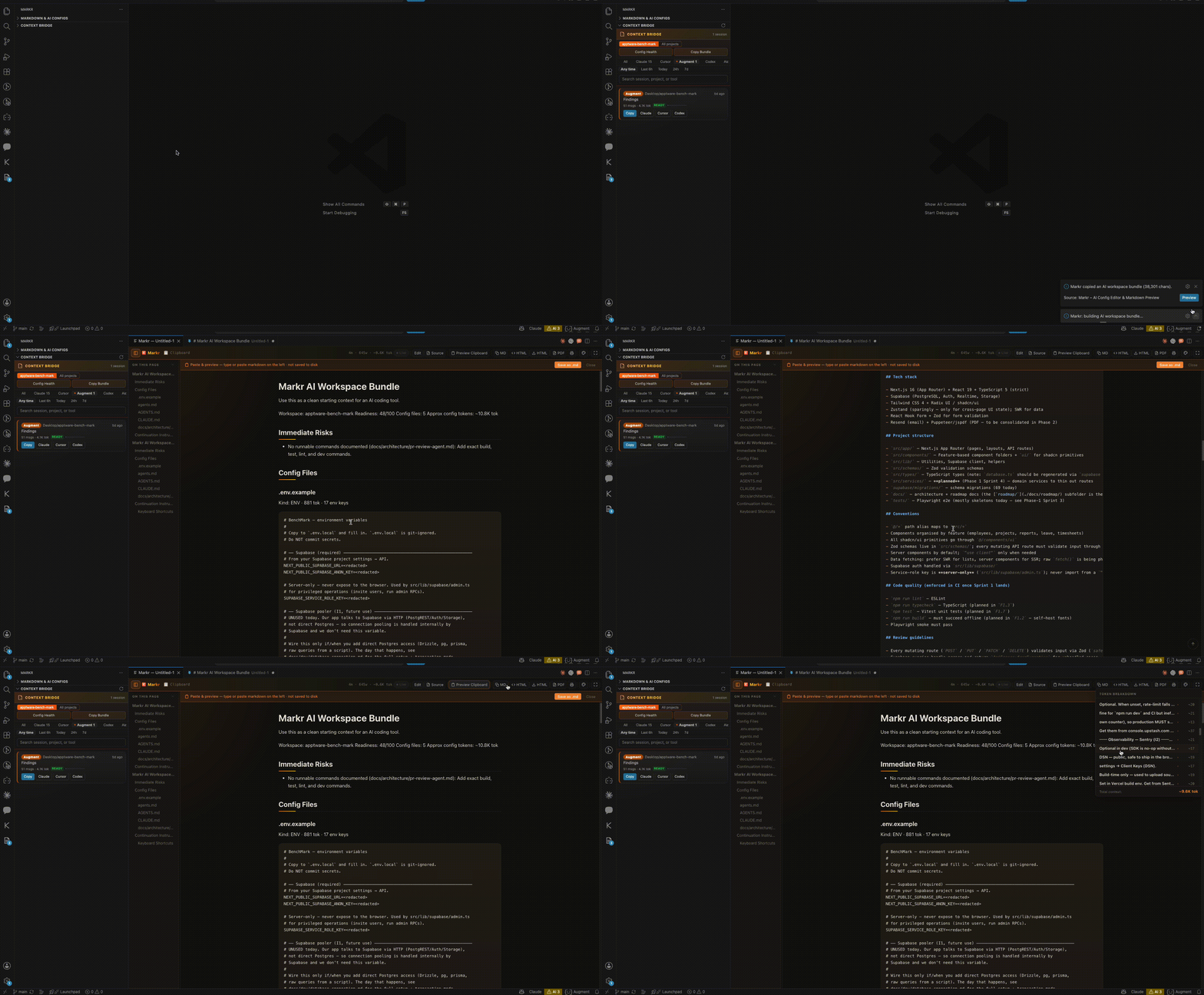
✦ Copy AI Workspace Bundle. One click concatenates CLAUDE.md, .cursorrules, agent.md & more into a single readiness-scored doc — paste it into any AI to onboard it to your repo instantly. 
✦ Click the token counter → see a breakdown by section with proportional bars. Supports Claude, GPT-4, GPT-4o, DeepSeek, Kimi, Llama 3, Gemini, Mistral & more. Click any row to jump there. 
✦ Double-click CLAUDE.md, .cursorrules, or any AI config — Markr opens automatically, text editor closes. Markr is the editor. 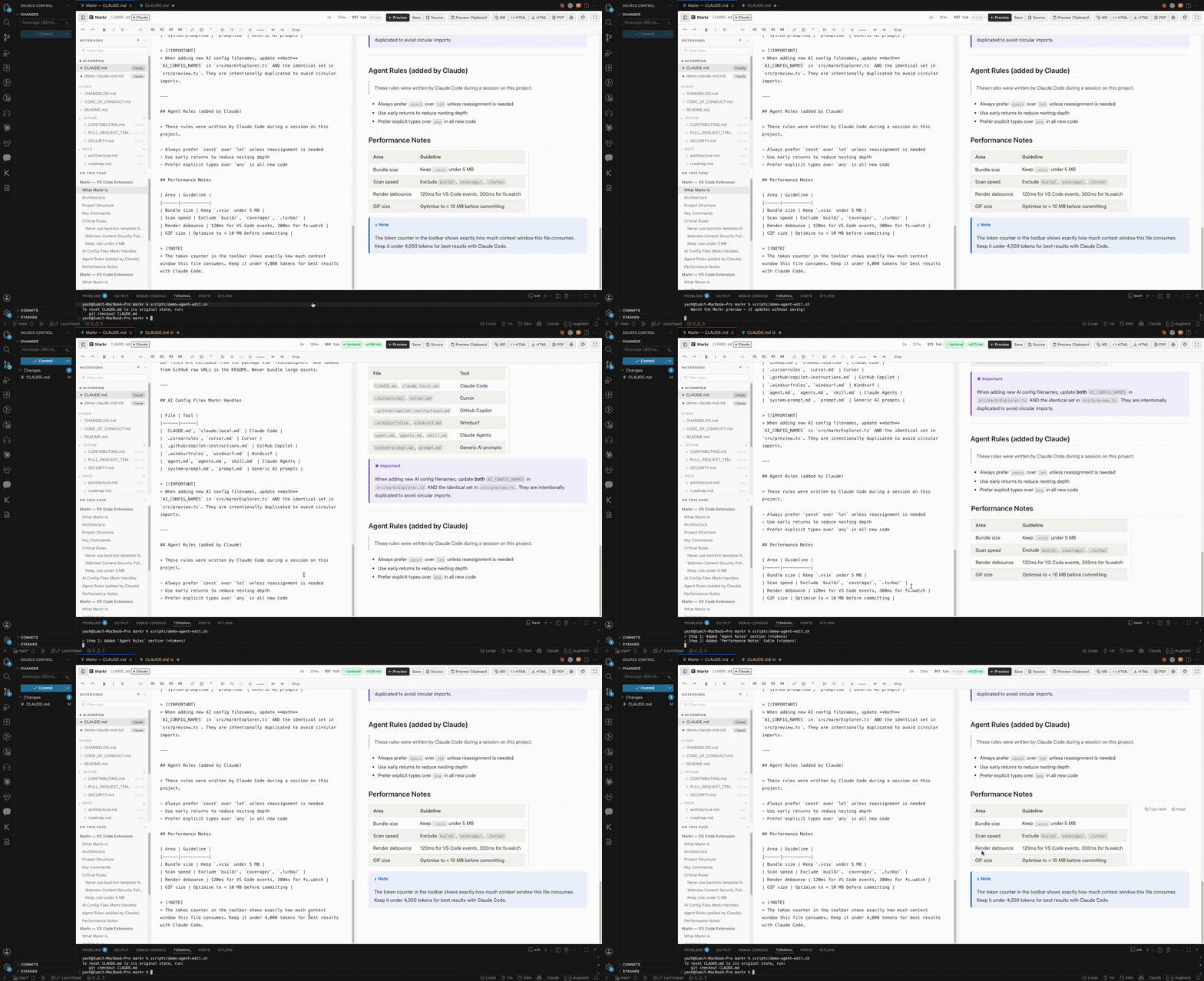
✦ Agent Watch — Claude Code edits CLAUDE.md → preview updates instantly without saving → ⬤ Updated badge + token delta 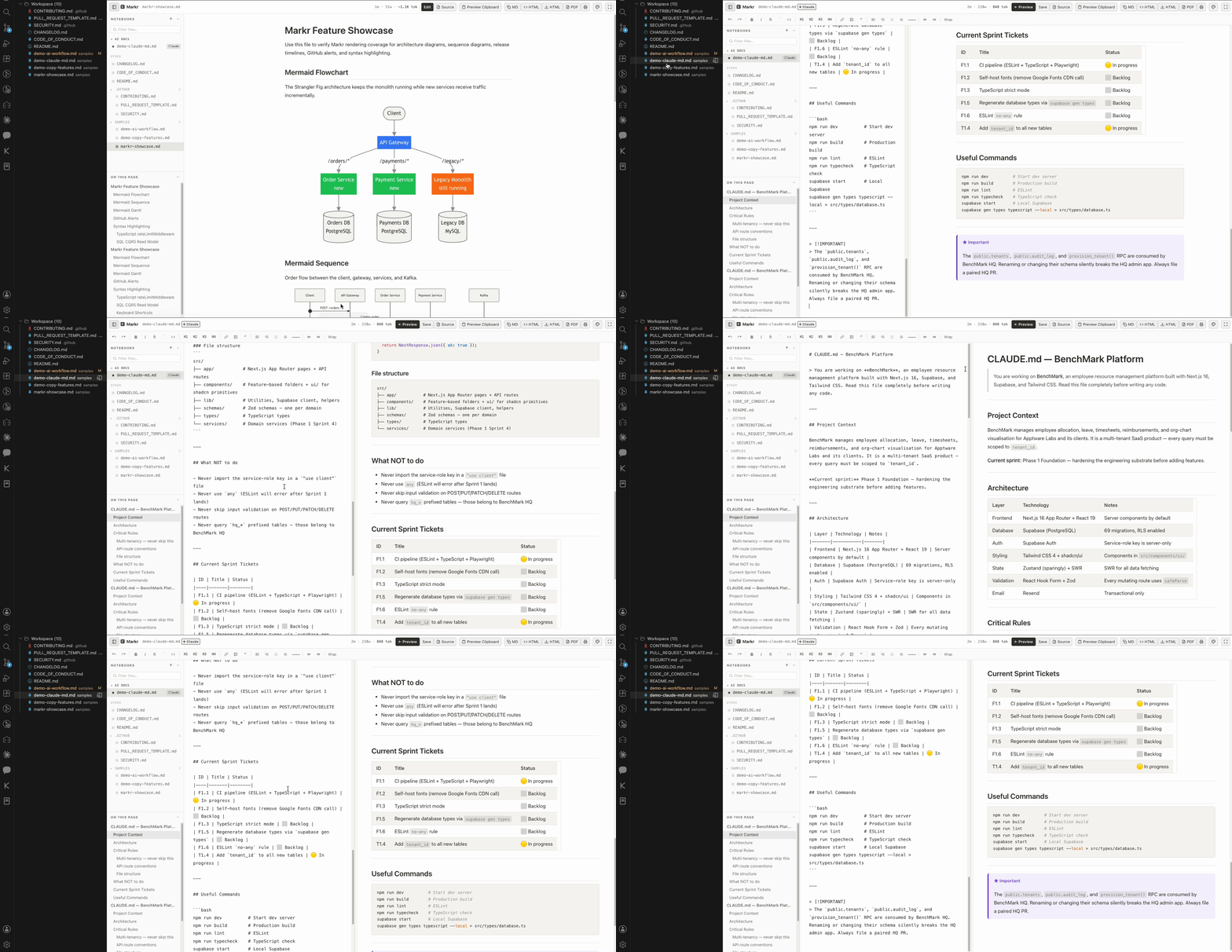
✦ Click the Markr icon in the Activity Bar — AI configs pinned at top, workspace files in a nested folder tree, instant search 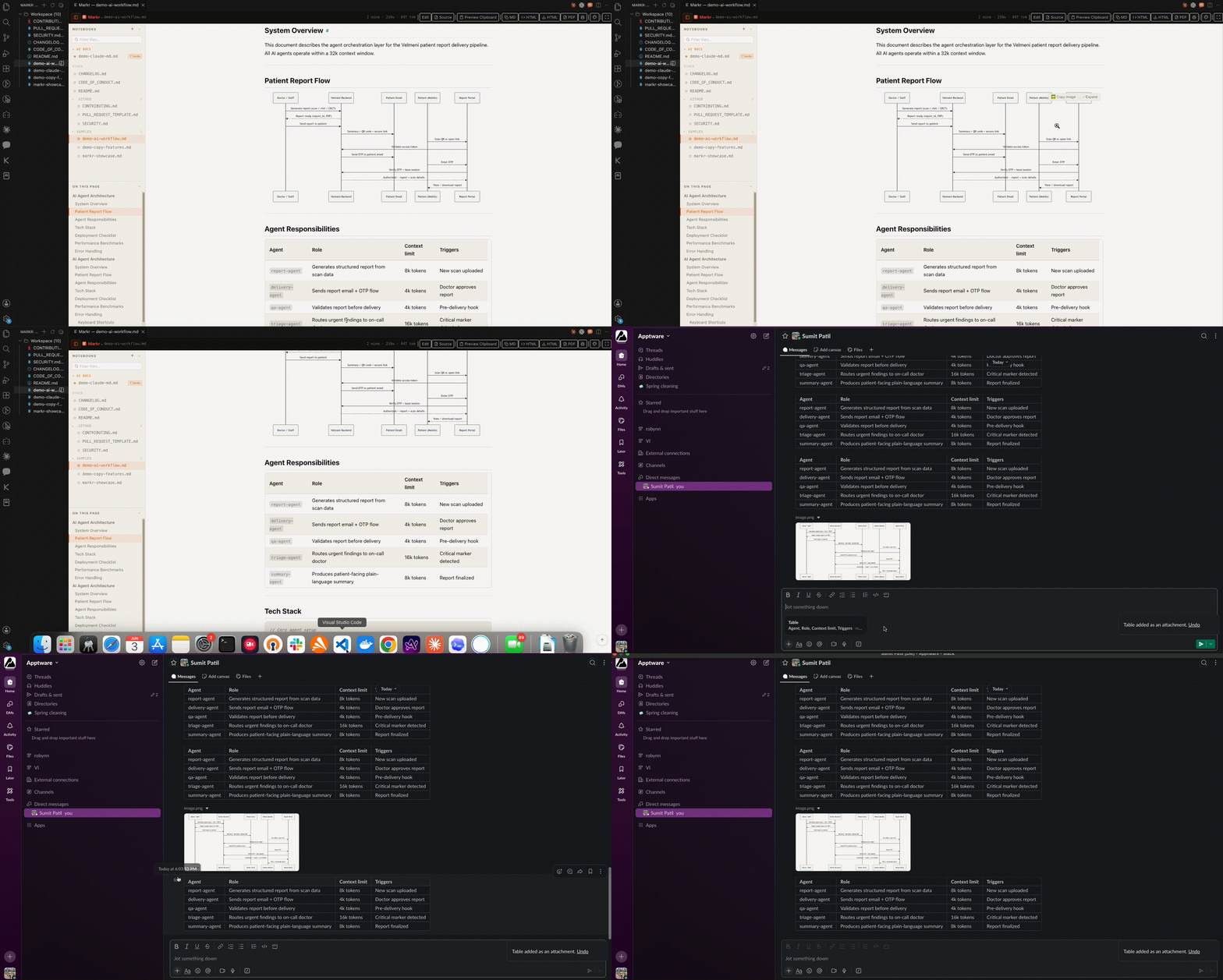
✦ Hover any table → "Copy table" → paste into Slack, Google Chat, or Docs as a real formatted table 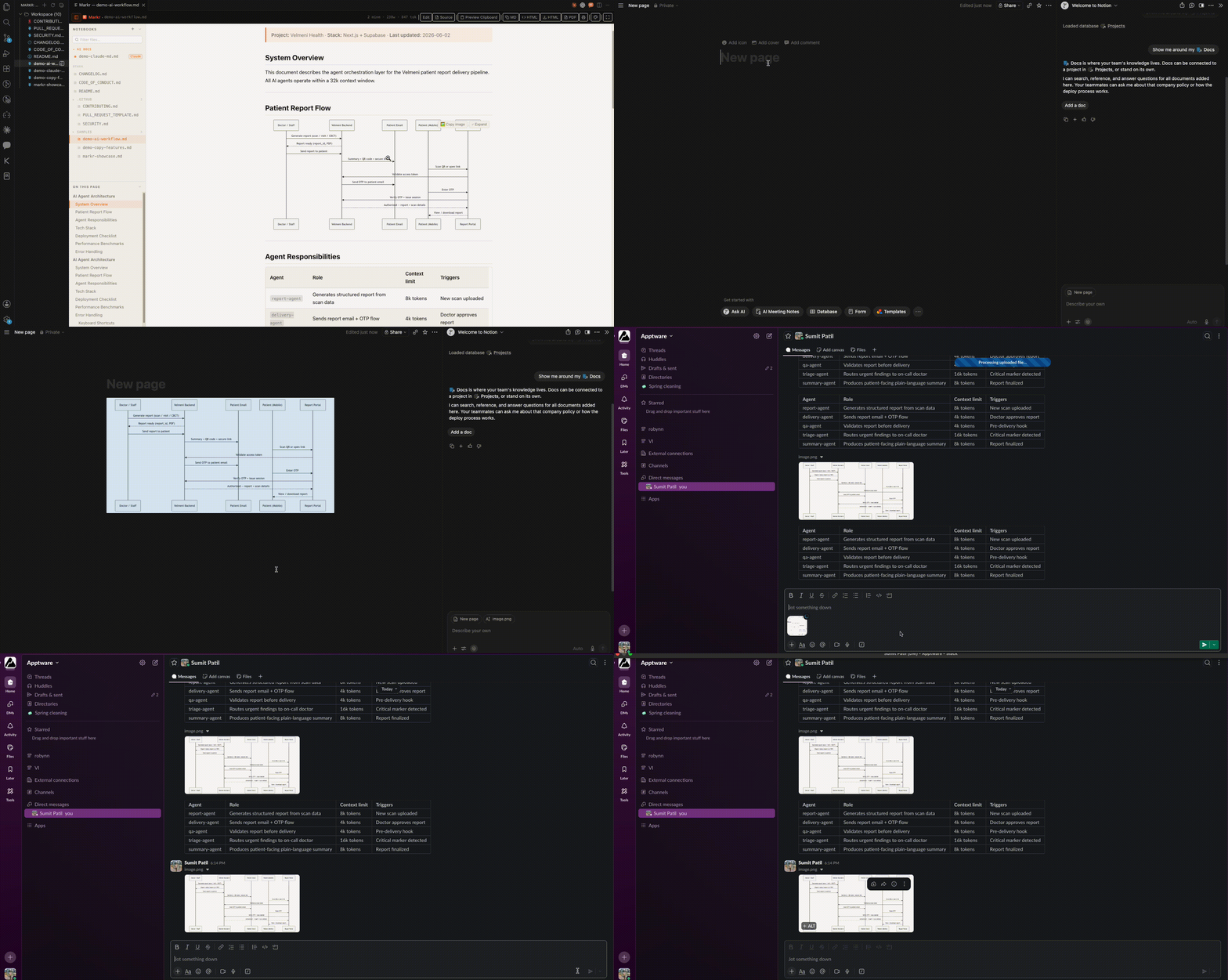
✦ Hover any Mermaid diagram → 🖼 Copy image → paste as a 2× retina PNG anywhere — Figma, Notion, Confluence, Slack 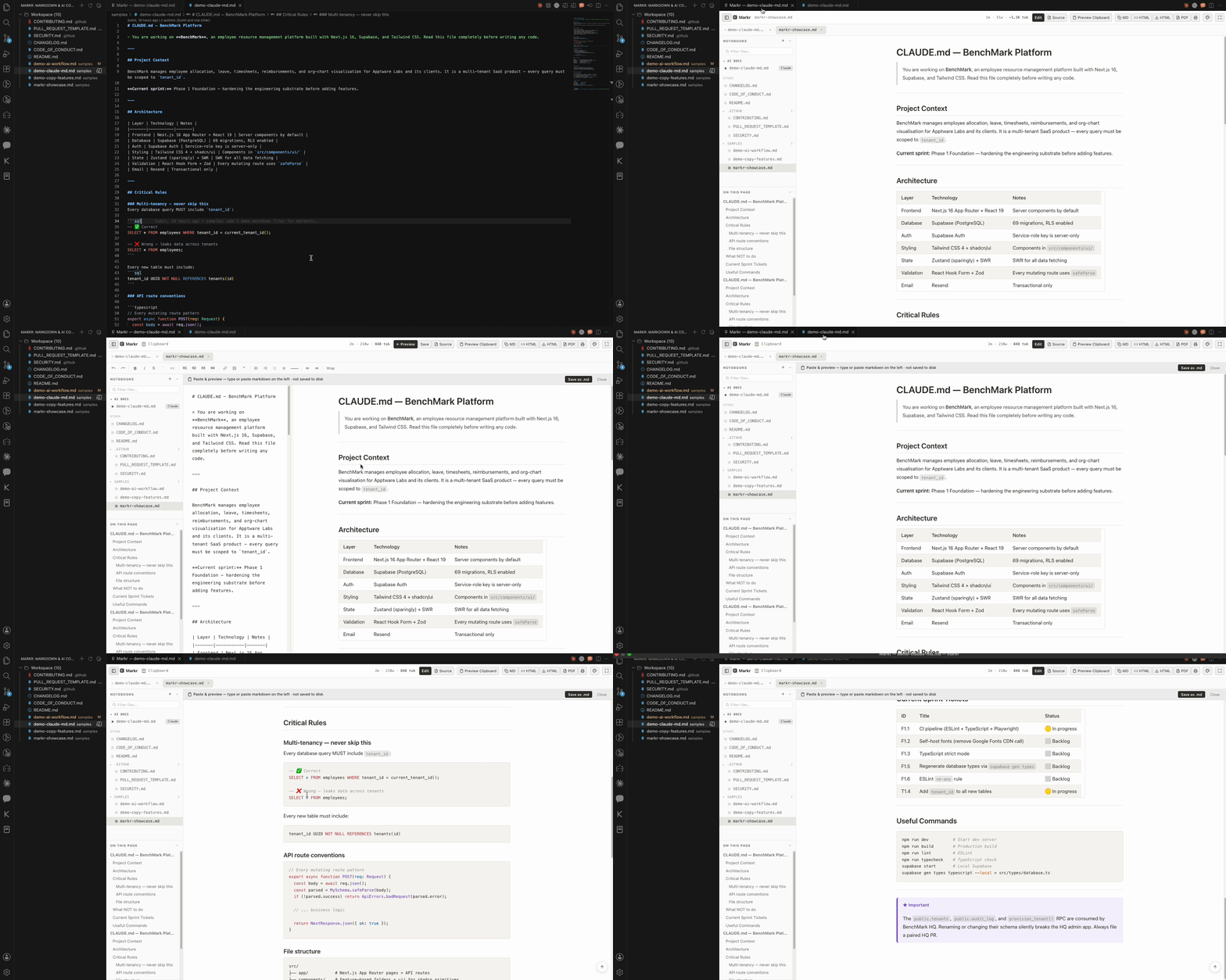
✦ Copy markdown from Claude or ChatGPT → Preview Clipboard → edit in split pane → Mermaid renders live → save as .md 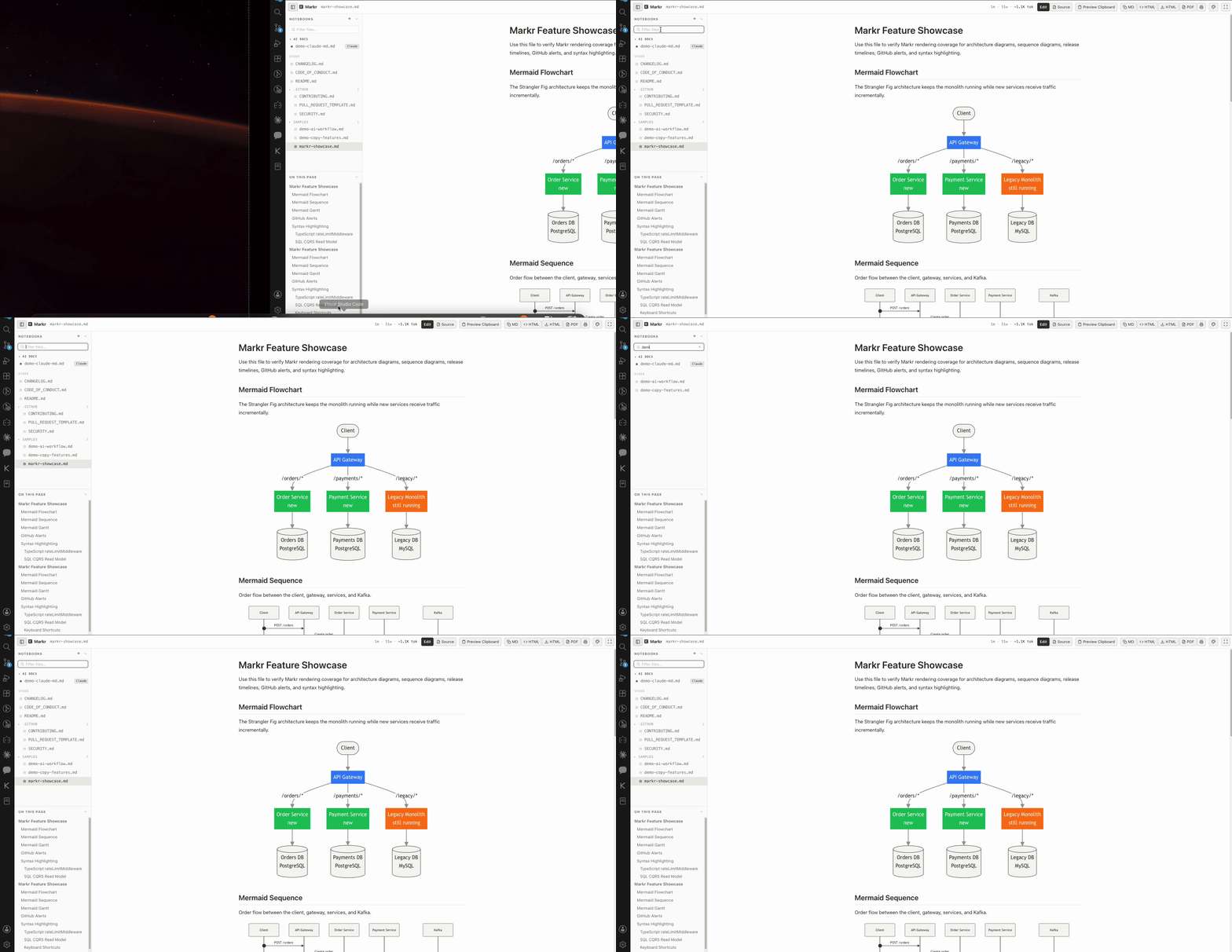
✦ Type in the Notebooks panel to filter all workspace .md files instantly Screenshots
Dark theme · Live Table of Contents · Workspace file browser · Word count & reading time 

✦ Notion White theme ✦ Split edit mode — editor + live preview side by side 

✦ Mermaid diagrams — render, expand fullscreen, copy as PNG ✦ Syntax highlighting — 190+ languages 

✦ GitHub alerts — NOTE, WARNING, TIP, CAUTION ✦ Collapsible TOC panel with scroll spy Why Markr?
Features🔀 Context Bridge — Switch AI tools without losing context (NEW in 5.0 · expanded in 6.0, beta)The Context Bridge sidebar reads the session transcripts your AI coding tools already write to disk — Claude Code, Cursor, Augment, Codex, Aider, Cline, Roo Code, Windsurf, and Gemini CLI — and shows them all in one place: which project, which task, how many tokens, and which are live right now. A tool-health row confirms what Markr can read (✓ / — / ⚙). No setup, no daemon, nothing sent anywhere — it only reads what's already on your machine. When you switch tools, pick a session and hand it off. Markr generates a Conditional Residual Handoff (CRH) — a handoff format built on two proven foundations (Slepian–Wolf conditional source coding + the I-PASS clinical handoff protocol). Instead of dumping the chat, it transmits only what the next tool can't re-derive by reading your repo:
Every handoff opens in a Review & edit panel first — trim anything the next agent can re-derive from the repo, then Copy or Deliver it straight into the target's native file (
🧠 Cross-Session Memory (NEW in 6.0, beta)The decisions, dead-ends, and constraints Markr mines don't vanish when a session ends — they're remembered per project. A Memory tab in the Context Bridge groups them by kind with occurrence counts, a dismiss button, and search across all your projects. New handoffs are seeded from this memory, so continuity survives across sessions, not just within one. Stored locally; secrets are redacted before anything is written to disk. ✍️ Configs That Write Themselves (NEW in 6.0, beta)When you tell your agents the same thing across sessions ("always use pnpm", "never touch the public API"), Markr clusters those repeats into an evidence-backed config suggestion and offers to add it — one click appends the rule under a ⚡ Ambient Continuity (NEW in 6.0, beta)Markr watches active sessions and warns when one nears its context limit so you can hand off before you hit the wall. Handoffs can be delivered straight into the next tool's own convention — a delimited block in 📊 AI Scoreboard (NEW in 6.0, beta)A dashboard no other tool can build, because nothing else reads all your AI tools at once. Sessions and tokens per tool per week, dead-end rate, median session length, and most-worked projects — all computed locally, themeable (Markr Dark / Light / Notion / Linear), with an Export that opens a redacted report in Markr. ❤️ AI Config Health — score your agent setupClick the pulse icon in the Markr sidebar to score your AI config workspace out of 100. Markr scans your
📦 Copy AI Workspace BundleOne click concatenates every AI config file in your workspace — 🧪 AI Config Lab — test your AI config like a notebook (NEW in 6.1, beta)You write Open the Lab on any AI config file (🧪 in the editor title bar, or Example tests: "Uses project test command" (prompt: "I changed sessionReader.ts — what should I run?" → must include
🗺 AI Agent Map — see how your multi-agent repo is wired (NEW in 6.5)Multi-agent repos (a
🧰 Workbench launcherA compact panel pinned to the top of the Markr sidebar with one-click buttons for the agent tooling — Agent Map · Config Lab · Config Health — so the workbench is always one click away. 🤖 Markr is the Editor for AI Config FilesOpening CLAUDE.md,
⚡ Agent Watch — Real-Time Live PreviewMarkr watches your files directly on the filesystem using
🗂 Activity Bar Panel — Always ThereMarkr lives in the VS Code / Cursor sidebar as a dedicated panel — no file needs to be open first. The panel shows two sections: AI Configs (auto-detected, with tool labels) and Workspace (all other 🔍 File Search in Notebooks PanelA search box sits below the Notebooks section header in the sidebar. Type to filter all workspace Markdown files instantly — matches against both filename and path. Shows a flat list while filtering for fast scanning. Press 📊 Copy Tables as Rich Text or PNG ImageHover any table to reveal two buttons:
The rich copy (Cmd+C) also works on any selection — select a table, a list, a code block, bold text, a heading — and paste it into any chat or doc app. The formatting is preserved automatically. A brief toast confirms when formatted content was copied. 🔀 Mermaid Diagrams — Render, Expand, Copy as PNGDrop a Hover over any diagram to reveal two buttons:
💻 Copy Code Blocks as PNG ImageEvery code block already has a Copy button (plain text). Now there's also a 📷 Image button that renders the code block to a clean PNG — monospaced font, your current theme background, 2× retina resolution. Paste code screenshots into design tools, PR descriptions, or slide decks. 📋 Paste & Preview MarkdownGot markdown from Claude, ChatGPT, a PR comment, or any AI tool? Click Preview Clipboard in the toolbar (or press
The clipboard panel is completely isolated — it never modifies your open files. ✦ AI Config Editor — First ClassMarkr is built for AI developers. The Activity Bar panel automatically separates your AI config files from regular docs so you can find and edit them instantly. Supported out of the box:
New AI Config wizard — click All AI config files open automatically in split edit mode — preview on the right, fully-featured editor on the left. Live token count in the toolbar tells you exactly how much context window you're using. 📄 GitHub-Style RenderingHeadings, tables, blockquotes, task lists, strikethrough, footnotes, inline code, fenced code blocks — all rendered exactly as GitHub does. Automatically switches between light and dark with your VS Code theme. ➗ Math (KaTeX) (NEW in 6.3)Inline 🔎 Find in Preview (NEW in 6.4)Press Cmd/Ctrl+F in the preview to search the rendered document — highlights all matches, Enter / Shift+Enter (or ↑/↓) to step through, live match count, Esc to close. Works in both read and split-edit preview. 📑 Live Table of ContentsAuto-generated from your headings the moment you open the file. Scroll spy highlights the active section in real time. Click any item to jump there. Collapse it with one button. 📂 Workspace File BrowserBrowse and switch between all 🗃 Multi-Tab NavigationOpen multiple Markdown files in tabs — just like your editor. Switching between previously-opened files is instant with no round-trip to the extension host. 🎨 Syntax Highlighting — 190+ LanguagesTypeScript, Python, Go, Rust, Java, SQL, YAML, Bash, Dockerfile — every language highlighted with GitHub's exact color tokens, in both light and dark themes. ⚡ Scroll SyncMove your cursor in the editor — the preview scrolls to match. Always in context, never lost. 🛠 Toolbar
🎯 Focus ModeOne click hides the sidebar, widens content to 720 px, bumps the font size. Pure reading flow. 🎨 ThemesSwitch between four themes from the toolbar — Markr Light, Markr Dark, Notion White, Linear Dark. Your choice is remembered across sessions. Getting StartedVS Code
Cursor / VSCodium / Open VSX Same search — pulls from Open VSX Registry. First use — three ways to open Markr
Keyboard Shortcuts
Also available via:
Settings
Requirements
ContributingMarkr is open source and contributions are welcome.
For bugs or feature requests → open an issue. Roadmap
LicenseFree for personal use. Commercial use (organisations with 10+ users, product embedding, or white-labelling) requires a commercial licence. © 2026 Apptware Labs Pvt Ltd — All Rights Reserved. See LICENSE for full terms. For commercial licensing: sumit.patil@apptware.com Built with ❤️ by Apptware Labs Pvt Ltd Apptware Labs Pvt Ltd is a product studio building developer tools and enterprise software. Our Products Markr · Syncrra · BenchMark · HireFlow |