Skip to content
| Marketplace
Sign in
Visual Studio Code>Themes>Caligo Dark+ ThemeNew to Visual Studio Code? Get it now.
Caligo Dark+ Theme

Caligo Dark+ Theme

Anselm Hahn

|
24 installs
| (0) | Free
| Sponsor
Perceptual dark themes with OKLCH-based harmony variants — 50 professionally crafted color schemes
Installation
Launch VS Code Quick Open (Ctrl+P), paste the following command, and press enter.
Copied to clipboard
More Info

Caligo banner preview

Caligo

50 perceptually uniform dark themes built on OKLCH color science
10 seed palettes × 5 harmony modes

Install · Live Preview · Gallery · Contribute · Quick Start

VS Marketplace Installs License CI


What is Caligo?

Caligo is a professional dark theme collection for Visual Studio Code, built on color science principles. Unlike traditional hand-picked color schemes, Caligo uses OKLCH — a perceptually uniform color space — to generate mathematically harmonious themes that are easy on the eyes and maintain consistent readability.

Choose from 50 carefully crafted themes: 10 distinctive seed palettes × 5 color harmony variants.

Why Caligo?

🔬 OKLCH Color Science

Traditional themes rely on trial-and-error hex codes. Caligo leverages OKLCH for predictable, perceptually uniform colors:

  • Consistent brightness — Colors at equal lightness values look equally bright
  • Preserved readability — Harmony transformations maintain contrast ratios
  • Mathematical precision — "Colors that look equally different, are equally different"

✨ Key Features

  • 50 themes from 10 seed palettes × 5 color harmonies
  • High contrast — designed with accessibility in mind using APCA-W3 contrast validation
  • Semantic highlighting — intent-aware colors for declarations, mutations, control flow
  • Consistent syntax — harmonized bracket pairs, git diff, and terminal colors
  • Zero configuration — works beautifully out of the box

🎯 Semantic Highlighting

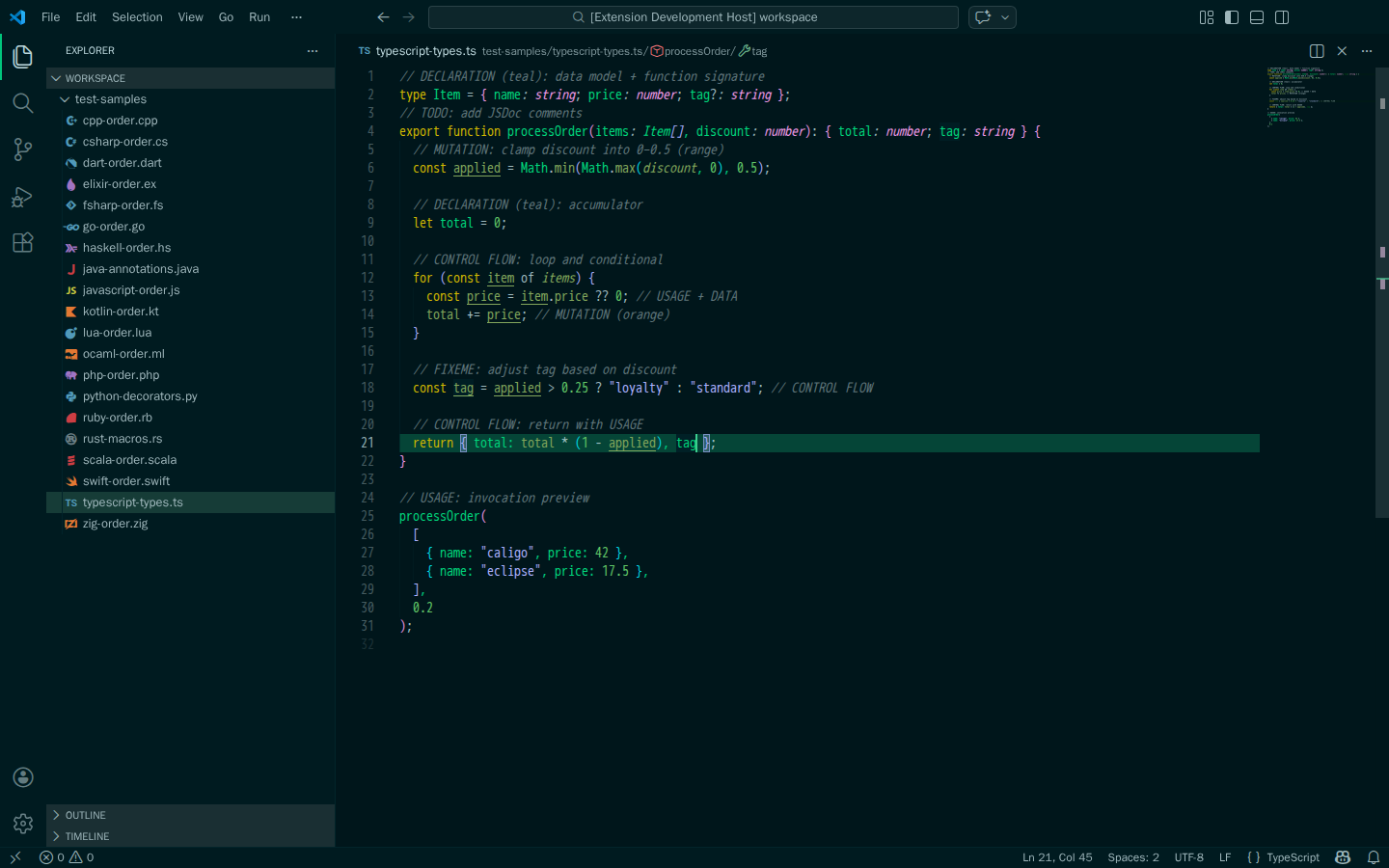
Beyond basic syntax colors, Caligo provides intent-based highlighting:

Intent Purpose Examples
Declaration Definitions const, function, class
Mutation State changes =, ++, --
Control Flow Logic if, for, return
Data Values Literals, constants

Requires language server support (TypeScript, Python/Pylance, Rust, etc.)

📦 Installation

  1. Open Extensions (Cmd+Shift+X / Ctrl+Shift+X)
  2. Search for "Caligo"
  3. Click Install
  4. Open Command Palette → Preferences: Color Theme → Select any Caligo theme

Or from command line:

code --install-extension AnselmHahn.caligo-vscode-theme

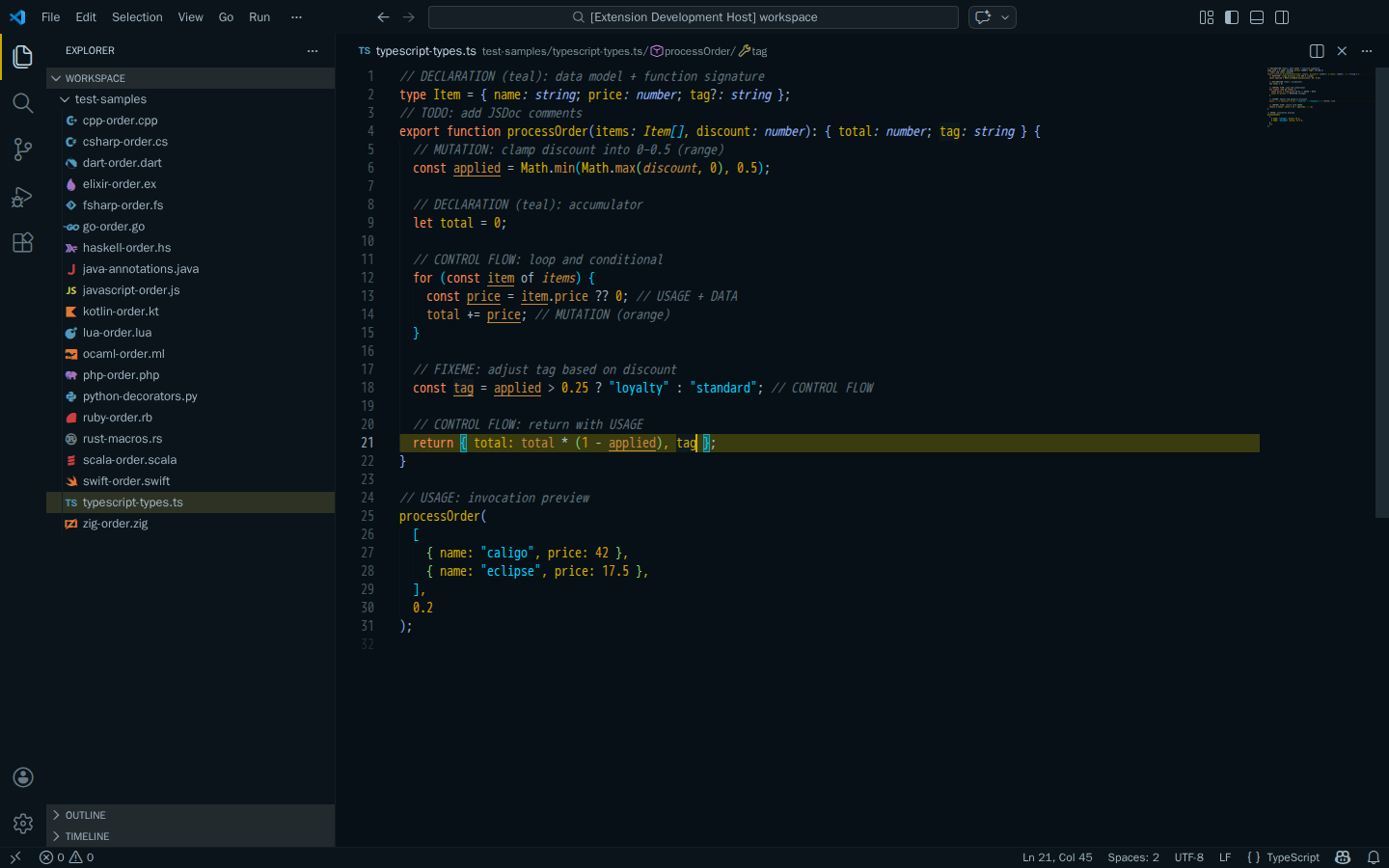
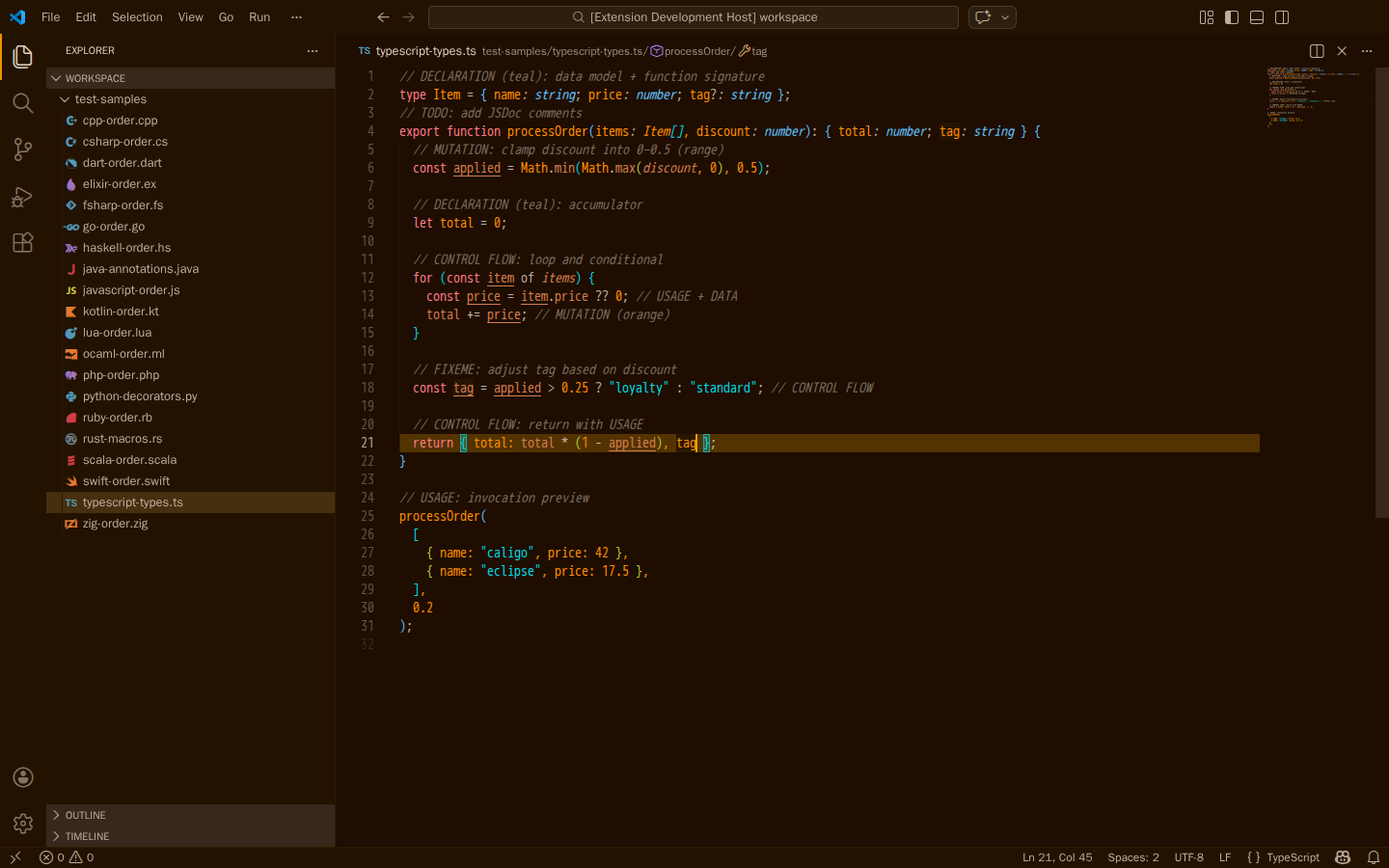
🖼️ Theme Gallery

Caligo Icon

Aurora Noir
Aurora Noir
Eclipse
Eclipse
Mandarian
Mandarian

→ Browse all 50 themes

Seed Palettes

Each palette is designed to evoke a distinct visual character and mood:

Palette Character
Aurora Noir Cyan-teal aurora over deep ocean
Cinder Warm amber glow from smoldering embers
Deep Sable Rich earth tones with deep warmth
Eclipse Solar corona against void black
Graphite Flux Industrial steel with electric accents
Mandarian Vibrant citrus energy
Midnight Atelier Artist's studio at night
Nebula Night Cosmic dust and starlight
Obsidian Glow Volcanic glass with inner fire
Void Ember Smoldering darkness

Each palette has 5 harmony variants: Balanced, Analogous, Triadic, Split-Complementary, Monochromatic


📚 More Info

  • Web Gallery — Interactive theme browser
  • Contributing — Development setup & guidelines
  • Quick Start — Developer quick start guide


© 2026 Anselm Hahn. MIT Licensed.

Built with ❤️ for developers who code after dark 🌙

Marketplace • GitHub • Gallery • Contributing • License

  • Contact us
  • Jobs
  • Privacy
  • Manage cookies
  • Terms of use
  • Trademarks
© 2026 Microsoft