XML Tree Viewer

Visualize XML/DTD files as interactive structures with multiple views
VS Code Marketplace
•
GitHub Repository
✨ Features
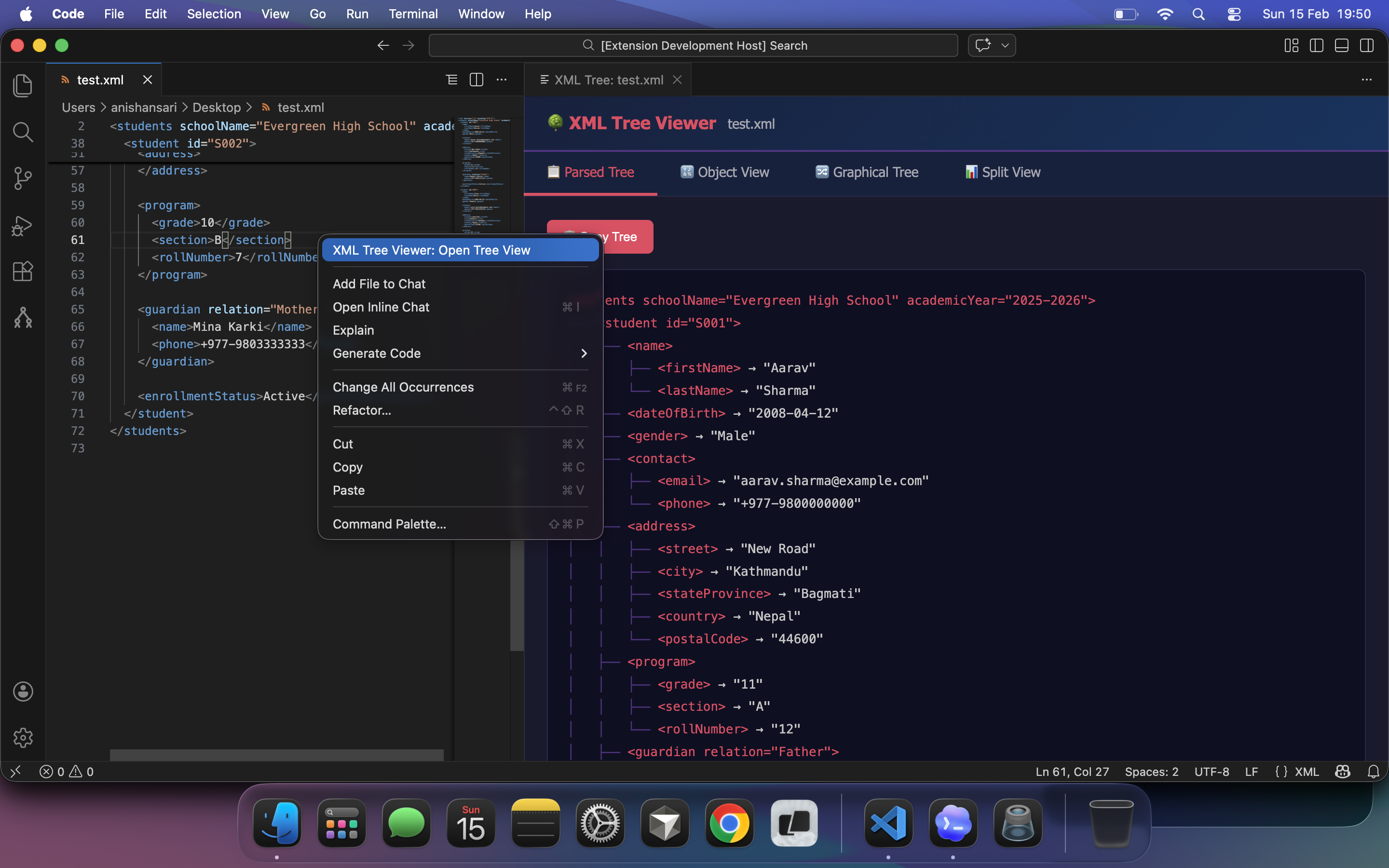
📋 Parsed Tree View
Beautiful indented text representation of your XML structure with syntax highlighting.
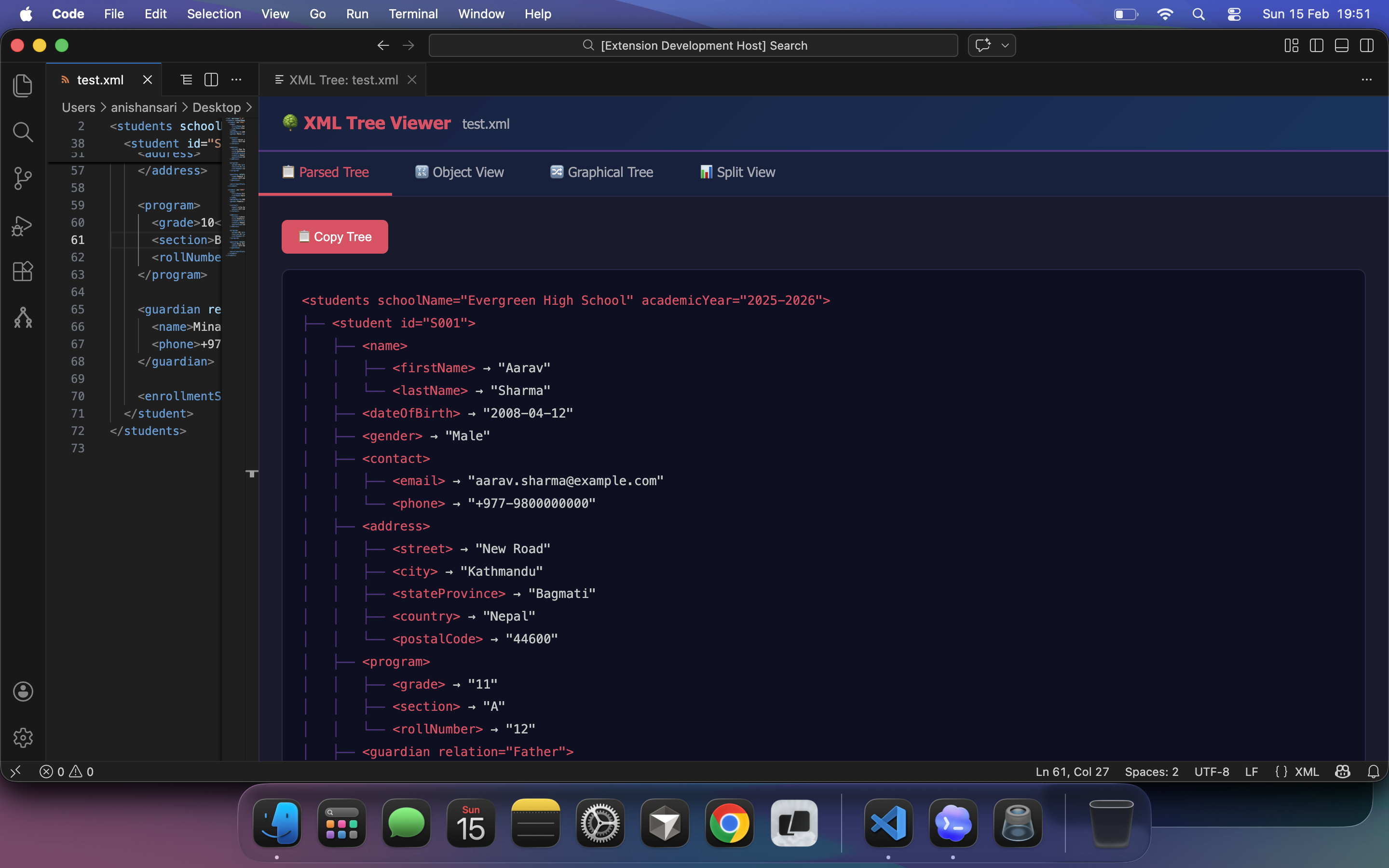
🔣 Object View
Interactive JSON-like collapsible tree. Expand/collapse nodes, copy as JSON.
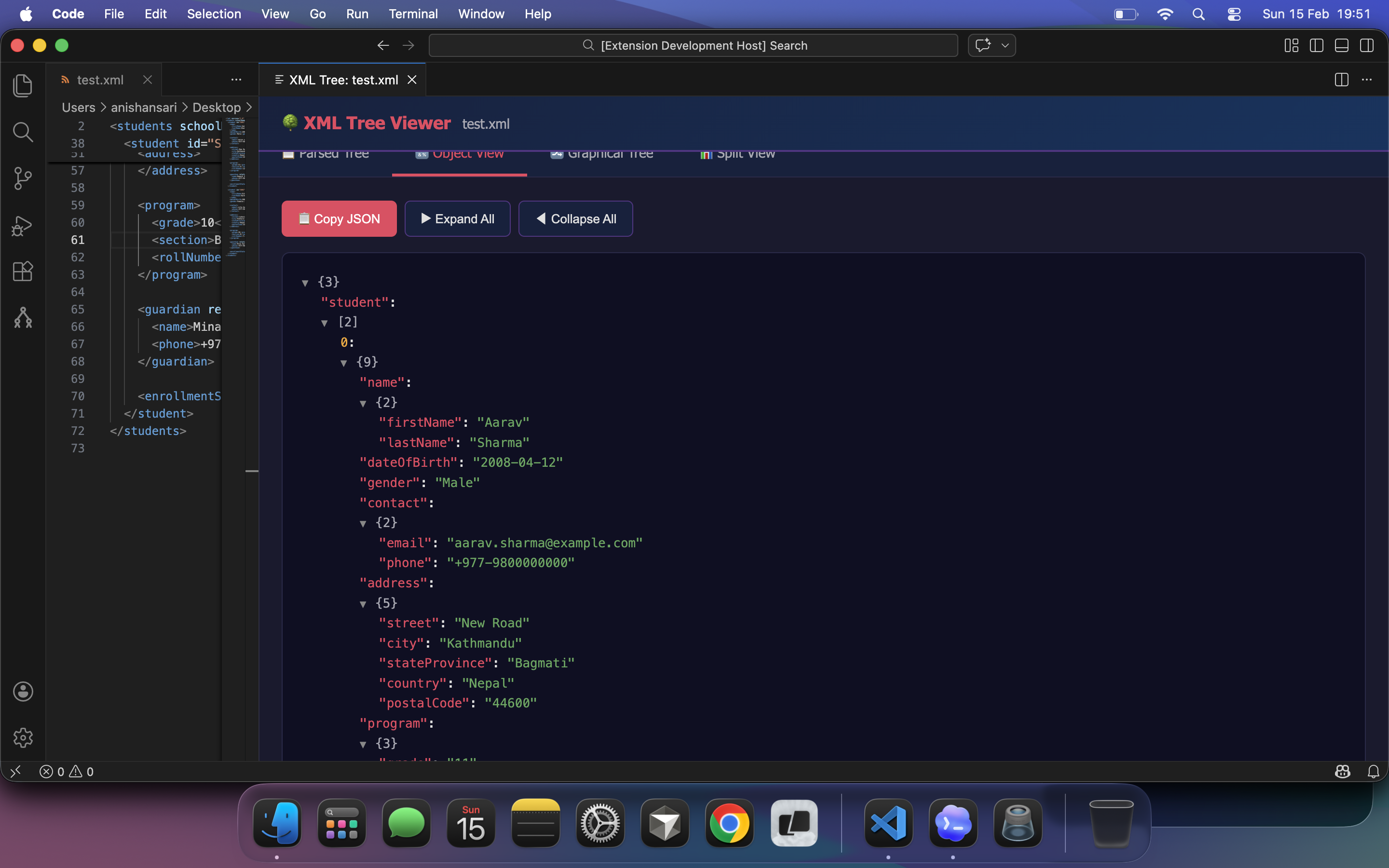
🔀 Graphical Tree (Mermaid Diagram)
Visual flowchart representation of your XML hierarchy with zoom controls and Save as Image (PNG export) button.
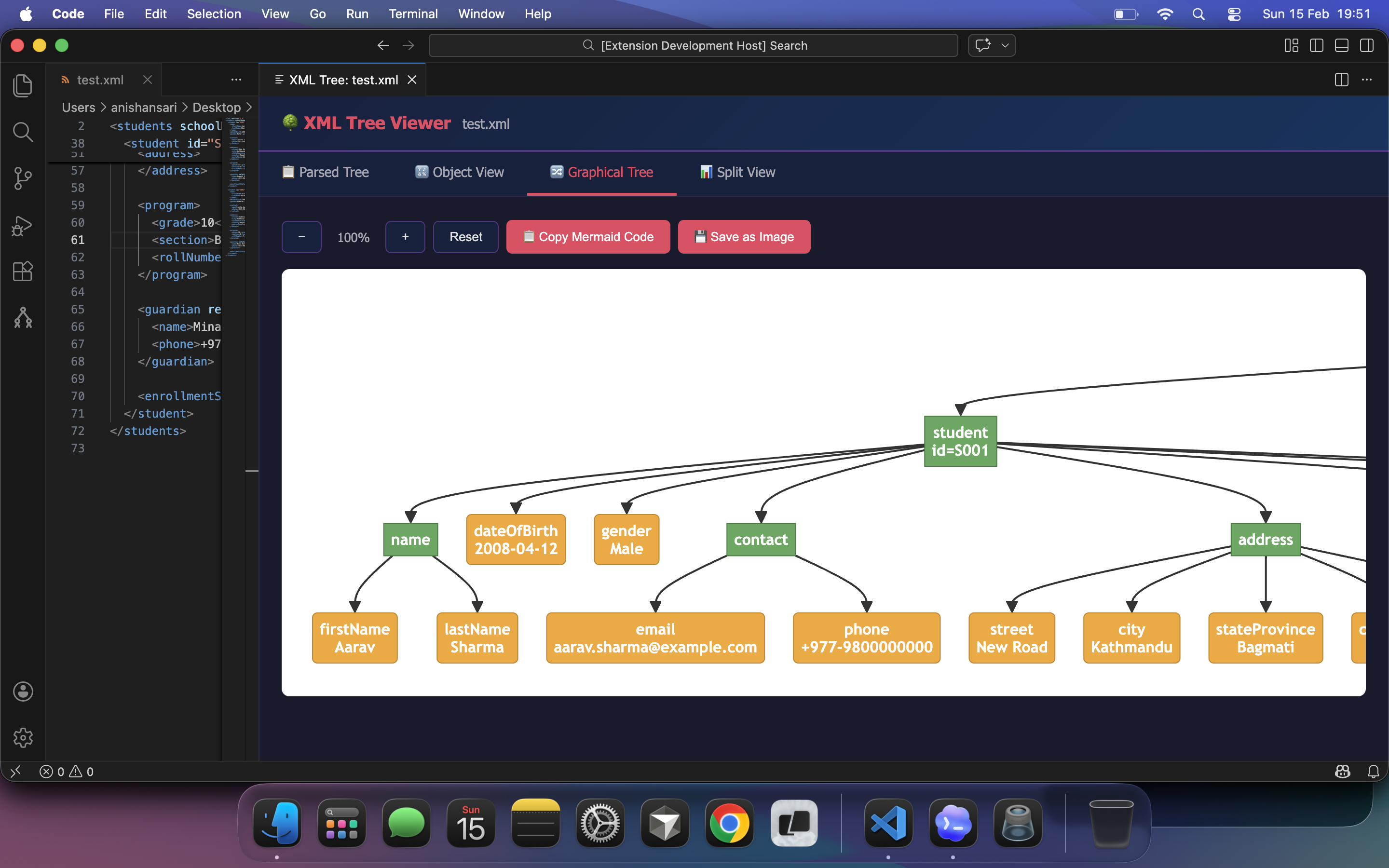
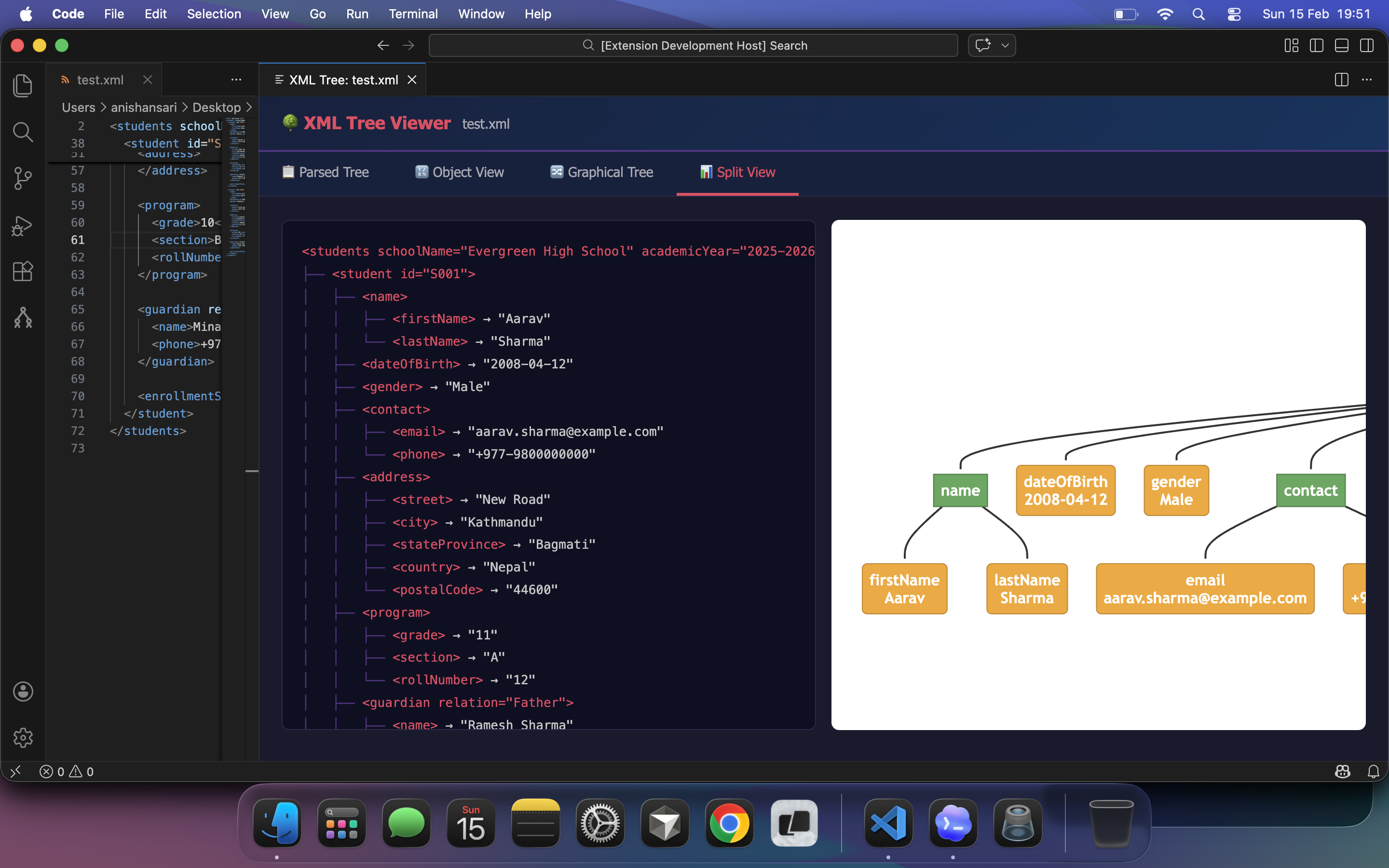
📊 Split View
Side-by-side view of parsed tree and graphical diagram.
Always-visible XML structure in the activity bar with live updates as you edit.
🧩 DTD Support
Open .dtd files to generate a starter XML skeleton preview and copy it with one click.
🚀 Getting Started
- Open any
.xml or .dtd file in VS Code
- Click the tree icon in the editor title bar, or
- Right-click in the editor and select "XML Tree Viewer: Open Tree View", or
- Use the sidebar panel (tree icon in the activity bar)
📖 Usage
| Action |
How |
| Open Tree View |
Click tree icon in title bar or right-click → "XML Tree Viewer: Open Tree View" |
| Switch Views |
Click tabs: Parsed Tree, Object View, Graphical Tree, Split View |
| Copy Content |
Use the "Copy" buttons in each view |
| Zoom Diagram |
Use +/- buttons or Reset in Graphical Tree view |
| Expand/Collapse |
Click ▼/▶ toggles in Object View, or use Expand All / Collapse All |
| Refresh Sidebar |
Click refresh icon in sidebar title |
| Save Diagram as Image |
Click Save as Image button in Graphical Tree view |
| Generate XML from DTD |
Open a .dtd file and use the Copy XML button |
⚙️ Commands
| Command |
Description |
XML Tree Viewer: Open Tree View |
Open the graphical tree viewer panel |
XML Tree Viewer: Refresh Sidebar |
Manually refresh the sidebar tree |
🎨 Views Explained
Parsed Tree
- Indented text representation
- Shows tag names, attributes, and text content
- Color-coded: tags (red), attributes (orange), values (green)
- Copy to clipboard with one click
Object View
- JSON-like hierarchical view
- Collapsible nodes for easy navigation
- Shows element counts for arrays/objects
- Expand All / Collapse All buttons
- Copy as formatted JSON
Graphical Tree
- Mermaid-powered flowchart diagram
- Color-coded nodes: root (blue), branches (green), leaves (orange)
- Zoom in/out and reset controls
- Copy Mermaid code for use elsewhere
- Save as Image: Export the diagram as a PNG file with one click
Split View
- Parsed tree and graphical diagram side-by-side
- Great for large XML files
- Responsive layout
DTD Preview
- Converts DTD declarations to a minimal XML skeleton
- Handles required/default attributes
- Includes a one-click "Copy XML" action
🔧 Requirements
- VS Code 1.85.0 or higher
- No additional dependencies required
📝 Release Notes
0.0.3
- Added
.dtd file support in editor title/context actions
- Added DTD to XML skeleton preview with copy button
- Improved PNG export reliability for graphical diagram view
0.0.1
- Initial release
- Four view modes: Parsed Tree, Object View, Graphical Tree, Split View
- Sidebar integration with live updates
- Copy to clipboard functionality
- Zoom controls for diagrams
- Save as Image button in Graphical Tree view
🤝 Contributing
Contributions are welcome! Please feel free to submit a Pull Request.
- Fork the repository
- Create your feature branch (
git checkout -b feature/AmazingFeature)
- Commit your changes (
git commit -m 'Add some AmazingFeature')
- Push to the branch (
git push origin feature/AmazingFeature)
- Open a Pull Request
📄 License
This project is licensed under the MIT License - see the LICENSE file for details.
🙏 Acknowledgments
Made with ❤️ by anishansari

