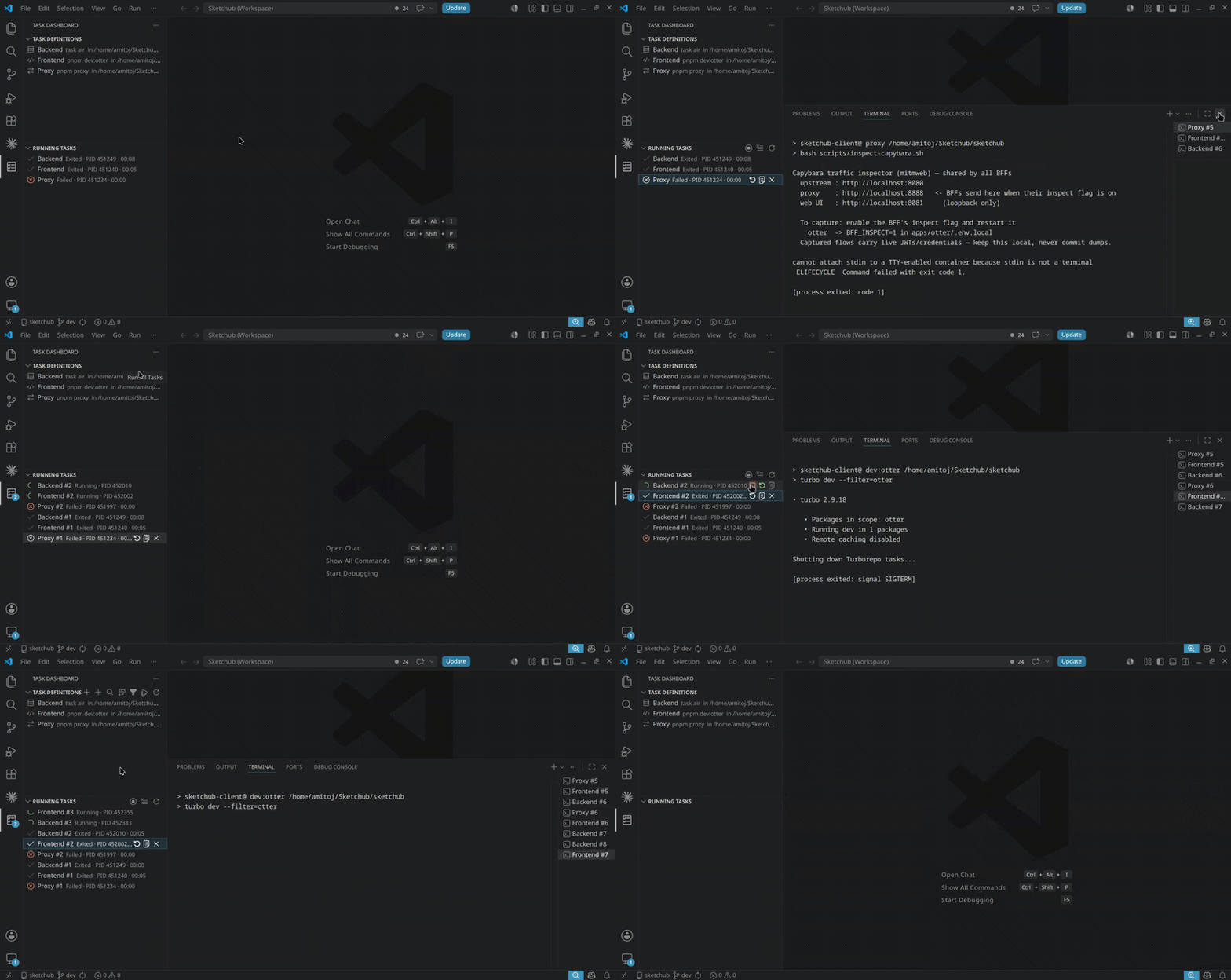
Replace manual terminal management with a GUI - keep npm run start, pnpm dev,
docker compose up -d, etc. one click away (with live status, PID). Think
IntelliJ-style run configurations for VS Code: save your project's commands as
named, reusable tasks and launch, stop, and watch them from a dedicated sidebar.
Features
- Task Definitions view - create and organize your commands. Each task captures
its command, working directory, environment variables, shell, and restart policy.
- Running Tasks view - see every active instance with a live status icon, PID,
and uptime. Stop, restart, or jump to its output instantly.
- Real terminals for output - each running task gets its own
Pseudoterminal-backed terminal with native ANSI colors, search, clickable links,
copy, and auto-scroll. No bundled terminal emulator, no webview surface for output.
- Modern Add/Edit editor - a hardened webview form for the full task model, plus
a native Quick Add for the fast path.
- Run controls - Run, Stop, Restart, Run All, Stop All. Graceful stop
(SIGTERM → SIGKILL) with whole-process-group / tree kill so nothing is orphaned.
- Auto-restart - opt-in restart on crash, guarded by a crash-loop breaker.
- Search, sort, and scope filtering - find tasks fast and split global vs.
workspace definitions. Sort by name or most-recent, or drag tasks into a
manual order of your own.
- Persisted, file-free storage - tasks live in VS Code state, not in stray
files in your repository.
Screenshots
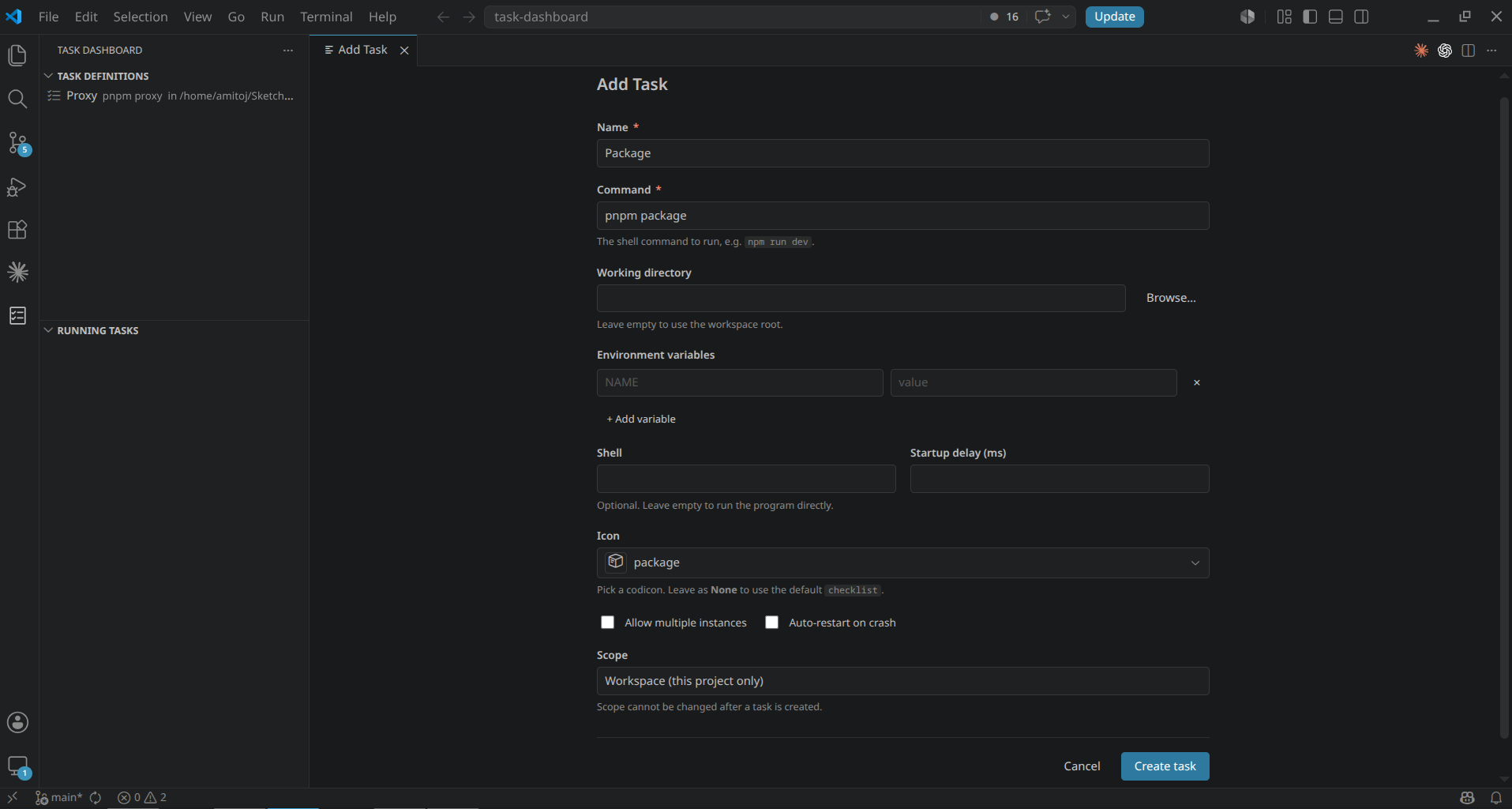
Add / Edit editor - capture the command, working directory, environment, shell, icon, and restart policy in one form.
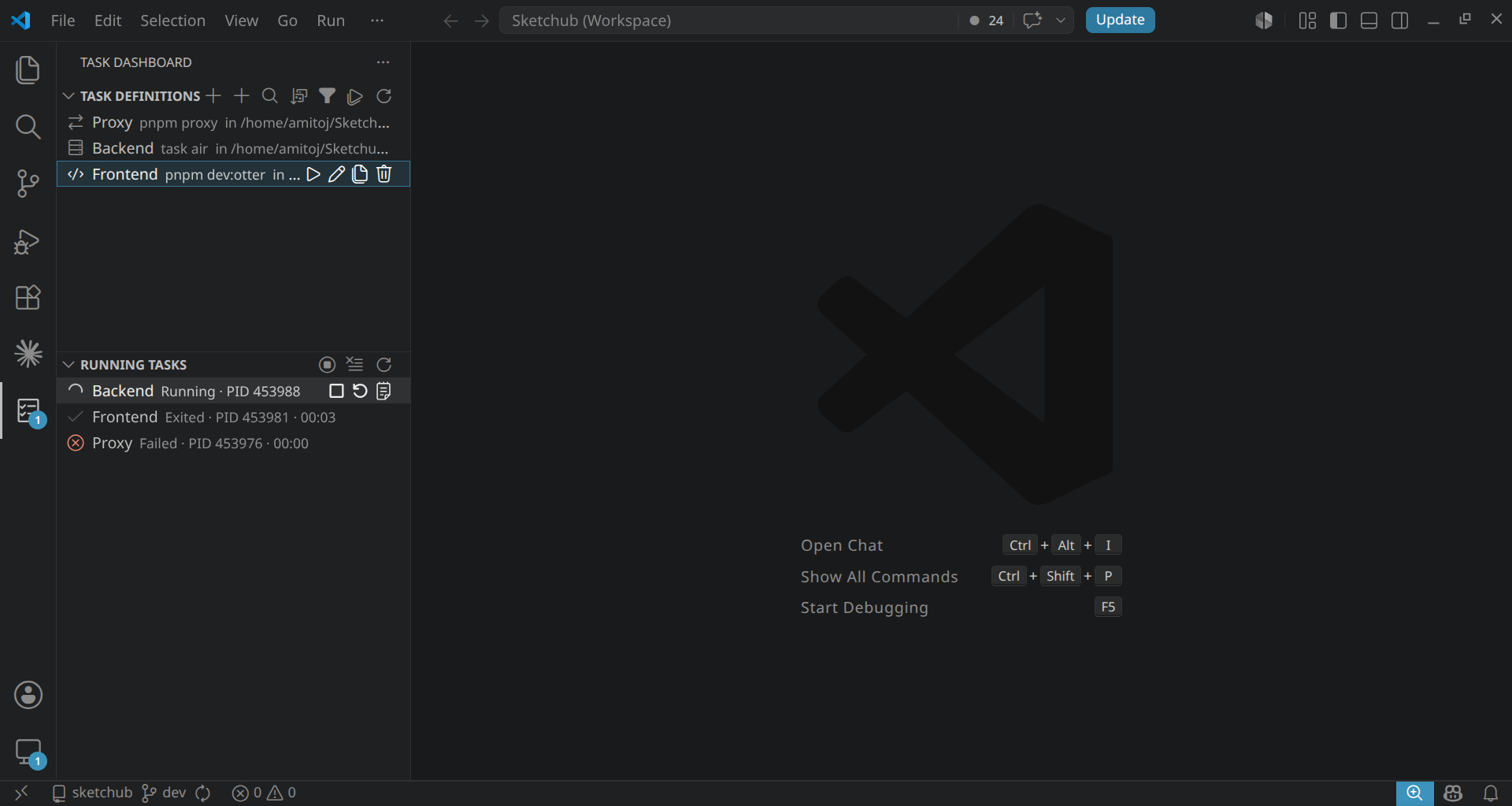
Task Definitions & Running Tasks - organize your commands, then watch live status, PID, and uptime at a glance.
Usage
- Open the Task Dashboard icon in the activity bar.
- Click Add Task (rich editor) or Quick Add Task (fast prompt) in the
Task Definitions view.
- Fill in the name, command, and working directory; optionally set environment
variables, shell, and auto-restart.
- Use the inline Run action (or select a task) to start it.
- Watch it in the Running Tasks view; select an instance to open its terminal.
- Stop, Restart, or use Run All / Stop All as needed.
Use the sort toggle in the title bar to cycle name, most-recent, and manual
order. In any sort, drag a task (or a multi-selection) onto another row to
reorder it; the list switches to manual sort and remembers the arrangement.
Drag-reordering is per scope, so it rearranges global and workspace tasks within
their own groups.
Definitions are restored when you reload the window. Nothing auto-runs on startup.
Settings
| Setting |
Type |
Default |
Description |
taskDashboard.logRetentionBytes |
number |
262144 |
Bytes of recent output retained in memory per running instance (tail buffer). |
taskDashboard.stopGraceMs |
number |
5000 |
Milliseconds to wait after a graceful stop signal before force-killing a task. |
taskDashboard.defaultShell |
string |
"" |
Shell to use for shell tasks that do not specify one. Empty uses the platform default. |
taskDashboard.confirmDelete |
boolean |
true |
Ask for confirmation before deleting a task definition. |
taskDashboard.closeTerminalBehavior |
string |
"stop" |
What to do with a running task when its terminal is closed (stop or keep). |
taskDashboard.maxRestartsPerMinute |
number |
5 |
Maximum auto-restarts within a minute before the crash-loop breaker trips. 0 disables restart. |
taskDashboard.notifications |
string |
"errorsOnly" |
Which task notifications to show (errorsOnly, all, or none). |
Requirements
- VS Code
^1.122.0.
- No additional runtime dependencies. Tasks run with your existing system shell and
toolchain, so make sure the commands you configure are available on your
PATH.
Security
Task configuration is treated as untrusted: commands are never eval'd. By default
a command is parsed into an argv vector and the program is spawned directly; shell
execution is opt-in and passes the command as a single argument to the shell. On
Windows, a command that resolves to a batch shim (npm, yarn, composer, … are
all .cmd files) is run through cmd.exe with its arguments escaped so they are
passed literally, never re-interpreted by the shell.
Install
License
MIT
| |