VS Code PTX Assembly Syntax
Syntax highlighting extension for NVIDIA PTX (Parallel Thread Execution) Assembly language in Visual Studio Code.
Features
- Syntax Highlighting: Comprehensive syntax highlighting for
.ptx files, making assembly code easier to read and understand.
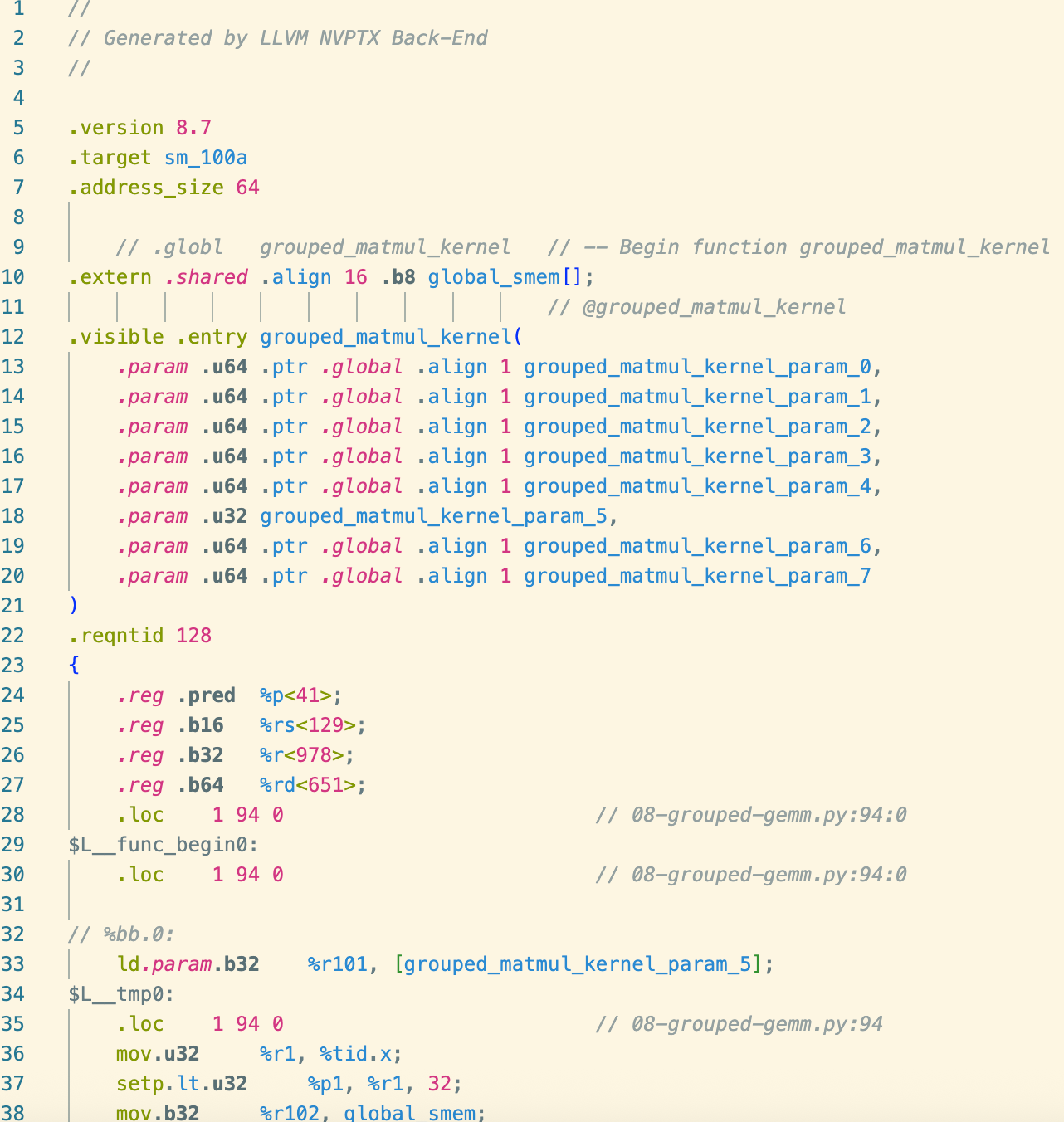
Development & Build
Prerequisites
- Node.js (v20 or higher)
- NPM (included with Node.js)
- vsce (Visual Studio Code Extensions CLI) for packaging
npm install -g @vscode/vsce
Setup
- Clone the repository.
- Install dependencies:
npm install
Compilation
To compile the source code:
npm run compile
To watch for changes during development:
npm run watch
Packaging
To create a VSIX package for installation:
npm run package
This will generate a .vsix file (e.g., vscode-ptx-0.0.1.vsix) in the root directory.
Installation
From VS Marketplace
Download from Visual Studio | Marketplace
From VSIX
- Build the package using the instructions above or download
.vsix from release page.
- Open VS Code.
- Go to the Extensions view (Ctrl+Shift+X).
- Click on the "..." (Views and More Actions) menu in the top right corner.
- Select "Install from VSIX...".
- Choose the generated
.vsix file.
Alternatively, we install via command line:
code --install-extension <PATH_TO_VSIX>
| |

