Advanced Mermaid: Visual DiffVisual diff for Mermaid diagrams — compare the rendered picture across any git ref, or merge both versions into one marked-up diagram. Installation Launch VS Code Quick Open ( Ctrl+P), paste the following command, and press enter.Copied to clipboard |

Advanced Mermaid: Visual DiffA one-line edit to a Mermaid diagram can rearrange the whole picture. The text diff won't tell you that. This will.
Compare a diagram against any git ref — or against another file — and see the rendered
difference: side by side, stacked and faded, split at a divider, blinked between, or merged into
one diagram with the changes marked on it. Works on Install
Both carry the same build. Editors that cannot reach the Microsoft Marketplace are served from 2.0.0 onward. Features
Usage
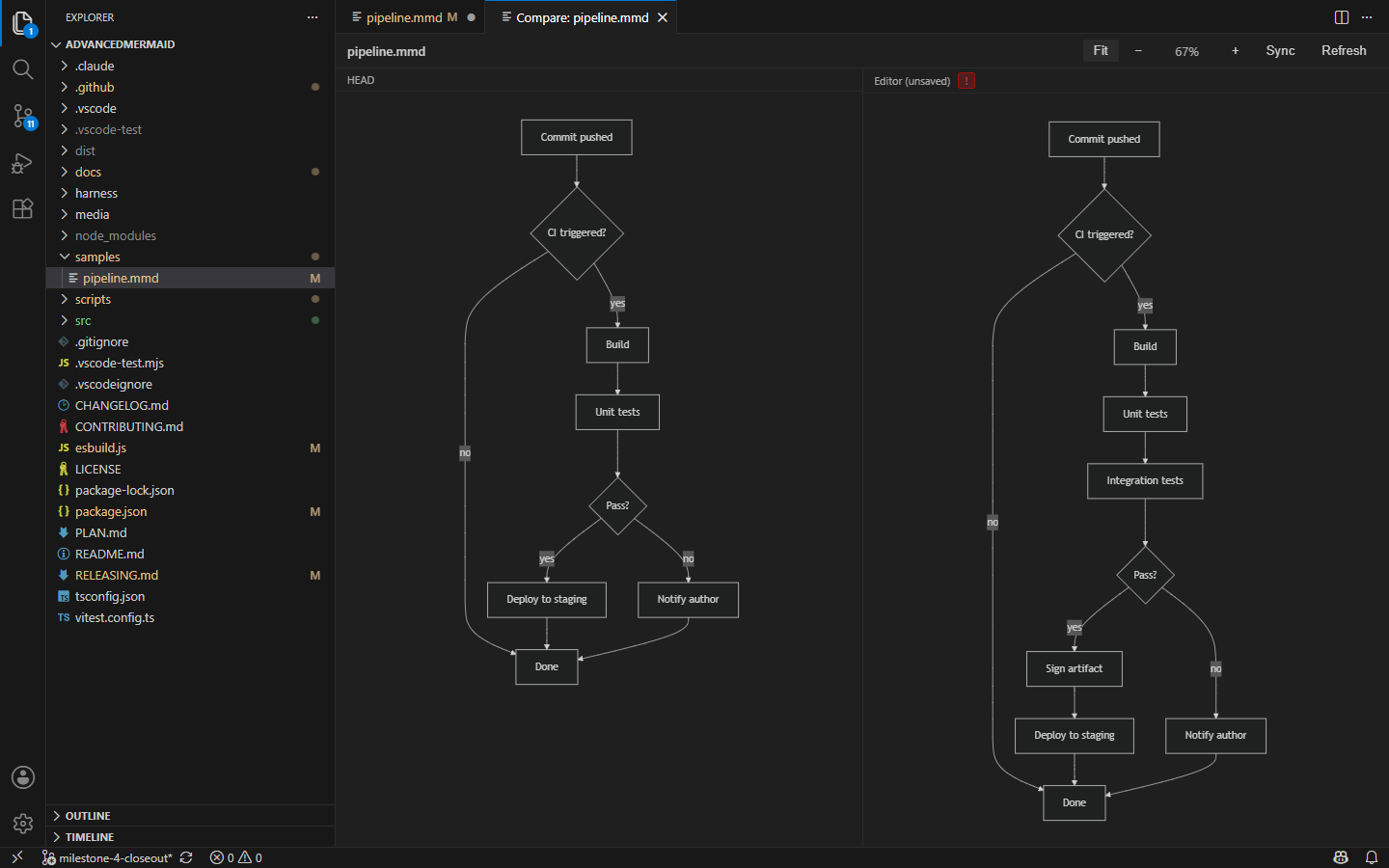
Diagrams in Markdown pair with the ref by position — the second block is compared against the second block as it was at that ref. Insert a diagram above another and the pairing shifts with it, which the pane labels make visible. Editing liveThe working-tree pane follows your edits. Mermaid spends most of an edit in an invalid state, so a source that doesn't parse keeps the last good diagram on screen and raises a badge in the pane header instead of blanking the pane.
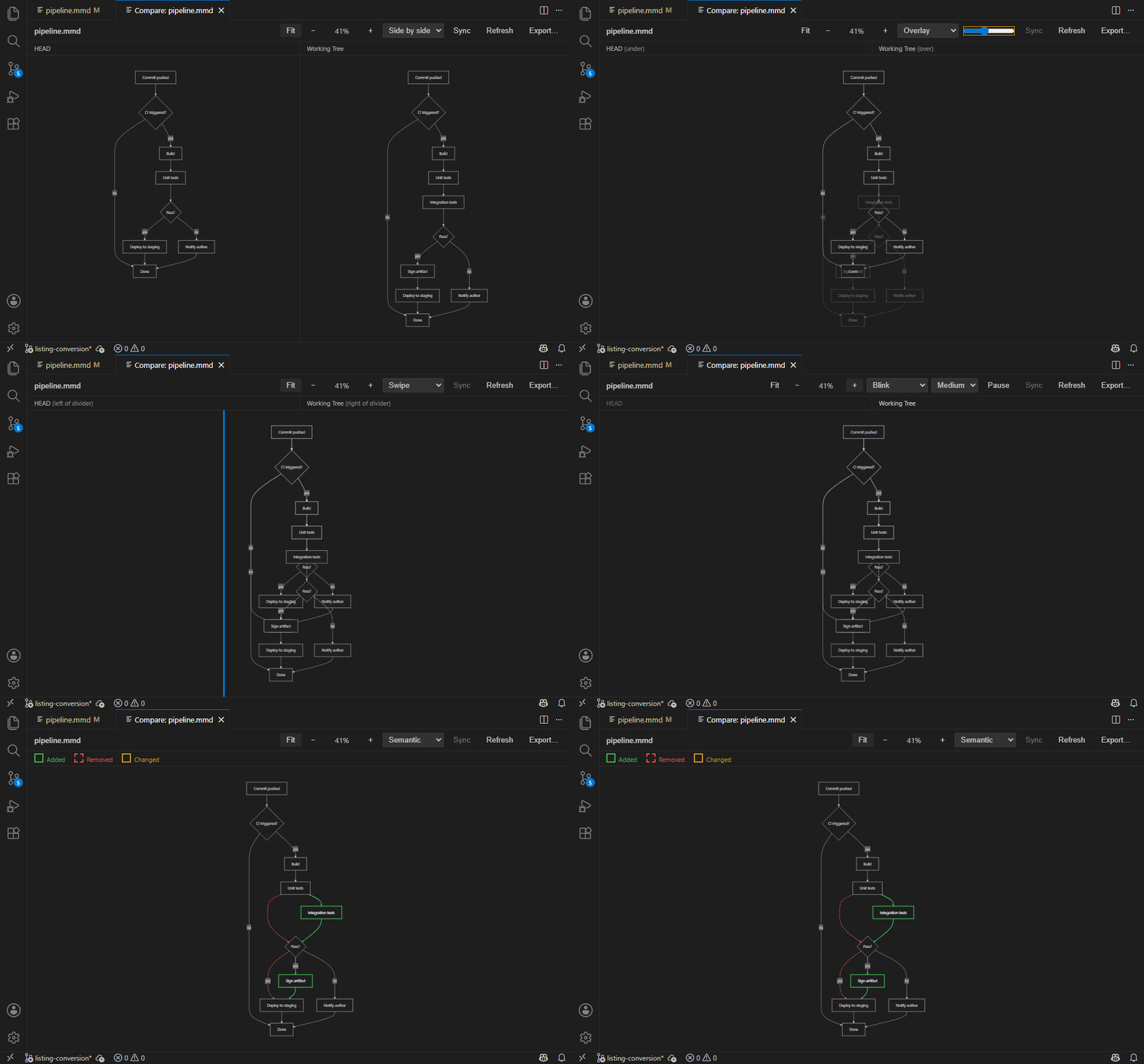
Comparing in placeThe mode picker in the toolbar chooses how the two versions are shown. Side by side is where a comparison opens, and it marks what it draws. Each pane carries the changes that version can actually show — removals and rewordings on the older side, additions and rewordings on the newer — with a key beneath the pane labels. Unchanged parts are left in the theme's ordinary style, so the marks are the only loud thing on screen. This needs the same reading of the diagram that Semantic does, so it applies to flowcharts,
sequence diagrams and class diagrams. Anything else renders exactly as it always has, and so does a
diagram carrying its own Overlay stacks both renders in one canvas and the slider fades the upper (newer) one, so the
two versions can be flicked between in place — an onion skin. Swipe stacks them the same way
but splits at a draggable divider: the old version left of it, the new version right of it. The
divider takes the arrow keys once focused, Blink alternates between them instead, which is the one that catches small movements: a node that shifted a few pixels is hard to see faded and impossible to see across a gap, but obvious when it jumps. Three speeds, plus Pause to stop on the newer version. If your system asks for reduced motion, Blink starts paused and waits for you to press Resume. All three modes register the layers at their top-left corners and share a single pan and zoom, so anything that moved shows up as movement rather than as two diagrams drifting apart. Semantic diffSide by side marks each version where it stands; the stacked modes leave the comparing to your eye. Semantic goes further than either: it reads both versions as a graph of nodes and edges, works out what was added, removed and changed, and draws one diagram with the answer marked on it — additions in green, removals dashed in red, and a reworded node in amber carrying the text it used to have: Mermaid lays the merged diagram out, so it looks like your diagram rather than like a diff tool's idea of one. Colour is never the only signal — removals are dashed as well as red. It reads flowcharts ( A merged sequence diagram marks its changes differently again, because mermaid gives a message no
class to style: each
changed message, note or block is drawn inside a coloured band, added ones green, removed ones red,
reworded ones amber and carrying what they used to say. Participants are marked in their own label
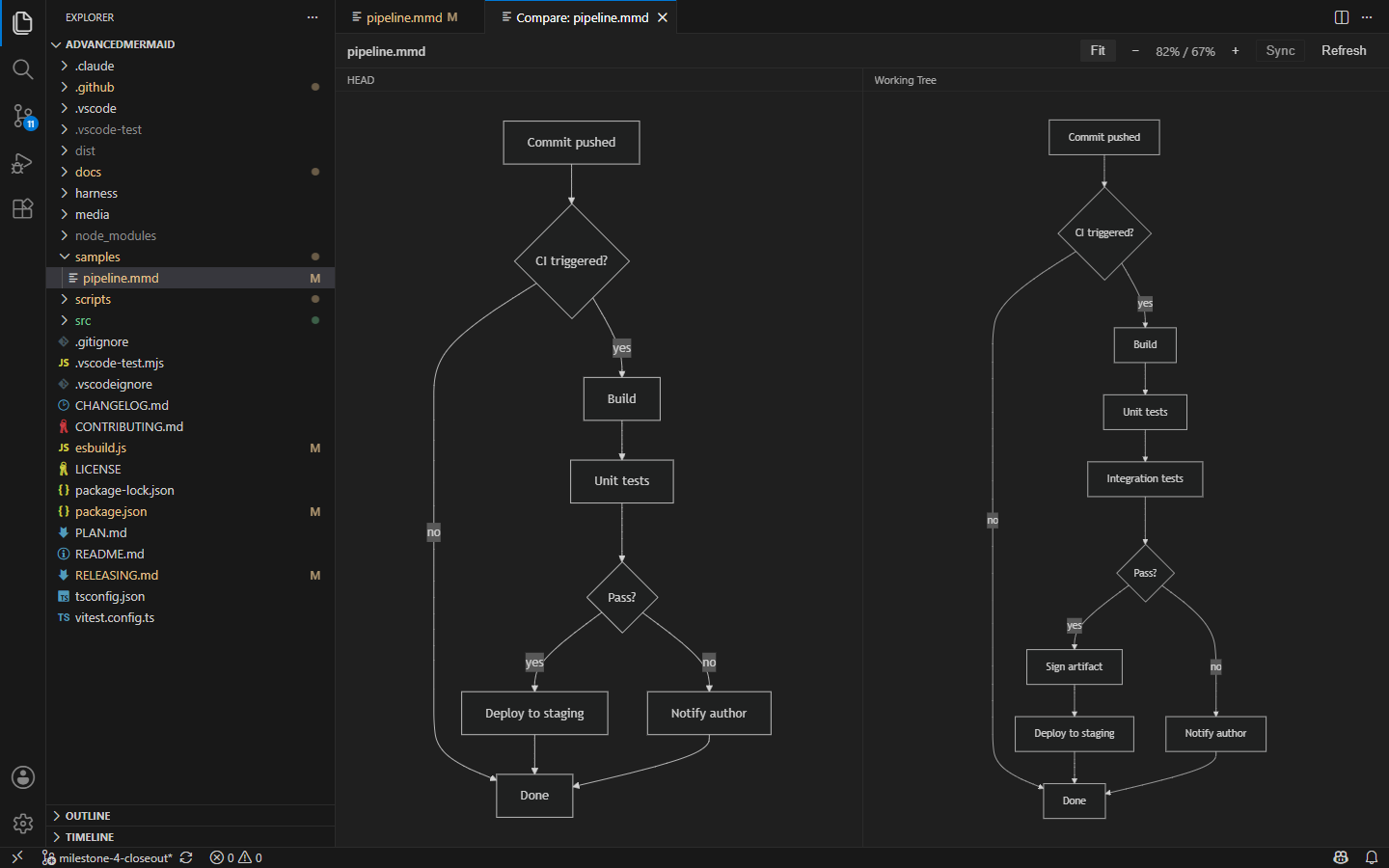
— Point it at anything else, or at a diagram whose type changed between the two versions, and it shows both versions side by side instead, with a line saying why. That decision is re-made as you type, so turning a diagram back into a flowchart brings the merged view back without touching the picker. ExportingExport… writes the comparison as a single image. Pick a What comes out is the comparison, not a screenshot: pan, zoom, Overlay, Swipe and Blink are ways of looking at two diagrams, so the export ignores them and lays both versions out side by side under their pane labels, at their natural size, on a background matching your theme. Semantic is the exception, because it isn't a way of looking — the merged diagram is a comparison in its own right, one neither pane holds. Export from Semantic and you get that diagram, titled with both sides and carrying its own key, since the legend in the panel can't travel with the file. If Semantic has fallen back to showing both versions, so does the export. Inspecting one sideBoth panes pan and zoom together by default. Turn Sync off to frame each side on its own.
Roadmap
See PLAN.md for the full milestone-by-milestone plan. Contributions toward any of these are very welcome — see CONTRIBUTING.md. DevelopmentPress Other scripts: To package a License |