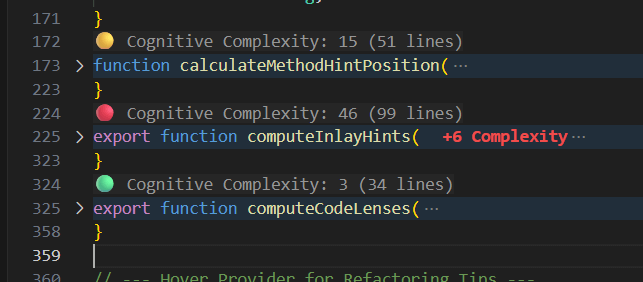
Live Score (CodeLens): A floating score above every method tells you exactly how "braindead" easy or "nightmare" hard your code is to read.
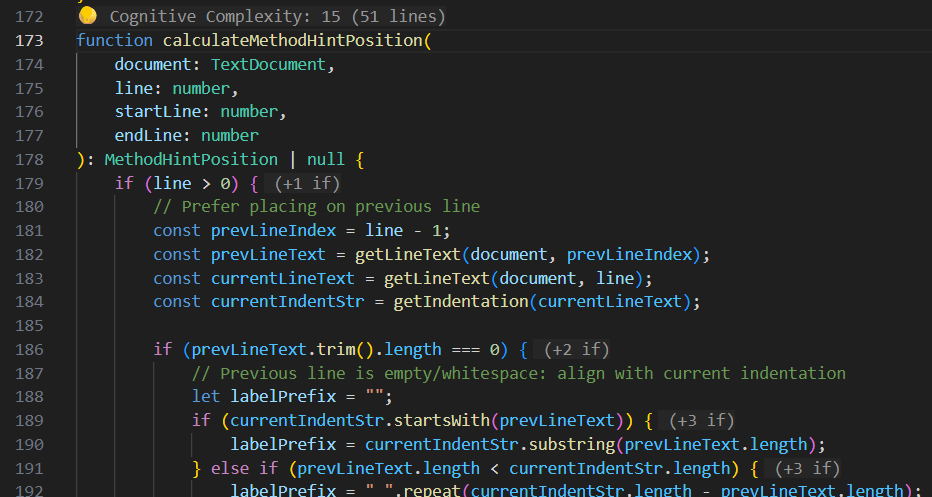
Deep Dive (Inlay Hints): Toggleable, line-specific annotations show the exact cost of every branching statement.
Green (0-14): Accessible logic.
Yellow (15-24): Consider refactoring.
Red (25+): High cognitive load.
2. Git-Integrated Complexity
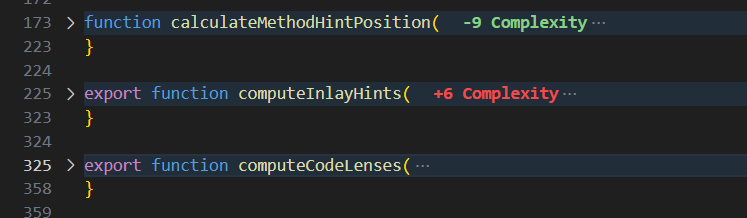
Stop regressions before they are committed. Cognitive Lens monitors your changes and displays a Delta decoration:
🟢 -5: Cleaned up a mess.
🔴 +2: Complexity is creeping in.
3. Smart Advice
Hover over a complex method to see the Refactoring Advisory. It breaks down the biggest complexity contributors (Nesting, Logic, Control Flow) and suggests actionable refactorings.
4. Interactive Reports
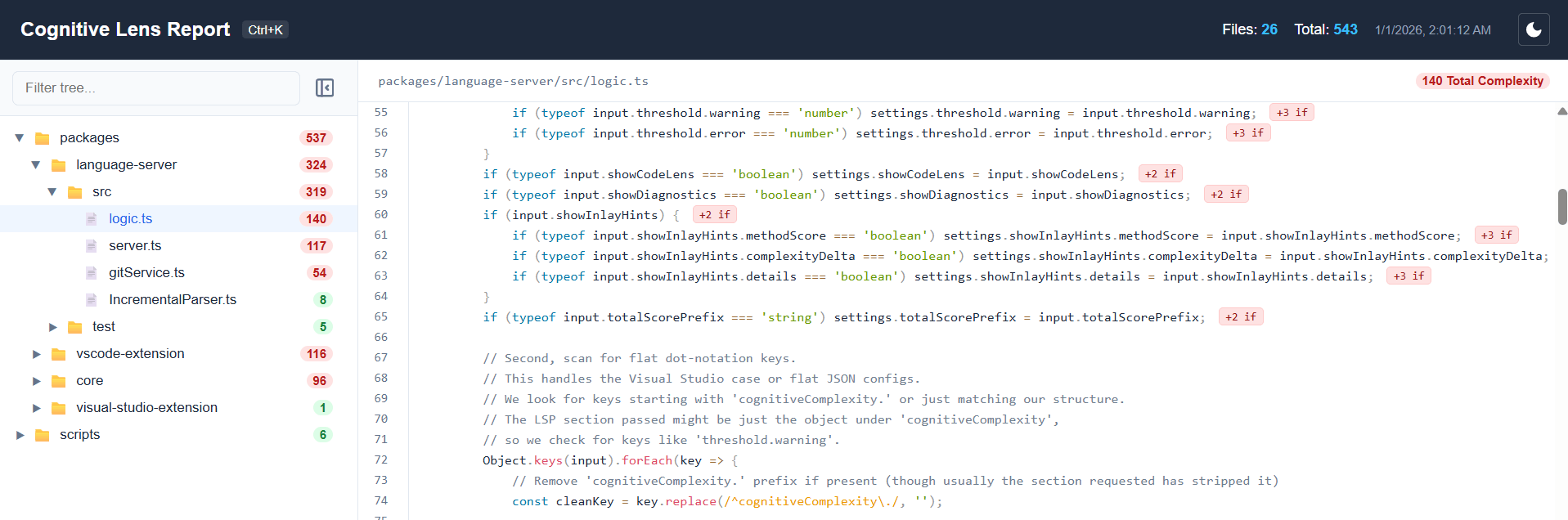
Generate a full-screen workspace dashboard with Cognitive Lens: Generate Project Report.
Top 10 Most Complex Methods: Find your biggest technical debt instantly.