
AgenticFlowXA VS Code workflow layer around pi.dev. Installation Launch VS Code Quick Open ( Ctrl+P), paste the following command, and press enter.Copied to clipboard |

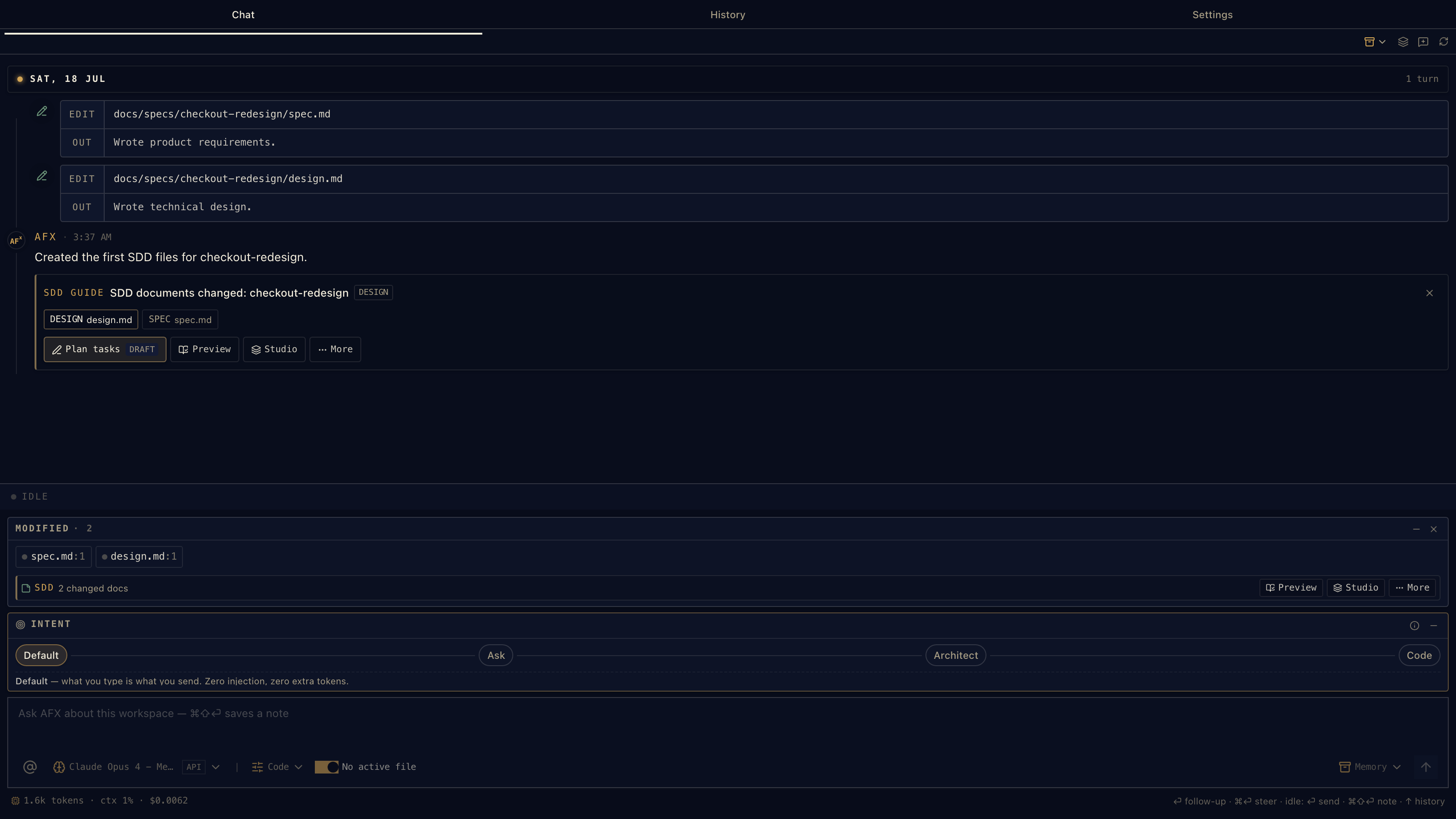
Chat first. Add spec when the work needs traceability.
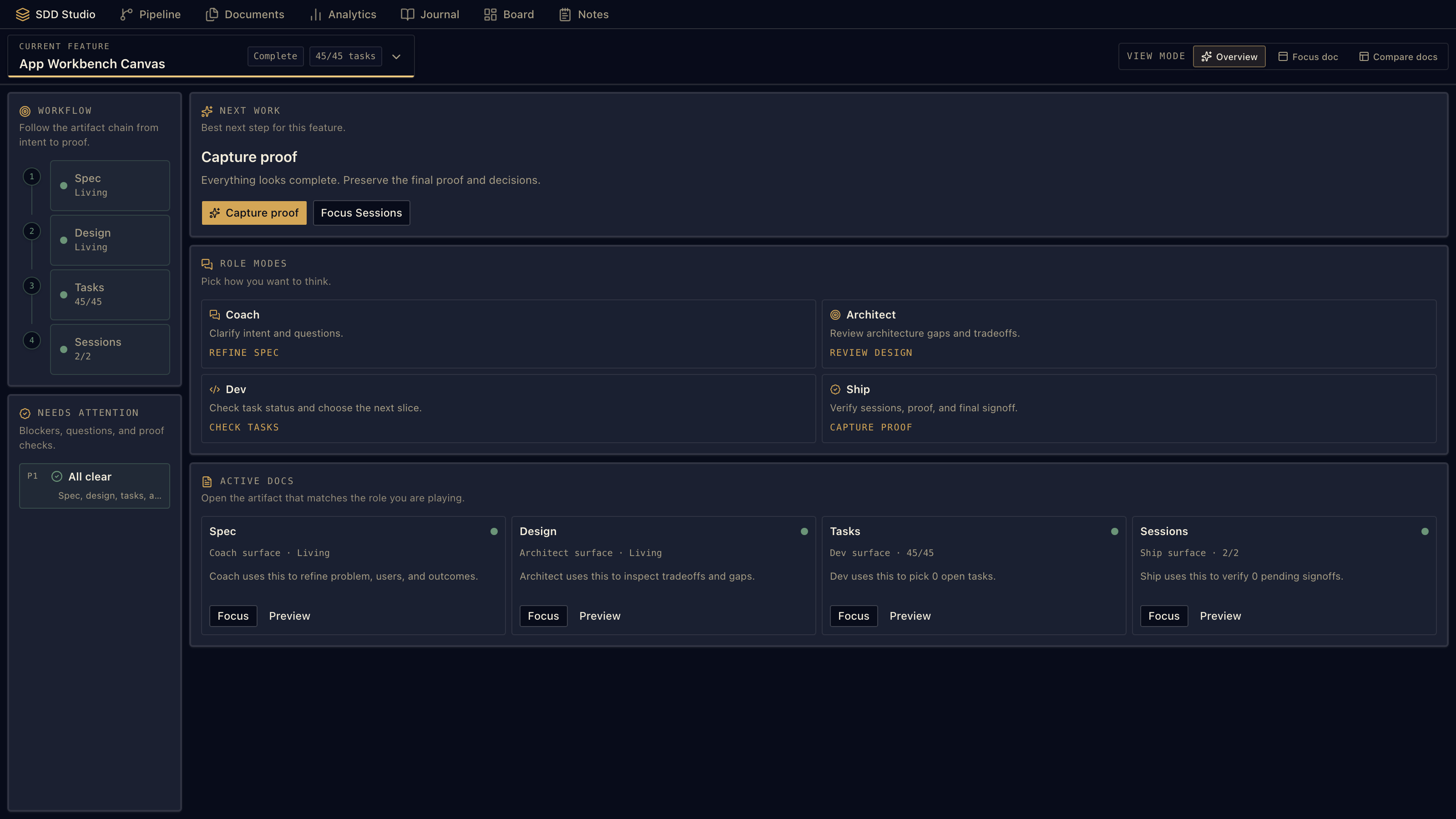
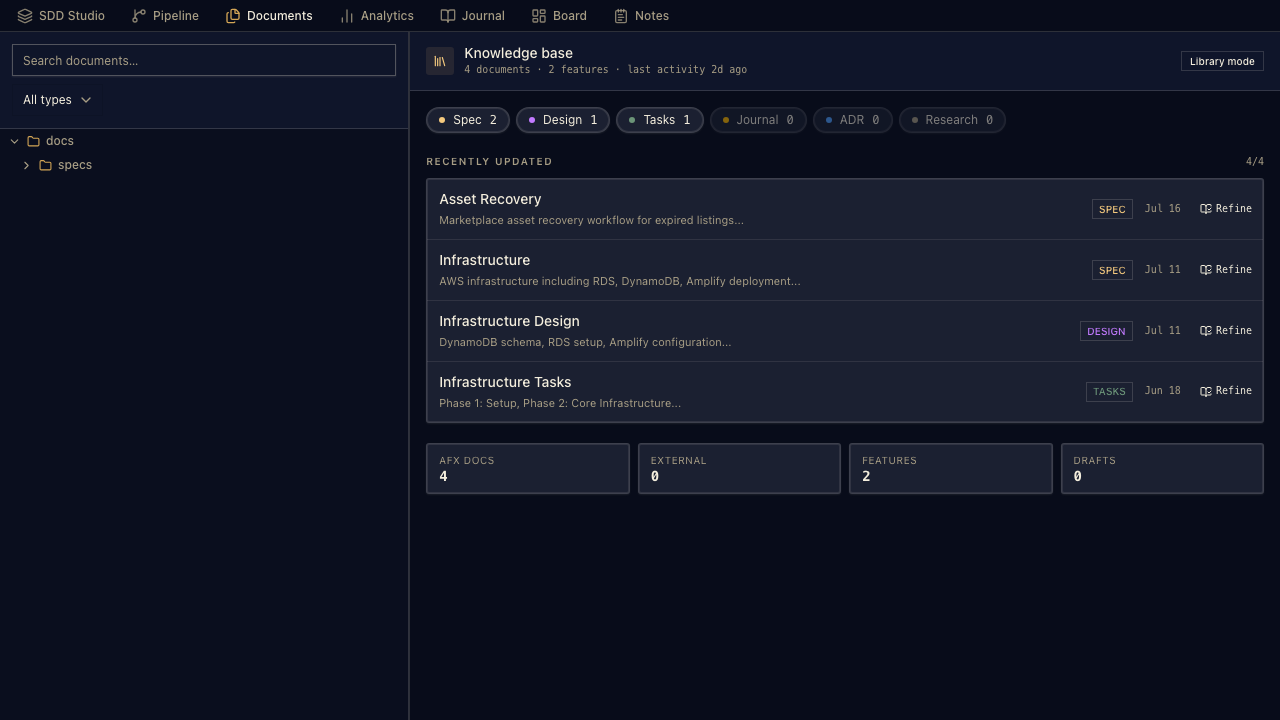
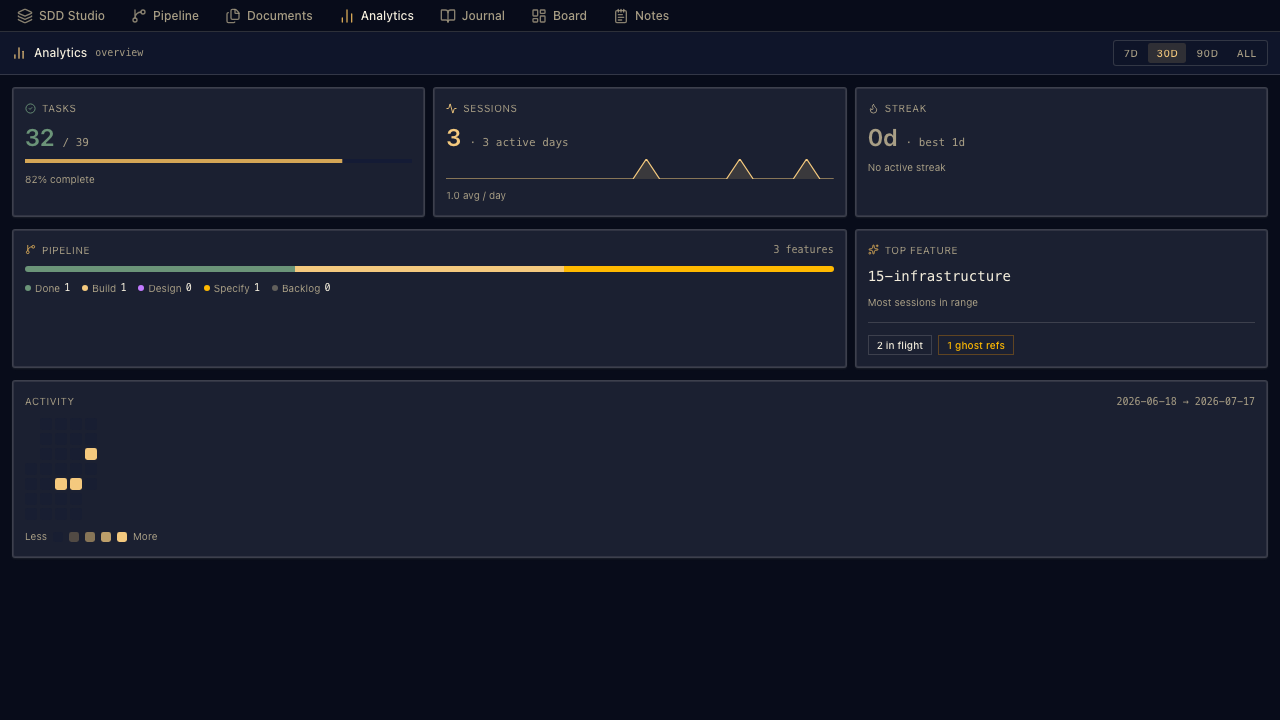
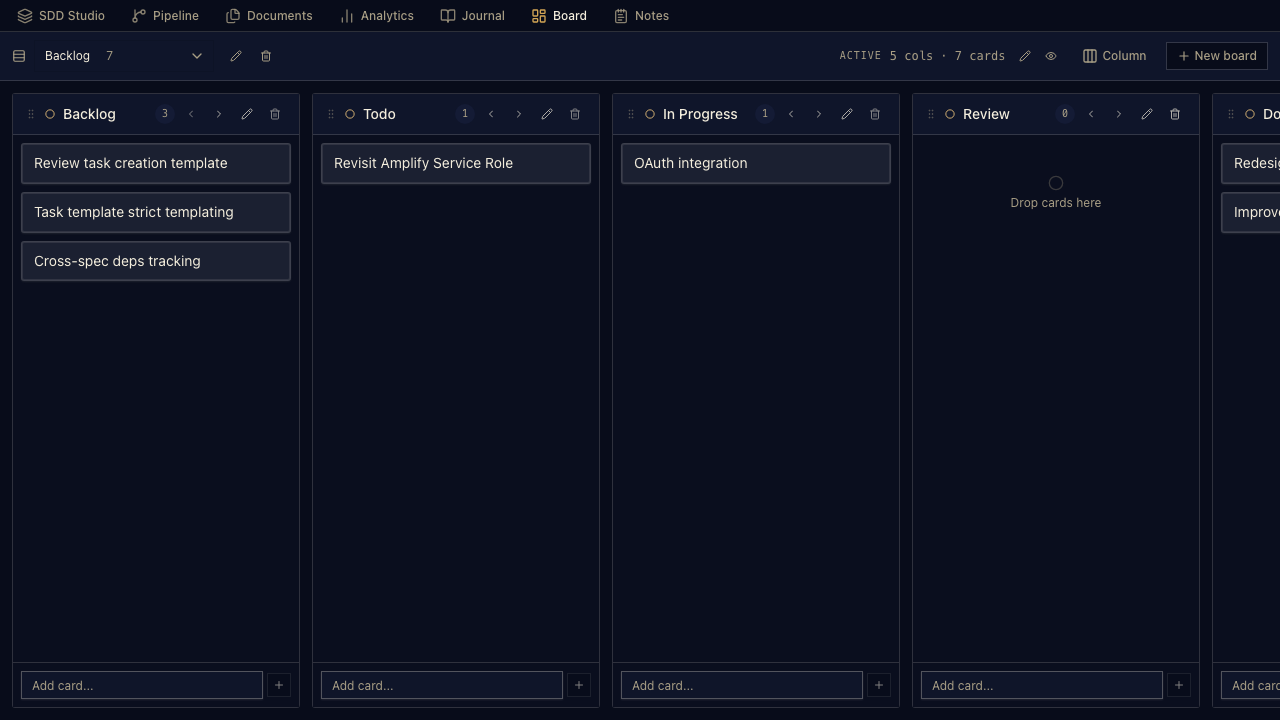
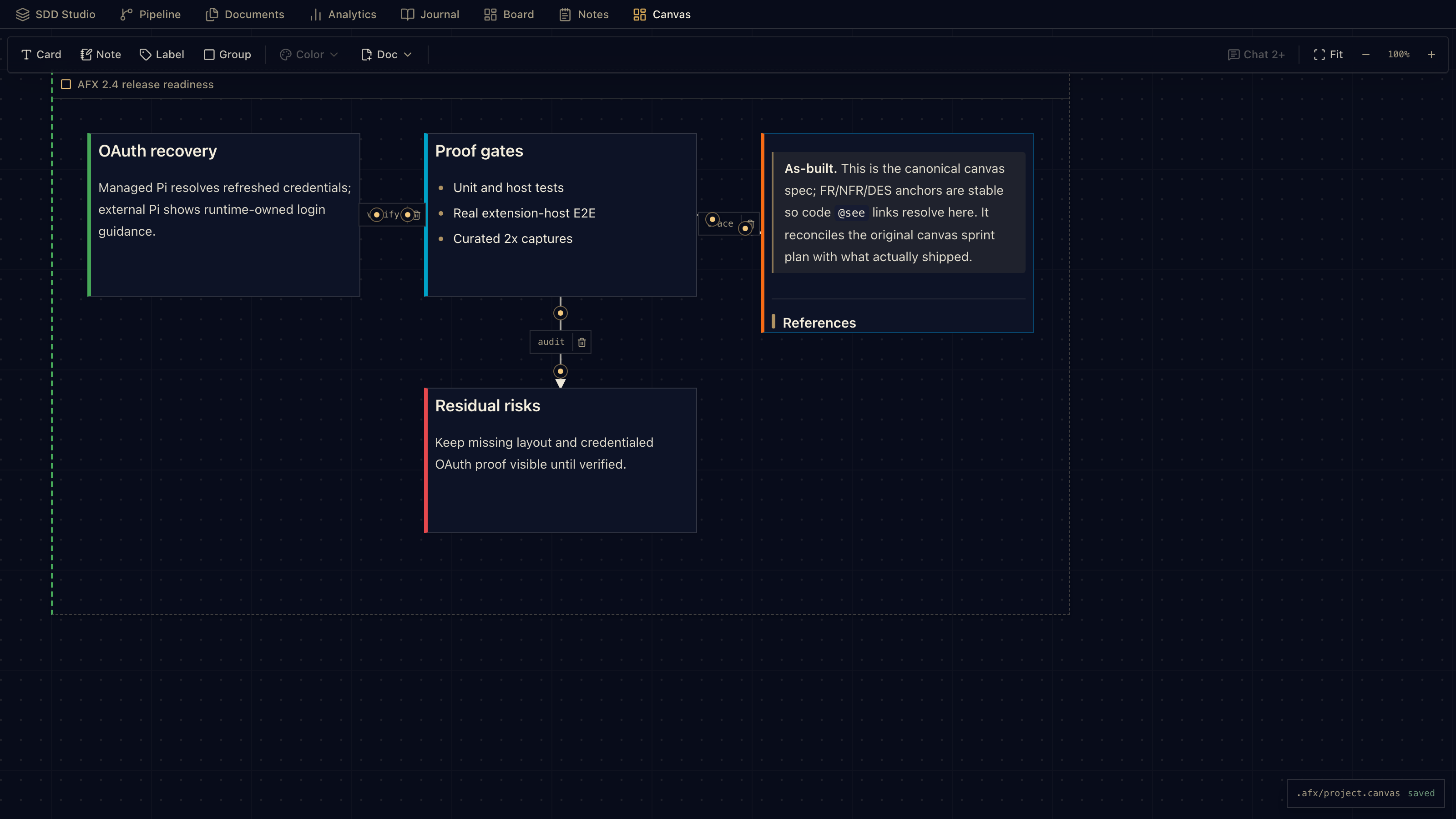
Website · SDD Guide · Document Anatomy · Setup · Marketplace · Open VSX · Changelog · r/agenticflowx · GitHub Chat · Intent controls · History · Code / Explore / Spec · AFX Previewer · SDD Studio · Workbench · JSON Canvas · Skills · Pi · broad provider catalog AgenticFlowXAgenticFlowX is a VS Code extension for AI coding that starts as a normal chat assistant and grows structure only when the work earns it. Most days, it is chat, file context, right-click editor actions, model switching, and follow-up. When a change needs a trail, AFX gives you spec-driven development inside the same VS Code sidebar: requirements, design, tasks, approvals, traceability, history, notes, boards, journals, and a portable project canvas.
InstallInstall from the VS Code Marketplace or Open VSX. Then open the AgenticFlowX activity bar icon, choose Settings → Models, connect a model, and start chatting. Works in VS Code, VS Code Insiders, VSCodium, Windsurf, Gitpod, and Antigravity-compatible VS Code builds. 60-second start
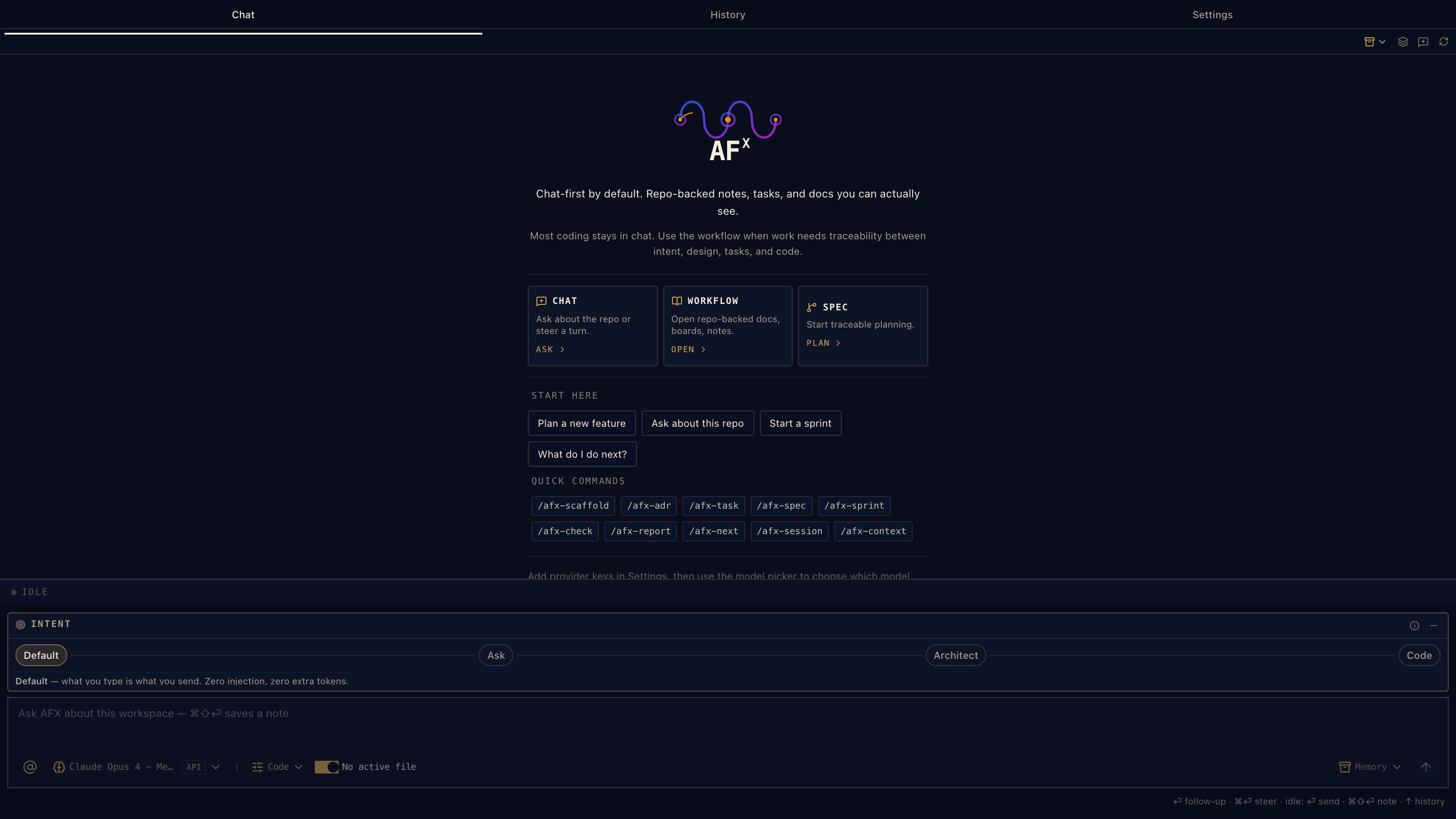
If you already know you want the workflow, run: That creates repo-local SDD files under 01 · Chat that stays fastAFX does not force every task into a process. Start loose: ask about the repo, send a selection, mention files, switch models, and keep coding. The composer has intent controls for how much structure a message should carry. Default adds no intent-specific steering; active-file context, mentions, workspace-mode guardrails, and runtime prompts can still add relevant context. Ask, Architect, Code, and PRD add lightweight steering when you want it. When the selected model supports image input, the composer can attach screenshots and diagrams to a turn (including image-only messages). Text-only models are clearly marked and keep the attachment action disabled, so an unsupported request does not fail after you send it. Images are forwarded through both the bundled Pi SDK and the optional Pi RPC runtime, with staged attachments cleaned up when a send is rejected. Thinking-level controls, live usage counters, and usage warnings follow the capabilities reported by Pi instead of assuming every provider behaves the same way. When the conversation touches documents, files, or workflow state, the UI keeps the useful next action close without turning the chat box into a control panel.
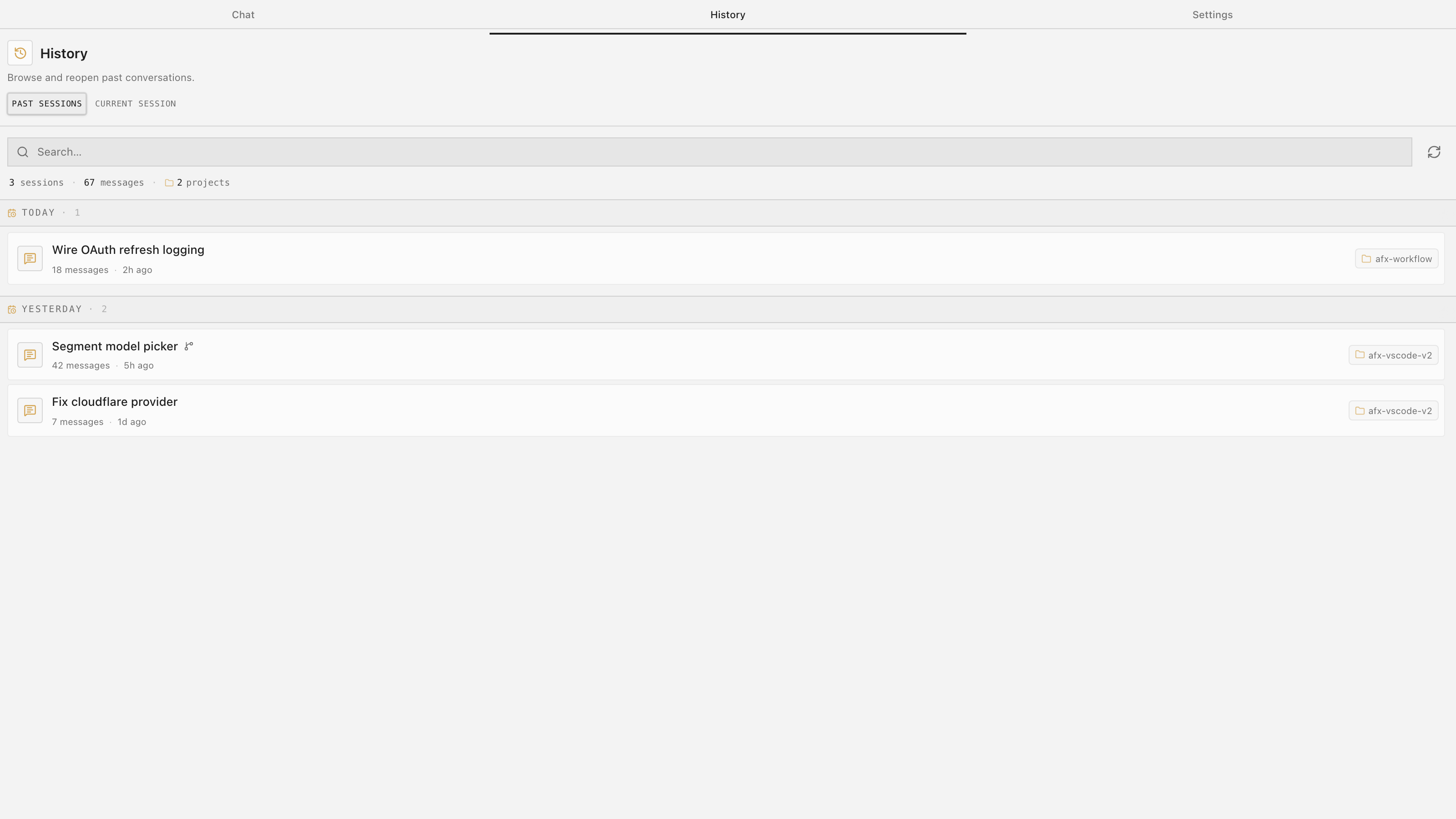
02 · History that can hand offPast sessions are searchable, reopenable, renameable, exportable, and recap-friendly. Copy a recap when you want to hand context to another agent, another window, or future you. Retry a failed turn, cancel an in-flight request, and copy individual messages without losing the conversation trail. History is not a separate project-management system; it is the conversation trail beside the work.
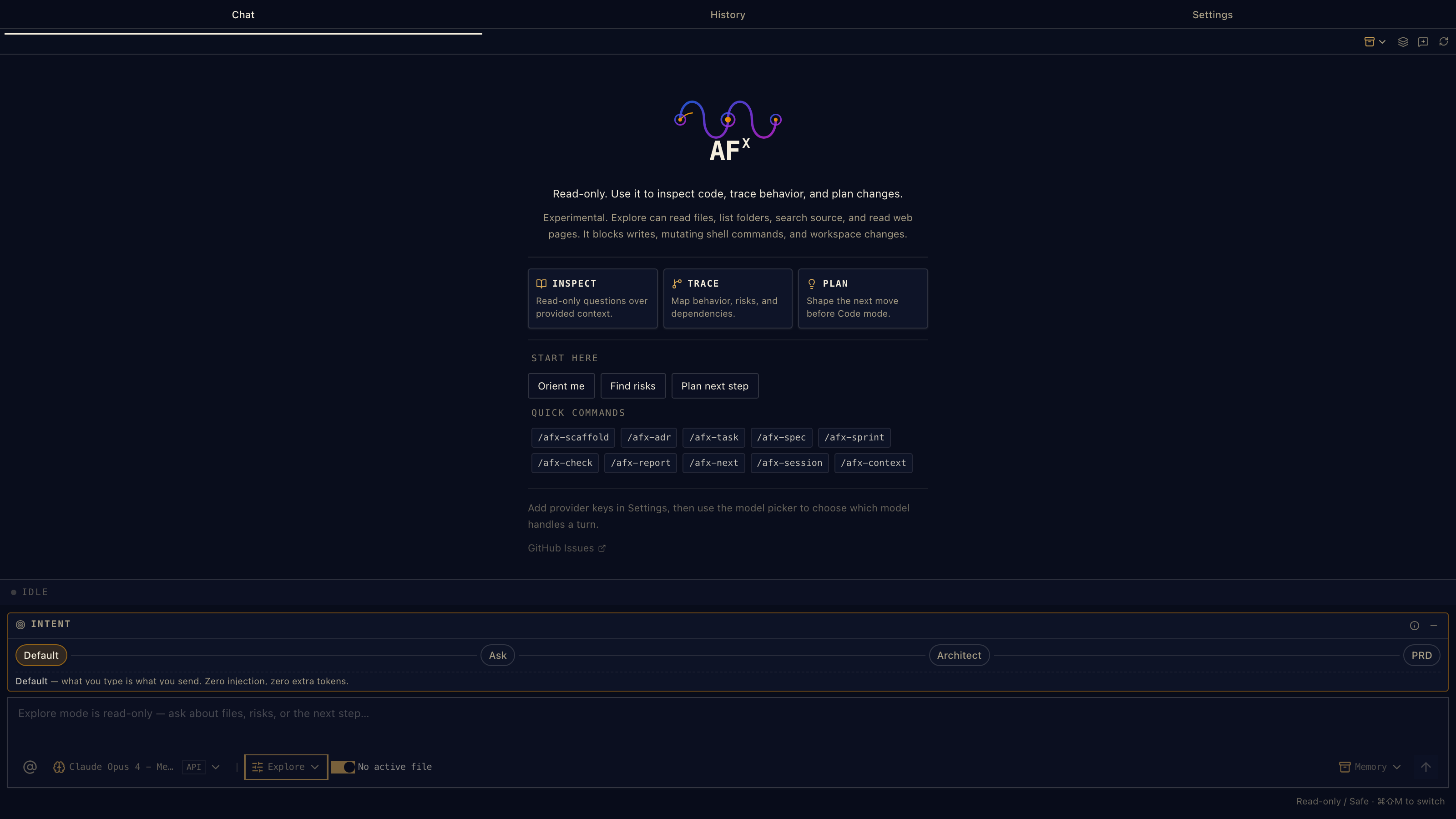
03 · Three modes, one chatboxCode, Explore, and Spec are lanes, not separate products.
04 · Spec mode makes the next step obviousSpec-driven development should not feel like joining a methodology cult. In AFX, it is a guided lane inside chat. The SDD guide watches the current spec, design, and tasks, then offers the actions that make sense now: refine, author, validate, review, approve, plan tasks, open Previewer, or continue in Studio. Not every change needs four files. Use Dash for surgical fixes, Sprint for single-document feature work, and the full spec/design/tasks/journal shape when the work needs long-lived traceability.
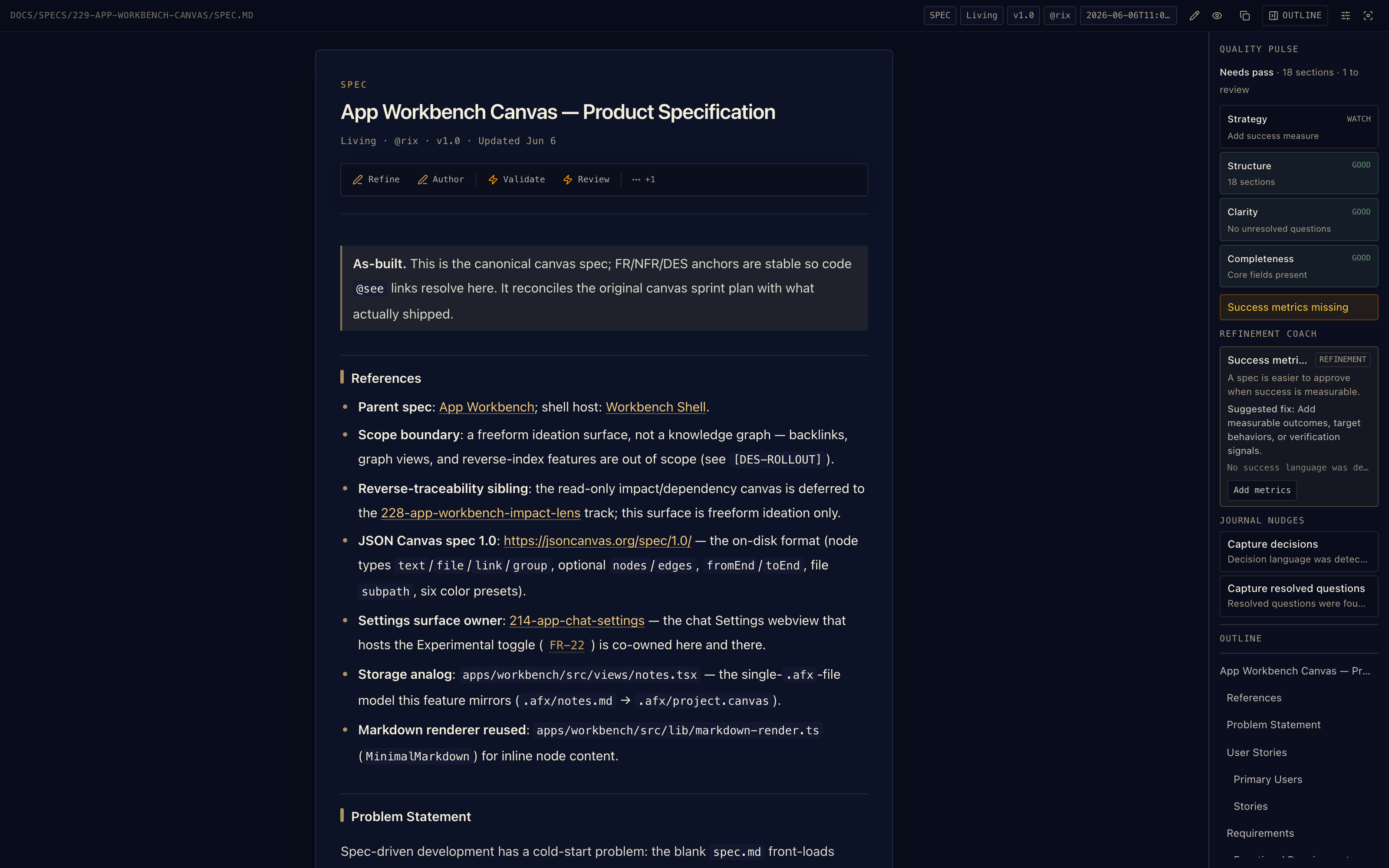
05 · How AFX specs are structuredAFX gives the same workflow discipline in three sizes. Pick the smallest shape that fits the risk; graduate up when the work grows. The important part is that the anchors survive: For the long-form version, see the SDD Guide and Document Anatomy.
|




| Source | Paths / setting | Scope shown in Settings |
|---|---|---|
| Bundled AFX | Extension resources, resources/skills/agenticflowx |
Bundled AFX |
| Pi global | $PI_CODING_AGENT_DIR/skills or ~/.pi/agent/skills |
Global |
| Agent Skills | ~/.agents/skills |
Global |
| Workspace Pi | <workspace>/.pi/skills |
Workspace |
| Workspace AFX | <workspace>/.agents/skills |
Workspace |
| Extra paths | afx.skills.extraPaths entries, absolute, ~/, or workspace-relative |
Custom |
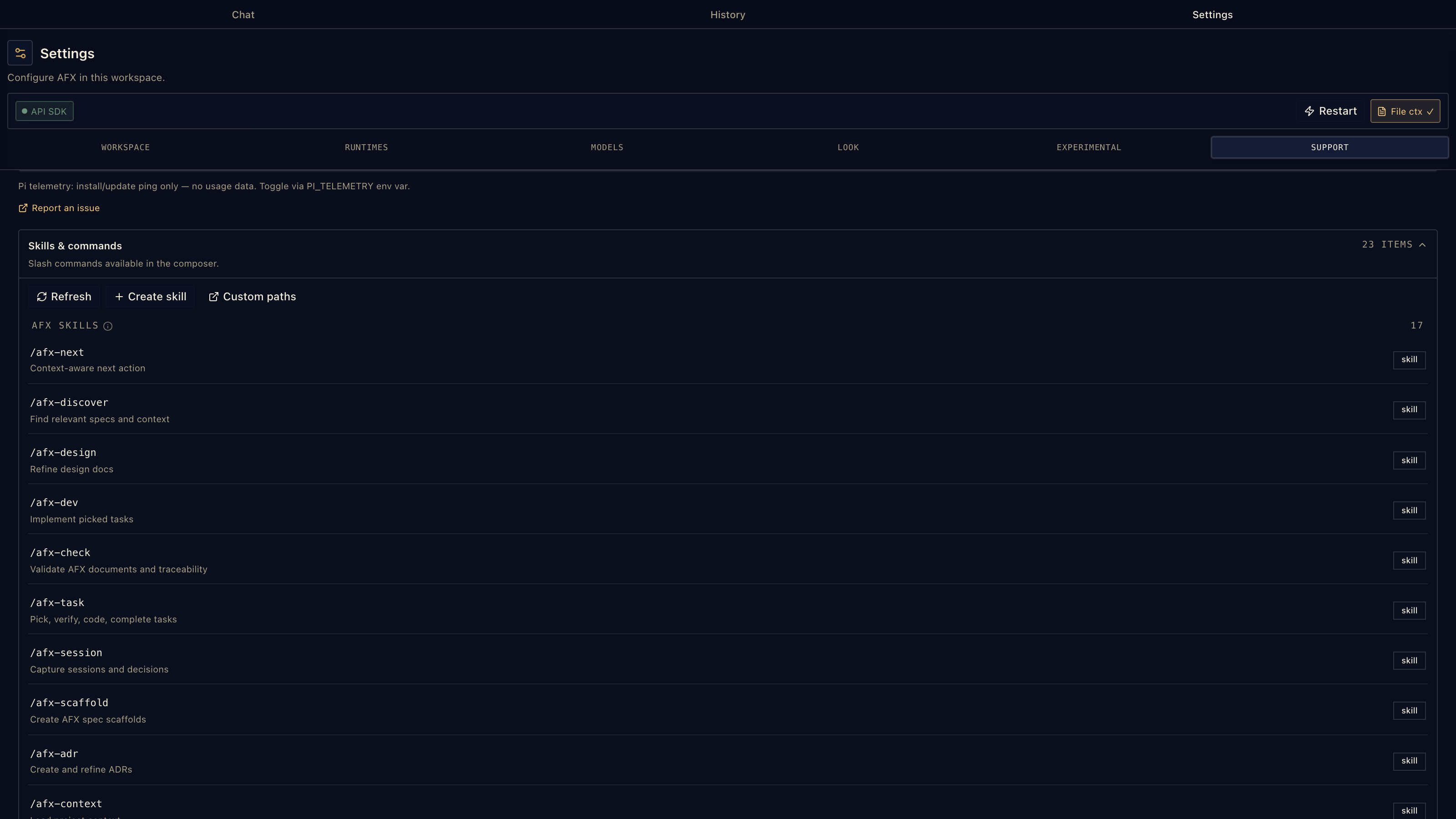
Each skill is a directory containing SKILL.md; nested skill folders are discovered recursively. Settings → Skills shows the loaded command, source path, and scope so you can tell whether a command came from the extension, the user profile, the workspace, or a custom path.
Settings → About shows the exact tagged AFX skill bundle shipped with the installed extension.
Project-local Pi settings, skills, extensions, and packages are guarded by afx.pi.projectTrust (ask, trust, or ignore), and individual Pi tools can be fenced with afx.pi.excludedTools.
Skill loading uses progressive disclosure: names and descriptions stay in the always-on context, while full SKILL.md instructions, references, and scripts load only when the task matches or you invoke the skill directly.
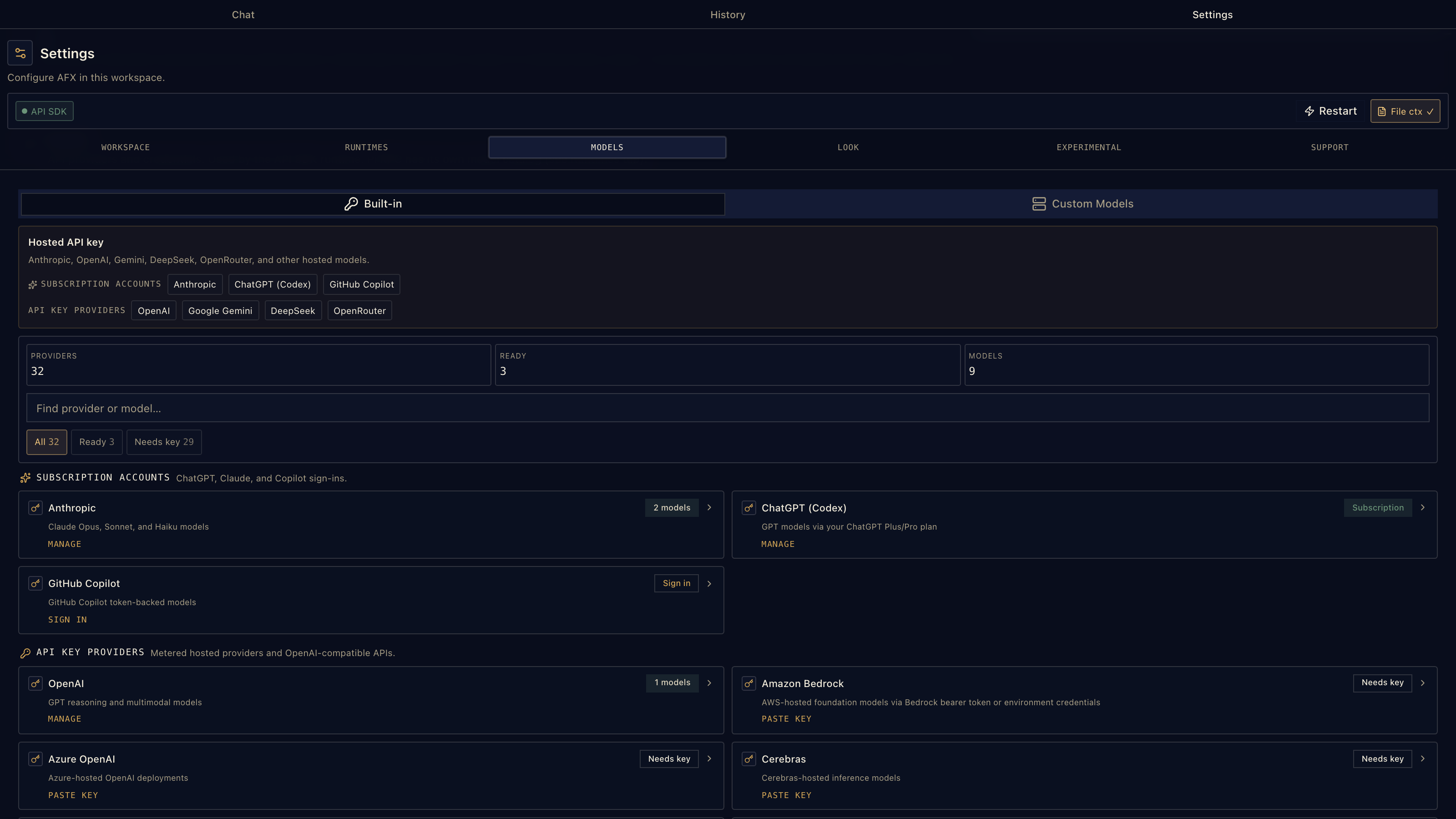
13 · Bring the model access you already have
AFX uses the Pi coding harness under the hood: sessions, tools, skills, thinking levels, usage reporting, image-aware model metadata, and a broad provider catalog. Use subscription sign-in, API keys, local runtimes, your installed Pi CLI, or the bundled Pi SDK.
- Subscription sign-in: Anthropic, ChatGPT/Codex, GitHub Copilot, OpenRouter, Kimi For Coding, and xAI. AFX-owned OAuth flows keep subscription credentials out of the chat UI; device-code providers open their verification page automatically.
- API keys: OpenAI, Gemini, DeepSeek, Groq, Mistral, OpenRouter, Bedrock, Azure OpenAI, xAI, Kimi, Qwen token plans, Xiaomi token plans, Z.ai, MiniMax, and more.
- Local runtimes: Ollama, llama.cpp-style servers, LM Studio, vLLM, and OpenAI-compatible endpoints.
- Already on Pi: AFX can reuse your Pi CLI config, sessions, provider auth, and skills.
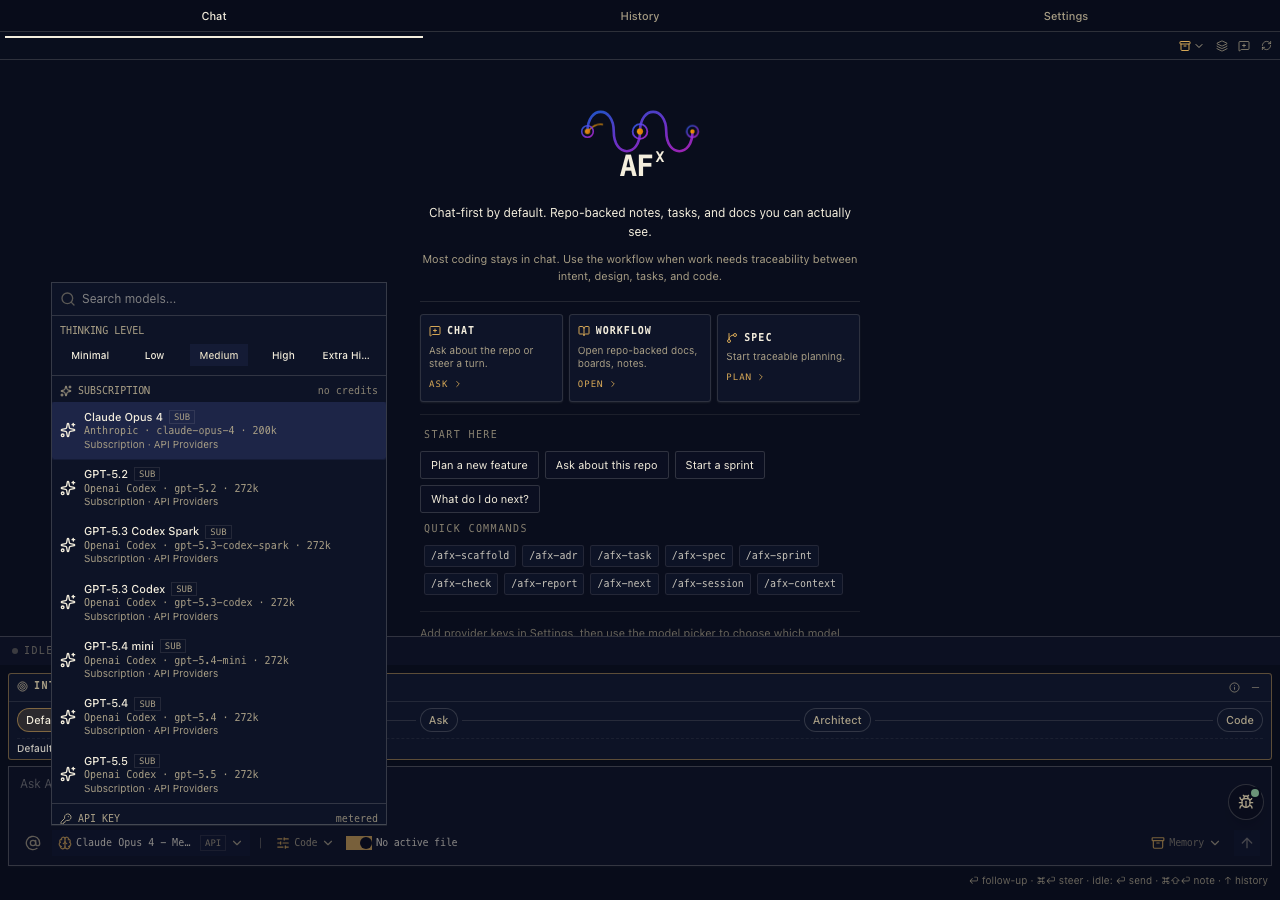
The picker groups configured models by provider, so you can keep a frontier model for design/review, a value model for mechanical edits, and a local model for private work — then switch mid-conversation without losing the thread.
Pi SDK and Pi RPC
AFX exposes two complementary Pi runtimes. The bundled SDK runs in-process and uses AFX-managed provider settings and VS Code SecretStorage. Pi RPC runs your Pi CLI as a subprocess and keeps Pi's native model catalog, sessions, skills, and authentication in Pi's own configuration. Choose the SDK for the simplest managed setup, or enable RPC when you want the same local Pi environment you use from a terminal.
| Runtime | Runs | Credentials and model setup |
|---|---|---|
| Pi SDK | In the extension host | AFX Settings → Models and VS Code SecretStorage |
| Pi RPC | As a Pi subprocess | Pi config, pi /login, and Pi-native model discovery |
Custom providers are runtime-specific too: SDK providers are managed by AFX, while RPC providers are read from Pi's models.json.
14 · Settings and configuration
Most people can configure AFX from Settings → Models, Settings → Runtimes, Settings → Skills, and the model picker. Settings → About shows the bundled AFX skill version. If you prefer settings.json, these are the important knobs.
For provider recipes, OAuth setup, and runtime walkthroughs, see Help & setup.
Providers and runtime
| Setting | Default | Use it for |
|---|---|---|
afx.sdk.enabled |
true |
Use bundled API Providers when a key/sign-in is configured |
afx.sdk.defaultModel |
anthropic:claude-opus-4-5 |
Legacy bootstrap fallback in <provider>:<modelId> format |
afx.sdk.ollamaBaseUrl |
"" |
Point AFX at a local Ollama server |
afx.rpc.enabled |
false |
Enable the external Pi CLI RPC runtime |
afx.agentBinaryPath |
"" |
Use a specific agent/Pi binary |
afx.agentEphemeralSession |
false |
Run without persistent session continuity |
afx.sessionDir |
"" |
Override where agent sessions are stored |
afx.runtime.responseStartTimeoutMs |
60000 |
Increase for slow first-token providers, proxies, or local warm-up |
afx.network.httpProxy |
"" |
Pass an HTTP/HTTPS proxy to AFX-spawned runtimes |
afx.model.defaultSelection becomes the source of truth after you pick a model and is managed by AFX; you normally do not edit either model setting by hand.
Chat defaults
| Setting | Default | Use it for |
|---|---|---|
afx.mode.active |
code |
Default composer mode: code, explore, or spec |
afx.composer.intent.slot |
1 |
Default intent slot: Default, Ask, Architect, Code/PRD |
afx.composer.intent.minimized |
false |
Collapse the Intent strip into a smaller one-line control |
afx.context.includeActiveFileContext |
true |
Attach the active editor file to new chat turns by default |
Skills and trust
| Setting | Default | Use it for |
|---|---|---|
afx.skills.extraPaths |
[] |
Load extra Pi Agent Skills files/directories outside the default scan paths |
afx.pi.projectTrust |
ask |
Trust policy for project-local Pi settings, skills, extensions, packages |
afx.pi.excludedTools |
[] |
Disable specific Pi tools by name |
Paths in afx.skills.extraPaths may be absolute, ~/ based, or workspace-relative.
Workbench and Canvas
| Setting | Default | Use it for |
|---|---|---|
afx.experimental.canvas |
false |
Enable the experimental JSON Canvas tab and Canvas editor |
afx.experimental.workbenchHiddenViews |
[] |
Hide Workbench tabs: workbench, pipeline, documents, analytics, journal, board, notes, canvas |
Hiding a Workbench tab only hides the surface. It does not delete files or disable commands.
Appearance
| Setting | Default | Use it for |
|---|---|---|
afx.theme |
meridian |
AFX identity/accent theme |
afx.style |
lyra |
Surface treatment: lyra, luma, maia, nova, vega, mira, sera |
Logging and privacy
| Setting | Default | Use it for |
|---|---|---|
afx.logLevel |
info |
Output channel verbosity: silent, error, warn, info, debug, trace |
afx.debugPerf |
false |
Show streaming performance diagnostics in the chat status bar |
afx.telemetry.enabled |
true |
Anonymous UI analytics; respects VS Code telemetry and Do Not Track |
15 · Code that can prove itself
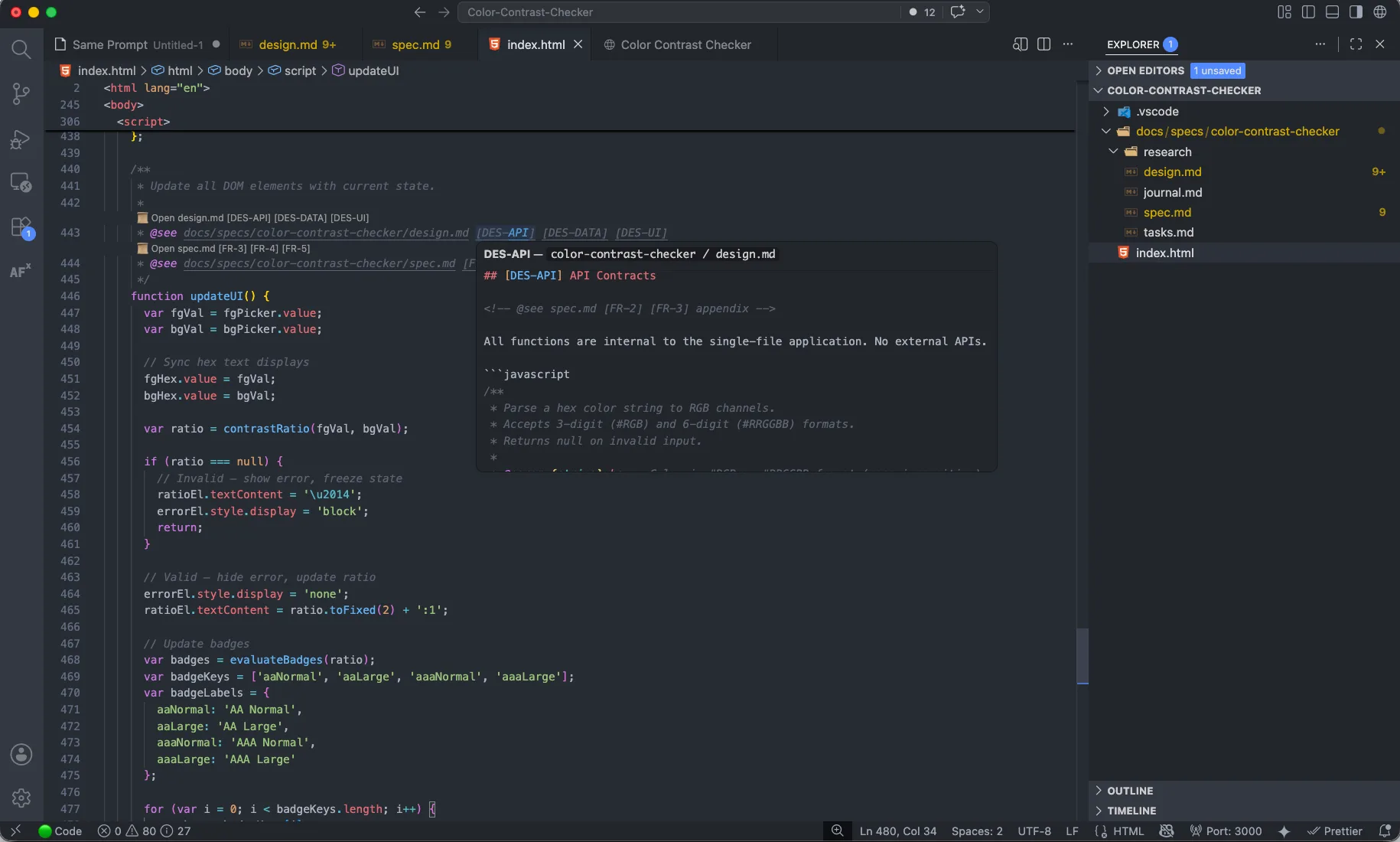
AFX teaches the editor about spec links. @see CodeLens connects implementation back to requirements and design anchors, hover previews show the linked section inline, and go-to-definition jumps to anchors such as [FR-1] or [2.1].
Editor context actions turn selected code into workflow material: explain, review, improve, generate tests, save to notes, insert into composer, verify traceability, or add a new @see link. The result is simple: the code can explain why it exists.
Files stay yours
AFX writes durable project memory into the workspace:
| File | Purpose |
|---|---|
docs/specs/<feature>/spec.md |
Requirements, constraints, acceptance criteria |
docs/specs/<feature>/design.md |
Architecture, trade-offs, data models, contracts |
docs/specs/<feature>/tasks.md |
Ordered implementation checklist and verification plan |
docs/specs/<feature>/journal.md |
Session notes, decisions, handoff context |
docs/adr/*.md |
Architecture Decision Records |
.afx/notes.md |
Workbench Notes |
.afx/kanban/*.md |
Workbench Board |
.afx/project.canvas |
Portable JSON Canvas project map |
.agents/skills/, .pi/skills/ |
Workspace-local skill discovery targets |
Everything is diff-able, reviewable, and portable.
Runtime upgrades
AFX periodically upgrades the bundled Pi runtime. Existing Pi RPC configuration remains separate from AFX's in-process SDK configuration. Model capability metadata controls whether image attachments and thinking controls are available, and Settings → Models exposes the providers supported by the installed runtime. Check the changelog for exact bundled-runtime versions and migration notes. If you use custom providers, check the runtime table above before deciding where to configure them.
Headless AFX
No VS Code? The workflow also runs as standard skills through the AFX CLI and skill pack.
Claude Code, Codex, Gemini CLI, GitHub Copilot, and Pi-compatible agents can run the same SDD workflow against the same markdown files.
Good to know
- AgenticFlowX is Apache 2.0 open source.
- AFX-managed provider keys and OAuth credentials are stored in VS Code SecretStorage; Pi RPC credentials remain in your existing Pi config.
- Prompts, file context, and attachments are sent to the model provider selected for that turn. AFX does not host a workflow database.
- Specs, tasks, notes, boards, journals, and canvas files stay in your repo.
- The Canvas is experimental and moving quickly.
- The Meridian UI includes seven style treatments:
lyra,luma,maia,nova,vega,mira, andsera. - Anonymous usage telemetry can be disabled.
Contributing
Community contributions are welcome. See CONTRIBUTING.md to get started.