CardanoVSC




Features
CardanoVSC is a Visual Studio Code extension for Haskell and Plutus smart contract development on Cardano. It provides:
- Syntax highlighting for Haskell, Plutus, and Cabal files
- Code completion for Haskell and Plutus
- Cardano API integration (CardanoScan and Blockfrost) accessible via
Ctrl+Shift+P → CardanoVSC
- Blockfrost network connection for Mainnet, Preprod, and Preview
- Script address generation from compiled Plutus contracts
Installation
- Clone the repository:
git clone https://github.com/AIQUANT-Tech/CardanoVSC.git
cd CardanoVSC/cardanovsc/
- Install dependencies:
npm install
- Debug the extension by clicking the VS Code debug icon.
Development
Running Tests
Before running the test command, ensure the required test file exists:
Create a folder out/test/ if it does not exist and add the following file sample.hs:
module Sample where

import Data.List

factorial :: Integer -> Integer
factorial 0 = 1
factorial n = n * factorial (n - 1)

main :: IO ()
main = print (factorial 5)
Create a .env file in the working directory and set your CardanoScan API key:
CARDANO_API_KEY=your_api_key_here
To run tests:
npm run test
Usage
The CardanoVSC sidebar provides a central interface for blockchain API interactions and development tools.

Commands
CardanoVSC provides commands to interact with the Cardano blockchain via the Command Palette (Ctrl+Shift+P):
cardanovsc.get_latest_block_details — Get details of the latest blockcardanovsc.get_block_details — Fetch details of a specific blockcardanovsc.get_address_balance — Retrieve balance for a given addresscardanovsc.get_pool_details — Fetch details about a stake poolcardanovsc.get_transaction_details — Retrieve information about a transaction
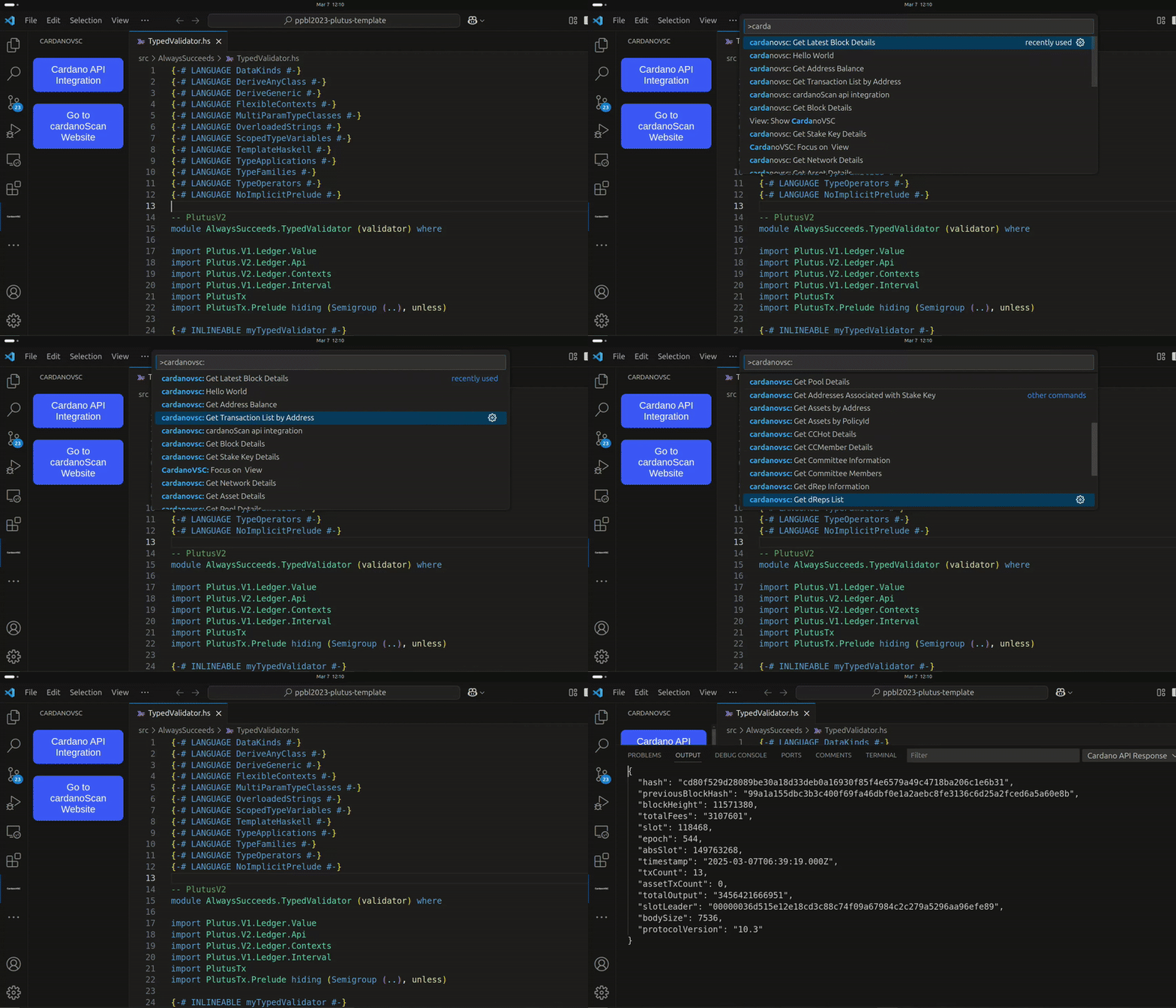

API Integration
CardanoVSC integrates with the Cardano blockchain through CardanoScan and Blockfrost:
- Mainnet: Uses a CardanoScan API key
- Preprod and Preview: Use Blockfrost API keys
API keys are stored in the extension's global state and validated before use.

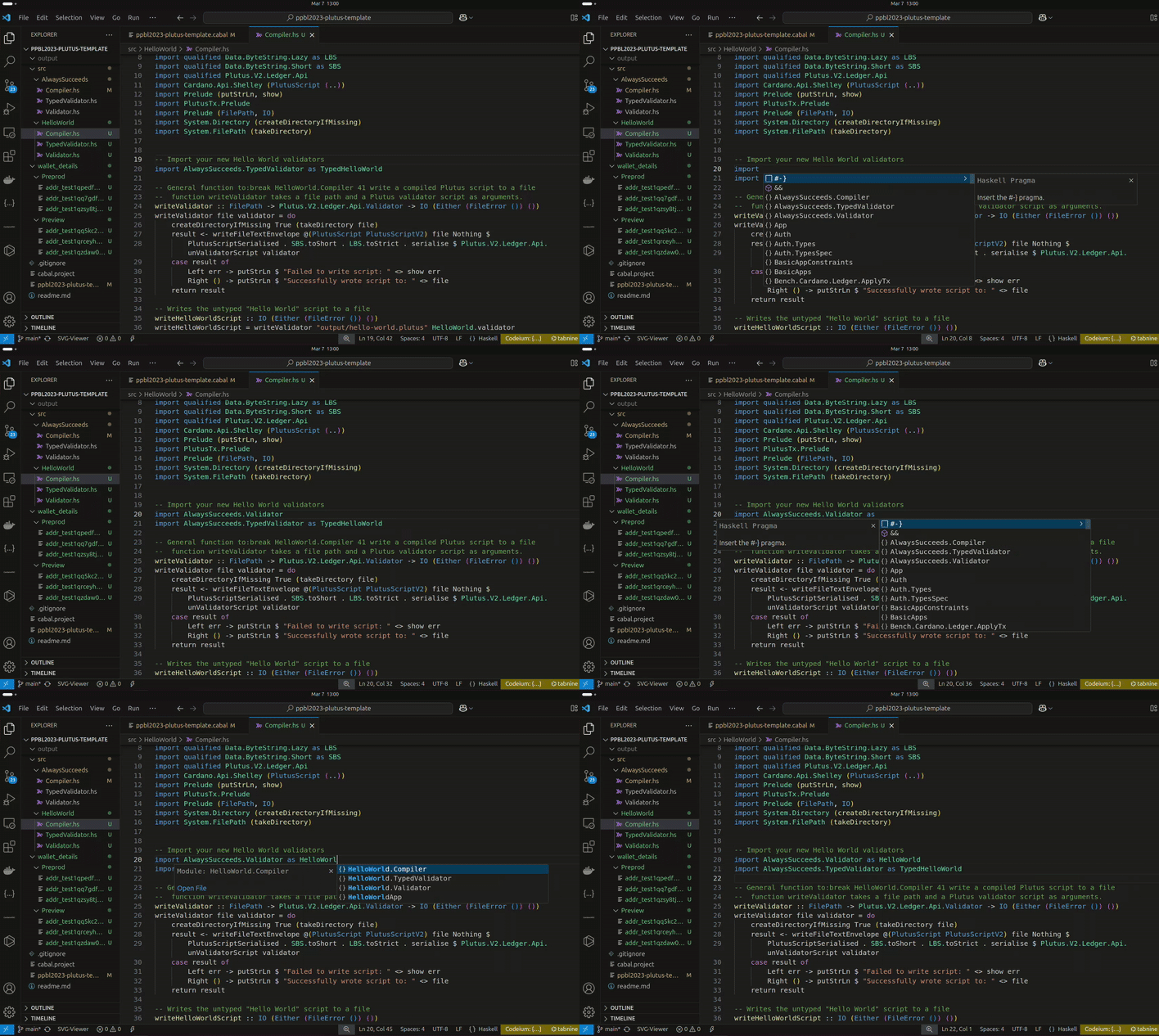
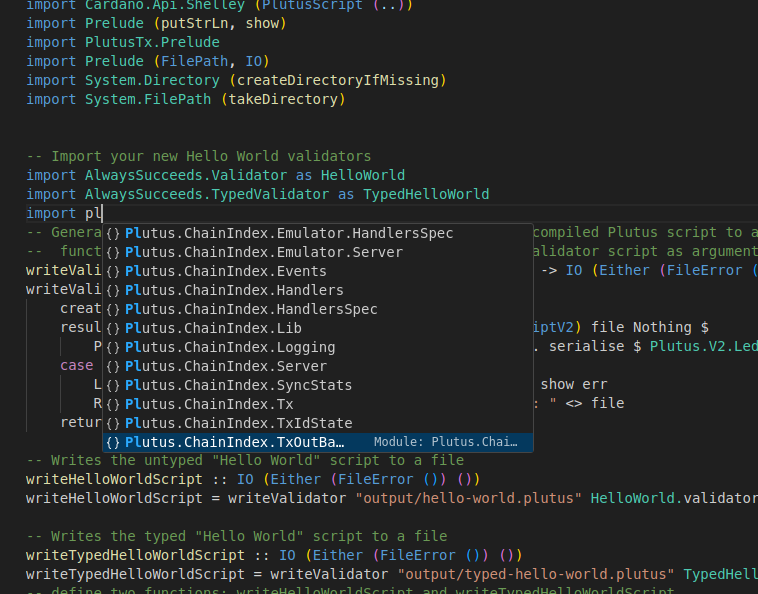
Auto Completion
Provides context-aware code suggestions for Haskell and Plutus as you type — functions, variables, and module names.
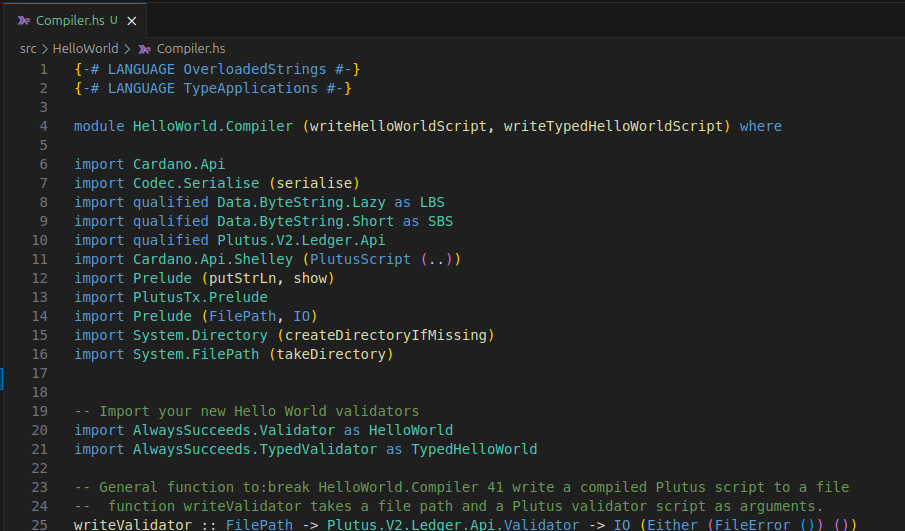
Syntax Highlighting
Color-codes keywords, functions, variables, and operators in Haskell, Plutus, and Cabal files.
Cardano Node Connection via Blockfrost
Connect to a Cardano node on Mainnet, Preprod, or Preview before using smart contract deployment.
Steps to Connect
- Open the CardanoVSC sidebar (click the Cardano icon in the Activity Bar).
- Click Cardano Node Connection.
- Select the network (Mainnet, Preprod, or Preview).
- Enter the Blockfrost API key for the selected network.
- The active network is shown in the status bar on the right.

Deploying a Smart Contract
Steps to Deploy a Plutus Smart Contract
Configure a Cardano network — the extension will prompt you if none is set.
Select a Plutus file — click Deploy Smart Contract and choose a .plutus file. Example file format:
{
  "type": "PlutusScriptV2",
  "description": "",
  "cborHex": "49480100002221200101"
}
Generate the script address — the extension reads the cborHex field and computes the script address using Lucid.
Confirm overwrite — if an .addr file already exists at the same path, you'll be asked before overwriting.
Save — the address is written to an .addr file next to the .plutus file.

Additional options after generation:
- Open Folder — reveal the
.addr file in the OS file explorer
- Copy Address — copy the script address to the clipboard
Troubleshooting
- No network configured — follow the prompt to set up a network connection
- Invalid Plutus script — ensure the
.plutus file contains a valid cborHex field
- Address file already exists — choose to overwrite or cancel
- Errors during deployment — check error messages and the VSCode output panel
Contributing
Contributions are welcome. Please open an issue or pull request on GitHub.
License
MIT
Documentation

