CodeMate AI- Your Smartest Full Stack Coding Agent- Python, C++, C, Java, Javascript, Typescript, Ruby & 100+ languages supportedCodeMate AI is an on-device AI Coding Agent that helps you ship quality code 20x faster. It helps you automate the entire software development lifecycle from searching and understanding codebase to generating code, fixing errors and generating test cases. Try it out for free! Installation Launch VS Code Quick Open ( Ctrl+P), paste the following command, and press enter.Copied to clipboard |


C0: CodeMate AI - Your Smartest Full Stack Coding Agent- Python, C++, C, Java, Javascript, Typescript, Ruby & 100+ languages supportedAI-powered coding assistant that indexes your entire codebase and helps you write, debug, review, document, and understand code without leaving your editor. C0 is not a generic chat interface bolted onto an IDE. It is a coding assistant built around a knowledge base that indexes your project. Every workflow C0 offers — debugging, testing, documentation, code review, system mapping — runs against a deep understanding of your actual codebase. Install from VS Code Marketplace · Quickstart · Documentation
What Makes C0 DifferentMost AI coding tools work in isolation. They have no knowledge of your project structure, your team's conventions, or how your modules connect. Every session starts from scratch, and you spend half your time re-explaining the codebase before getting anything useful back. C0 is built around a knowledge base that continuously indexes your codebase. It understands your functions, your dependencies, your architectural patterns, and how everything connects. As you use C0 more, it becomes more useful because it has more context about your project. On top of that foundation, C0 provides purpose-built workflows for the things developers actually do every day: tracing bugs to their root cause, generating tests matched to your framework, reviewing code before it merges, producing documentation that reflects how the code actually works, and mapping system structure visually. These are not general-purpose chat prompts. They are structured workflows designed around real development tasks.
Why Developers Choose C0
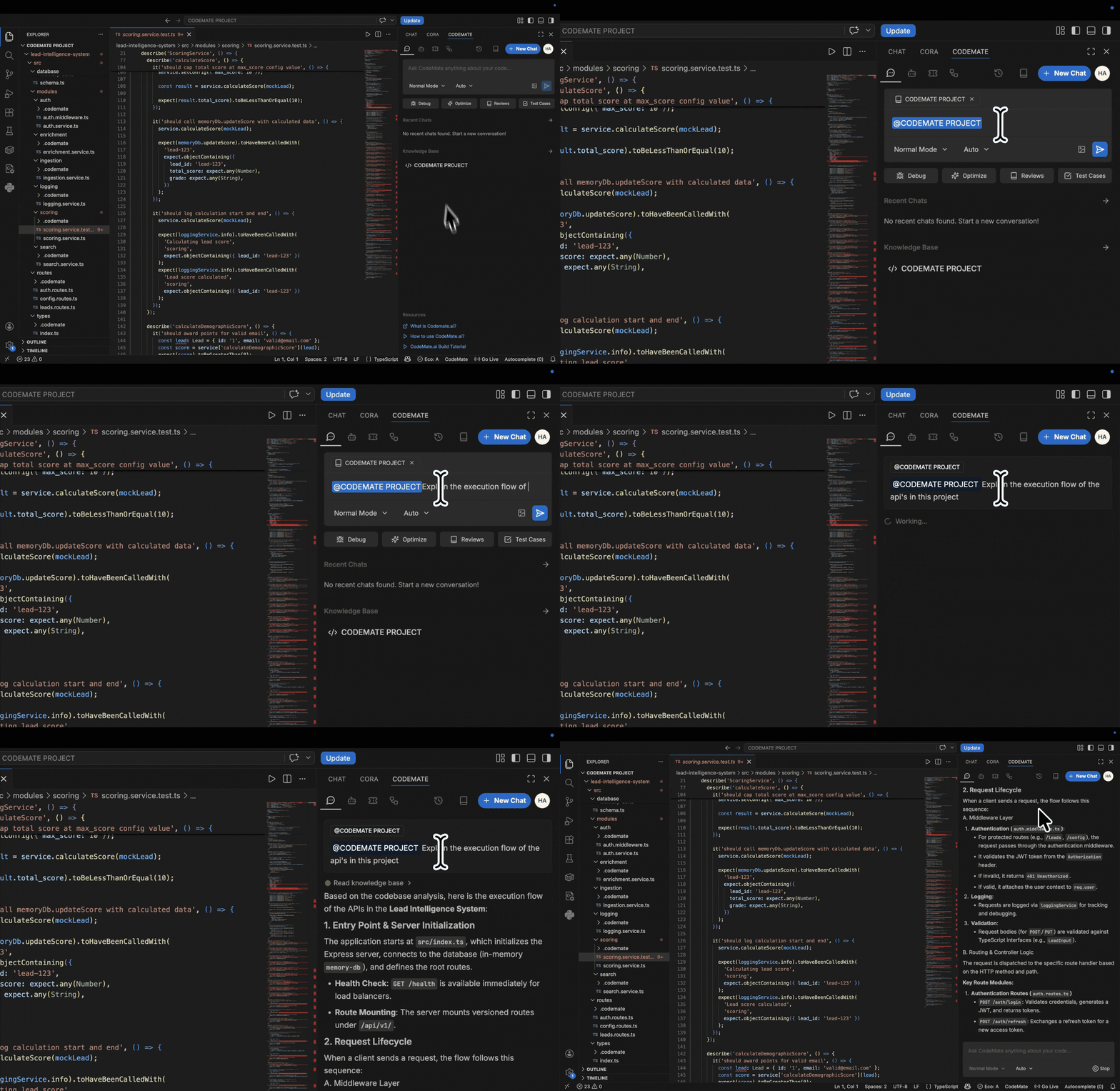
WorkflowsC0 operates through a set of purpose-built workflows, each designed around a specific development task. Chat with CodeAsk questions about your codebase in plain language. C0 reads the relevant files, traces the flow, and gives you answers grounded in your actual code not generic explanations. How does authentication work in this project? Where is rate limiting applied and what are the limits? What calls into this function and what does it return?
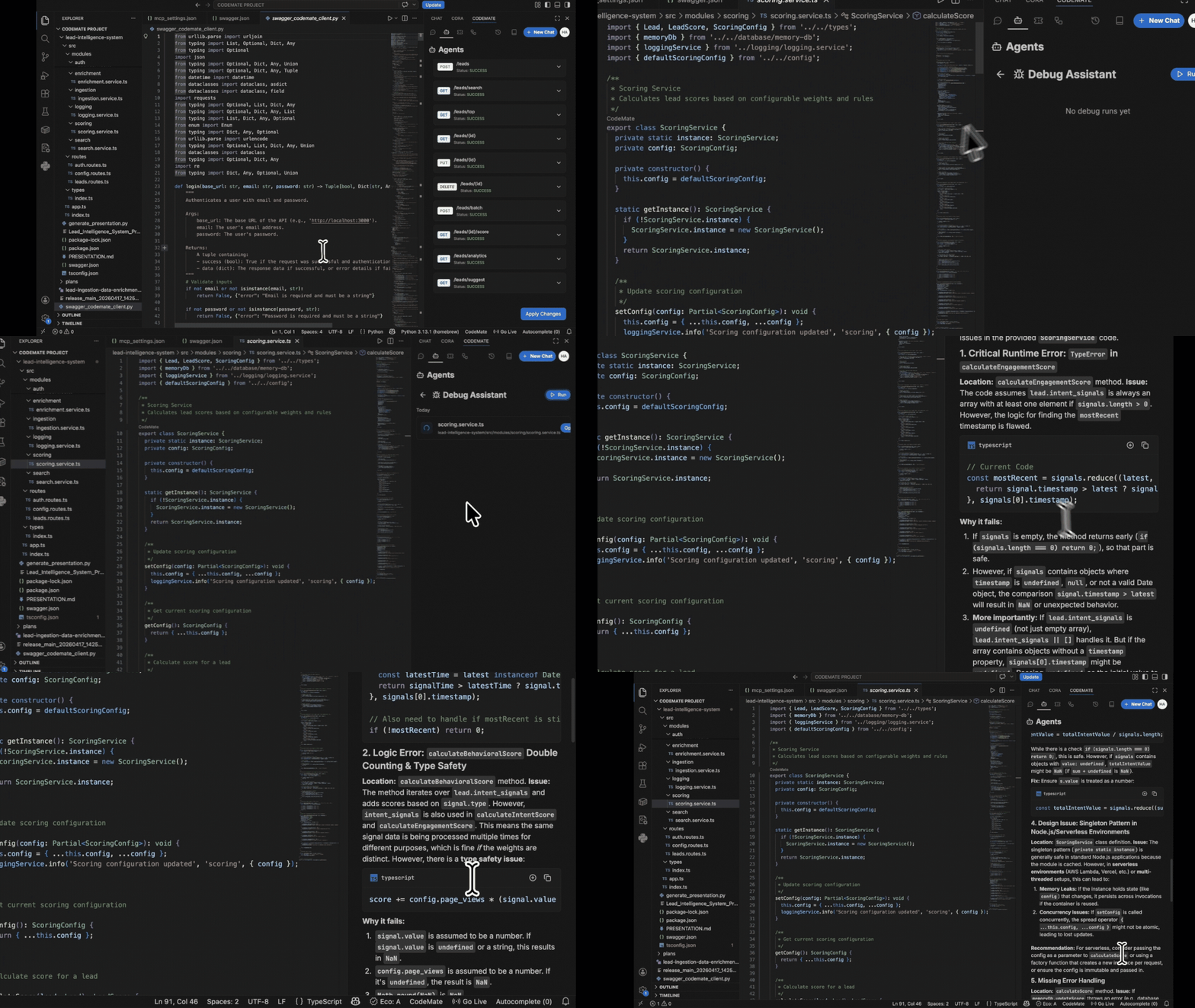
Debug ModePaste an error message or stack trace. C0 locates the source of the problem, explains why it is happening, and suggests a fix in context.
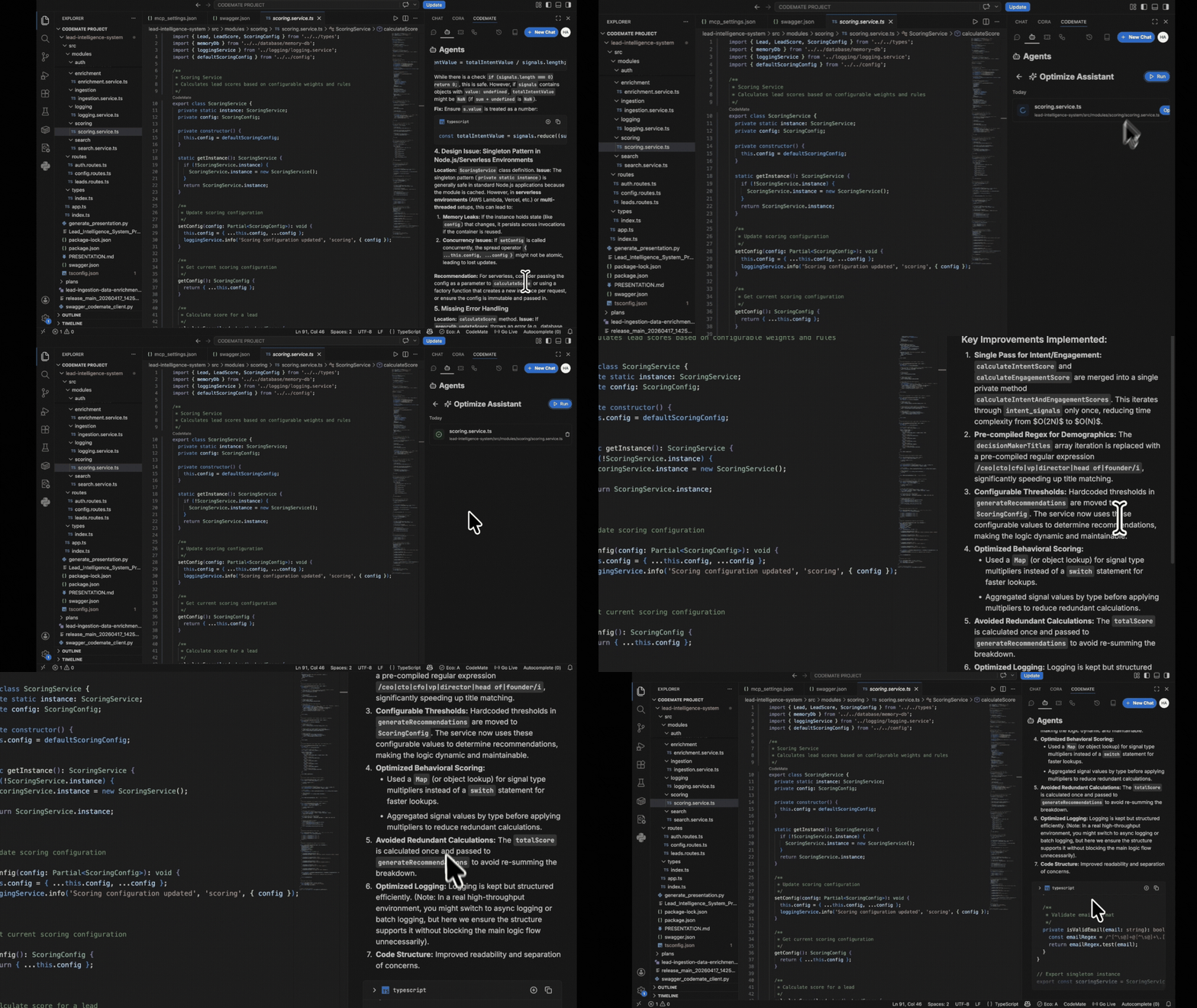
Optimize ModeImproves performance, readability, and structure across functions or modules. C0 explains each change and why it matters before applying anything.
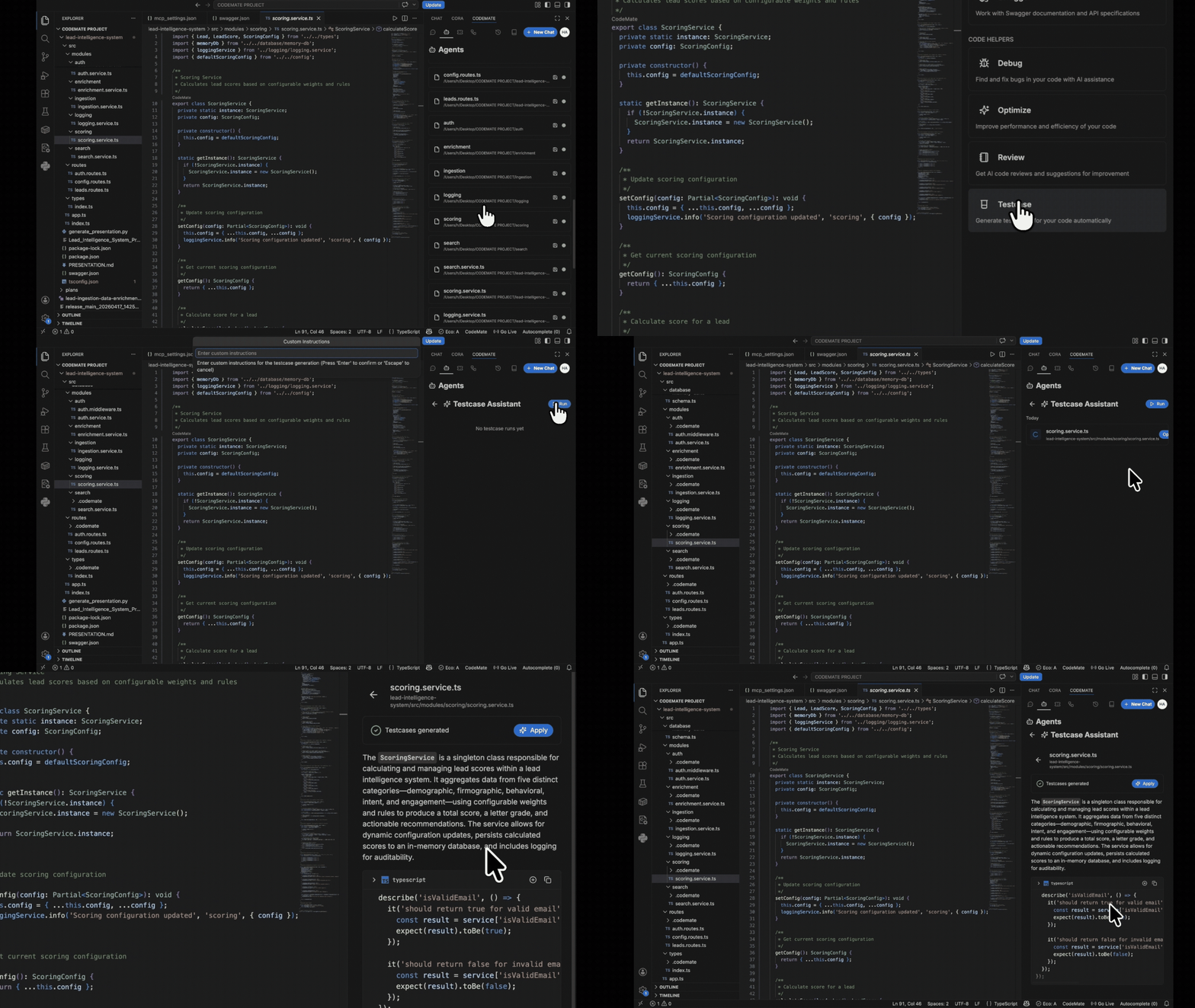
Generate Test CasesProduces a test suite for any function or module, matched to your project's existing test framework and conventions. No boilerplate setup required.
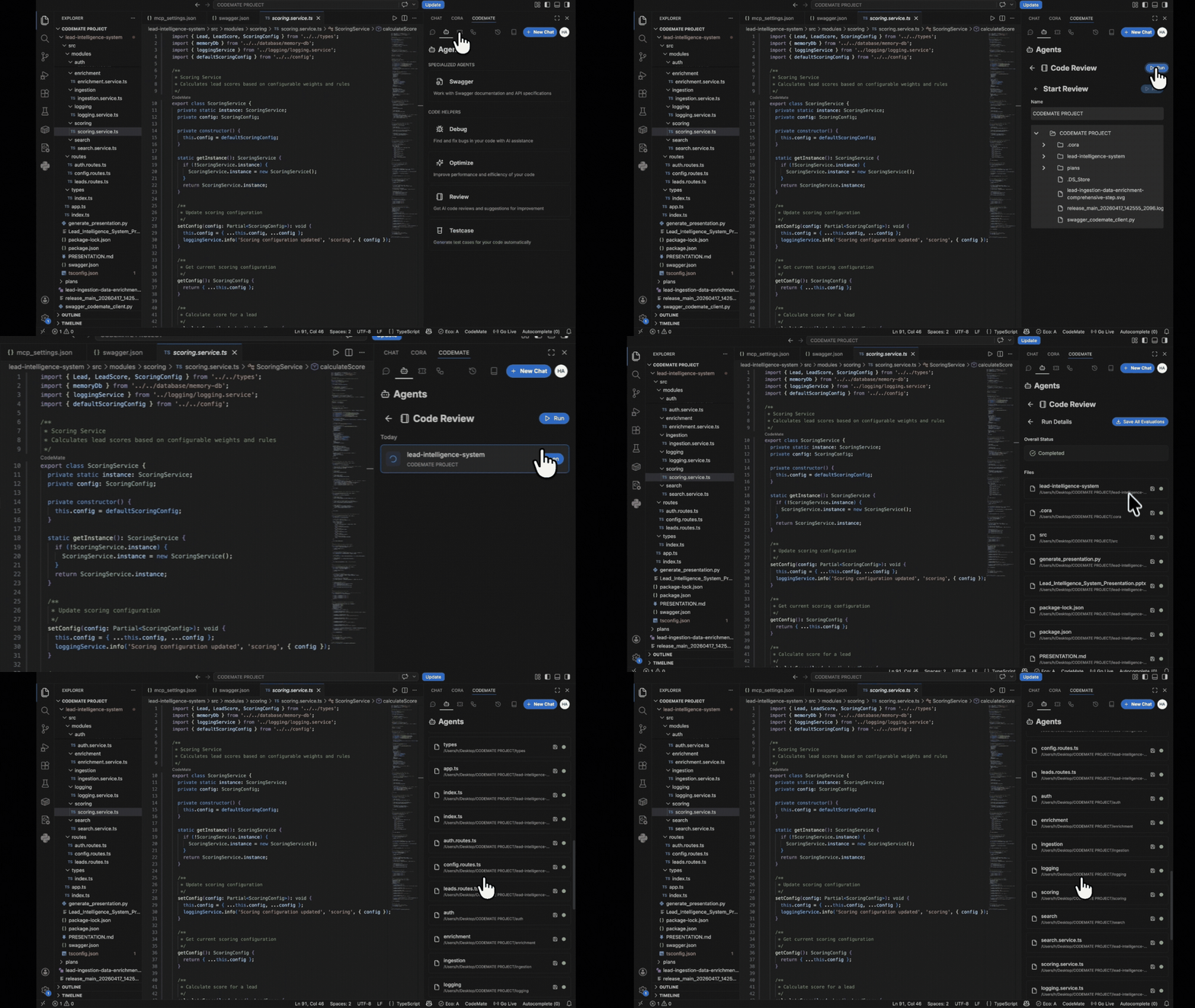
Code ReviewReviews staged changes or pull requests for bugs, logic errors, inconsistencies with existing patterns, and potential security issues before code is merged.
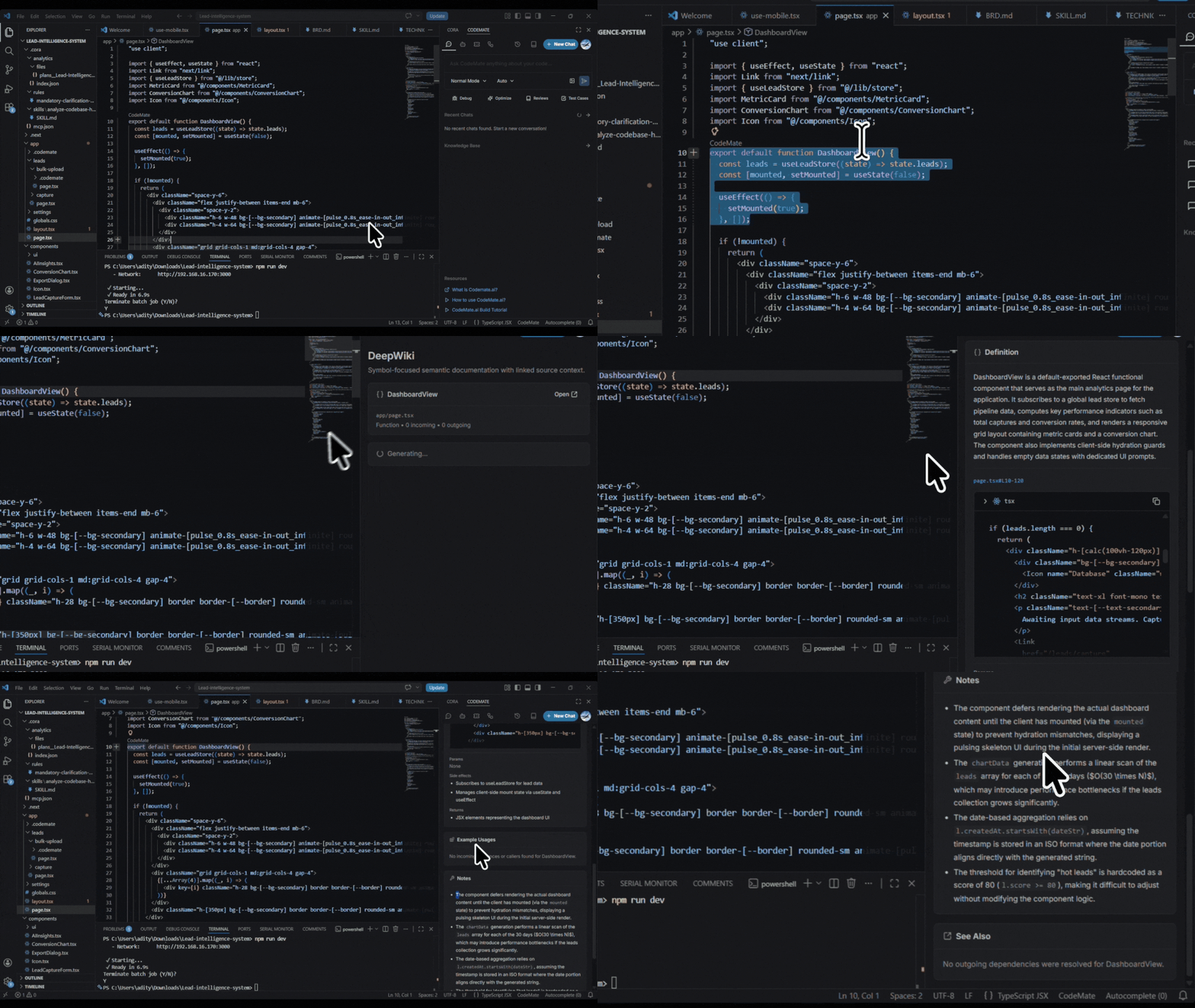
Deep WikiGenerates rich documentation for your codebase including usage notes, parameter descriptions, edge cases, and examples. Stays accurate because it reads the actual implementation, not your memory of it.
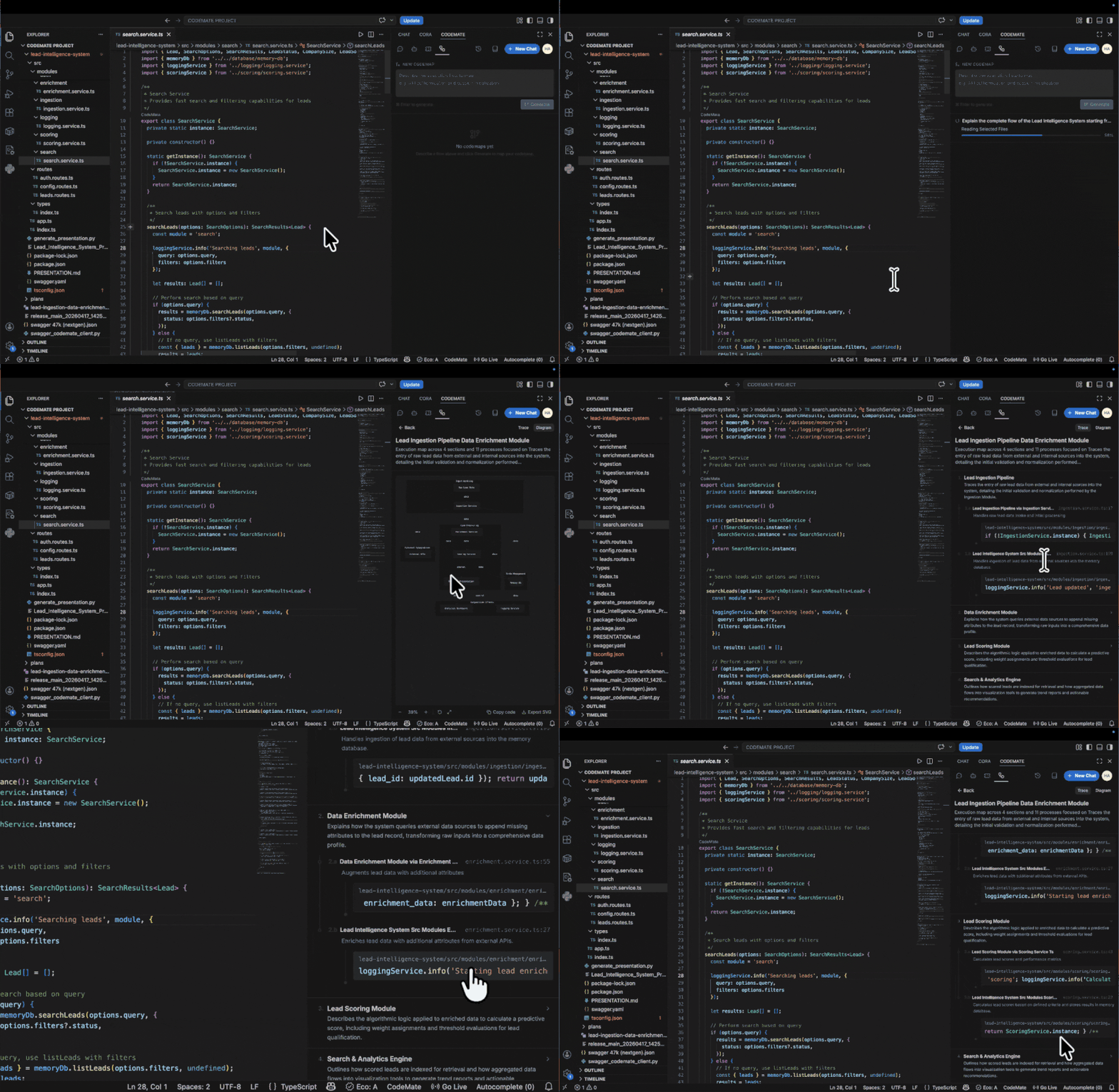
Code MapVisualizes code structure and system flow as Mermaid diagrams. Useful for onboarding, architecture reviews, and understanding unfamiliar modules.
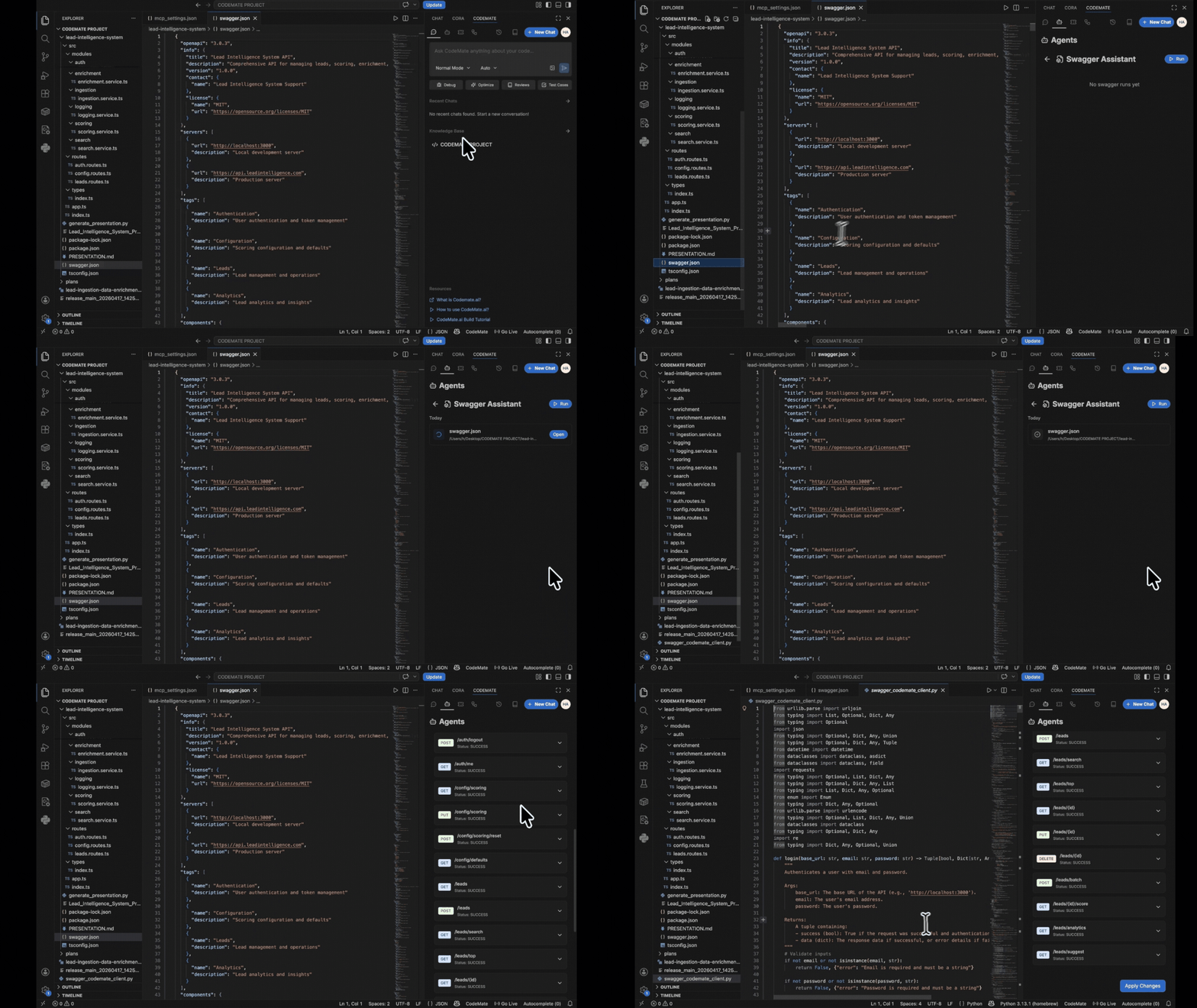
Swagger AgentWorks directly with Swagger documentation and OpenAPI specifications. Understands your API contracts and uses them as context for relevant workflows.
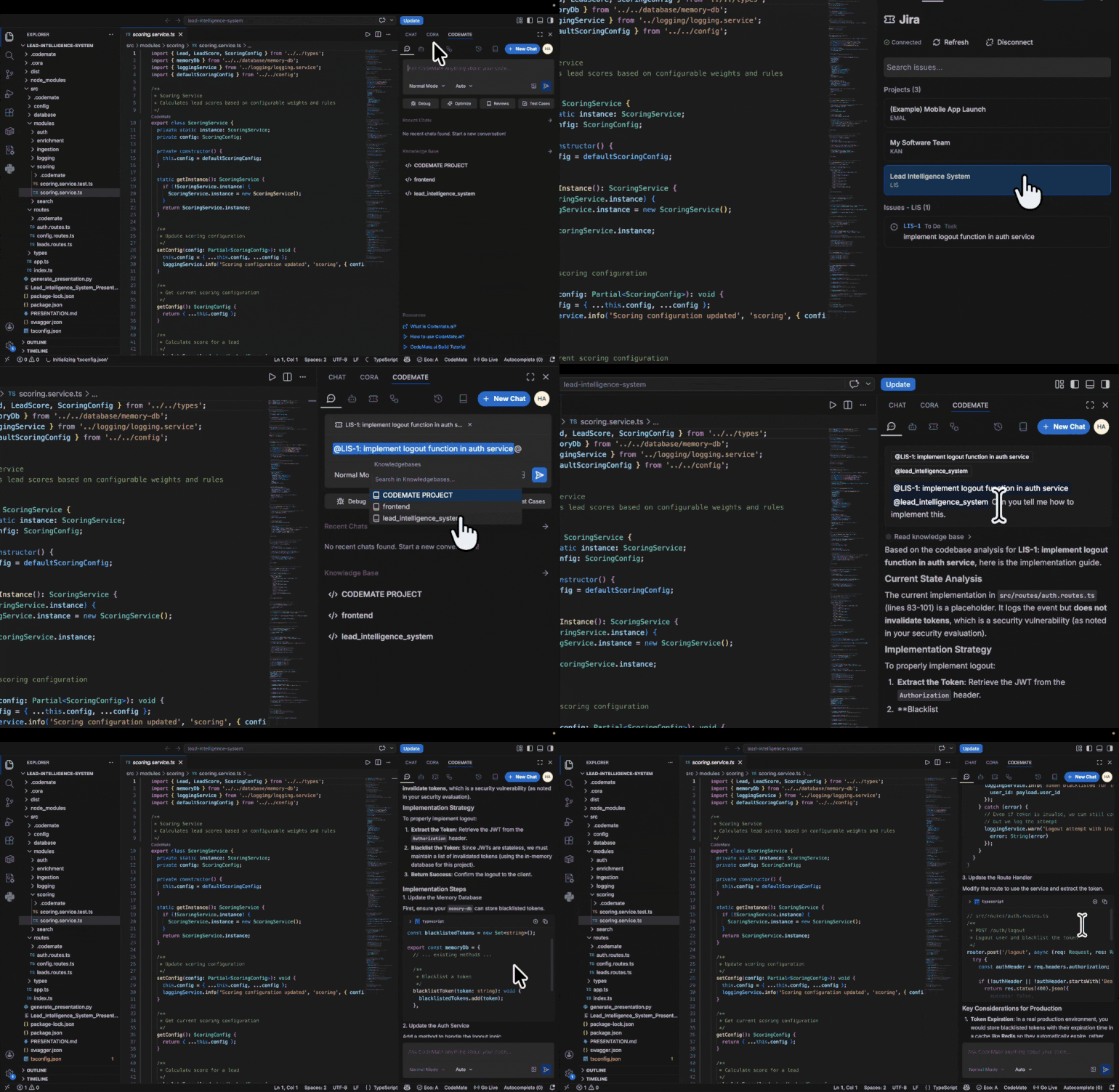
IntegrationsJiraWork directly from tickets without context-switching. C0 reads the ticket description and uses it as context for planning, scaffolding, or reviewing the associated code changes.
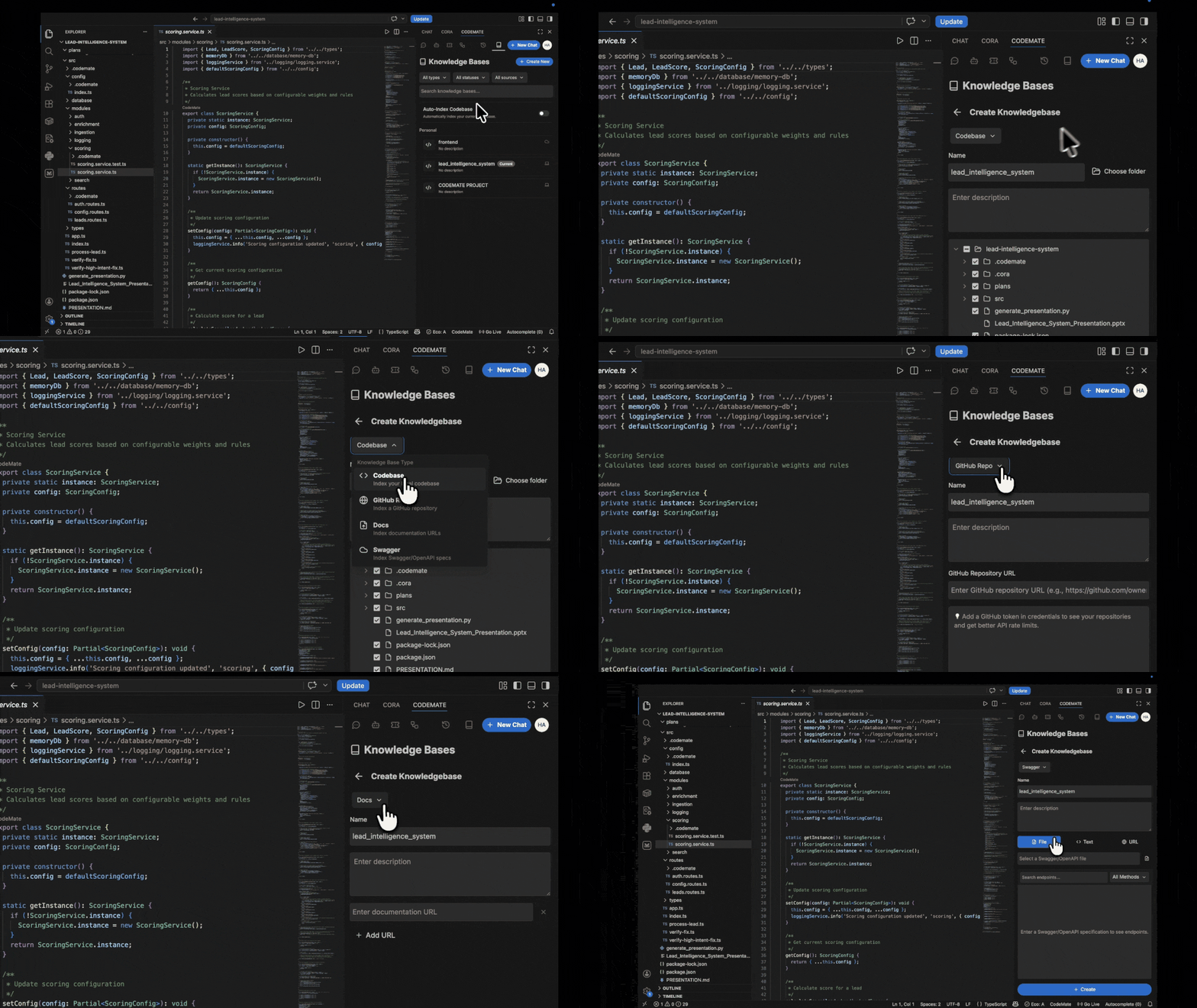
Knowledge BaseThe indexing layer that powers everything. C0 continuously indexes your project and maintains a structured understanding of your work across multiple knowledge base types. Supported knowledge base types:
Getting StartedInstallOpen the Extensions panel in VS Code (Cmd+Shift+X on Mac, Ctrl+Shift+X on Windows/Linux), search for C0, and install. Or click Install at the top of this page. Sign InOn first launch, C0 will prompt you to sign in. Click Sign in with C0 and complete authentication in your browser. You will be returned to your IDE automatically once signed in. Index Your CodebaseOpen any project folder. C0 detects it and begins indexing automatically. You will see a status indicator in the C0 panel:
For small projects, initial indexing takes under a minute. For larger codebases, it may take a few minutes on the first run. After that, C0 only re-indexes changed files, so updates are nearly instant. You can start using C0 before indexing finishes results improve as indexing progresses. Run Your First WorkflowAsk a question about your code Open the C0 panel, select your knowledge base, and type a question: @ How does authentication work in this project? C0 reads the relevant files, traces the flow, and returns a clear explanation grounded in your actual codebase. Debug an error Switch to Debug mode, paste an error message or stack trace, and run it: TypeError: Cannot read properties of undefined (reading 'userId') at AuthMiddleware.verify (src/middleware/auth.js:34) C0 locates the source of the problem, explains why it is happening, and suggests a fix. Generate tests for a file Switch to Generate Test Cases mode, select a file or function, and run it. C0 produces a full test suite matched to your project's existing framework and conventions. Supported Languages and FrameworksJavaScript, TypeScript, Python, Go, Java, Kotlin, Rust, C, C++, C#, Swift, PHP, Ruby, Dart, SQL, Shell React, Next.js, Vue, Svelte, Angular, Node.js, FastAPI, Django, Spring, Docker, and more. Next Steps
Connect With Us |