Git Diff Search
A VS Code extension for searching and navigating through uncommitted Git changes.
Screenshot
Features
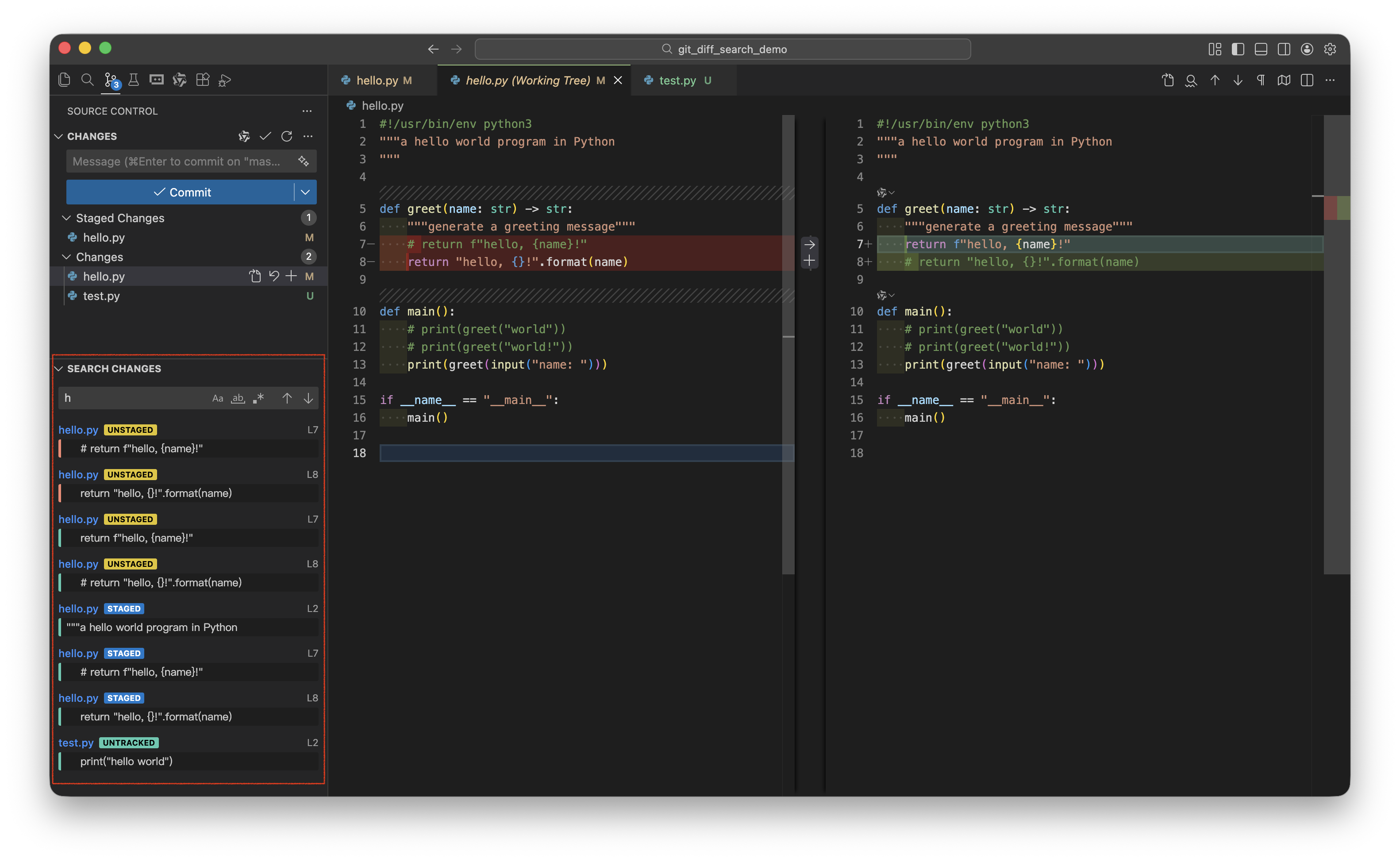
🔍 Global Search in Git Changes
Search across all uncommitted modifications in your repository:
- Staged changes (Index) – Changes added to the staging area
- Unstaged changes (Working Tree) – Modified files not yet staged
- Untracked files – New files not added to Git
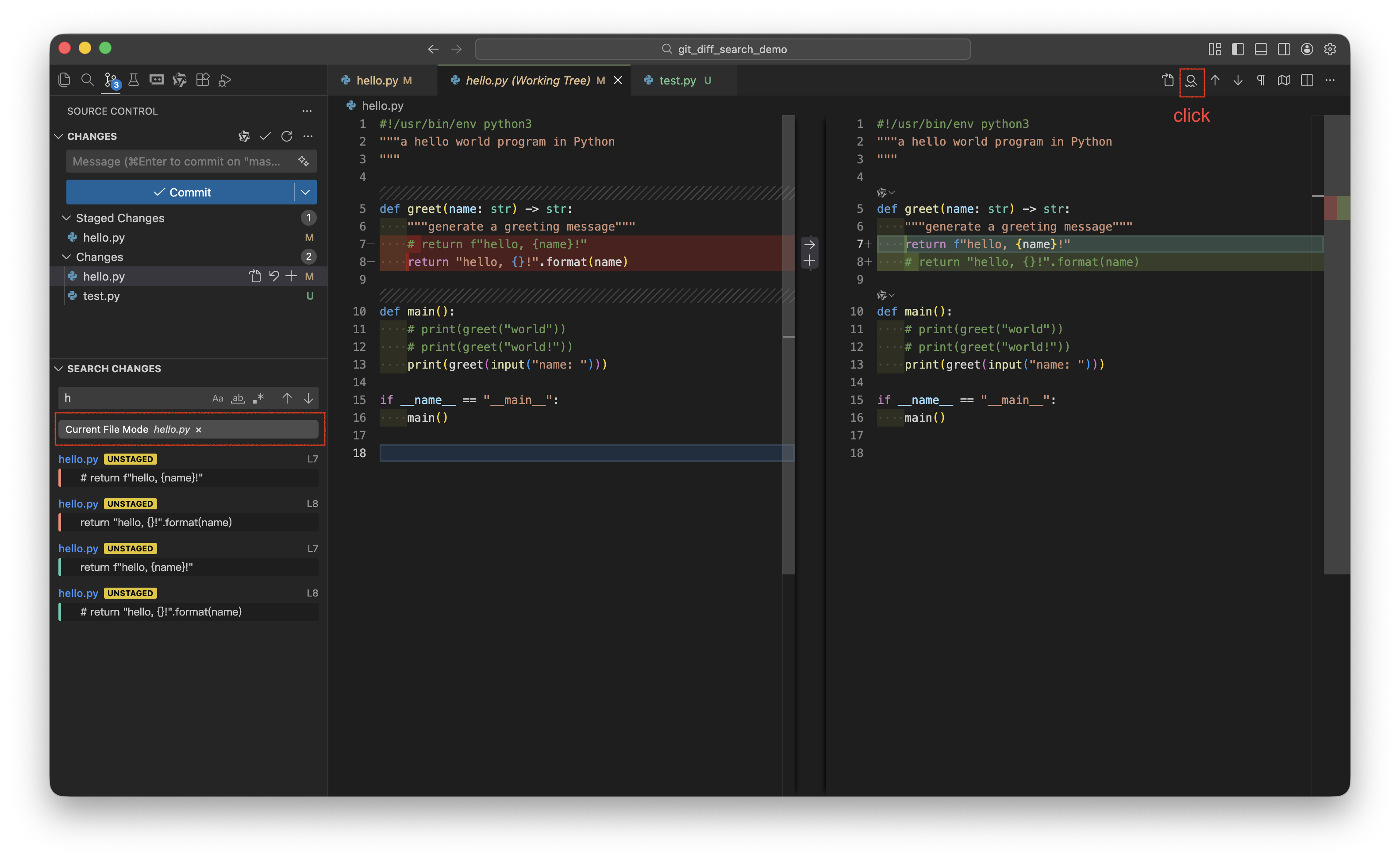
📂 File-Specific Search
Click the search icon in the Diff editor title bar to search within a specific file's changes. The search will be scoped to:
- Index changes when viewing a staged file diff
- Working Tree changes when viewing an unstaged file diff
🎛️ Search Options
- Match Case (Aa) – Case-sensitive search
- Whole Word (ab) – Match whole words only
- Regex (.*) – Regular expression support
Usage
Method 1: Source Control Panel
- Open the Source Control panel (Git icon in the sidebar)
- Find the Git Diff Search view
- Type your search query and press Enter
- Click on any result to open the native Diff view
Method 2: From a Diff View
- Open any file's diff (staged or unstaged)
- Click the 🔍 search icon in the editor title bar
- The search will be scoped to that specific file
Search Results
Each result displays:
- File path and line number
- Change type label:
STAGED, UNSTAGED, or UNTRACKED
- Line content with visual indicator:
- 🟢 Green border = Added line
- 🔴 Red border = Removed line
Click any result to jump directly to that line in the native VS Code Diff view.
Navigation
Use the ↑ and ↓ buttons to navigate through search results sequentially.
Requirements
- VS Code 1.74.0 or higher
- Git installed and available in PATH
License
MIT
| |

