Lilt
Soft pink accents on deep, moody backgrounds.
Six color themes for Visual Studio Code: five dark and one light.
Themes
| Theme |
Mode |
Editor background |
What makes it different |
| Lilt |
Dark |
#100E23 |
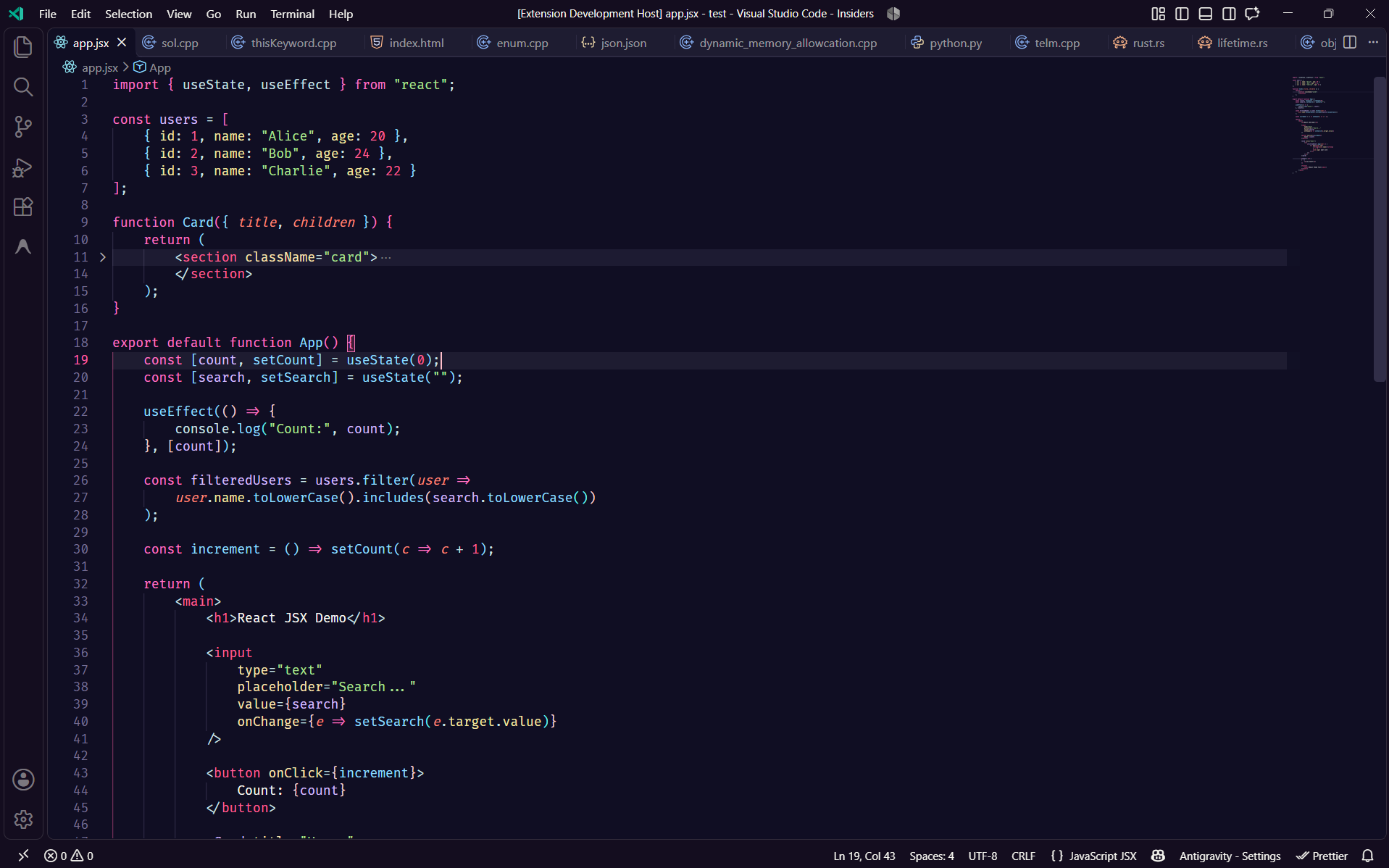
The signature look: deep indigo, pink keywords, sky-blue functions and lavender types. |
| Lilt Pro |
Dark |
#100E23 |
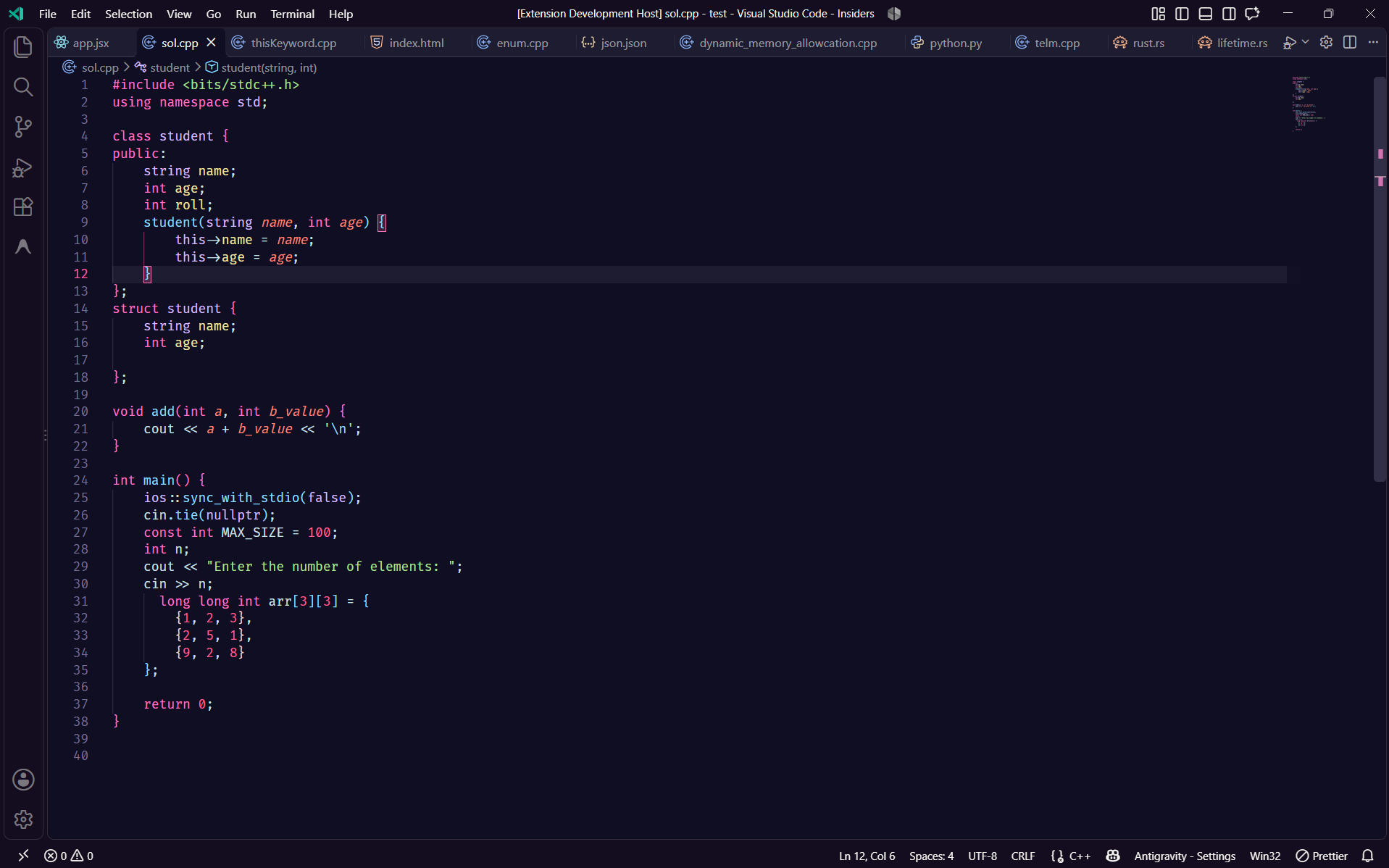
The Lilt palette with more detailed highlighting for built-in types. |
| Lilt Soft |
Dark |
#202330 |
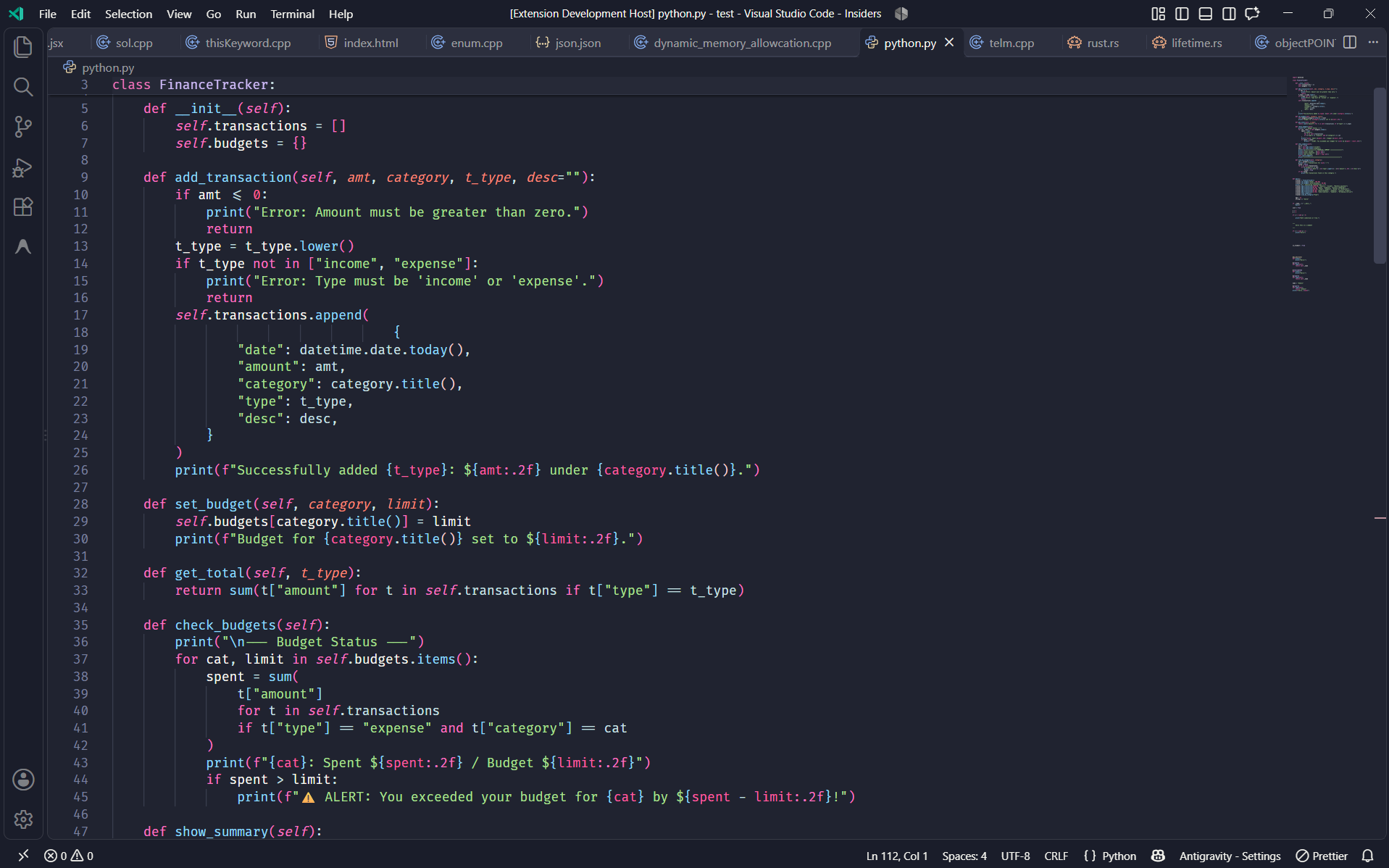
A lighter slate-blue background with the same syntax colors. |
| Lilt Warm |
Dark |
#231A2D |
A plum-tinted background and a deeper rose for buttons. |
| Lilt X |
Dark |
#100E23 |
A pinker take: soft-pink variables and properties, hot-pink numbers and cyan links. |
| Lilt Light |
Light |
#EFF1F5 |
A light variant with magenta keywords and orange functions. |
Previews
Lilt
Lilt Pro
Lilt Soft
Lilt Warm
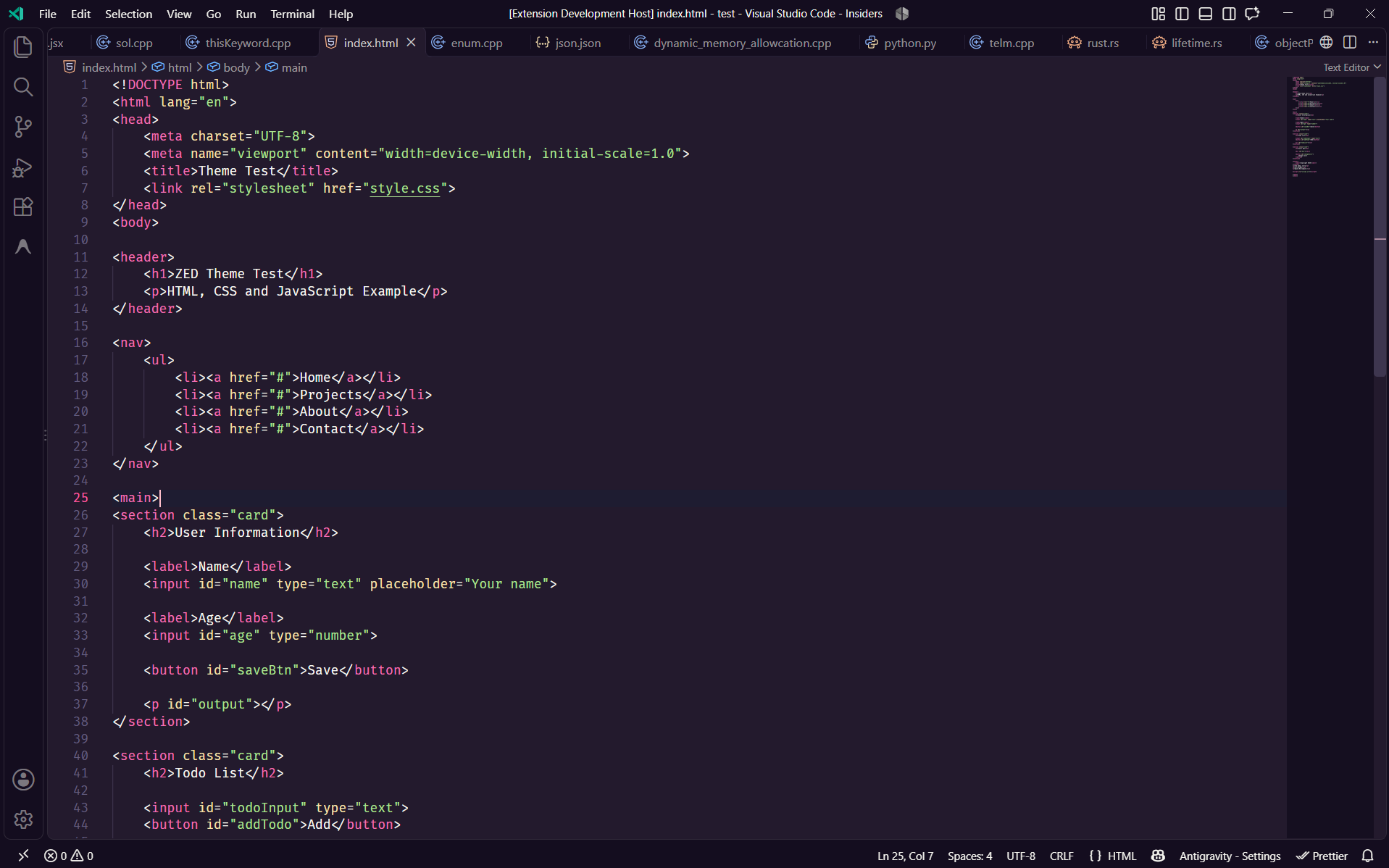
Lilt X
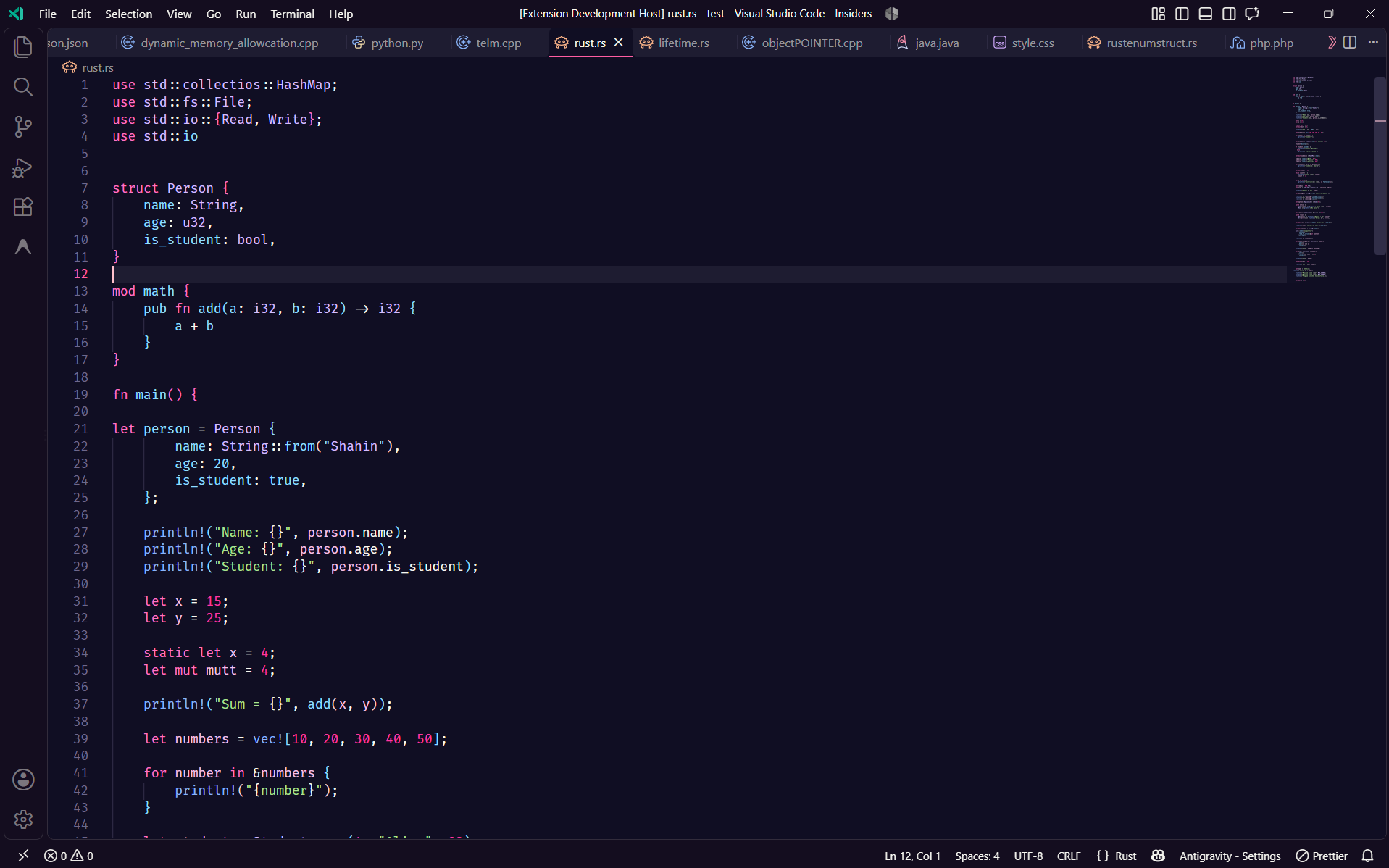
Lilt Light
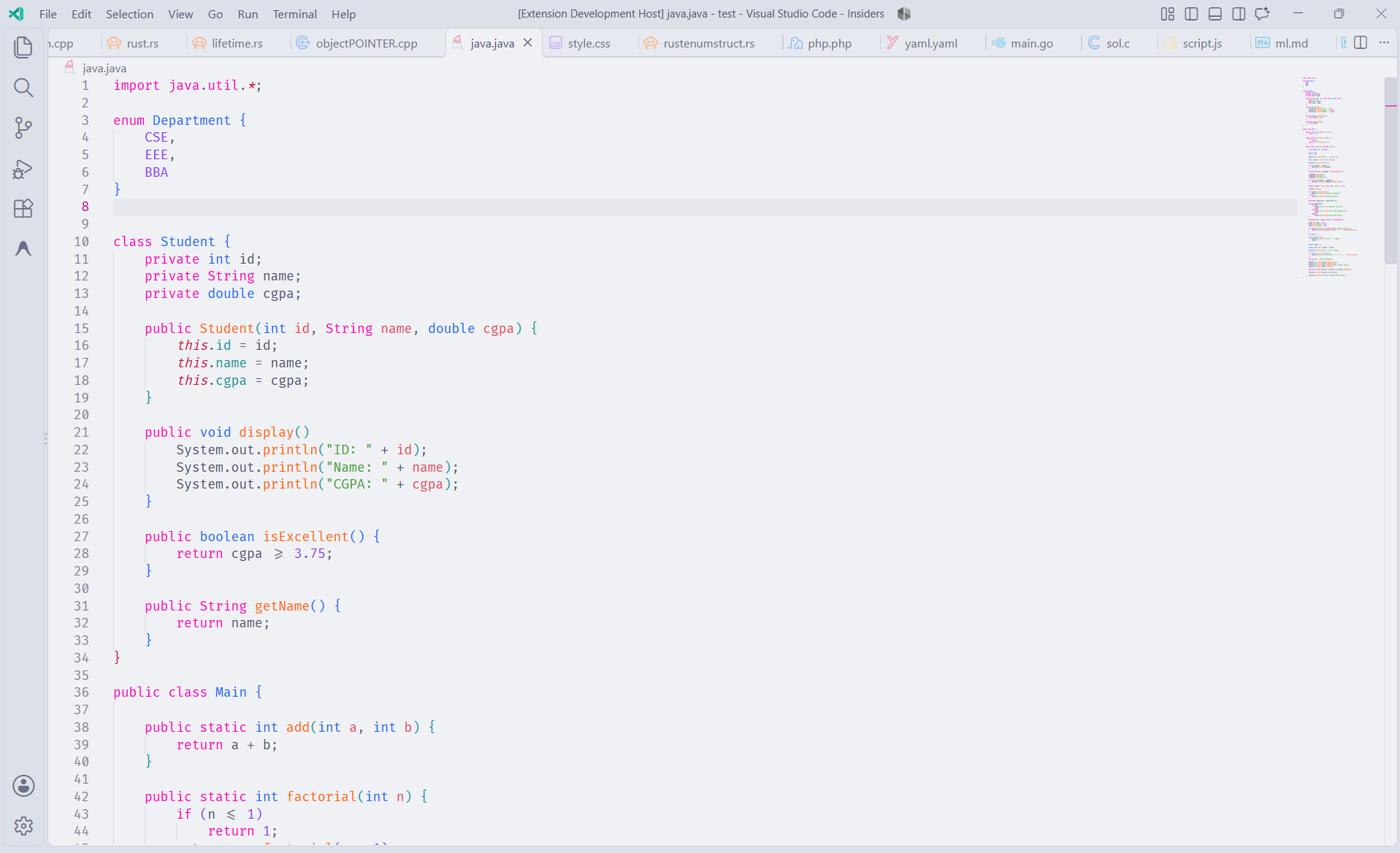
Installation
- Open the Extensions view (
Ctrl+Shift+X, or Cmd+Shift+X on macOS).
- Search for Lilt and click Install. You can also run
ext install zso-Rose.lilt from Quick Open (Ctrl+P).
- Open the color theme picker with
Ctrl+K Ctrl+T (Cmd+K Cmd+T on macOS) and choose a Lilt theme.
Good to know
- All six themes turn on semantic highlighting. Leave
editor.semanticHighlighting.enabled at its default (configuredByTheme) to see the full colors.
- Comments are italic in every Lilt theme.
Feedback
Found a color that looks off, or have an idea for a new variant? Open an issue.
License
MIT © 2026 zso
| |

