Sui Extension
The Sui extension provides seamless support for compiling, deploying, and testing Sui smart contracts directly within VS Code. It enhances development productivity, especially when using GitHub Codespaces, by enabling unified management of front-end and back-end development within a single repository.
Features
Compile Sui Smart Contracts: Easily compile your Sui smart contracts from within VS Code.
Deploy and Test: Deploy and test your smart contracts using the zkLogin-generated wallet, all from within the extension.
GitHub Codespaces Integration: Increase the efficiency of your development workflow with full support for GitHub Codespaces.
Unified Development: Manage both front-end and back-end code in a single repository for streamlined development.
Upgrade Smart Contracts: Seamlessly upgrade and test your smart contracts.
Upgrade.toml
To upgrade a package, place an Upgrade.toml (or upgrade.toml) file in the same directory as your Move.toml:
[upgrade]
package_id = "The address of the deployed package"
upgrade_cap = "The UpgradeCap is the central type responsible for coordinating package upgrades."
# policy = "compatible" # optional: compatible|additive|dep_only
UI helpers
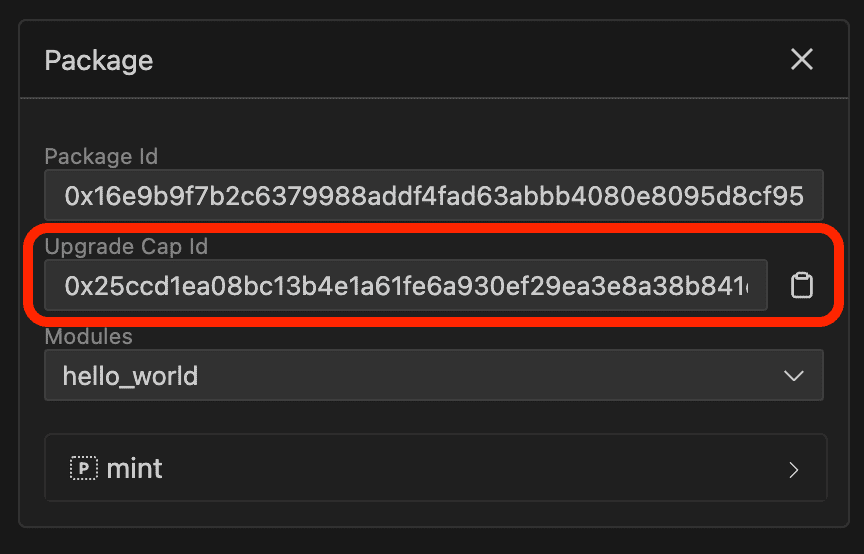
In Package Explorer, each package card shows an Upgrade Cap Id field. The extension auto-detects the UpgradeCap from the currently logged-in wallet:
- If an
UpgradeCap for that package_id is found, the package is upgradeable from that wallet.
- If not, upgrading is not available from that wallet.
The package card’s Upgrade.toml button helps you create/update Upgrade.toml:
- If the package was deployed from the Workspace (local folder path is known), it shows a save/document icon (📄) and saves
Upgrade.toml into that folder (prompts before overwriting).
- If the package was loaded by address (no local folder path), it shows a copy icon (📋) and copies the template to your clipboard.
- If the package is not upgradeable from the current wallet (no matching
UpgradeCap), the button is disabled.
After a successful publish from the Workspace, the extension automatically creates Upgrade.toml in that package folder (if it does not already exist). After a successful upgrade, it updates Upgrade.toml to point to the newly published package_id.
Requirements
- Sui CLI: Install the Sui command-line interface to interact with the Sui blockchain.
Note: If you are using GitHub Codespaces, please install Homebrew from https://brew.sh first to manage and install the Sui CLI.
- zkLogin: Set up zkLogin to generate wallets for contract deployment and testing. A Google account is required.
Quick Start
- Install prerequisites – Make sure the Sui CLI and zkLogin requirements above are met.
- Open a Sui workspace – Any folder containing a
Move.toml works, or scaffold one using the built-in templates (see Templates & Workshops).
- Launch the Activity Bar – Click the Sui Extension icon, log in via Google (zkLogin), and select a network.
- Build/Test/Deploy – Use the Workspace panel to run build/test or publish/upgrade with
Move.toml + optional Upgrade.toml.
- Explore & Iterate – Inspect objects/packages, invoke Move functions, or jump into PTB Builder for programmable transaction blocks.
Interface Overview
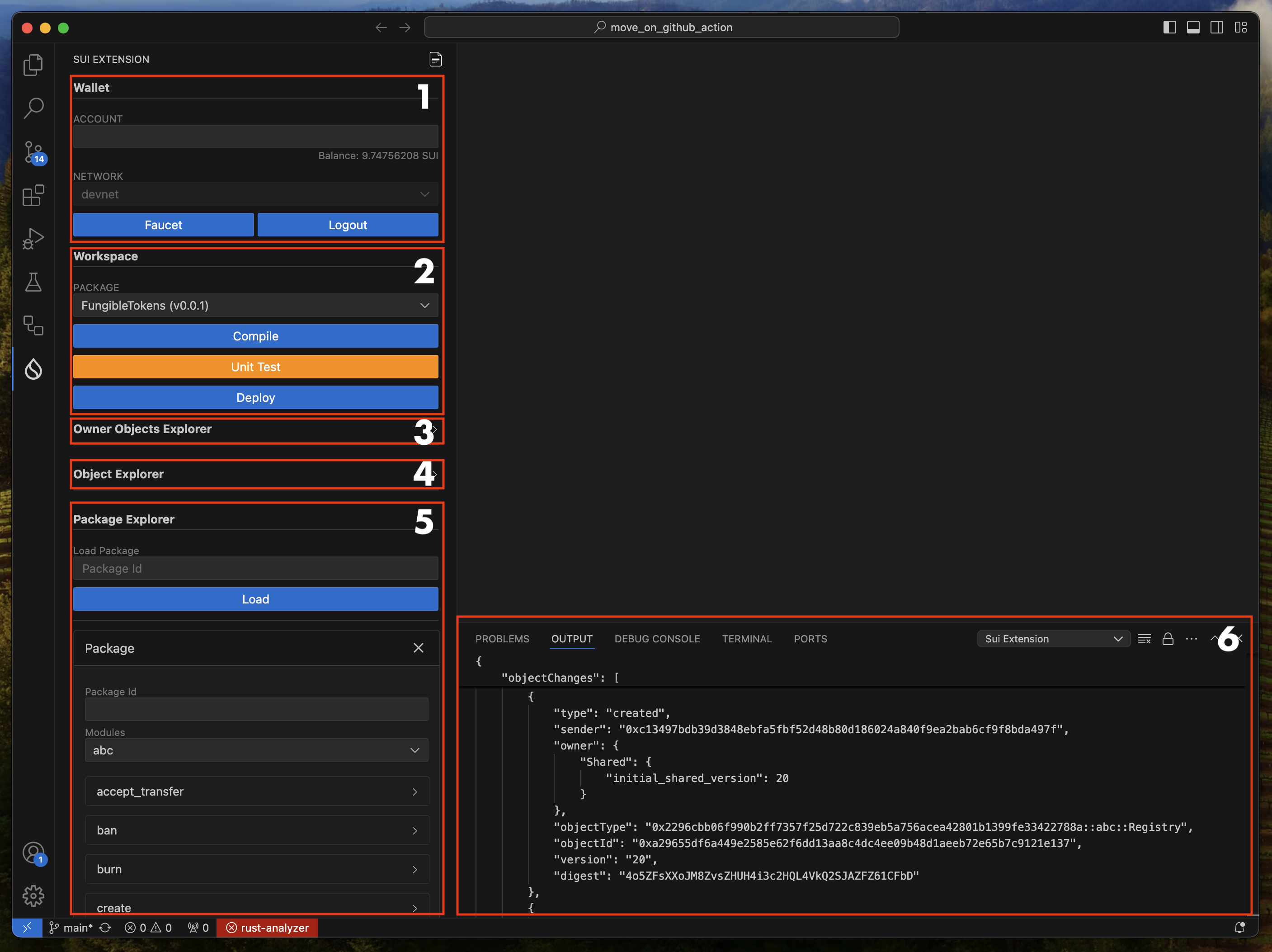
Wallet: This section of the interface is used to manage wallets. You can create a wallet using Sui’s zkLogin. After selecting a network, click the Google Login button to create a wallet. Please note that wallets created using zkLogin will require re-authentication after a specific period. The currently supported networks are Devnet and Testnet (accessible via Enoki).
Workspace: This section of the interface allows you to compile or deploy Smart Contracts. If you have multiple smart contracts in your repository, you can select the specific smart contract (Move.toml) and proceed with compilation or deployment. If there is an Upgrade.toml file in the same folder as the Move.toml file, the contract will be upgraded rather than published. Use the Format button. This ensures your code adheres to a consistent style, improving readability and maintainability.
Owner Objects Explorer: This section of the interface allows you to load and inspect owner objects, one of the key features of Sui. By loading objects, you can check its type to verify that it contains the appropriate information required for the function arguments of a deployed smart contract.
Object Explorer: This section of the interface allows you to load and inspect objects, one of the key features of Sui. By loading an object, you can check its type to verify that it contains the appropriate information required for the function arguments of a deployed smart contract.
Package Explorer: This section of the user interface allows you to test smart contracts. When you deploy a Smart Contract, it is automatically registered here. You can also manually enter the address of a previously deployed Smart Contract to register it. If the smart contract is loaded correctly, you will see a list of functions available to interact with the contract. Each package card also includes an Upgrade Cap Id field and an Upgrade button to help you prepare Upgrade.toml.
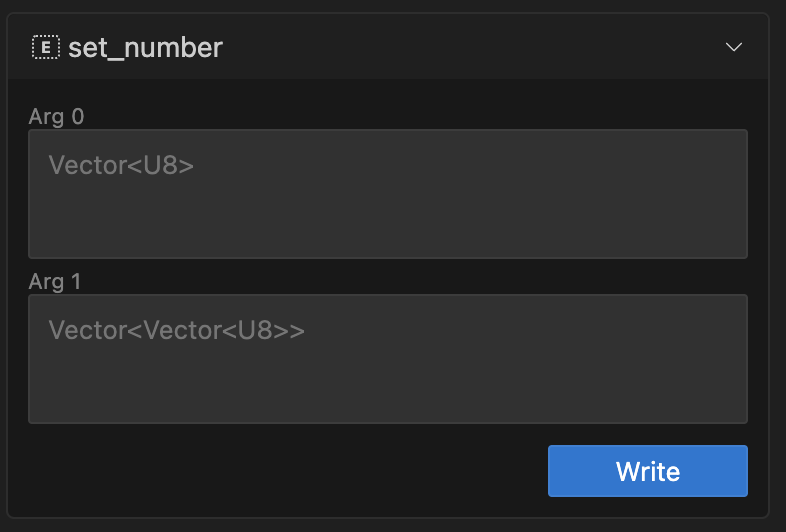
Move Call: Input Format for Multi-Vectors Using JSON Strings. When working with multi-vectors, the input must be provided in JSON string format. JSON is ideal for representing nested structures and allows handling multi-dimensional arrays effectively.
| Type |
JSON |
Vector<U8> |
[1, 2, 3, 255] |
Vector<Vector<U128>> |
[["1", "555"], ["123", "456", "789"]] |
Vector<Vector<Vector<Bool>>> |
[[[true, false], [true]], [[false, true]]] |
Output: In this section, you can view the transaction execution data in raw format. Please select Sui Extension in the Task.
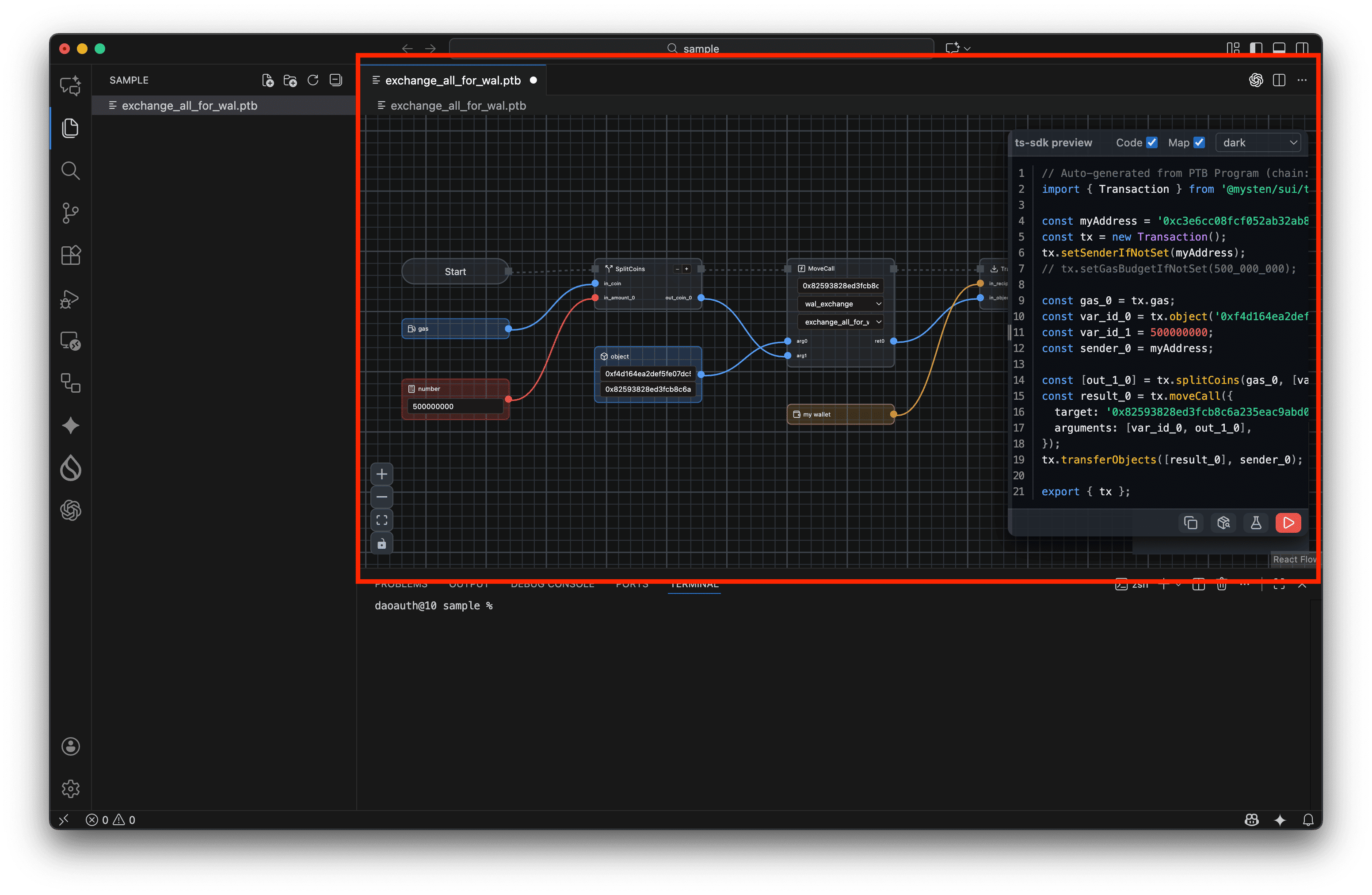
PTB-Builder: PTB Builder is a visual development tool for Programmable Transaction Blocks (PTBs), a core technology of the Sui blockchain. Designed to create a powerful synergy with Sui’s PTB capabilities, this tool allows both developers and non-developers to easily construct and manage complex transactions, maximizing the potential of this advanced technology and making it more accessible to a broader audience.
Templates & Workshops
Jump‑start a new Move package, PTB file, or even a full-stack dApp directly from the Command Palette. All templates live under Command Palette → “Sui Extension: …” so you can scaffold into the currently selected folder or workspace root.
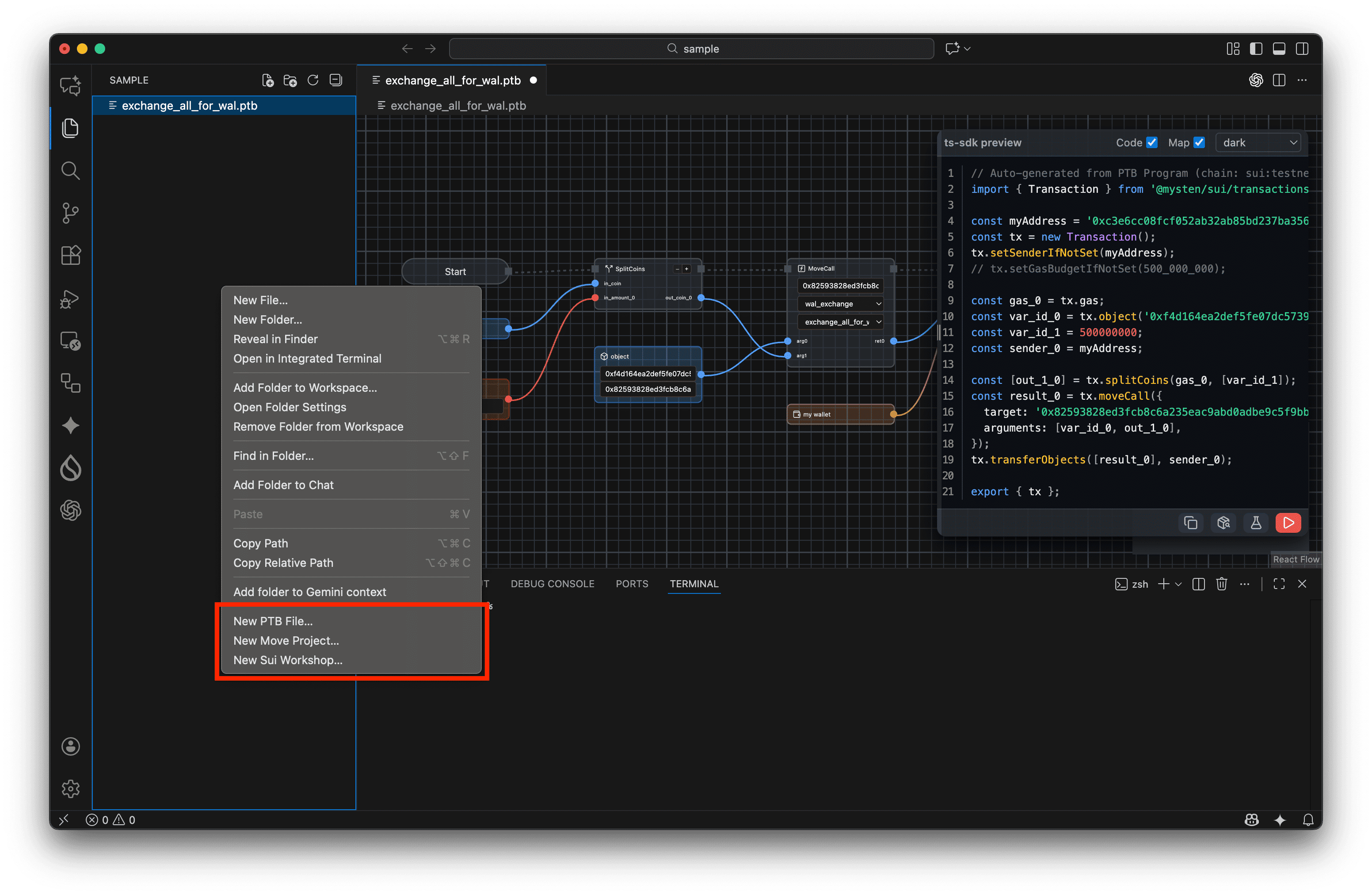
Sui Extension: New Move Project… (sui-extension.move.new.pick)Sui Extension: New PTB File… (sui-extension.ptbBuilder.new.pick)Sui Extension: New Sui Workshop… (sui-extension.workshop.new.pick)
Move templates
More than 30 Move blueprints are bundled, ranging from basics to advanced Mysten Labs samples:
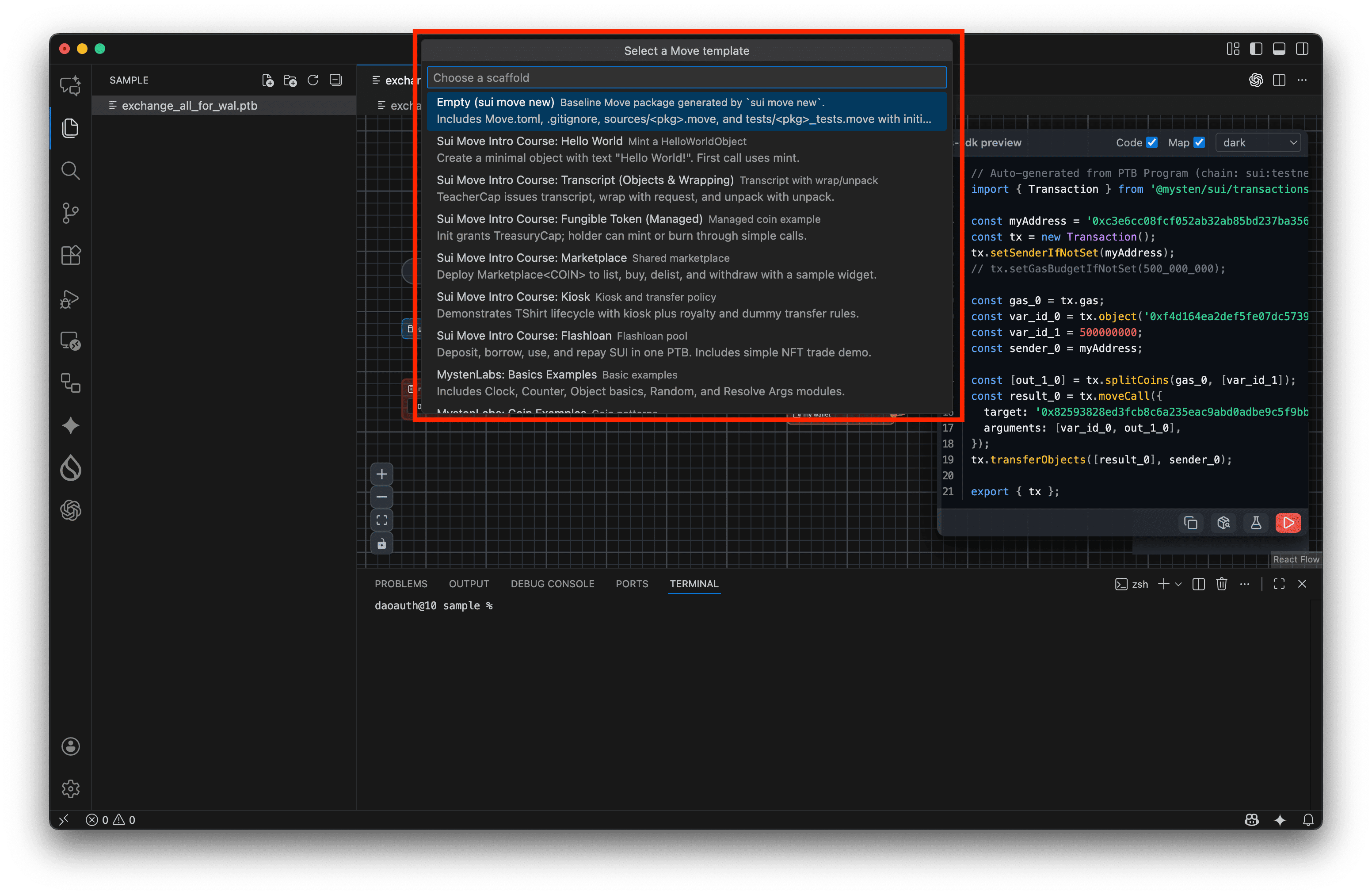
- Intro series: Hello World, Transcript, FT, Marketplace, Kiosk, Flashloan.
- Mysten samples: Coin, Color Object, Dynamic Fields, Entry Functions, First Package, Flash Lender, Hero RPG, Locked Stake, NFT Rental, Soulbound/NFT/Testnet templates, Object Bound, Profiles, Random Raffles/NFT/Slot Machine, Reviews & Ratings, Simple Warrior, Token, Trusted Swap, USDC Usage, VDF Lottery, and more.
- Empty template for a clean Move package.
PTB templates
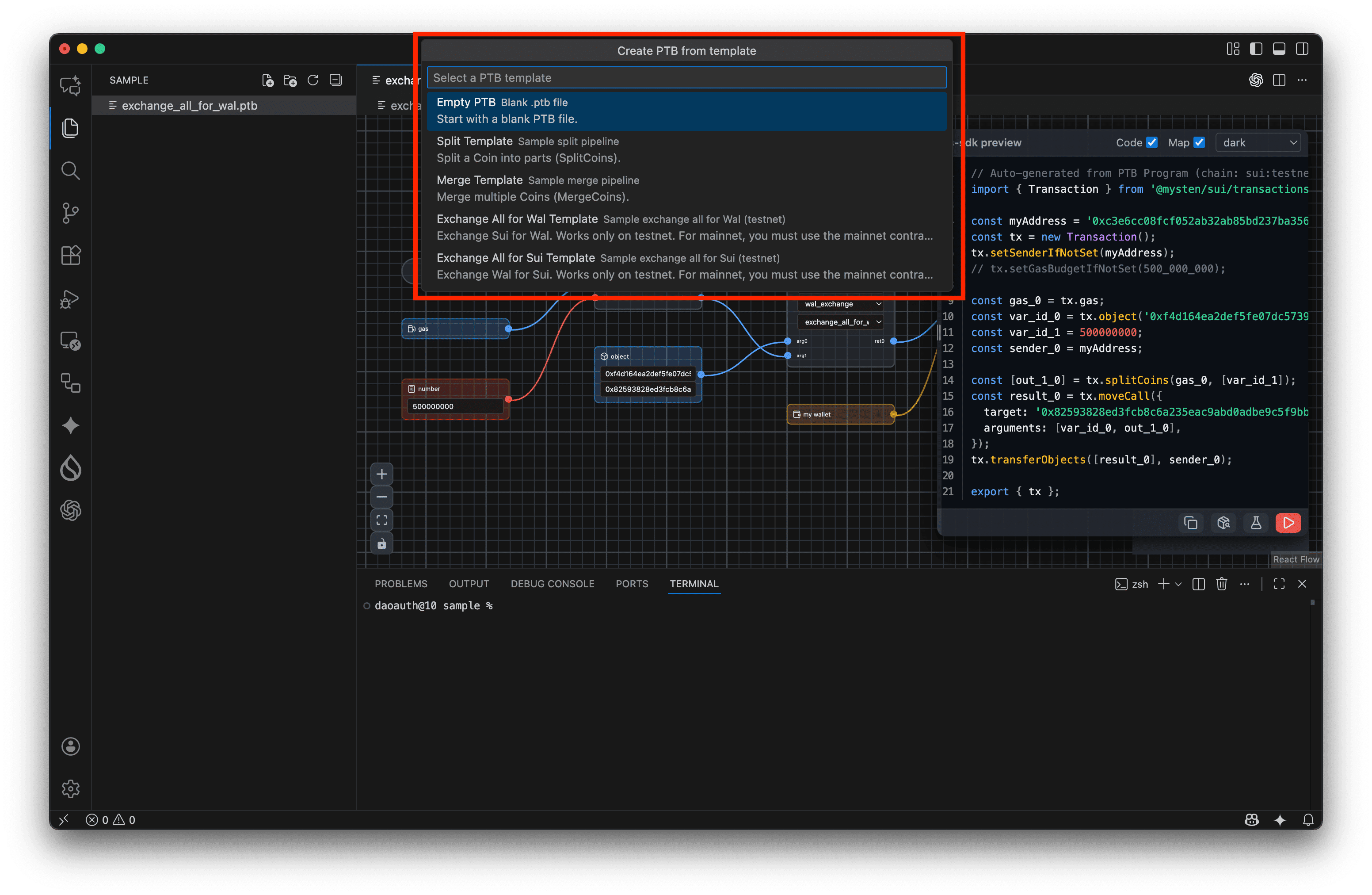
- Empty PTB file.
- Split/Merge programmable transaction blocks.
- Exchange-all-for-wallet or all-for-SUI automation examples.
Workshop templates (Move + frontend)
Each workshop unzips a ready-to-run project containing Move code, PTB samples, and a React/Vite frontend (with @mysten/dapp-kit where applicable):
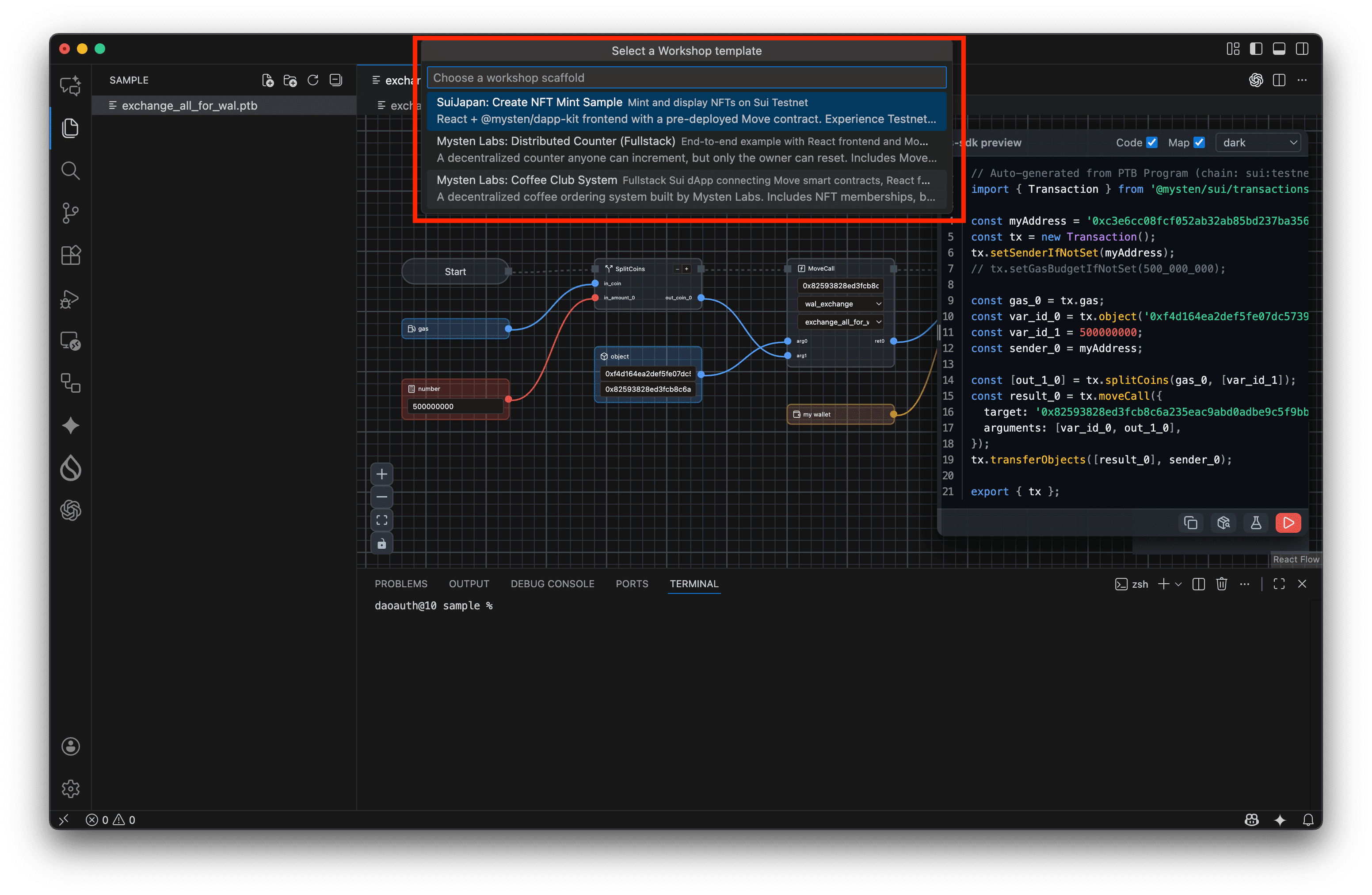
- SuiJapan: NFT Mint Sample – React UI wired to a pre-deployed NFT contract on Testnet.
- Mysten Labs: Distributed Counter – Full Move + React counter app demonstrating write/read flows end to end.
- Mysten Labs: Coffee Club System – Complete IoT-flavored dApp with memberships, blockchain events, and BLE coffee machine control.
Scaffolding finishes with an optional SOURCE.txt plus automatic README opening so you can follow each workshop’s guide immediately.
Extension Settings
- No additional configuration is required.
Docs
| |

