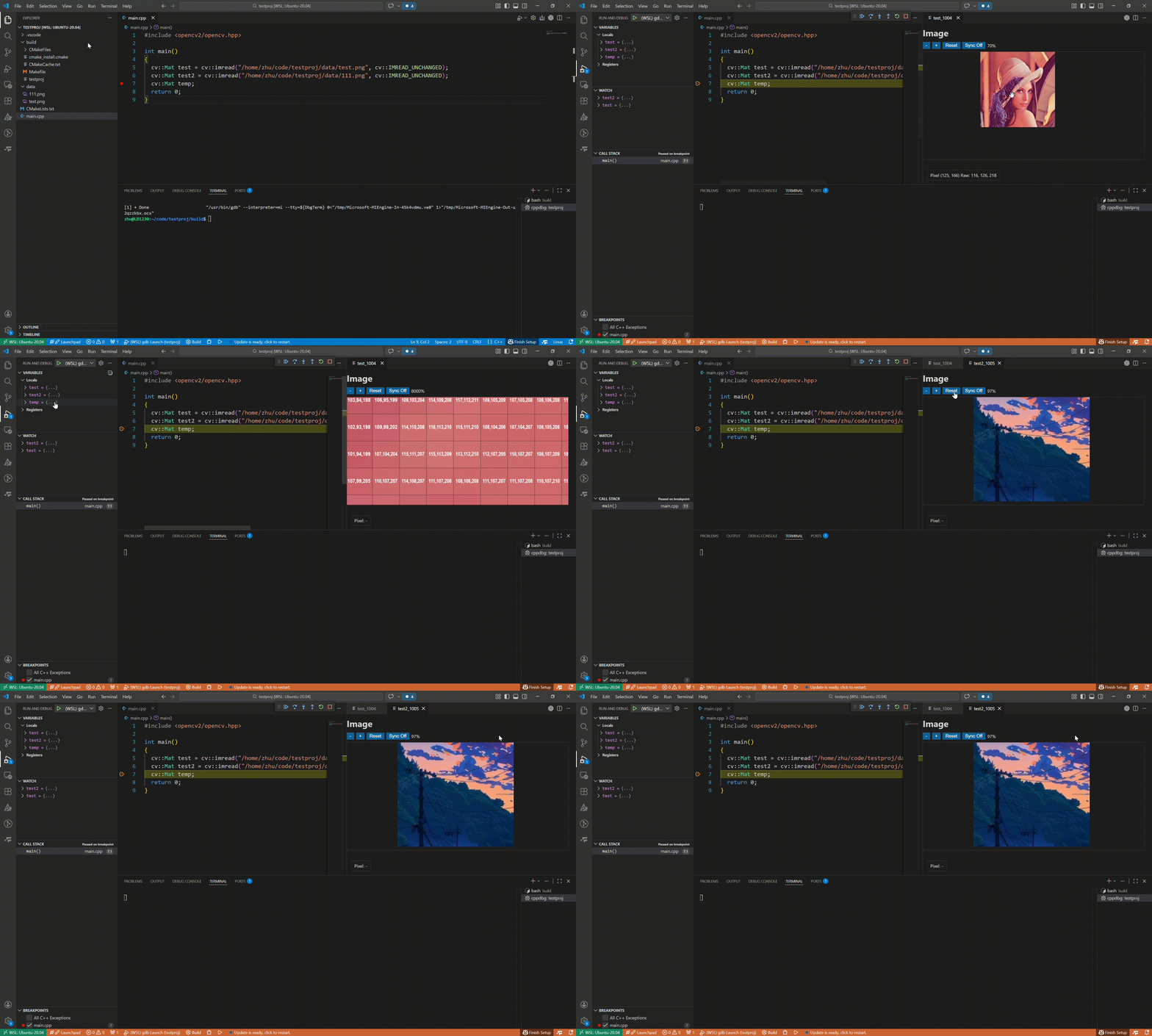
OpenCV C++ Image is a Visual Studio Code extension for inspecting cv::Mat values while debugging C++ programs.
It reads matrix metadata and raw pixel memory through the Debug Adapter Protocol, then renders the result in an interactive webview.
Key Features
Show image previews directly from debugger variables.
Display matrix values as a table (rows x cols x channels).
Support multiple OpenCV data types, including integer and floating-point matrices.
Zoom and pan large images, and read per-pixel values under the cursor.
Sync viewport (zoom/pan) across opened images with the same size.
Clean up generated preview files automatically when the debug session ends.
How It Works
Start a C++ debug session in VS Code.
In the Variables panel, right-click a cv::Mat variable.
Run Show Image (opencv-image.image) from the context menu.
The extension reads memory, converts image data, and opens a webview for inspection.