marktodocx for VS Code
Convert Markdown files to Word (.docx) directly from VS Code — headings, lists, tables, code blocks, blockquotes, local images, and Mermaid diagrams all preserved.
marktodocx uses the same shared conversion core as the marktodocx Chrome extension, CLI, and agent skill, so one Markdown file renders to the same DOCX output everywhere.
Preview
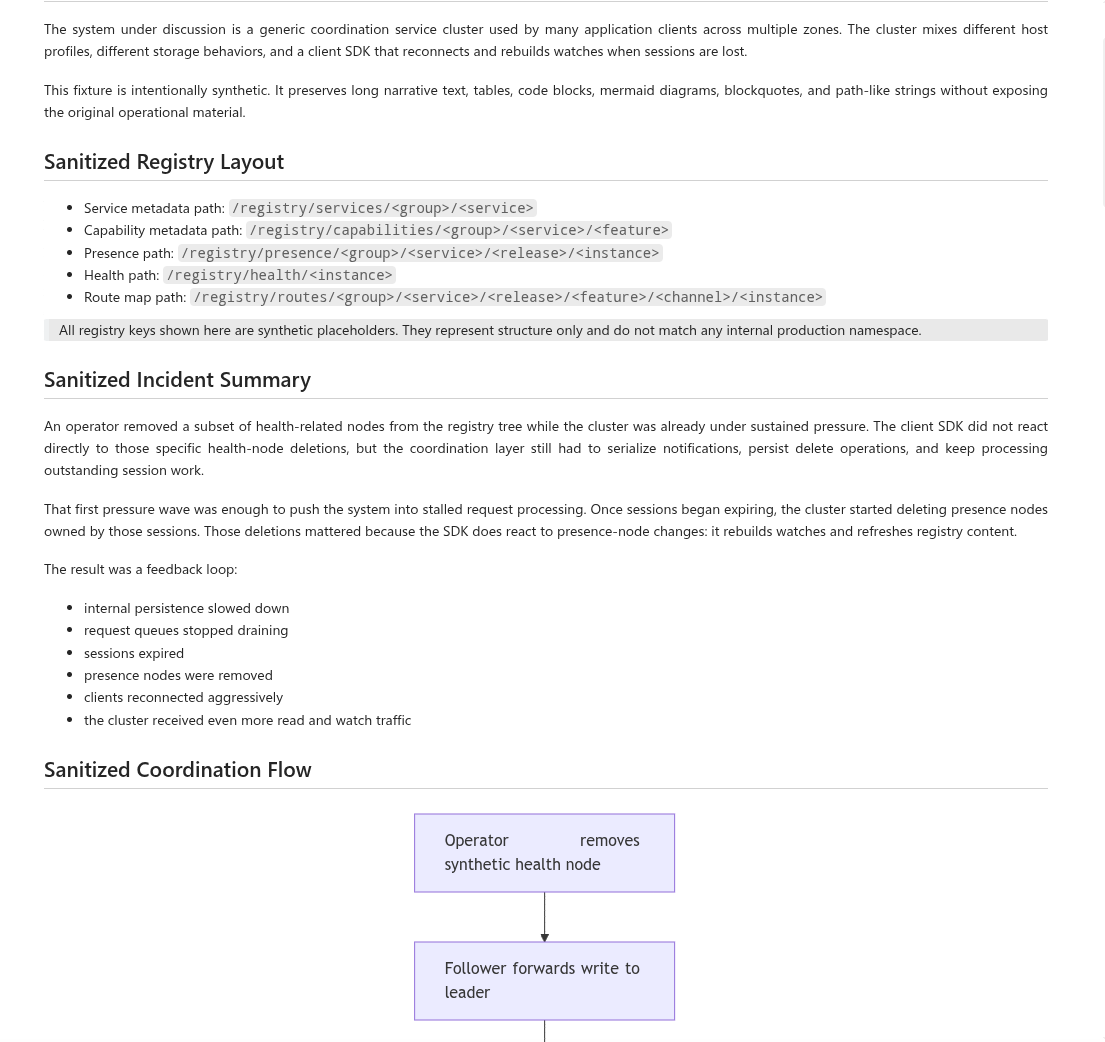
Markdown source preview:
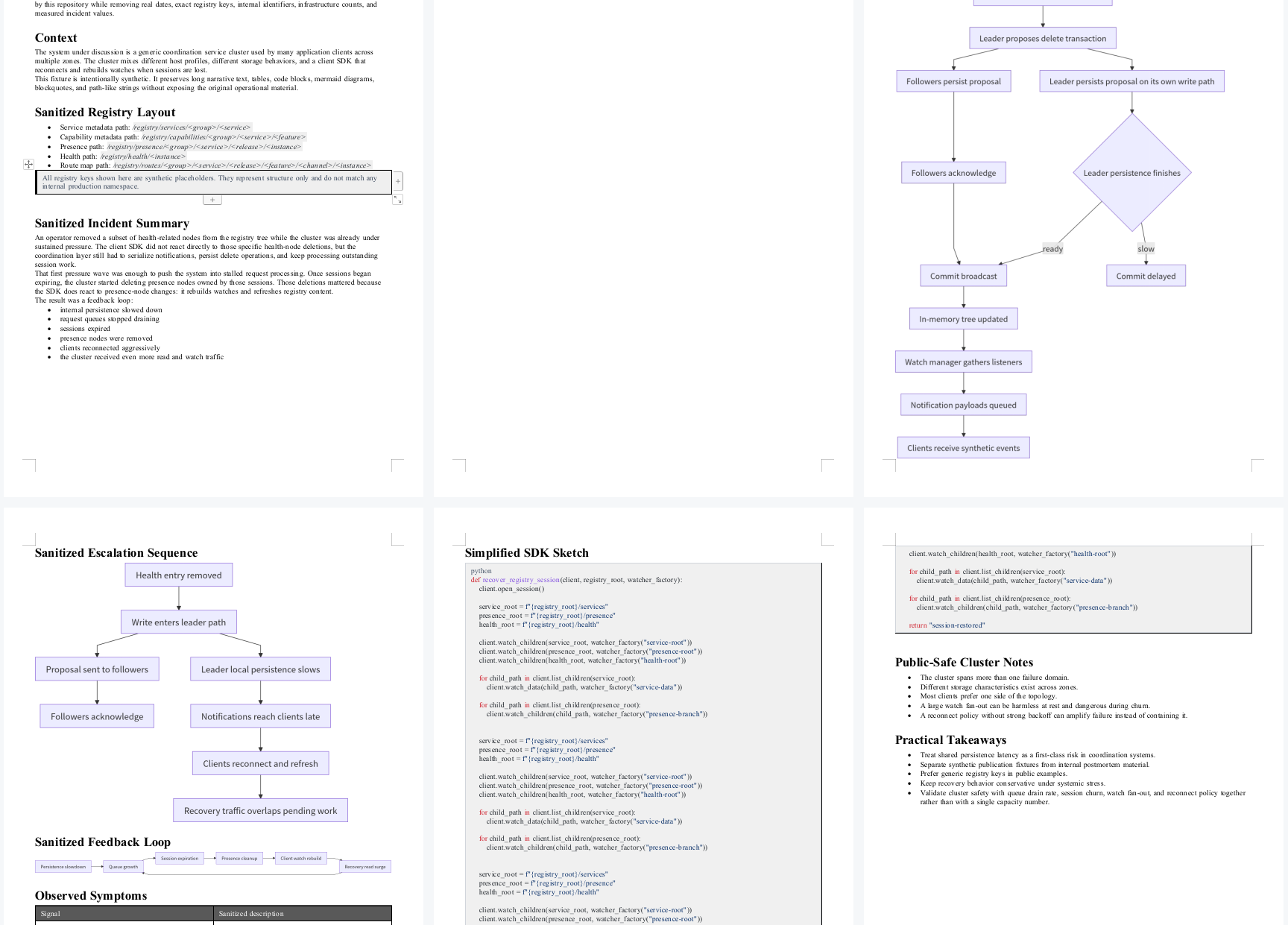
Generated DOCX preview:
Features
- Convert any
.md or .markdown file with a single command
- Right-click a Markdown file in the Explorer or editor to convert it
- Preserves headings, paragraphs, ordered/unordered lists, tables, code blocks with syntax highlighting, blockquotes, and local images
- Renders Mermaid diagrams to static images inside the DOCX via an internal webview (no extra setup)
- Configurable through shared style presets, margin presets, inline JSON, or targeted dotted-path overrides
- Output location chosen through a standard save dialog
Usage
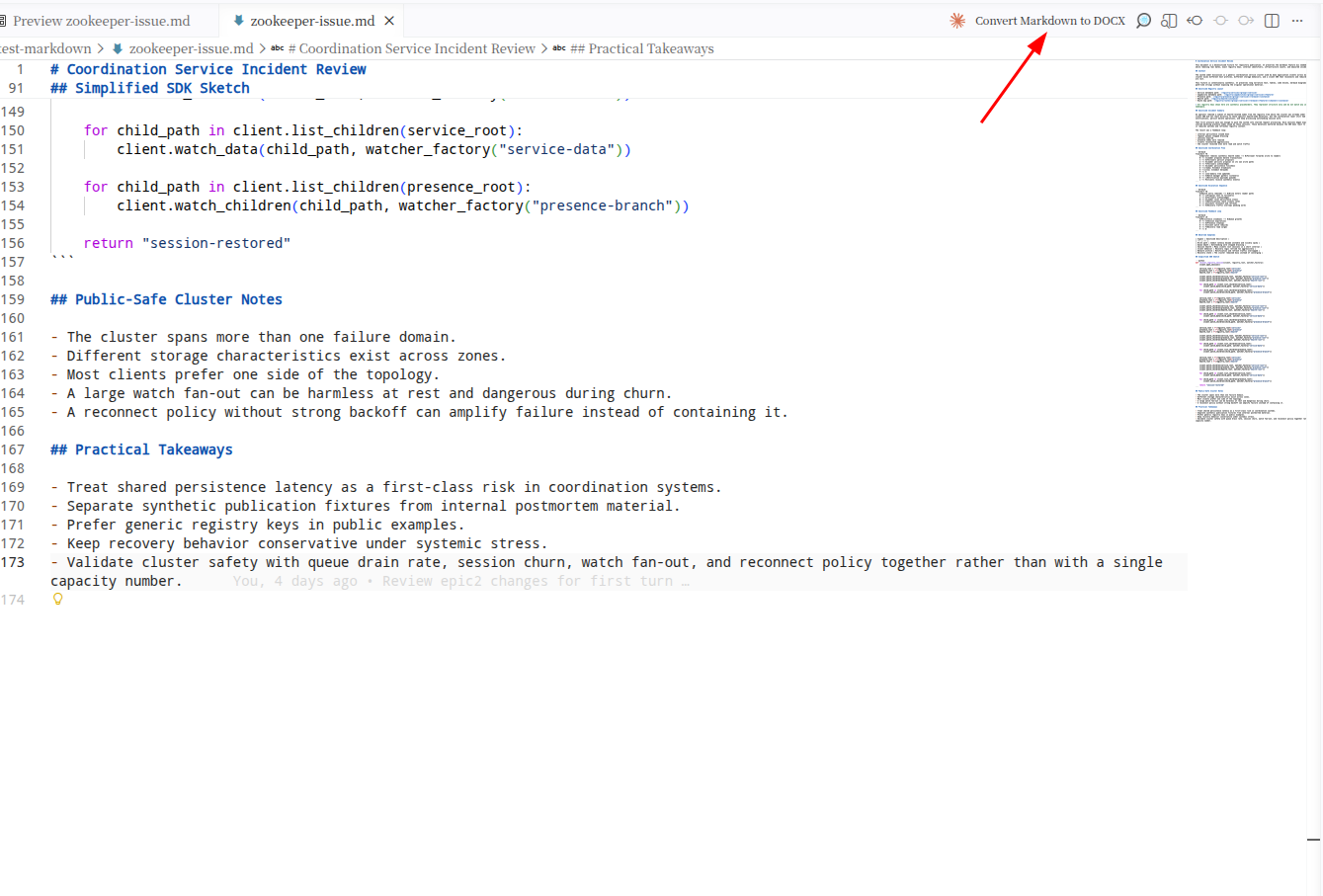
Command placement in VS Code:
- Open a workspace that contains your Markdown file and any local images it references
- Run the command in one of these ways:
- Right-click a
.md file in the Explorer and pick marktodocx: Convert to DOCX
- Right-click inside an open Markdown editor and pick the same command
- Open the Command Palette and run
marktodocx: Convert Markdown to DOCX
- Pick the output path in the save dialog
Settings
| Setting |
Description |
marktodocx.stylePreset |
Base style preset: default, minimal, or report |
marktodocx.marginPreset |
Page margin preset override: default, compact, wide, or empty |
marktodocx.styleJson |
Inline style JSON string or a workspace-relative path to a JSON file |
marktodocx.styleSet |
Targeted overrides such as body.fontSizePt=12 or blockquote.italic=false |
Explicit settings override preset defaults field by field, so you can start from a preset and tweak just what you need.
Requirements
- VS Code 1.97 or later
- A workspace folder containing the Markdown file — local images must be reachable from that workspace
- Mermaid rendering runs inside a hidden VS Code webview; no extra dependency is needed
Limitations
- Remote image URLs are not downloaded; use local paths
- Supported image formats:
png, jpg, jpeg, gif, webp, svg
- Mermaid diagrams render as static images (not editable in Word)
- The Markdown file must be inside an open workspace so its sibling images resolve correctly
Install
Once published to the Marketplace, install one of these ways:
- Open the Extensions view in VS Code, search for
marktodocx, and click Install
- Or run from the Command Palette:
ext install zhao-kun.marktodocx-vscode-extension
- Or install the
.vsix directly: code --install-extension marktodocx-vscode-extension.vsix
To build a .vsix from source instead, see the project repository's docs/publishing.md.
Feedback
Issues and suggestions are welcome at the issue tracker.
License
MIT © Kun Zhao
Maintainers
Release process is documented in docs/publishing.md at the project root.

