Minify Modern Lite: JS, TS, CSS, HTML, JSON
Lite (free on the Marketplace) minifies the current file or selection with one command. Output goes to a .min file next to your source, so your original is never touched unless you ask.
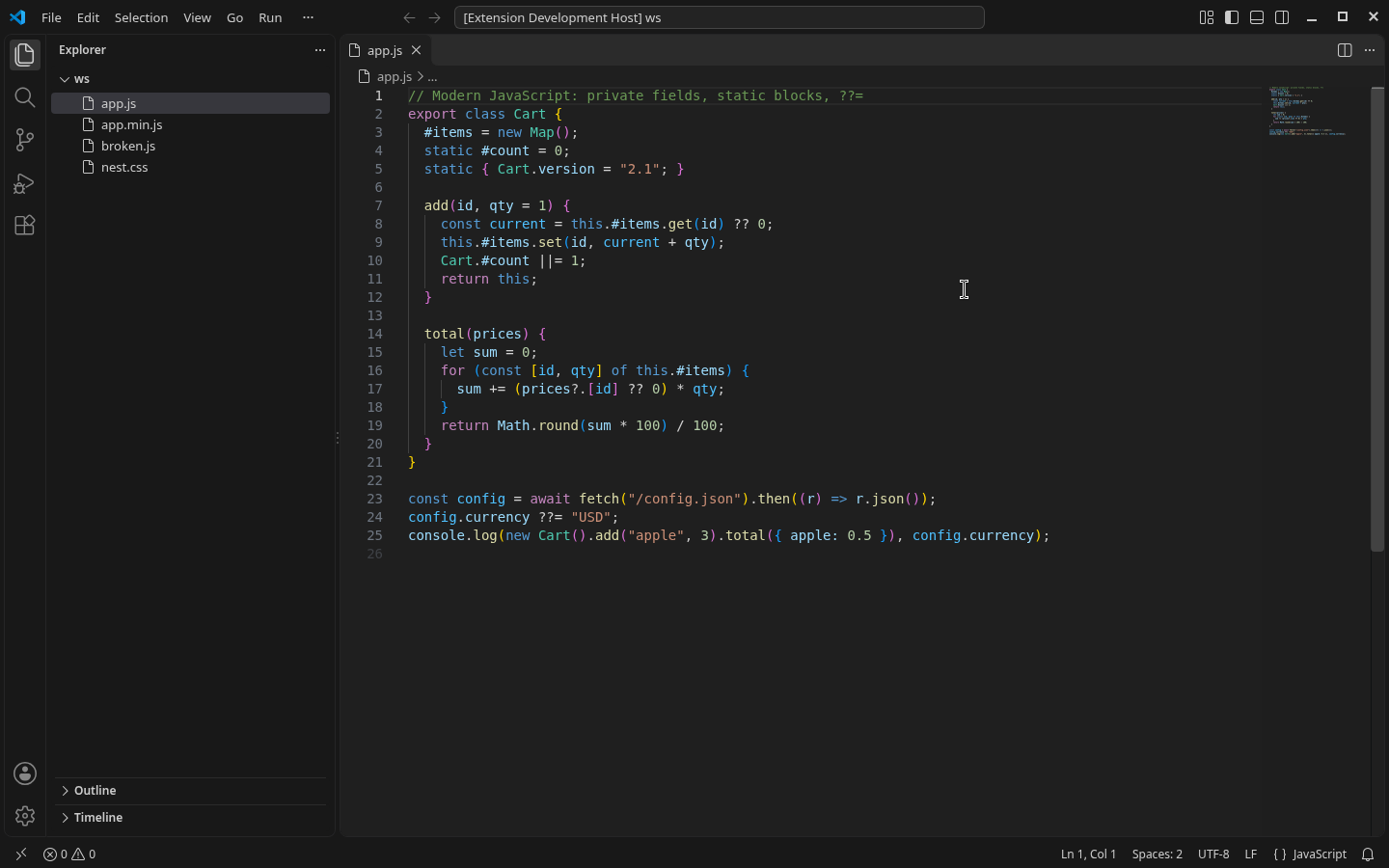
Built on terser, lightningcss and html-minifier-terser, which understand modern syntax: private class fields, static blocks, optional chaining, top-level await and CSS nesting.
Lite vs Pro
|
Lite (this extension, free) |
Pro (paid add-on, $9) |
| Minify File / Selection |
Yes |
Yes (uses Lite) |
| Minify on Save |
Yes |
Yes |
| Modern JS / TS / CSS nesting / HTML / JSON |
Yes |
Yes |
| Batch minify by glob |
No |
Yes |
| Source maps |
No |
Yes |
| Watch mode (incl. changes outside VS Code) |
No |
Yes |
| Size + gzip / brotli report |
No |
Yes |
| Saved presets (safe / balanced / smallest / custom) |
No |
Yes |
| Offline, no telemetry |
Yes |
Yes |
Lite is complete and unlimited (MIT). You never need Pro to use the free features. If you minify many files or need maps, watch mode or a size report, get Pro.
Get Minify Modern Pro ($9) — one-time purchase, .vsix add-on (not on the Marketplace). Requires this free extension, zecro.zecro-minify.
Commands
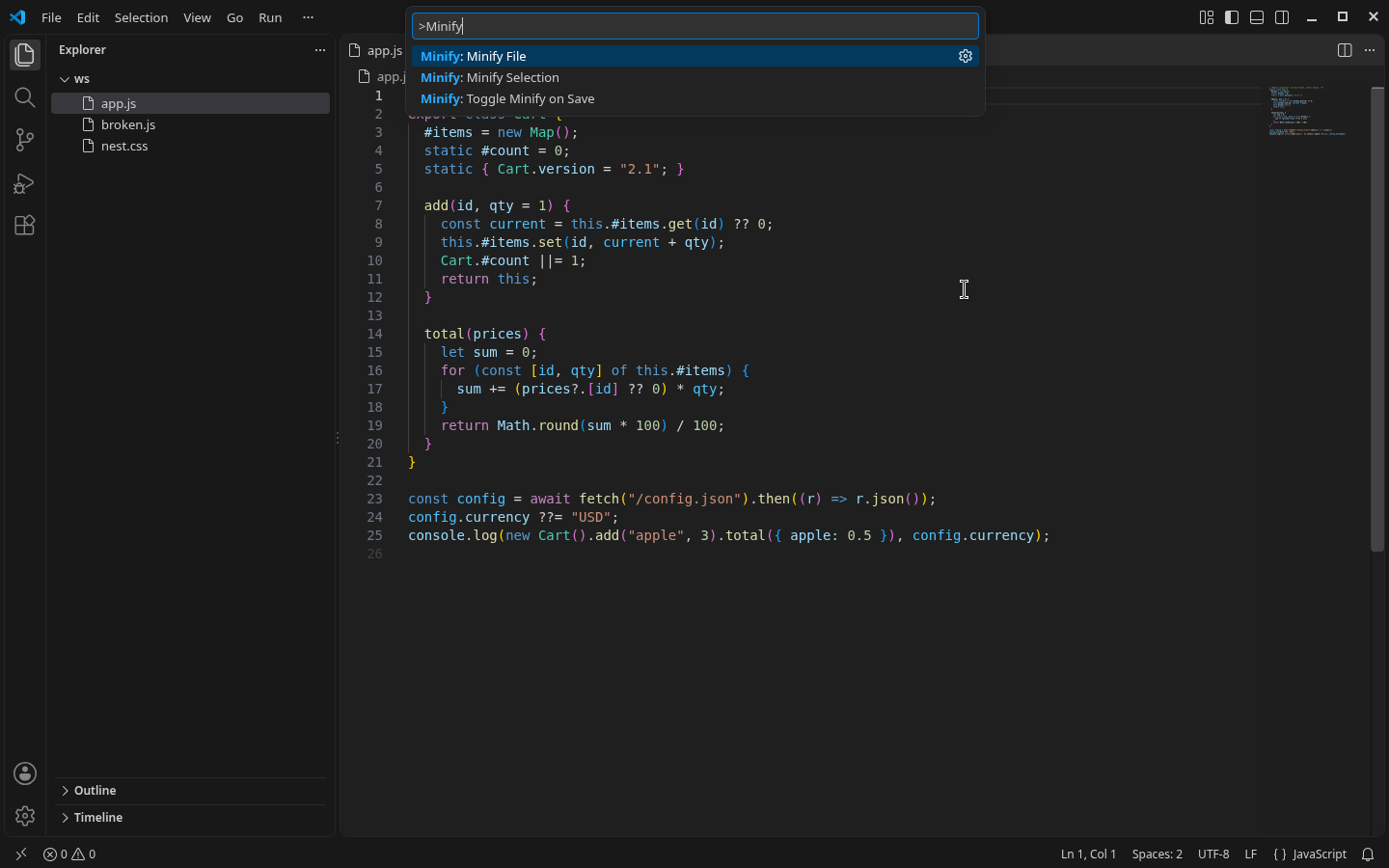
Open the Command Palette (Ctrl/Cmd+Shift+P) and type Minify:
| Command |
What it does |
| Minify: Minify File |
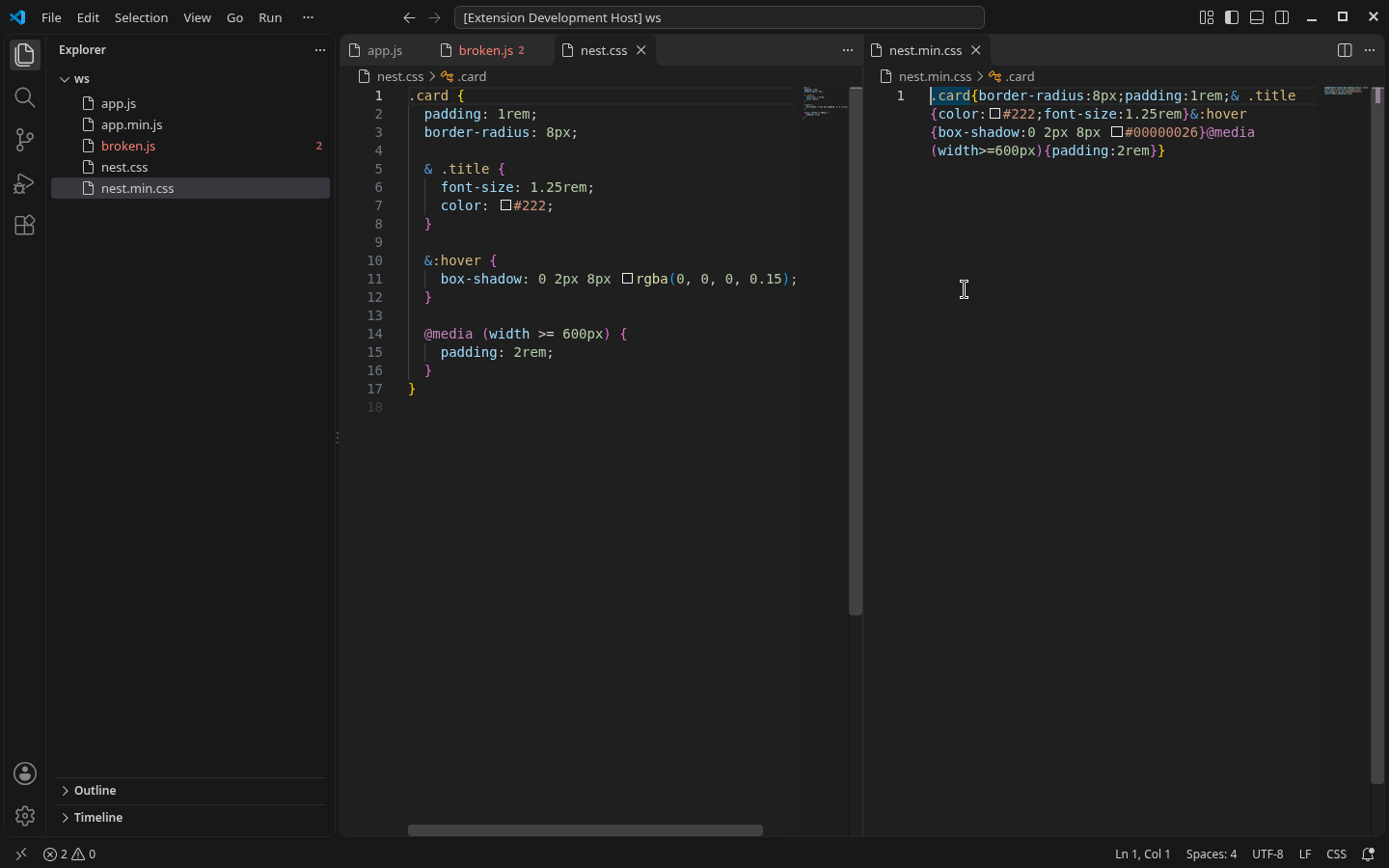
Writes name.min.ext next to the file (TypeScript → name.min.js). Also on the Explorer right-click menu. |
| Minify: Minify Selection |
Replaces the selected code with its minified form. Names are not shortened, so code outside the selection keeps working. Undo with Ctrl/Cmd+Z. |
| Minify: Toggle Minify on Save |
Writes the .min file each time you save. Off by default. |
Languages
- JavaScript (
.js .mjs .cjs .jsx): ES2024, including private fields (#x), static {} blocks, ??=, BigInt and top-level await in modules. Identifiers containing $ are handled correctly.
- TypeScript (
.ts .mts .cts .tsx): types are removed, then the code is minified to JavaScript. Type checking is not performed.
- CSS: nesting,
@layer, @container, :has(), custom properties. Nested rules are kept as nested CSS.
- HTML: whitespace, comments, inline
<style> and <script>. The contents of <pre> and <textarea> are left as is.
- JSON / JSONC: comments and trailing commas are removed.
Safety
- Your source file is never overwritten by default.
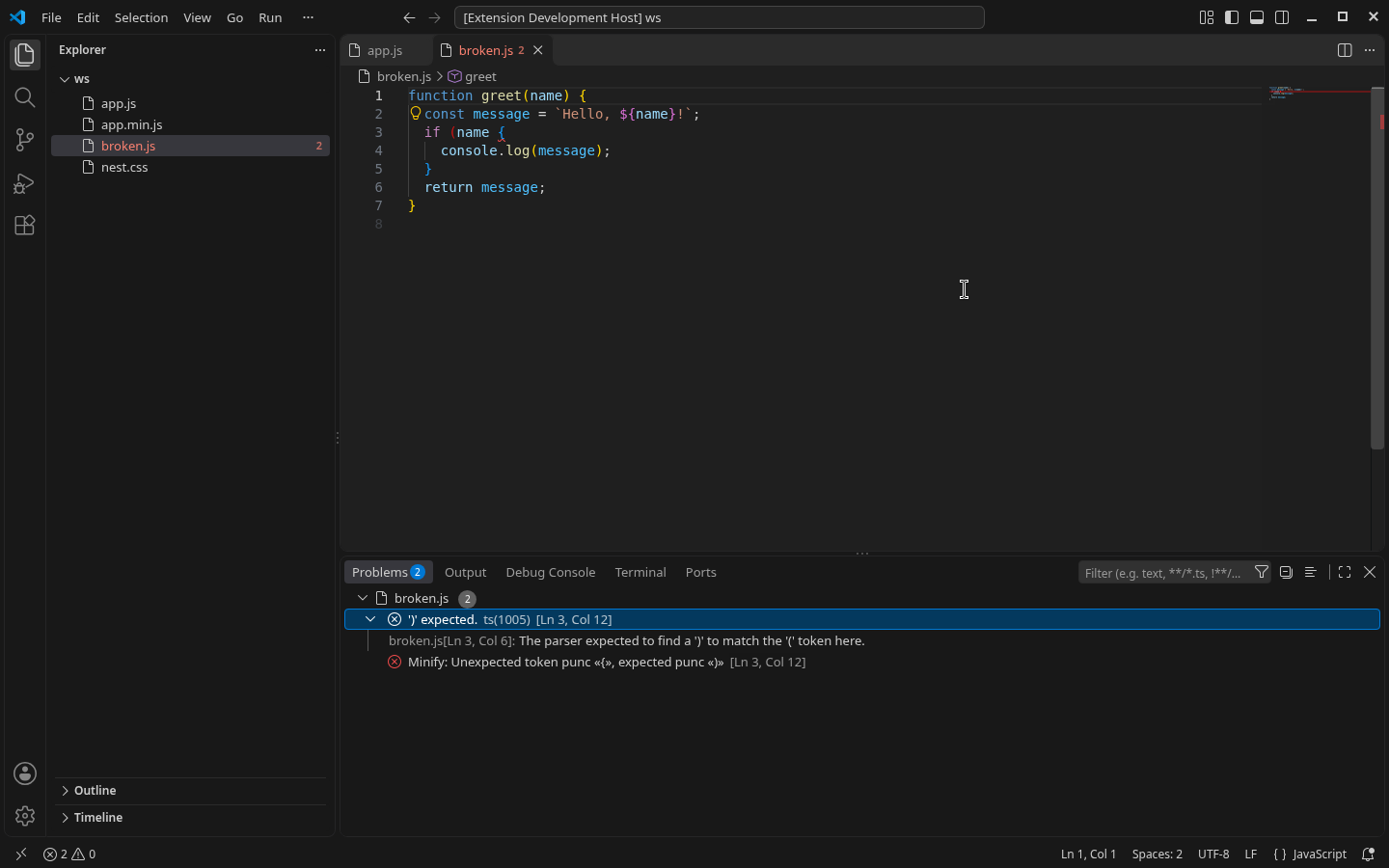
- If the code has a syntax error, you get the line and column, and no file is written.
.min.* files are never minified again.- Minify on save never overwrites the source, even when
overwriteSource is on.
Settings
| Setting |
Default |
Description |
zecroMinify.onSave |
false |
Write a .min file on save. |
zecroMinify.onSaveLanguages |
["javascript","css","html"] |
Languages that minify on save. |
zecroMinify.overwriteSource |
false |
Minify File replaces the text in the editor instead of writing .min (not available for TypeScript). |
zecroMinify.mangle |
true |
Shorten local variable names in JavaScript. |
zecroMinify.keepLicenseComments |
true |
Keep /*! … */ and @license comments. |
zecroMinify.showStatusBar |
false |
Always show the on-save toggle in the status bar. |
Privacy
Everything runs on your computer. The extension makes no network requests and has no telemetry.
Not included
There is no obfuscation feature. For full app builds, use a bundler (esbuild, Vite, webpack). Batch minify, source maps, watch mode, size reports and presets are Pro only (see the table above).
License and support
MIT; bundled libraries keep their own licenses (see THIRD-PARTY-NOTICES.md). Governed by the laws of the State of Washington, USA. © 2026 Zecro LLC. Support: bhamlefty@gmail.com

