SQLite Desk: Open .db / .sqlite Files, Browse Tables, Run SQL
Click a .db, .sqlite or .sqlite3 file and it opens in VS Code: tables, schema and a SQL runner. Read-only by default. No ads, no login, no telemetry, no network, no sqlite3 CLI to install.
Get SQLite Desk Pro ($12 one-time). It adds a Markdown PASS/FAIL query report and schema diff between two databases, plus row editing with an explicit Save, CSV/JSON import, JSON/SQL/multi-table export, an ER diagram and query history.
SQLite Desk is a database file viewer. (Looking for a SQL formatter? That's a different extension, SQL Format Desk.)
Screenshots
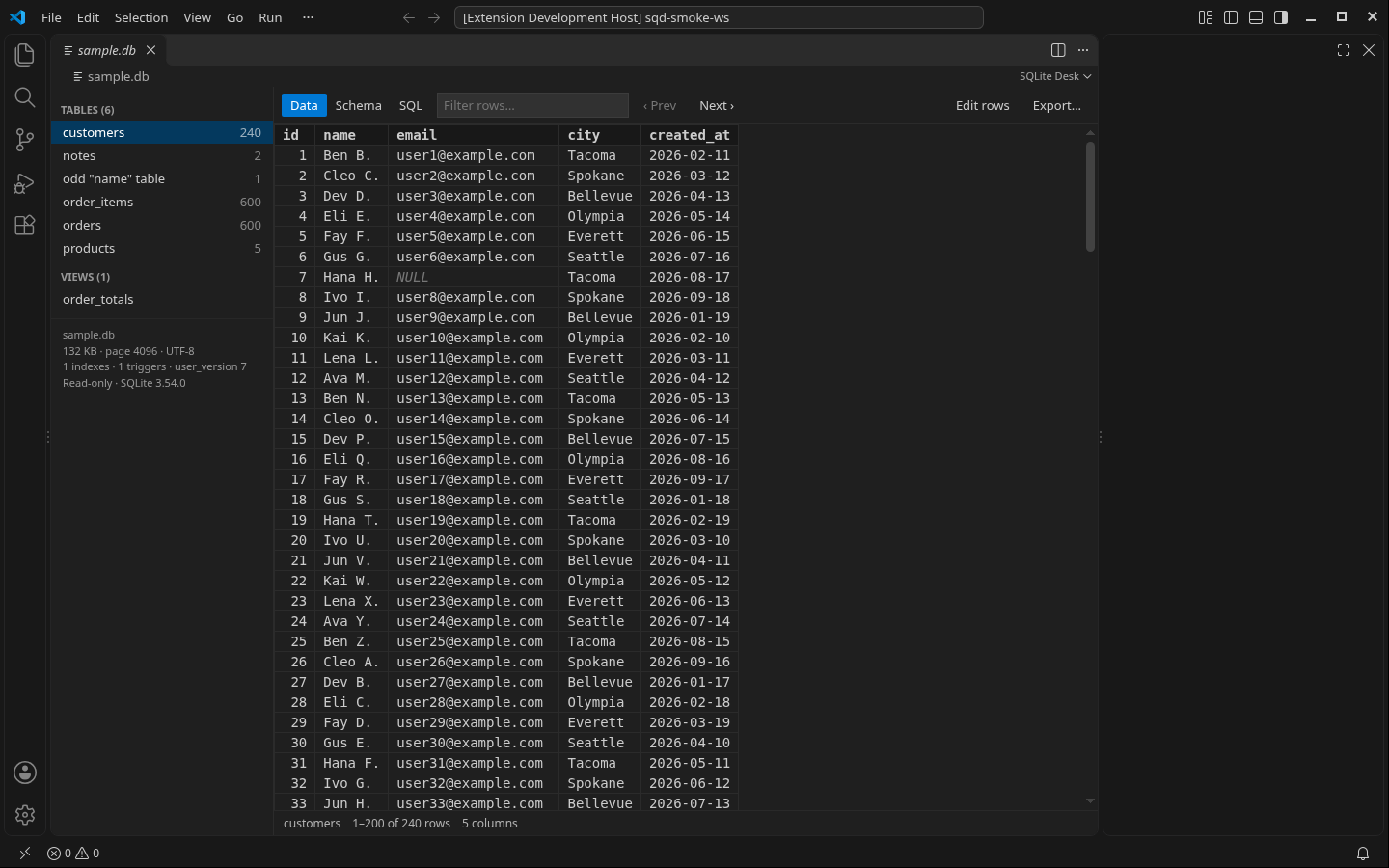
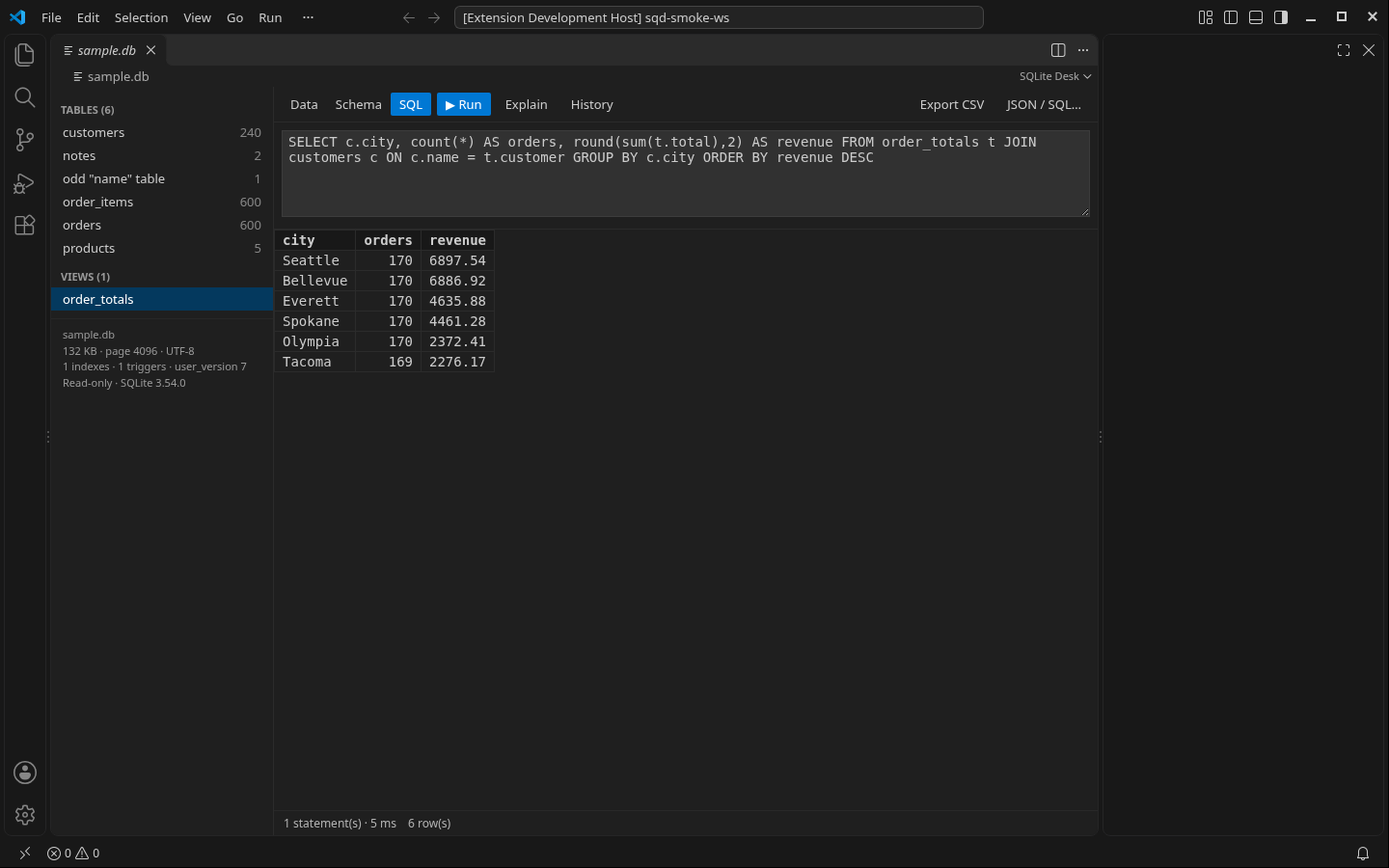
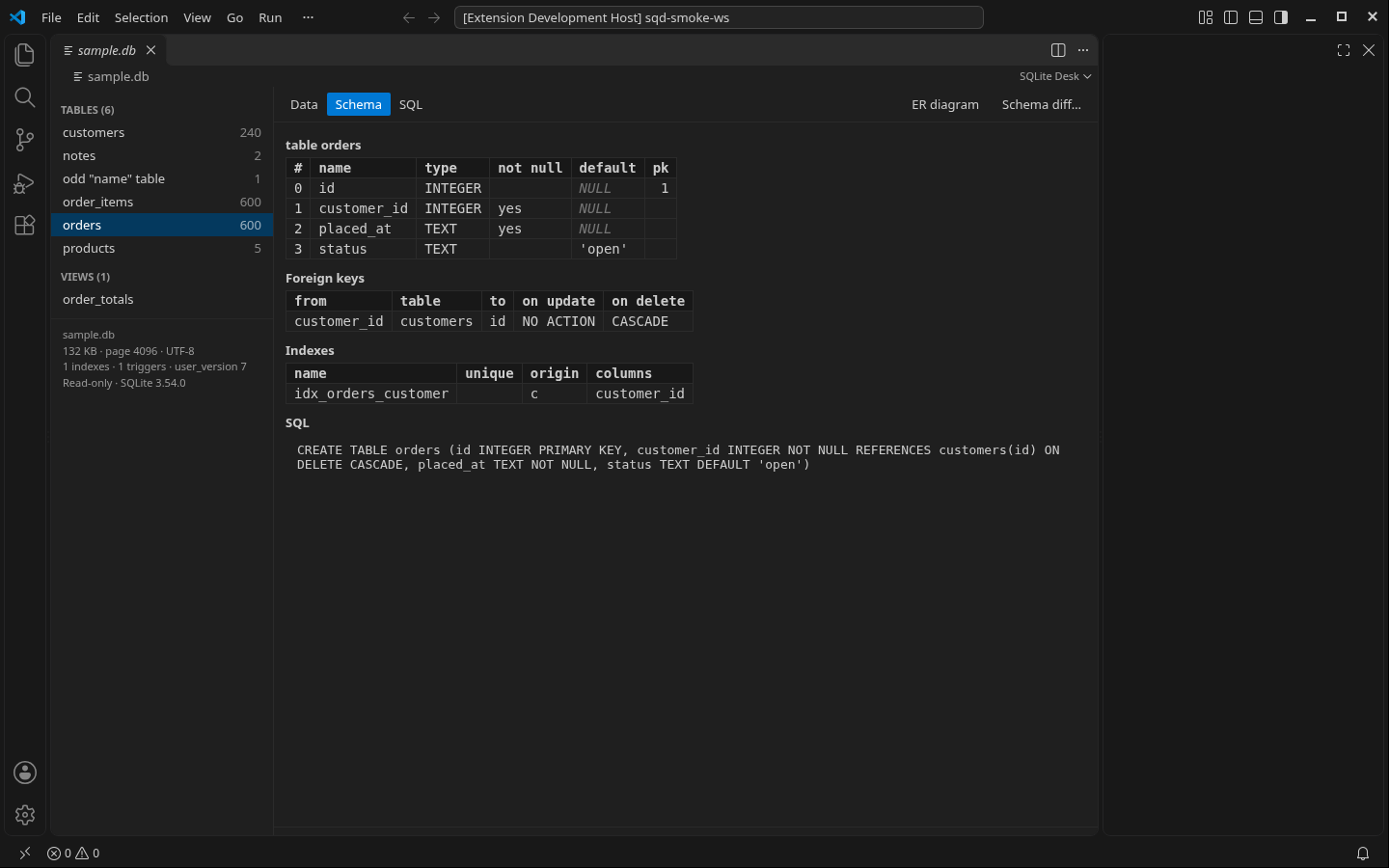
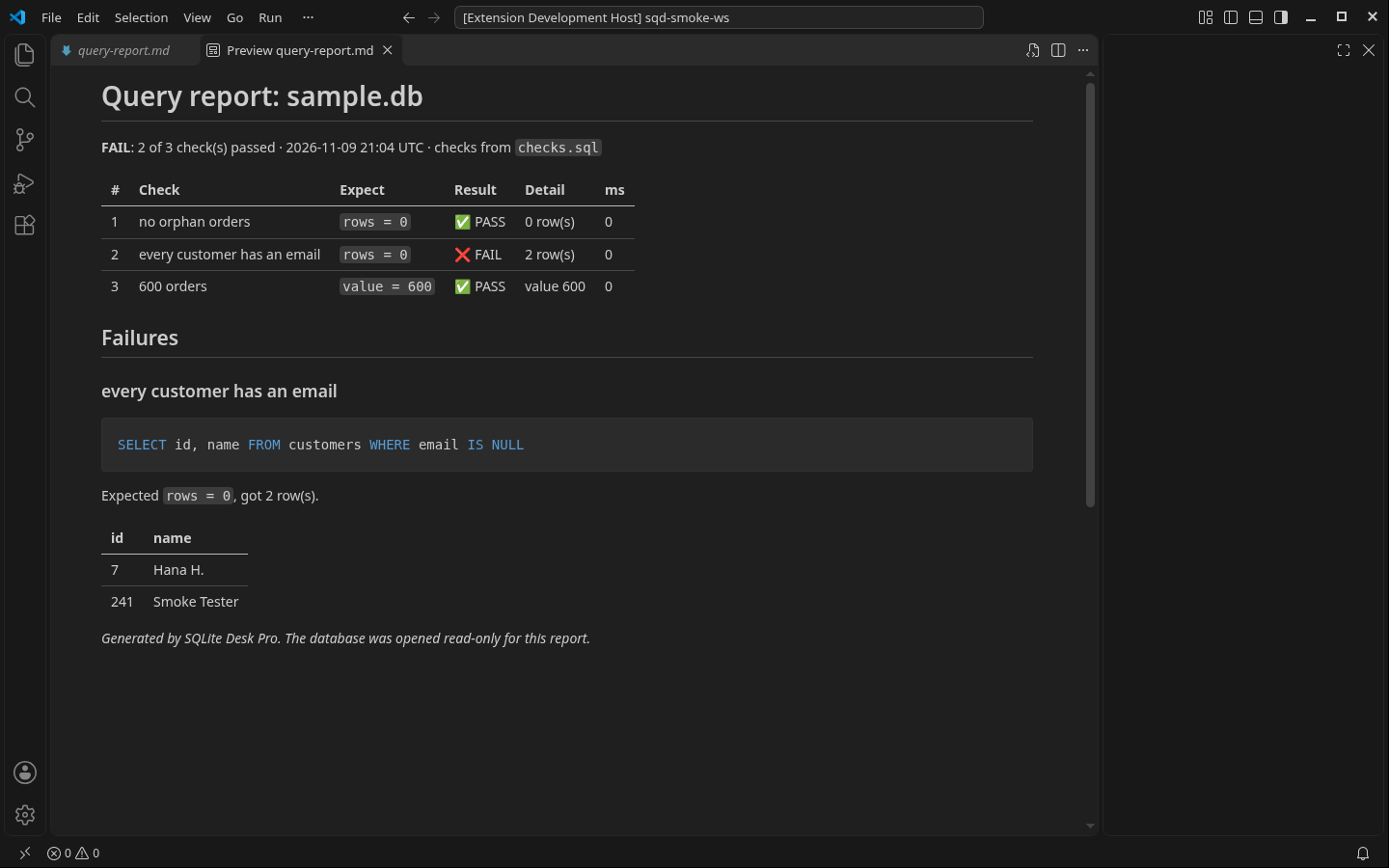
What it does (Free)
- Opens SQLite files with one click:
.db, .sqlite, .sqlite3, .db3, .s3db, .sl3, or right-click any file → Open Database (read-only). SQLite runs in-process as WebAssembly (sql.js), so there is no sqlite3 CLI or native binary to install. Tested on Linux; macOS and Windows aren't verified yet.
- Tables and views in a sidebar with row counts. A paged grid with filter (matches any column) and click-to-sort columns. NULLs and BLOBs are shown clearly, and 64-bit integers (Snowflake-style IDs, nanosecond timestamps) are shown exactly.
- Schema view: columns, types, NOT NULL, defaults, primary keys, foreign keys, indexes and the full
CREATE statement.
- SQL runner: run any
SELECT, WITH, PRAGMA or EXPLAIN (several statements at once; the last result is shown). Up to 1,000 rows per result. Ctrl+Enter runs.
- Export the result to CSV.
- Read-only, always. The file is opened in memory with SQLite's
query_only switch on. Write statements are refused and the database file is never written.
- Honest about live databases: if a
-wal or -journal file sits next to the database, a banner says what you're seeing may be incomplete. If the file changes on disk, you get a Reload button.
- No size paywall: big files just ask once before loading (
sqliteDesk.warnFileSizeMB, 100 MB default).
- Files that aren't SQLite (a
Thumbs.db, a truncated download, a text file named .sqlite) get a plain explanation and a Reopen with Text Editor button instead of an error page.
- No ads, no sponsored content, no account, no telemetry, no network requests.
Get Pro
SQLite Desk Pro is a separate add-on installed from a .vsix. It needs this free extension.
- Markdown PASS/FAIL query report: write checks like
-- check: no orphan orders + -- expect: rows = 0 in a .sql file and get a report you can paste into a PR or ticket.
- Schema diff between two
.db files (tables, columns, indexes, triggers) as Markdown.
- Edit rows in the grid (double-click a cell, add and delete rows) and run write SQL in an edit session. Changes stay in memory until you press Save to file…, confirm, and Pro writes a backup copy first. Discard throws them away.
- Schema editor: create table, add / rename column, rename / drop table, create / drop index, with the SQL shown before it runs.
- Import CSV or JSON into a new or existing table.
- Export a table or result as JSON or SQL
INSERTs, every table to a folder of CSV or JSON files, or a full SQL dump.
- Uncapped query results plus an EXPLAIN QUERY PLAN panel.
- ER diagram of tables and foreign keys as a Mermaid
erDiagram in Markdown.
- Query history per database and a Saved databases list in the Explorer.
Get SQLite Desk Pro for $12
Known limits
- The whole database file is loaded into memory (read-only). Expect about 3× the file size in RAM (a 175 MB file used about 525 MB). That memory isn't returned until you reload the VS Code window (Developer: Reload Window). You're asked before files over 100 MB load.
- Changes that exist only in a
-wal file (an app still has the database open) are not visible until that app checkpoints or closes. The banner tells you when this applies.
- Query results stop at 1,000 rows in Free (the grid pages through whole tables without a limit).
- The bundled WASM SQLite includes FTS3/FTS4, JSON and math functions. FTS5 and R*Tree tables can't be queried (you get a clear message; other tables open normally). Loadable extensions (for example SpatiaLite) aren't available.
- Tested on Linux. macOS and Windows aren't verified yet.
- Encrypted databases (SQLCipher and similar) can't be opened.
Privacy
Everything runs on your computer. No login, no account, no telemetry, no network requests, no data collected.
Support
Email zecroapp@gmail.com.
License
MIT, plus Zecro terms (privacy, Washington State law). See LICENSE. Third-party notices (sql.js MIT, SQLite public domain): THIRD-PARTY-NOTICES.md.
| |

