OpenAPI Desk: OpenAPI 3.0 / 3.1 & Swagger 2.0 Preview and Validation
Open an OpenAPI or Swagger file (YAML or JSON) and get a live side preview, problems in the Problems panel and $ref navigation. No account, no API key, no telemetry, no network. Your spec never leaves your computer.
Get OpenAPI Desk Pro ($12 one-time). It adds multi-file $ref bundling, .http request collection export, a spec diff report, a local lint ruleset and a Markdown API catalog.
Screenshots (OpenAPI Desk Pro)
What it does (Free)
- Finds specs by content, not file name. Any
.yaml, .yml or .json file with a top-level openapi: 3.x or swagger: "2.0" key is treated as a spec, whatever the file is called. That includes key-sorted specs where the version key sits megabytes into the file. Other YAML and JSON files are left alone.
- Side preview (
Ctrl+K V / Cmd+K V, or the preview button in the editor title): API title, version, servers and description, operations grouped by tag with parameters, request bodies, responses and an outline of every schema. It updates as you type. Filter operations by path, method, tag or operationId. All text can be selected and copied.
- Go to source from any operation or schema in the preview, and Copy as cURL for an operation (the command is copied, nothing is sent).
- Problems panel: YAML/JSON syntax errors, missing
info.title / info.version / paths, $ref targets that don't exist in the file, path template parameters with no matching in: path parameter (and the reverse), path parameters without required: true, duplicate operationIds and parameters, responses without a description, invalid response codes, undeclared security schemes, equivalent paths and values of the wrong type (for example paths written as a list, or openapi: 3.0 without quotes). These are rules the specification itself requires. Of five large public API specs we test with, four (Stripe, Kubernetes, Twilio, and DigitalOcean split across almost 2,000 files) report zero problems, and GitHub's 2 equivalent-path warnings are real ones.
- Split specs: when a
$ref points to another local file (./schemas/pet.yaml, or a whole operation in paths/orders.yaml), that file is read so the spec is checked and previewed as a whole. Only files on disk are read; http(s) $refs are never fetched.
- Navigation: Outline view and breadcrumbs (paths, operations, components), Go to Operation…, Ctrl/Cmd+Click on a
$ref to jump to its target (including a relative file such as schemas/pet.yaml#/Pet), hover a $ref to see the schema, and Find All References on a component.
- OpenAPI 3.0 and 3.1 (including
webhooks and JSON Schema type arrays) and Swagger 2.0.
- No account, no API key, no ads, no telemetry, no network requests.
Get Pro
OpenAPI Desk Pro is a separate add-on installed from a .vsix. It needs this free extension.
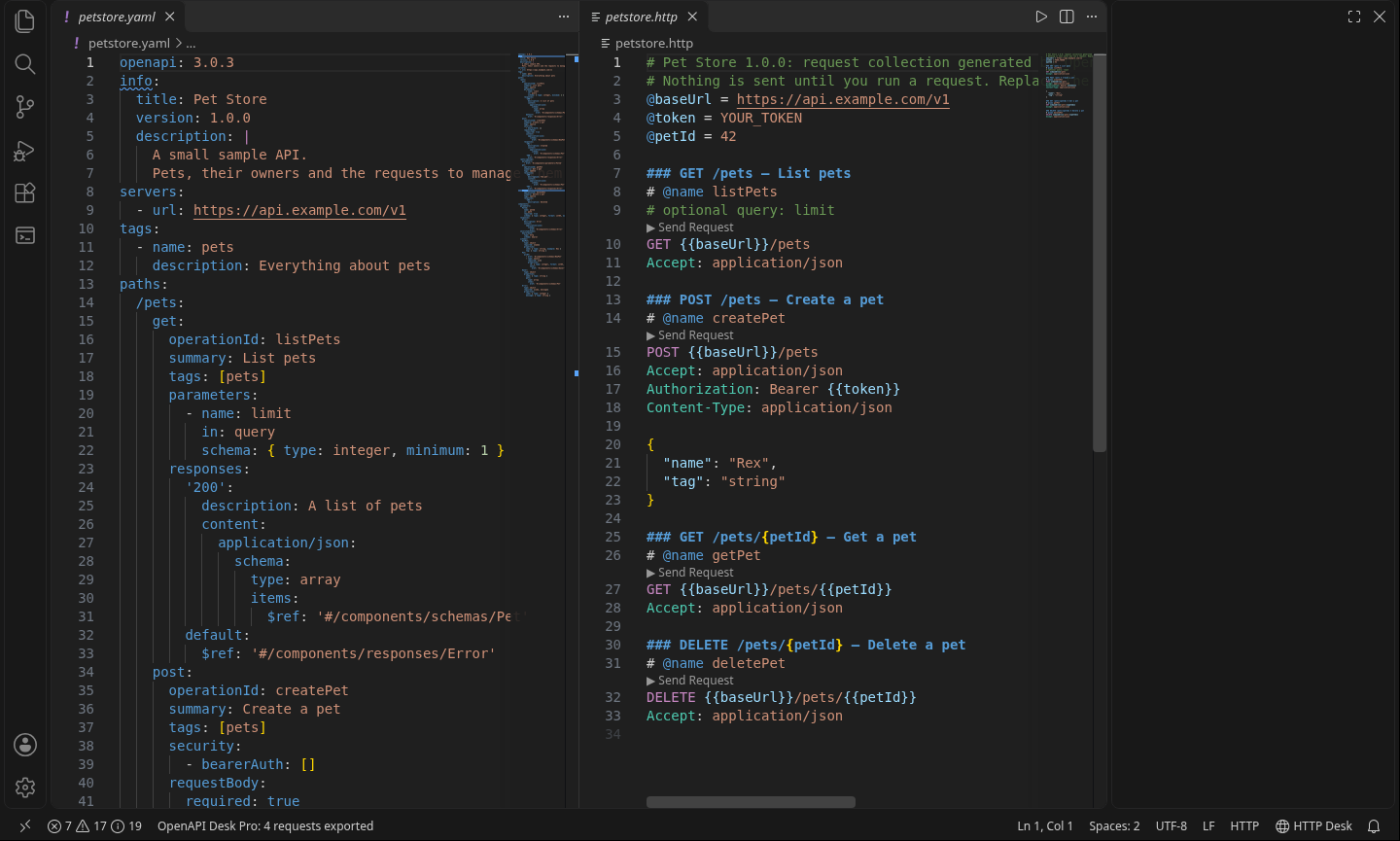
- Export a
.http request collection from a spec: one request per operation with {{baseUrl}}, path and query variables, auth headers and an example JSON body built from the schema. It opens straight into HTTP Desk or any editor that runs .http files.
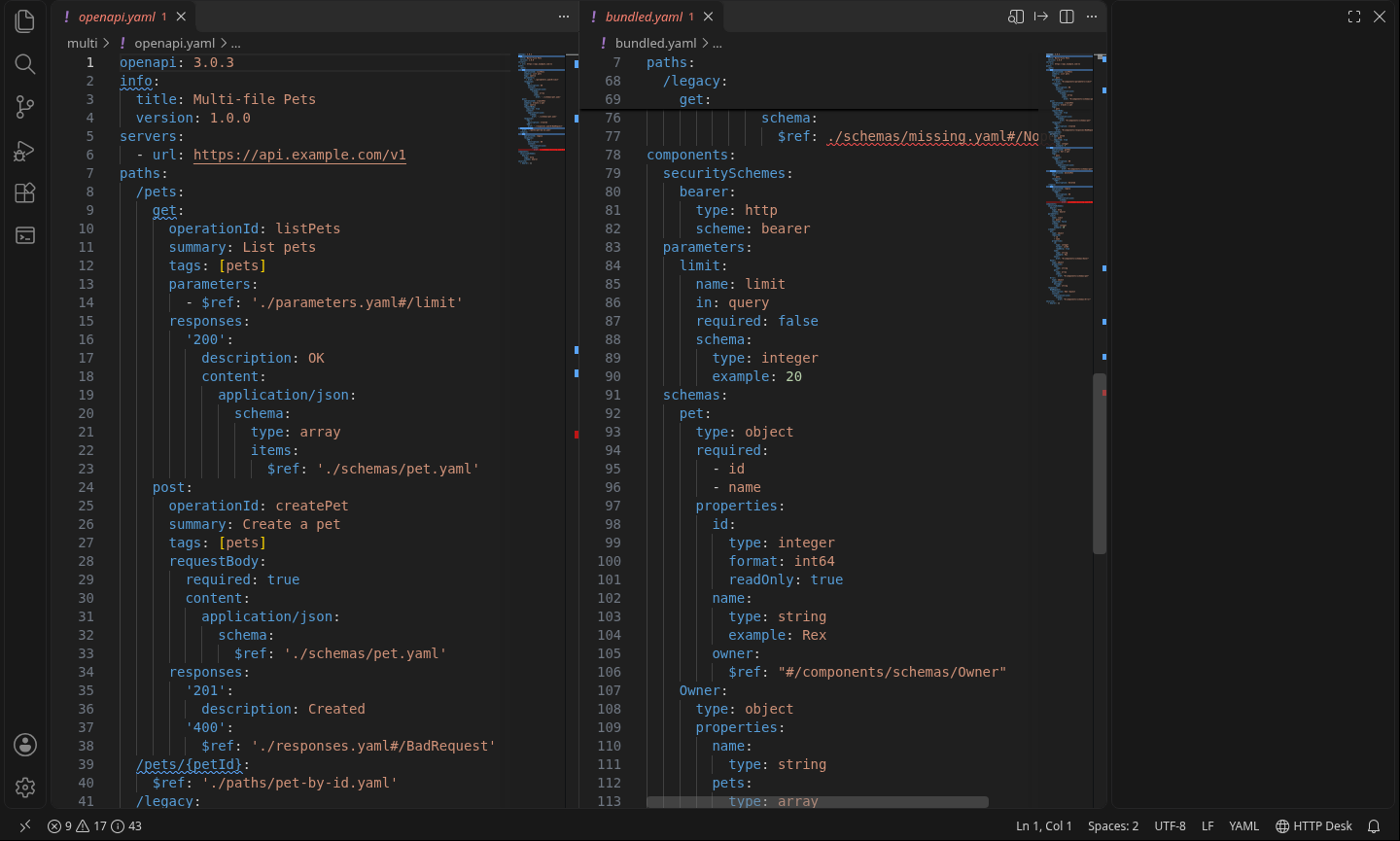
- Bundle a multi-file spec into one YAML or JSON file. External
$refs to local files are pulled into components (or definitions) and rewritten as local refs. Broken file refs are flagged in the Problems panel.
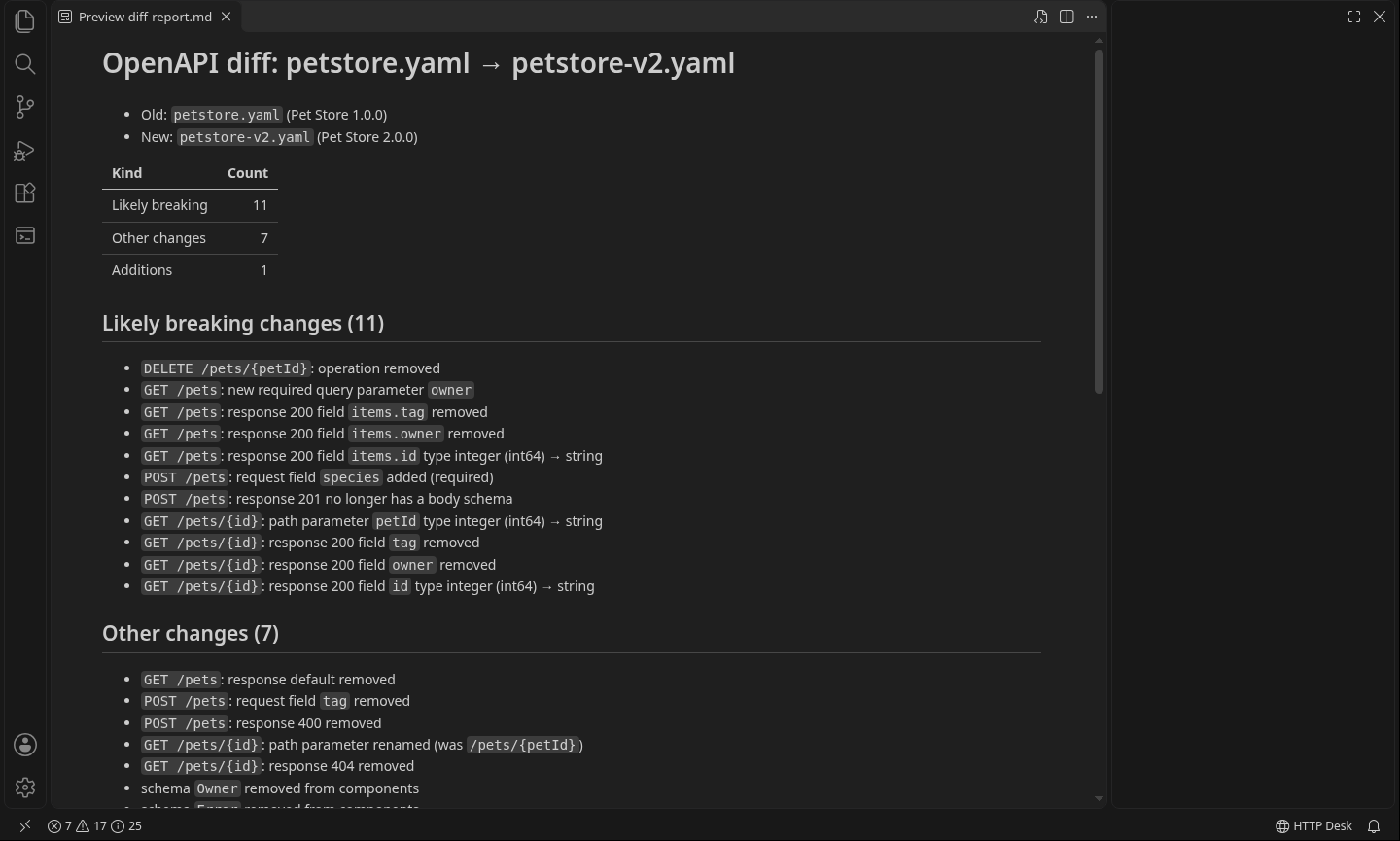
- Spec diff report in Markdown between two versions of a spec: added and removed operations, parameters, response codes and schema properties, with likely breaking changes listed first.
- Local lint ruleset (bundled, nothing to download): missing operationIds, summaries, tags and 4xx responses, unused components, trailing slashes,
$ref siblings in 3.0 and more. Each rule can be turned off or given its own severity. Also as a Markdown report for every spec in the workspace.
- Markdown API catalog: every spec in the workspace in one document, with a table of operations for each.
Get OpenAPI Desk Pro for $12
Known limits
- The preview is a fast read-only reference view built by OpenAPI Desk. It is not an interactive "try it out" console and sends no requests. Use Copy as cURL, or Pro's
.http export.
- Markdown in descriptions is shown as plain text.
- Checks cover the structure the OpenAPI and Swagger specifications require. They don't check every JSON Schema keyword, and they don't check that examples match their schemas.
- Tested on Linux (VS Code 1.145). macOS and Windows aren't verified yet.
- Files that
$ref points to are read for checks and the preview, but a $ref to a file that doesn't exist, or to a target that isn't in it, is only flagged by Pro. Problems found inside a referenced file are shown on the $ref line of the file you have open. Edits to a referenced file are picked up when you save it. $refs to http(s) URLs are never fetched, and a $ref written inside an example value is left as written.
- Copy as cURL is quoted for POSIX shells (bash, zsh, dash). It won't paste correctly into PowerShell or cmd.
- Files that
$ref points to are only read if they are inside your workspace folder (or, for a spec opened on its own, inside the spec's folder). A $ref that points elsewhere, for example ../../ out of the project or an absolute path, is not read, not previewed and not hovered.
- Find All References looks in the current file only.
- OpenAPI 3.2 files are detected and previewed as 3.x. 3.2-only additions such as the
QUERY method are not shown yet.
- Only the first document of a multi-document YAML file is read.
- Very large specs take a moment: a 10 MB YAML file takes about 3 to 4 seconds to check on a fast machine. Specs over 2 MB are re-checked when you open or save them rather than while you type (
openapiDesk.liveCheckMaxKB), so typing doesn't wait. Files over 20 MB are skipped (openapiDesk.maxFileSizeKB).
Settings
| Setting |
Default |
|
openapiDesk.validate |
true |
Show problems in the Problems panel |
openapiDesk.maxFileSizeKB |
20480 |
Skip larger files |
openapiDesk.debounceMs |
300 |
Wait after typing before re-checking |
openapiDesk.liveCheckMaxKB |
2048 |
Larger specs are re-checked on open and save, not while typing |
openapiDesk.externalRefs.resolve |
true |
Read local files that $ref points to (never URLs) |
openapiDesk.externalRefs.maxFiles |
5000 |
Stop reading referenced files after this many |
Privacy
Everything runs on your computer. No login, no account, no API key, no telemetry, no network requests, no data collected.
Support
Email zecroapp@gmail.com.
Trademarks
OpenAPI is a trademark of The Linux Foundation. Swagger is a registered trademark of SmartBear Software, Inc. OpenAPI Desk is an independent tool and is not affiliated with, sponsored by, or endorsed by The Linux Foundation, the OpenAPI Initiative, or SmartBear Software.
License
MIT, plus Zecro terms (privacy, Washington State law). See LICENSE. Third-party notices (yaml, ISC; jsonc-parser, MIT): THIRD-PARTY-NOTICES.md.
| |

