Import Weight: Package Sizes Inline
See how much each package you import adds to your bundle, right next to the import line, without slowing your editor down.
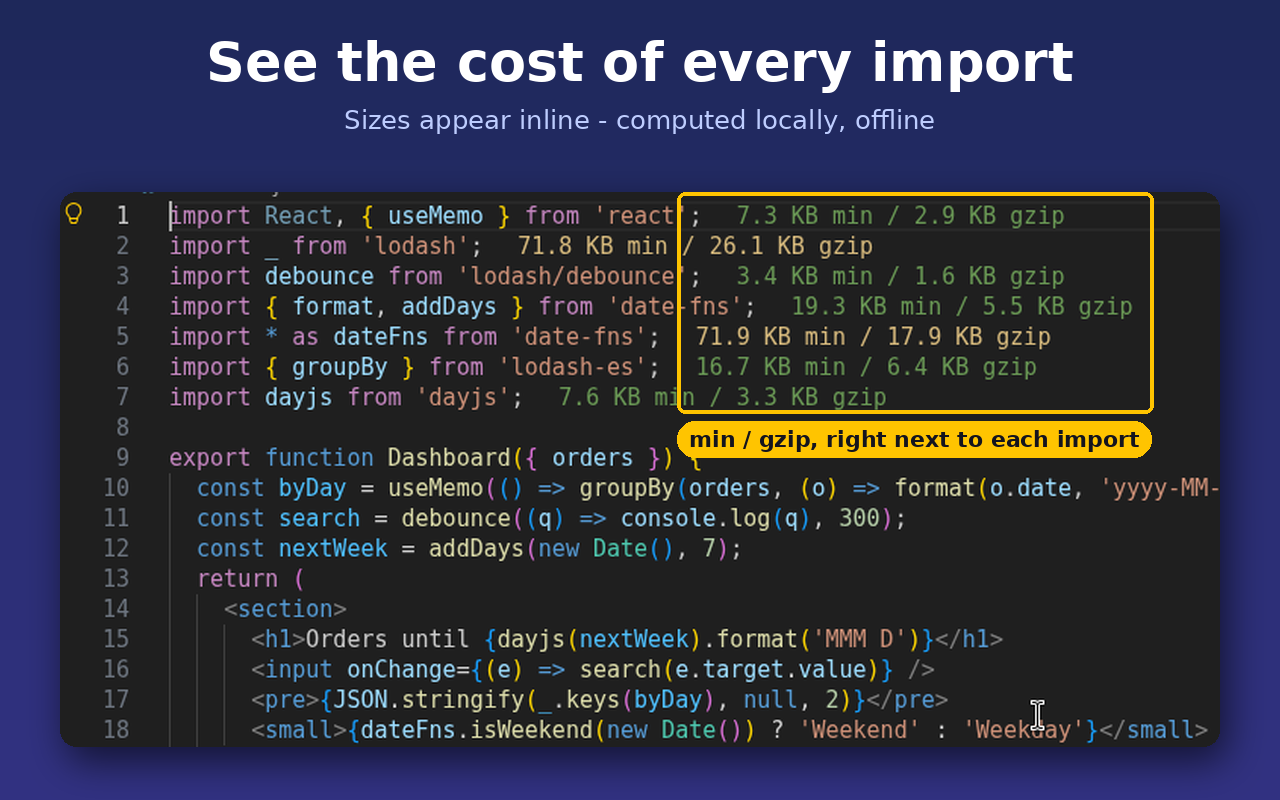
- Inline sizes. Gzipped (and optionally minified) size after every package
import, export … from, require() and import().
- Tree-shaking aware.
import { debounce } from 'lodash-es' shows the size of debounce, not the whole library.
- Calm on CPU. Results are cached per package version, builds run one at a time in a background thread, and sizes update only after you save, never while you type. Idle CPU use is zero.
- Works with your layout. npm, pnpm (symlinked
node_modules), Yarn classic and monorepo workspaces. Sizes come from the versions actually installed in your project.
- Nothing to install. esbuild is bundled inside the extension as WebAssembly, so there is no global esbuild and no native binary.
- 100% offline. Import Weight makes no network requests and collects no data.
How it works
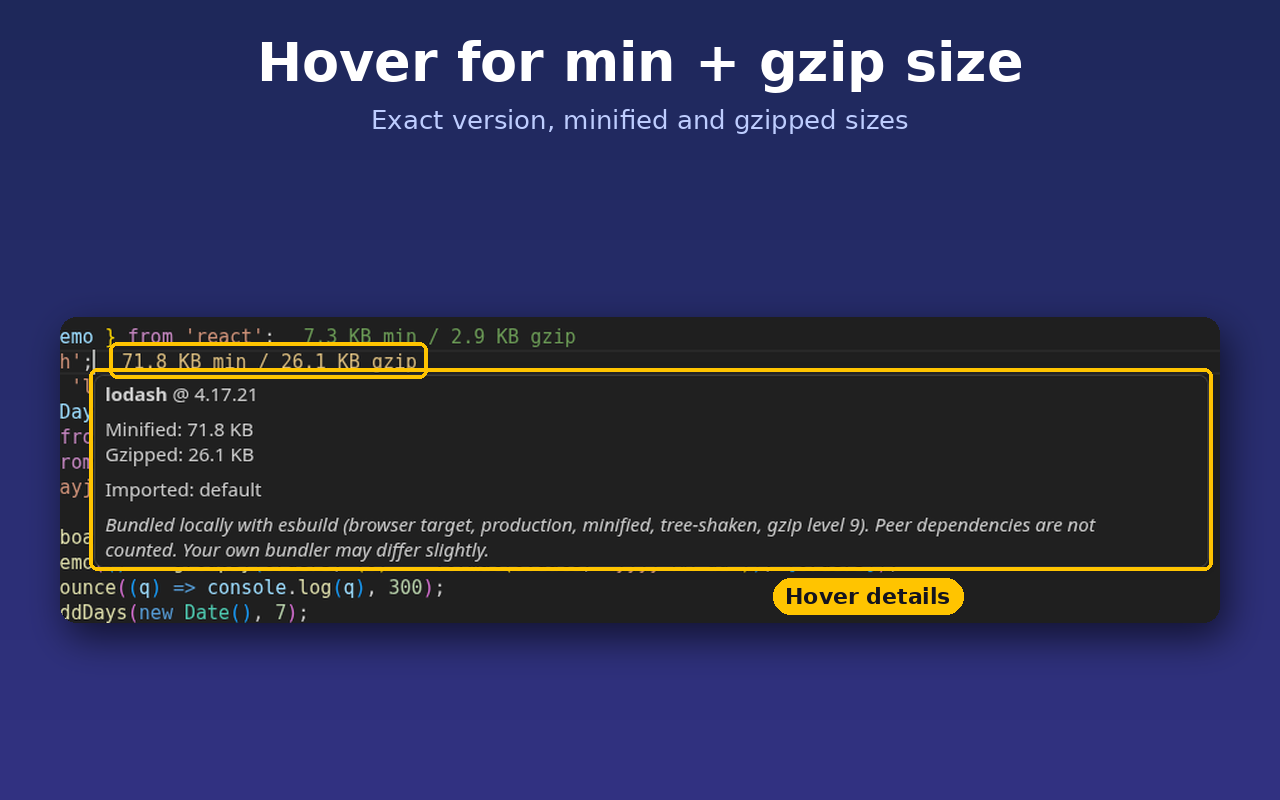
When you open or save a JavaScript, TypeScript, JSX, TSX, Vue or Svelte file, Import Weight finds the package imports and bundles each one locally with esbuild: browser target, NODE_ENV=production, minified, tree-shaken, then gzipped at level 9. Peer dependencies (for example react for react-dom) are not counted, so you see what the import itself adds. Your own bundler can produce slightly different numbers.
Hover a size to see the minified size, gzipped size, installed version and what was imported.
The status bar shows the total for the current file.
Colors and settings
| Setting |
Default |
What it does |
importWeight.enabled |
true |
Show sizes in the editor |
importWeight.showMinified |
false |
Show minified size as well as gzipped |
importWeight.statusBar |
true |
Show the file total in the status bar |
importWeight.thresholds.smallKB |
10 |
Below this gzipped size: "small" color |
importWeight.thresholds.mediumKB |
50 |
Below this: "medium" color; above: "large" |
importWeight.colors.small / .medium / .large |
green / yellow / red |
Decoration colors |
importWeight.exclude |
tests, dist, build |
Globs where sizes are not calculated |
importWeight.showNotInstalled |
false |
Note packages missing from node_modules |
importWeight.debounceMs |
600 |
Wait after a save before recalculating (min 500) |
importWeight.timeoutMs |
5000 |
Stop bundling one import after this long |
Commands
- Import Weight: Recalculate Sizes (also a click on the status bar item)
- Import Weight: Clear Size Cache
- Import Weight: Turn Inline Sizes On/Off
Known limits
- Yarn Plug'n'Play is not supported in v1. In a PnP project Import Weight says so next to the import instead of showing a wrong size of 0.
- Very large "barrel" packages can take one to two seconds the first time. After that the cached size appears instantly, including after a restart.
- An import that takes longer than the timeout shows
timeout; run Recalculate or raise importWeight.timeoutMs.
Import Weight Pro (optional, sold separately)
Everything above is free and complete. For teams who want to keep bundles in check, Import Weight Pro is a separate add-on, sold as its own installation file for a one-time $9 rather than through the Marketplace. It adds size budgets with warnings in the Problems panel, a heaviest-imports report for pull requests (Markdown or CSV), hints for lighter alternatives, and a whole-package versus imported comparison. Pro also runs fully offline. You never need Pro to use this extension.
Get Import Weight Pro ($9)
Privacy
Import Weight reads only your source files and the packages in your project's node_modules. It makes no network requests, sends no telemetry and collects nothing.
Support
Email bhamlefty@gmail.com.
Import Weight is built by Zecro LLC and is not affiliated with other import-size extensions. See LICENSE for terms.

