AI Grammar Corrector
给 Markdown/LaTeX 打补丁的 LLM 小插件。初稿由 Claude Opus 4.5 Thinking 写,重要细节由 GPT-5.1-Codex-Max 修好——一冷一热,组合技。
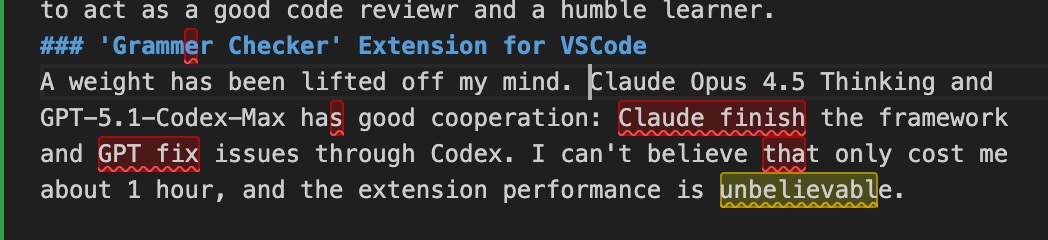
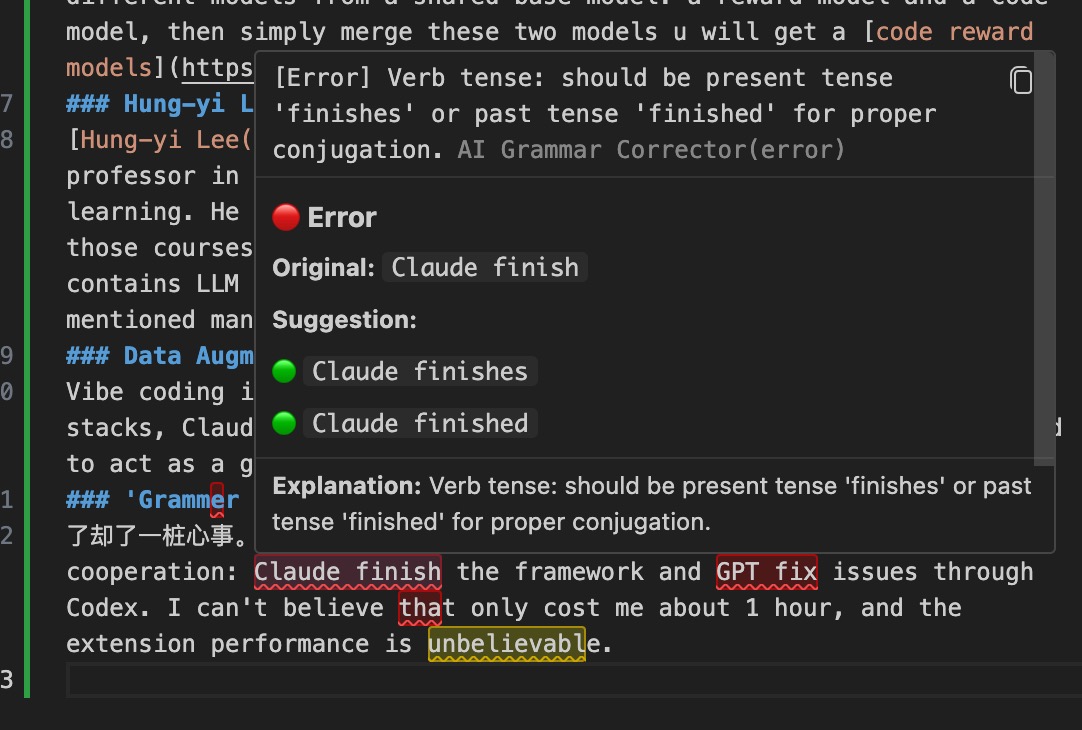
它能做什么
- 抓语法/拼写,顺手给风格建议
- 中英多语对话,提示词可自定义
- 快捷键或命令面板一键跑完整篇
安装
- VSIX:
Cmd/Ctrl+Shift+P → Install from VSIX... → 选包即可。
- 想自己打包:
npm install && npm run package。
配置(必看)
- 打开 VS Code Settings 搜索
AI Grammar Corrector。
- 必填:
apiUrl(或短名 url)+ apiKey。
- 模型:
model 默认 gpt-4o-mini,如果服务端要别名用 modelName。
- 语言:
targetLanguage 决定校对语言,uiLanguage 决定提示语言。
- 个性化:
customSystemPrompt / customUserPrompt 让模型按你口味说话;showExplanations / enableSuggestions 控制解释和风格建议;temperature 控温。
示例:
{
  "aiGrammarCorrector.apiUrl": "https://api.openai.com/v1/chat/completions",
  "aiGrammarCorrector.apiKey": "sk-***",
  "aiGrammarCorrector.model": "gpt-4o-mini",
  "aiGrammarCorrector.uiLanguage": "Chinese"
}
用法速记
- 选中文本后
Cmd/Ctrl+Shift+G,或右键菜单里的 AI Grammar: Check Selected Text。
- 想全篇:命令面板搜
AI Grammar: Check Entire Document。
- 设置入口:命令面板
AI Grammar: Open Settings。
提示
- 响应慢?换轻量模型或少选点字。
- 没输出?确认文件是
.md/.tex 且设置好 API Key。
写作更顺,少掉坑;我们帮你改,语气自己定。
| |

