Skip to content
| Marketplace
Sign in
Visual Studio Code>Themes>Eva-Ayu Light ThemeNew to Visual Studio Code? Get it now.
Eva-Ayu Light Theme

Eva-Ayu Light Theme

yyangzhou

|
2 installs
| (0) | Free
Eva Light syntax highlighting with Ayu Light UI colors.
Installation
Launch VS Code Quick Open (Ctrl+P), paste the following command, and press enter.
Copied to clipboard
More Info

Eva Ayu Light Theme

Eva Ayu Light 是一个 VSCode 浅色主题,把两款流行主题的优点合在一起:

  • 界面配色:采用 Ayu Light 的背景、边框、强调色(橙色),整体清爽明亮。
  • 语法高亮:保留 Eva Light 的 950 条 tokenColors,代码着色更细致。
  • 可读性优化:把 Eva 的深色前景色应用到侧边栏、状态栏、AI 聊天等界面文字上,避免 Ayu 默认文字过淡、费眼的问题。
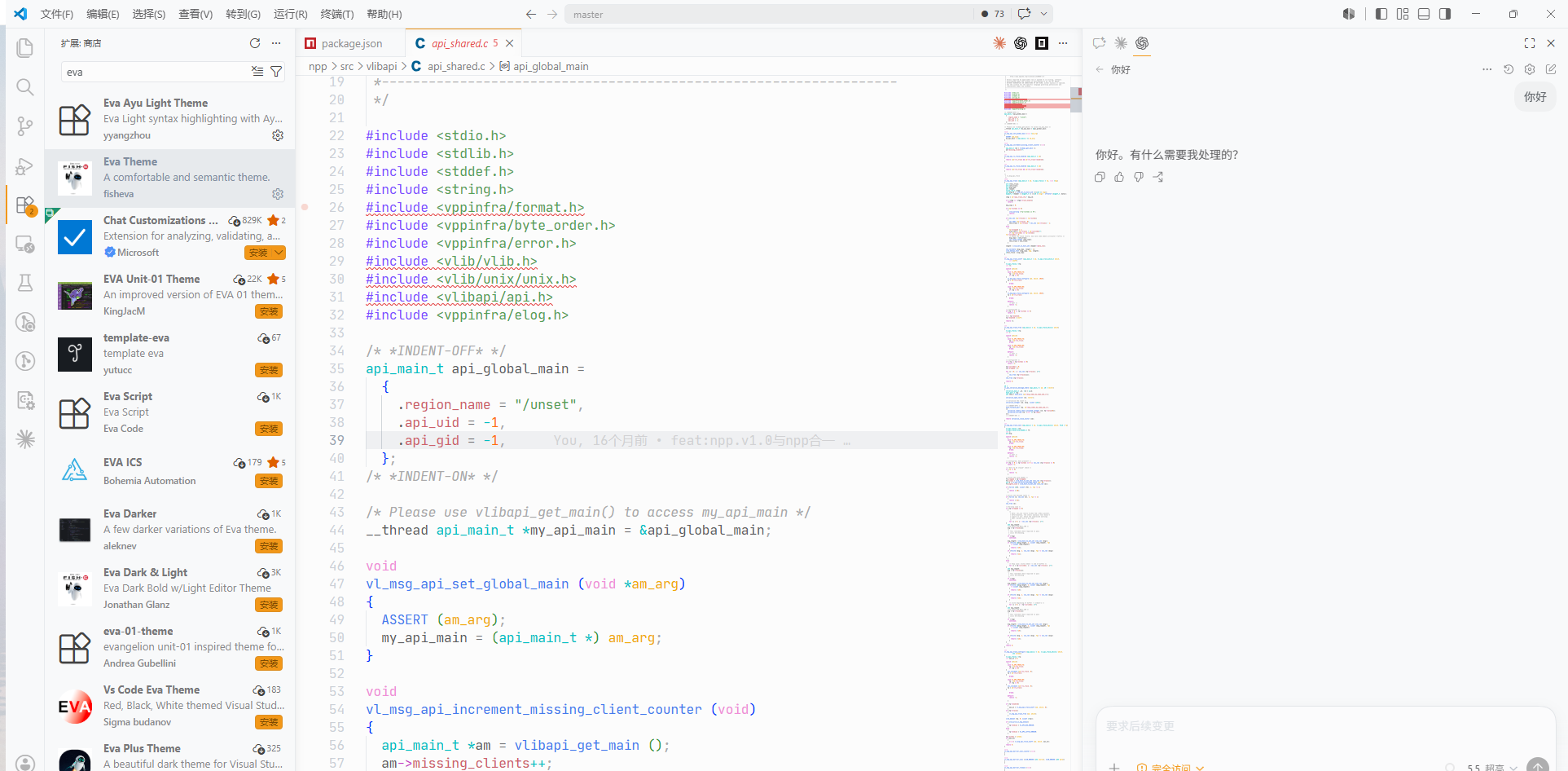
Eva Ayu Light 截图

安装

  1. 下载 eva-ayu-light-theme-1.0.0.vsix。
  2. 在 VSCode 中打开扩展面板。
  3. 点击右上角 ... → Install from VSIX...。
  4. 选择下载的 .vsix 文件即可。

启用

按 Ctrl+K Ctrl+T,选择 Eva Ayu Light。

  • Contact us
  • Jobs
  • Privacy
  • Manage cookies
  • Terms of use
  • Trademarks
© 2026 Microsoft

