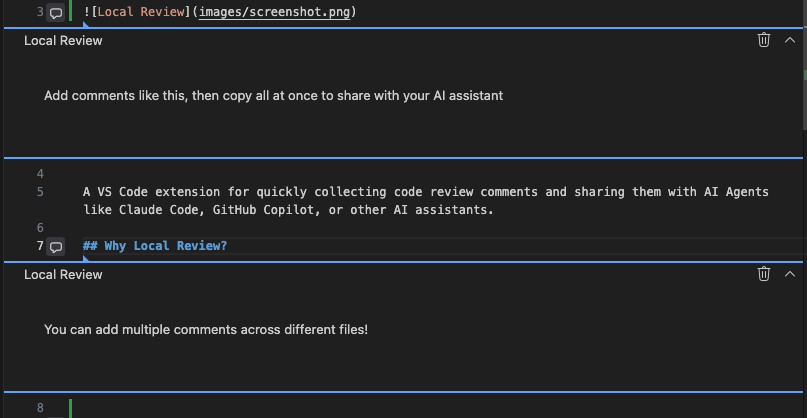
A VS Code extension for quickly collecting code review comments and sharing them with AI Agents like Claude Code, GitHub Copilot, or other AI assistants.
Why Local Review?
When reviewing code with AI Agents, you often need to:
Point out specific lines that need attention
Collect multiple comments across different files
Share all feedback in a structured format
Local Review streamlines this workflow by letting you add comments directly in VS Code and copy them all at once in a format AI Agents can understand.
Features
Add comments to any line in the editor or diff view
Comments are displayed as VS Code discussion threads
Copy all comments to clipboard in a structured format
Each comment includes filename and line number for precise reference
Usage
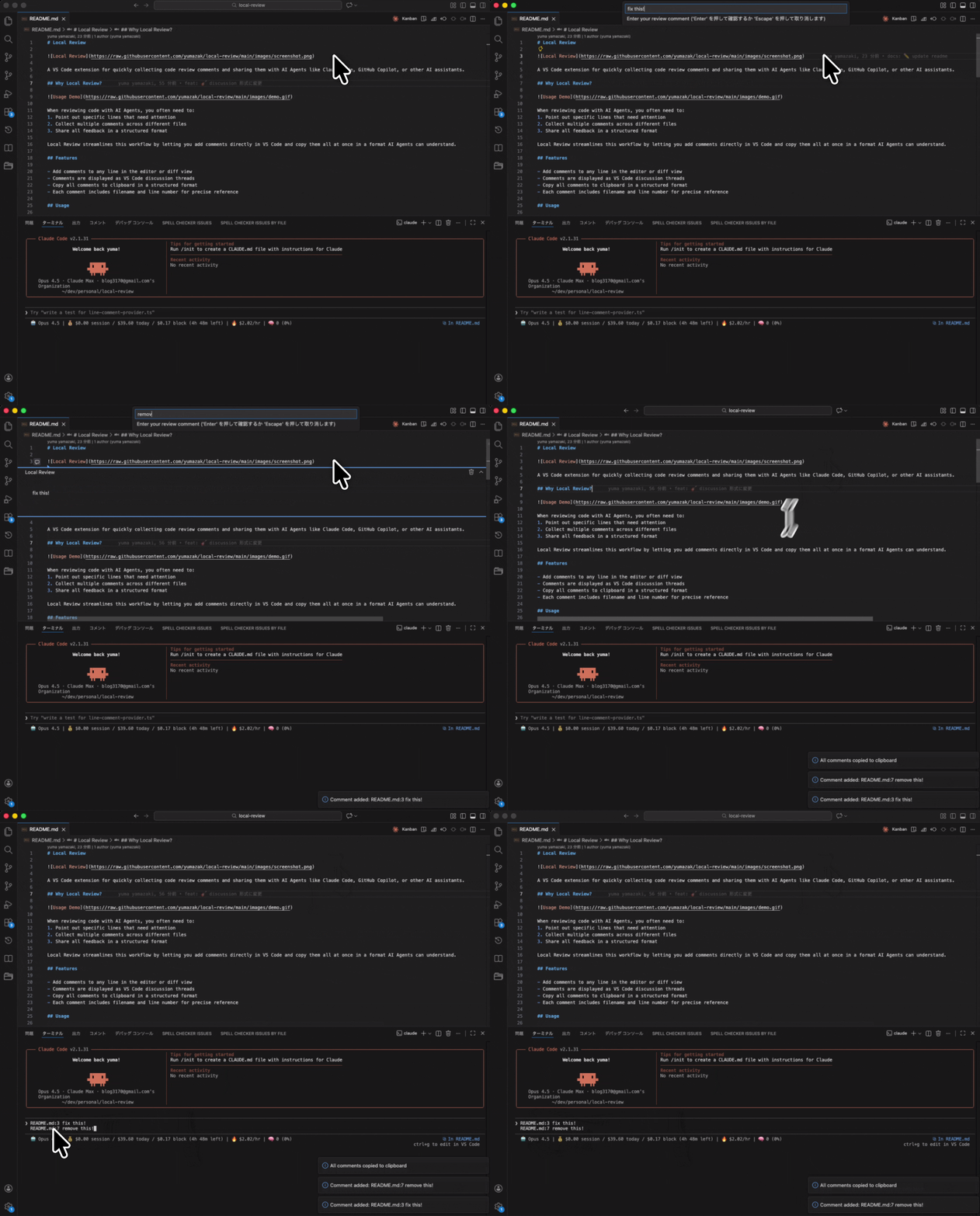
Adding Comments
Place cursor on the line you want to comment
Press Cmd+Shift+C (macOS) or Ctrl+Shift+C (Windows/Linux)
Enter your comment and press Enter
The comment appears as a discussion thread on that line
Copying All Comments
Press Cmd+Shift+Enter (macOS) or Ctrl+Shift+Enter (Windows/Linux)
All comments are copied to clipboard and cleared
Deleting a Comment
Click the trash icon on the comment thread to delete it.
Output Format
Comments are formatted for easy parsing by AI Agents:
src/extension.ts:42 check the initialization
src/utils/parser.ts:15 this logic seems duplicated
Use Cases
Code Review with Claude Code
Open a diff view of changes you want to review
Add comments to lines that need attention
Copy all comments with Cmd+Shift+Enter
Paste into Claude Code with your review request
Collecting Feedback for AI Refactoring
Browse through code and mark areas for improvement
Add comments describing what should be changed
Share the collected comments with your AI assistant
Commands
Command
Shortcut
Description
Local Review: Add Comment to Current Line
Cmd+Shift+C
Add a comment to the current line
Local Review: Copy All Comments
Cmd+Shift+Enter
Copy all comments and clear
Settings
Setting
Default
Description
localReview.useAbsolutePath
false
Use absolute file paths instead of relative paths in comments
localReview.copyOnComment
true
Automatically copy comment to clipboard when adding a new comment