Markdown Merge
Merge all Markdown files in a folder into a single document -- right from the Explorer context menu.
How to Use
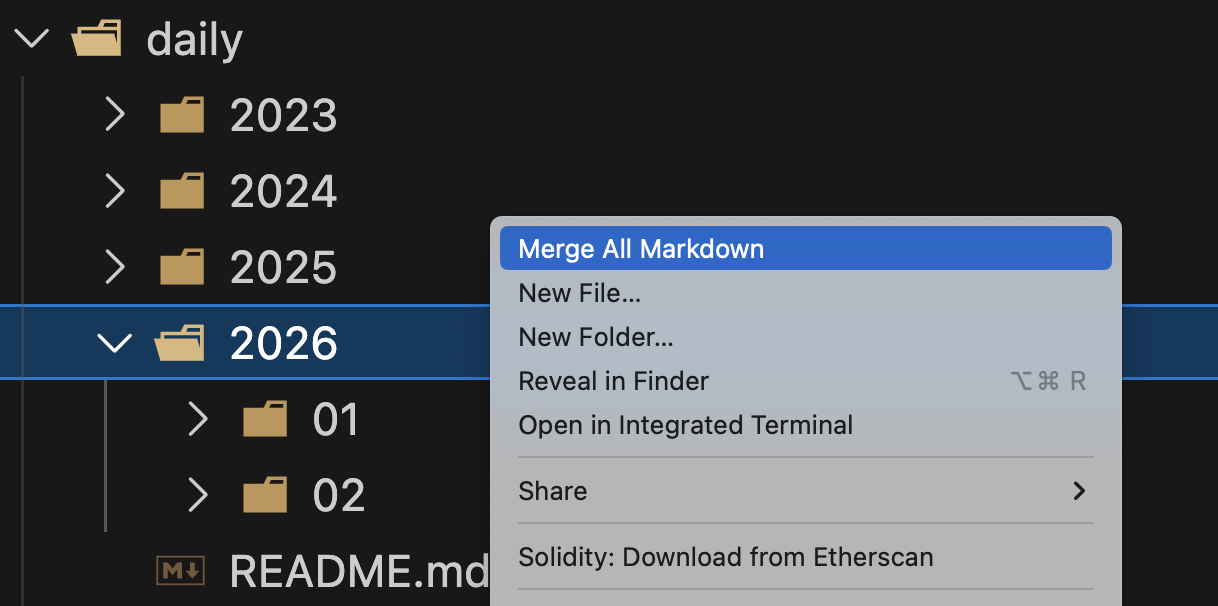
- Right-click a folder in the Explorer sidebar
- Select "Merge All Markdown"
- Choose how to order files:
- filename -- Alphabetical sort
- created -- By file creation date
- index -- Custom order via
index.json
- Choose where to save the merged file
- The merged document opens in the editor
Why Markdown Merge?
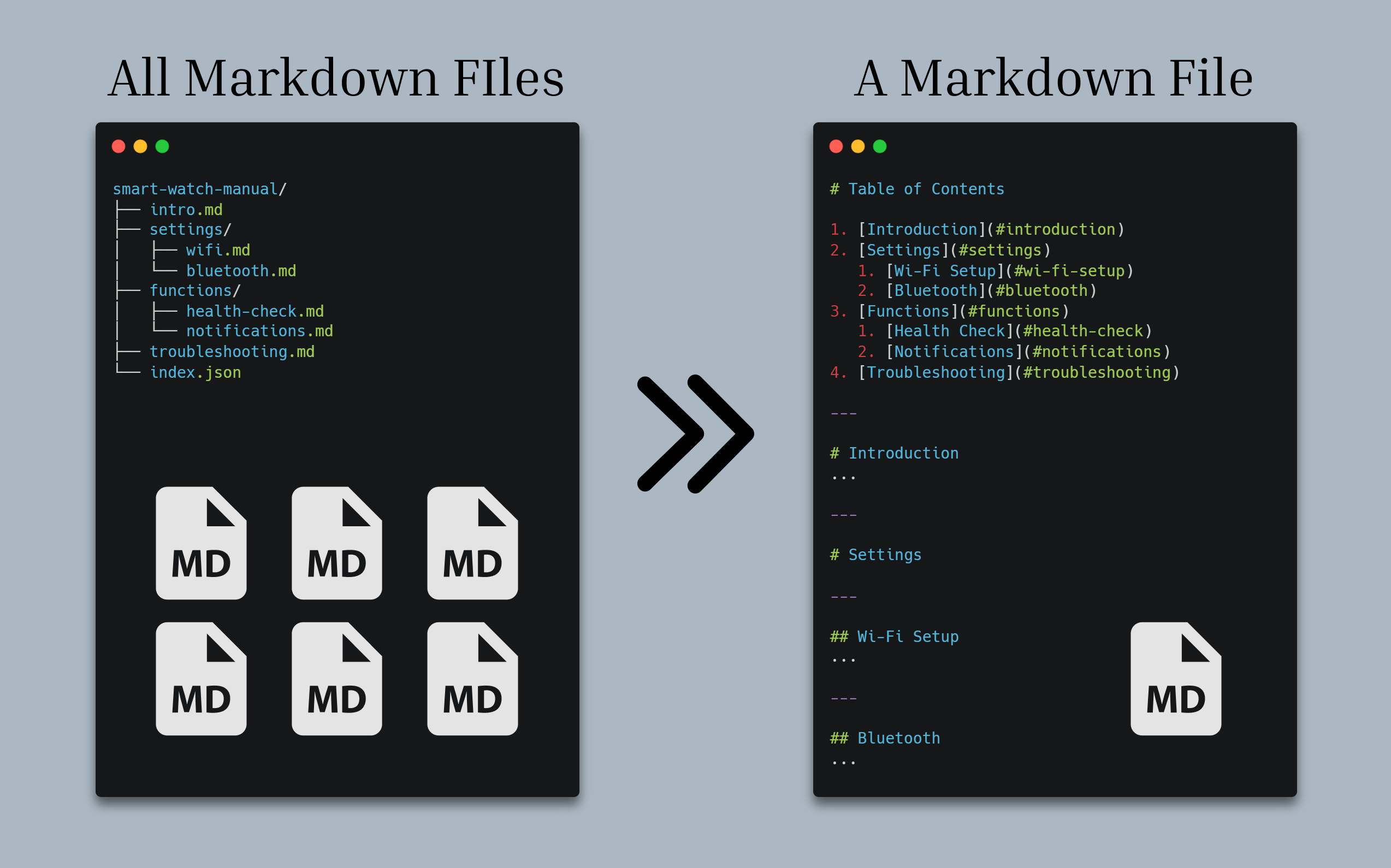
In AI-driven development, splitting documentation into small, focused Markdown files makes it easy for AI tools to process. But for humans -- clients, teammates, or your future self -- a single consolidated document is far easier to read and share.
Markdown Merge bridges that gap: keep your files modular for AI workflows, then merge them into one polished document whenever you need it.
If you find anything awkward or have ideas, just open an issue -- even a title-only issue helps. Let's figure out AI-native Markdown together.
What It Does
- Merges all
.md files from the selected folder (including subdirectories)
- Generates a Table of Contents with nested anchor links
- Maps folder structure to heading levels -- subdirectories become section headings
- Fixes relative paths so images and links still work after merging
- Preserves structure with separators between each file's content
Example
Given this folder:
smart-watch-manual/
├── intro.md
├── settings/
│   ├── wifi.md
│   └── bluetooth.md
├── functions/
│   ├── health-check.md
│   └── notifications.md
├── troubleshooting.md
└── index.json
Choosing "index" ordering produces:
# Table of Contents

1. [Introduction](#introduction)
2. [Settings](#settings)
   1. [Wi-Fi Setup](#wi-fi-setup)
   2. [Bluetooth](#bluetooth)
3. [Functions](#functions)
   1. [Health Check](#health-check)
   2. [Notifications](#notifications)
4. [Troubleshooting](#troubleshooting)


---

# Introduction
...

---

# Settings

---

## Wi-Fi Setup
...

---

## Bluetooth
...
Subdirectories (settings/, functions/) automatically become section headings, and files inside them are nested one level deeper.
Custom Ordering with index.json
Place an index.json in your folder to control the merge order:
{
  "order": [
    "intro.md",
    "settings/wifi.md",
    "settings/bluetooth.md",
    "functions/health-check.md",
    "functions/notifications.md",
    "troubleshooting.md"
  ]
}
Then choose the "index" strategy when prompted.
CLI
This extension is powered by @mdmerge/core. A CLI tool is also available:
npm install -g mdmerge
mdmerge ./docs -o merged.md
See the full documentation for CLI options.
Links
License
MIT

