Skip to content
| Marketplace
Sign in
Visual Studio Code>Other>Vue SFC splitNew to Visual Studio Code? Get it now.
Vue SFC split

Vue SFC split

yuholai

|
1 install
| (0) | Free
An extension that splits Vue Single File Components across multiple editor groups.
Installation
Launch VS Code Quick Open (Ctrl+P), paste the following command, and press enter.
Copied to clipboard
More Info

Vue SFC Split

Visual Studio Code Extension | Split Vue Single File Components across multiple editor groups

An extension that split Vue SFC files across first 3 editor groups, allowing to focus on a specific section of a file simultaneously.

Features

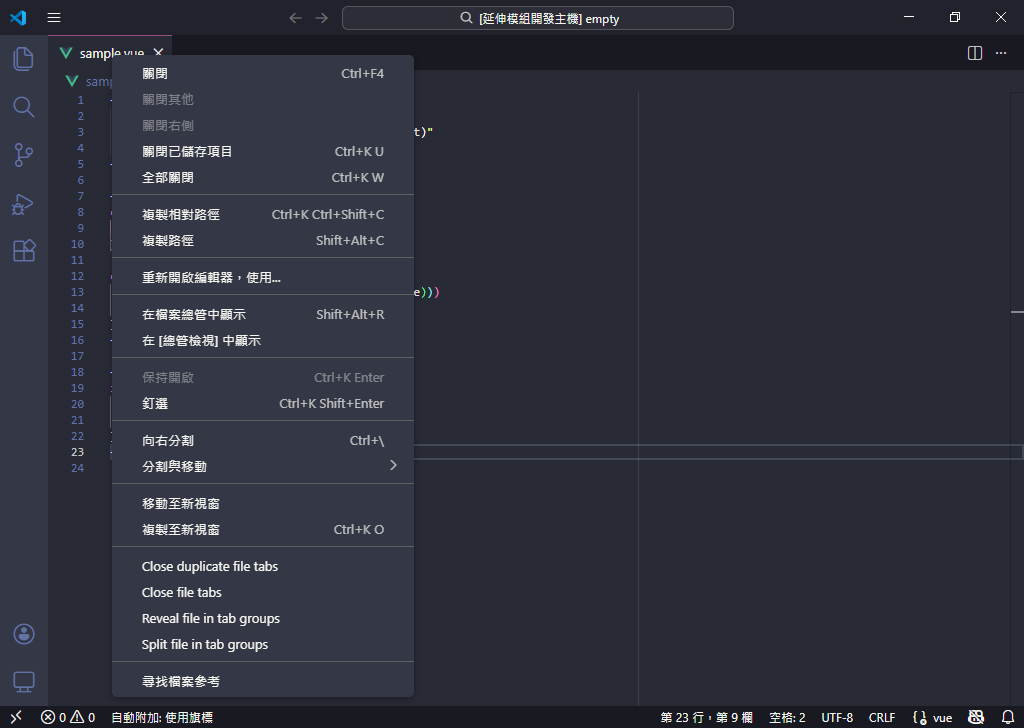
Access commands via context menu in editor tabs or command palette.

editor title context menu

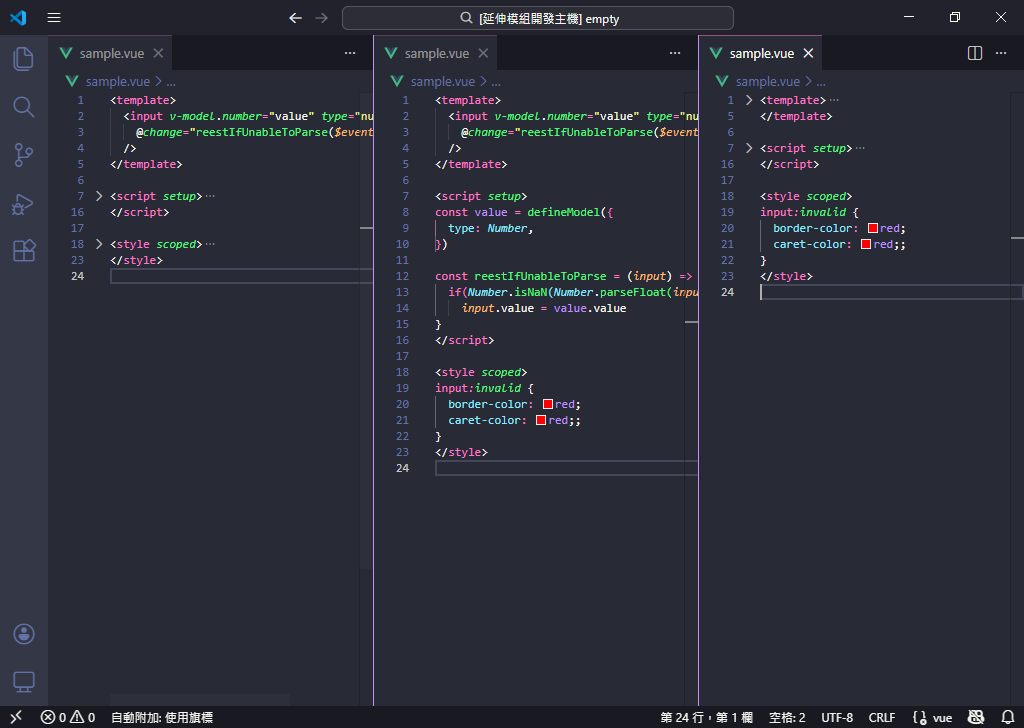
Split a Vue SFC across up to 3 editor groups. The extension folds/unfolds specific blocks—<template>, <script>, and <style> automatically.

3 columns split

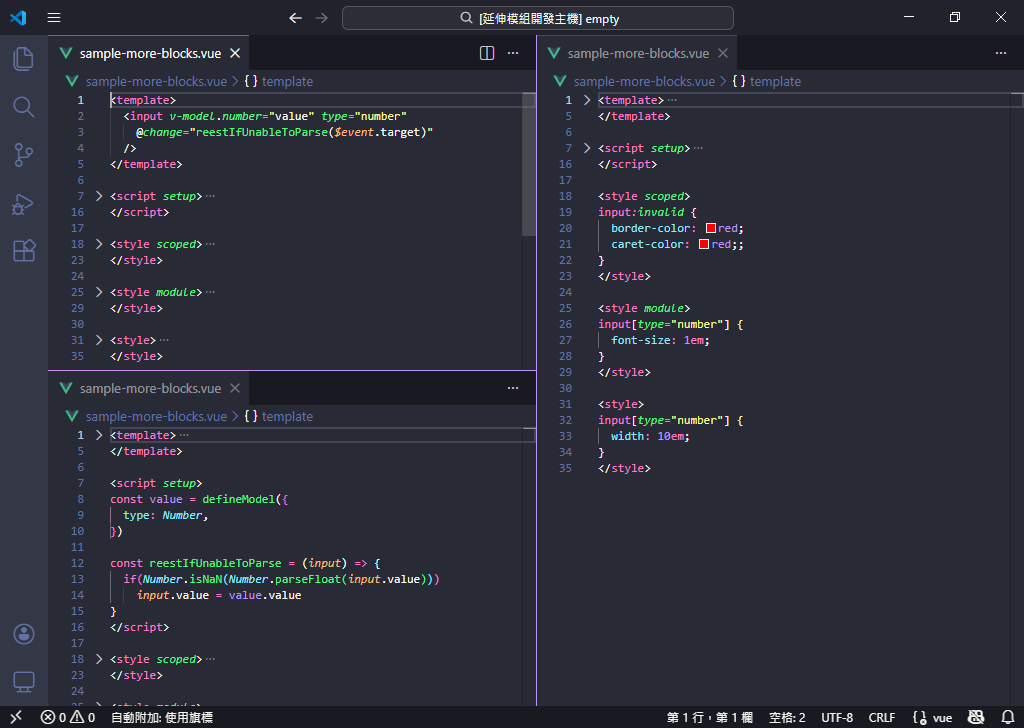
Handle files with 1-3+ blocks.

split with more blocks

Reveal file - Bring file to front across first 3 editor groups. This is useful when too many files are opened and you want to focus on a specific file.

Close file - Close all/duplicate file across first 3 editor groups.

Block Detection Notes

  • Detecting folding ranges may take a few seconds.
  • Position-based rather than content-based. For example, if <style> is the first block in your file, the first tab group will focus on the style section.

Requirements

A folding range provider, e.g. Vue - Official Extension.

Build

Require package @vscode/vsce to build the extension.

# Install VS Code extension development tool globally
npm install -g @vscode/vsce

# Package the extension
vsce package

Limitations

  • Only works for first 3 editor groups.
  • "Close other" functionality not available due to VS Code API limitation.
  • Performance may vary with huge Vue files.
  • Contact us
  • Jobs
  • Privacy
  • Manage cookies
  • Terms of use
  • Trademarks
© 2025 Microsoft