Skip to content
| Marketplace
Sign in
Visual Studio Code>Themes>Moongate ThemeNew to Visual Studio Code? Get it now.
Moongate Theme

Moongate Theme

yuelinghuashu

|
23 installs
| (0) | Free
Where Moon Meets Code
Installation
Launch VS Code Quick Open (Ctrl+P), paste the following command, and press enter.
Copied to clipboard
More Info

Version Marketplace

中文 | English

🌙 Moongate Theme

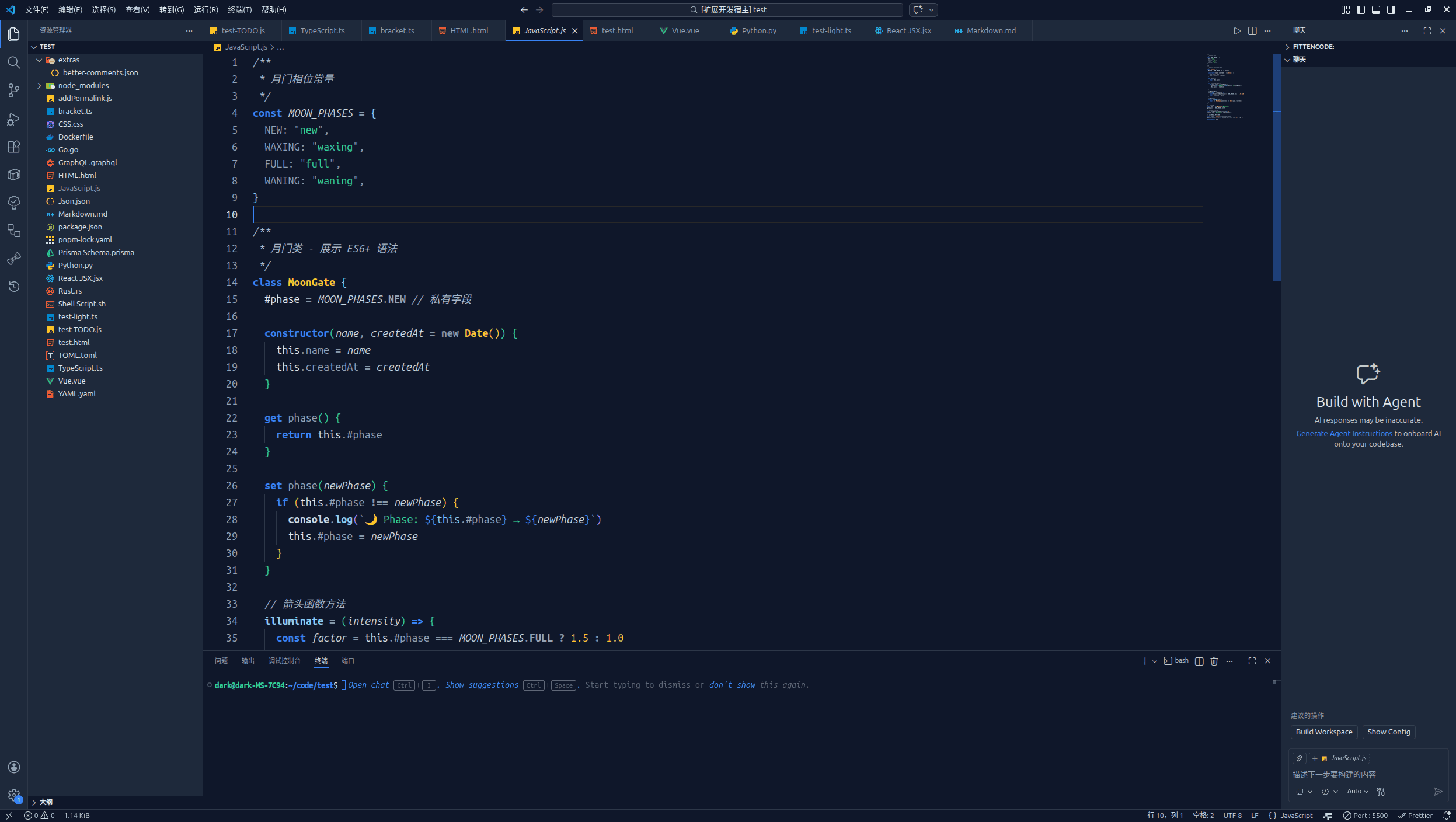
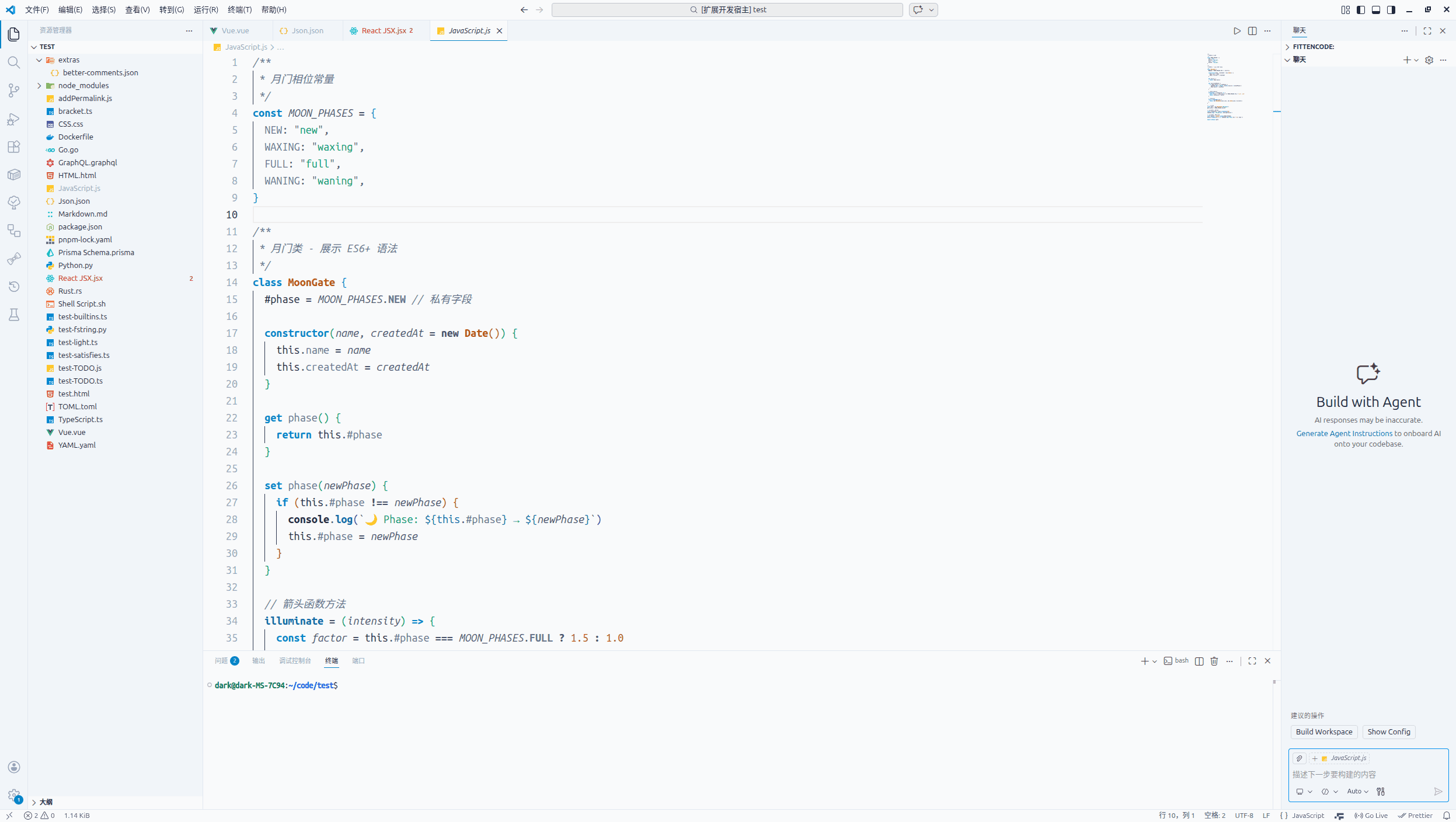
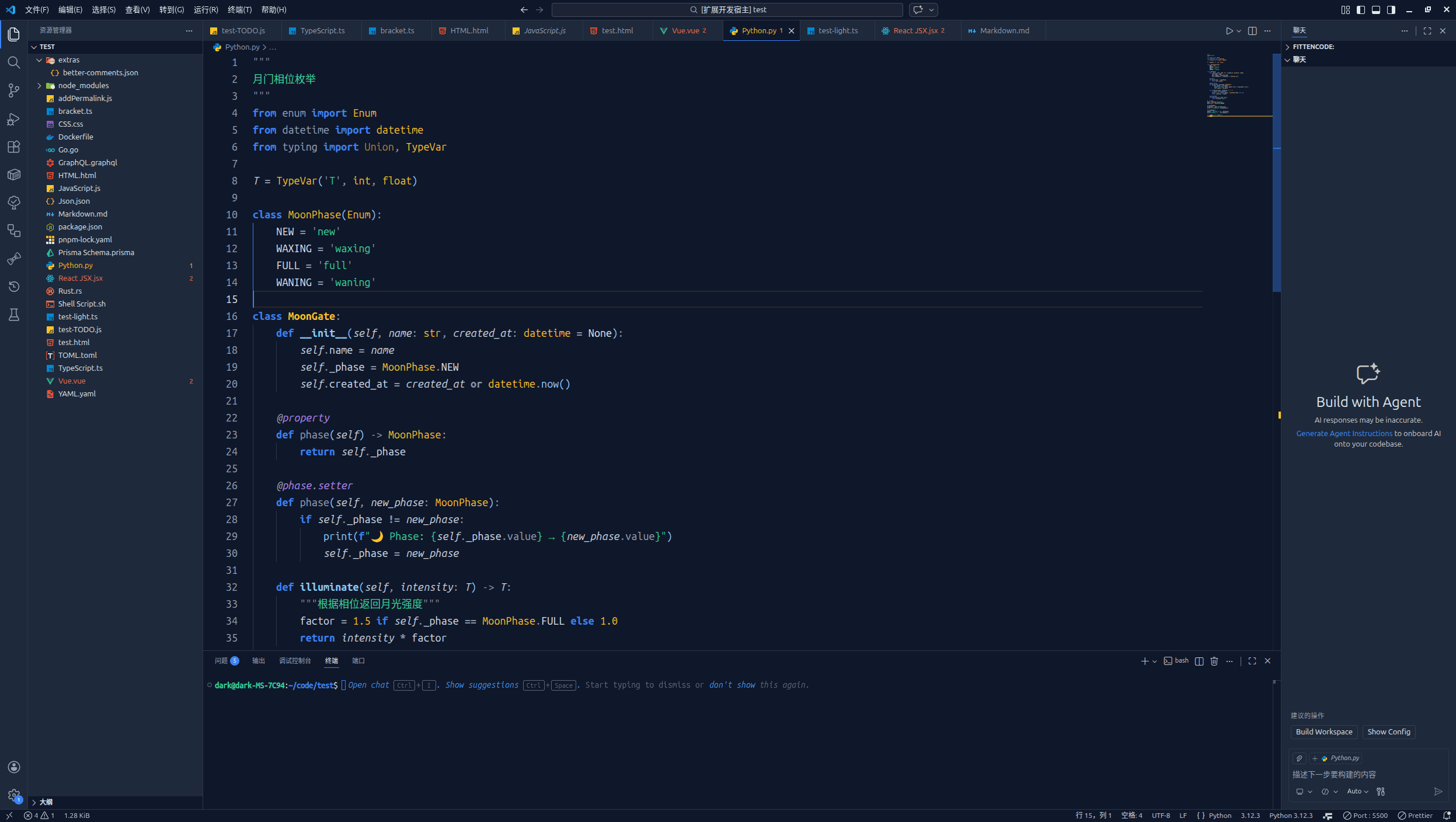
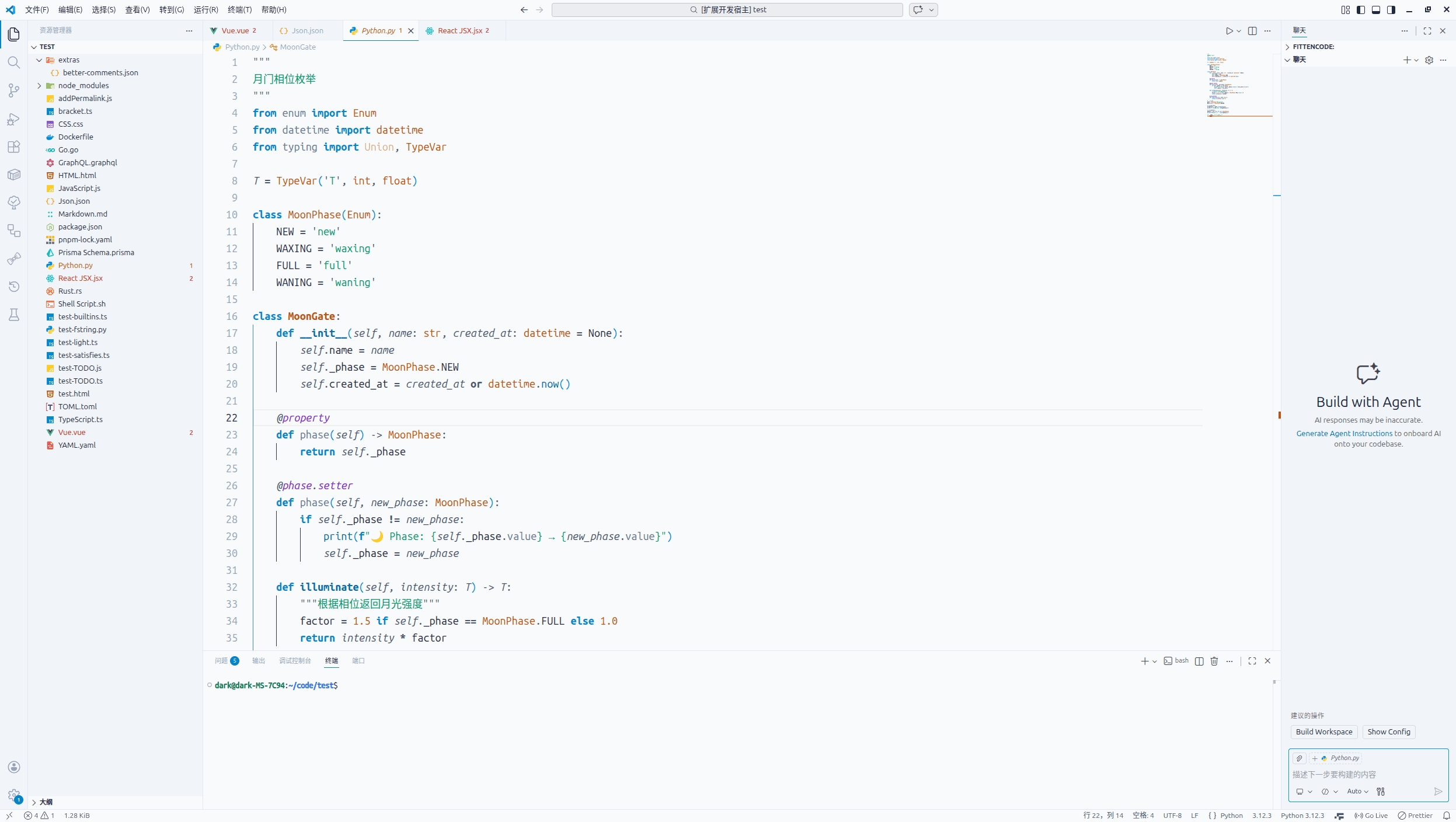
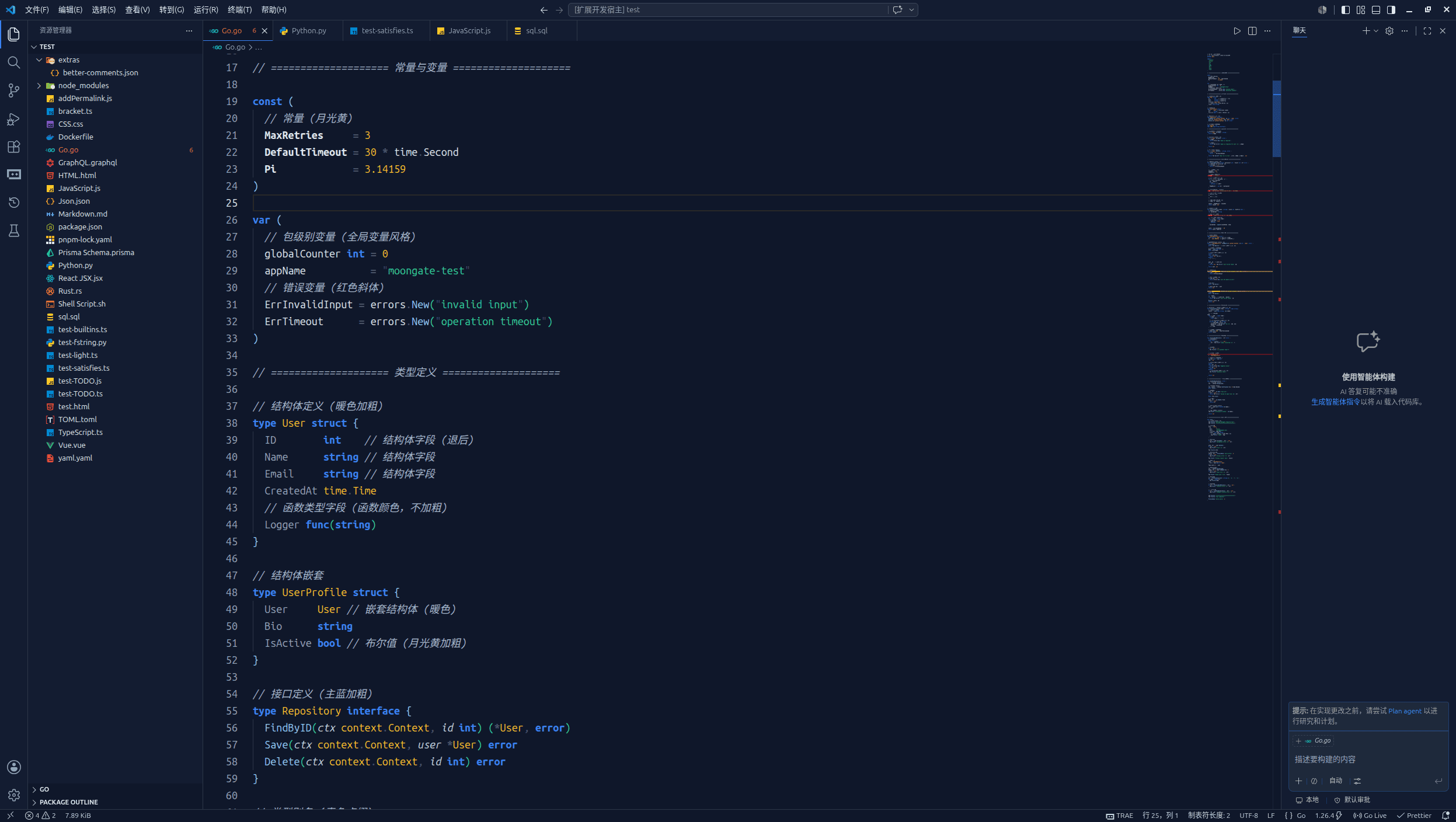
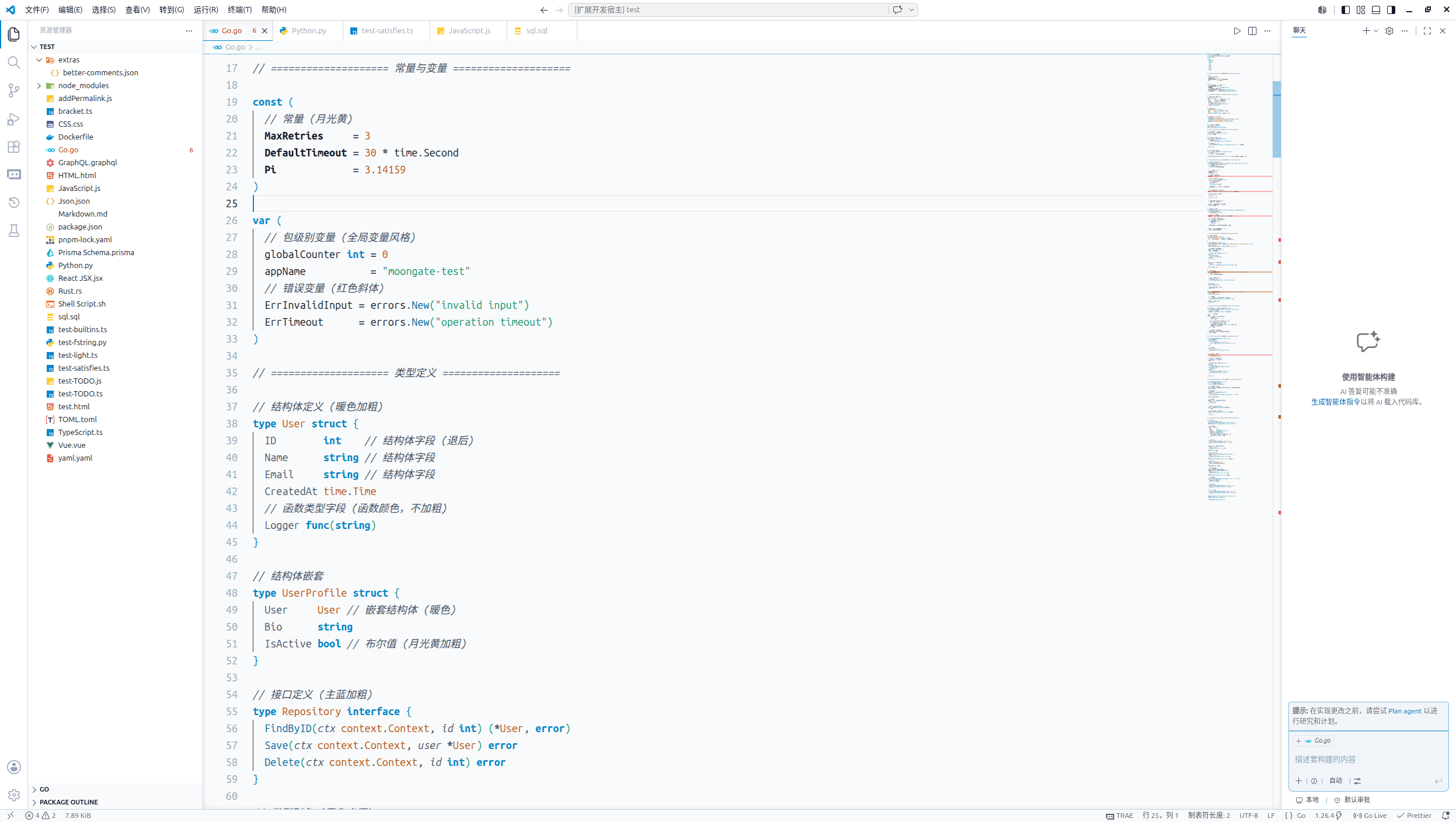
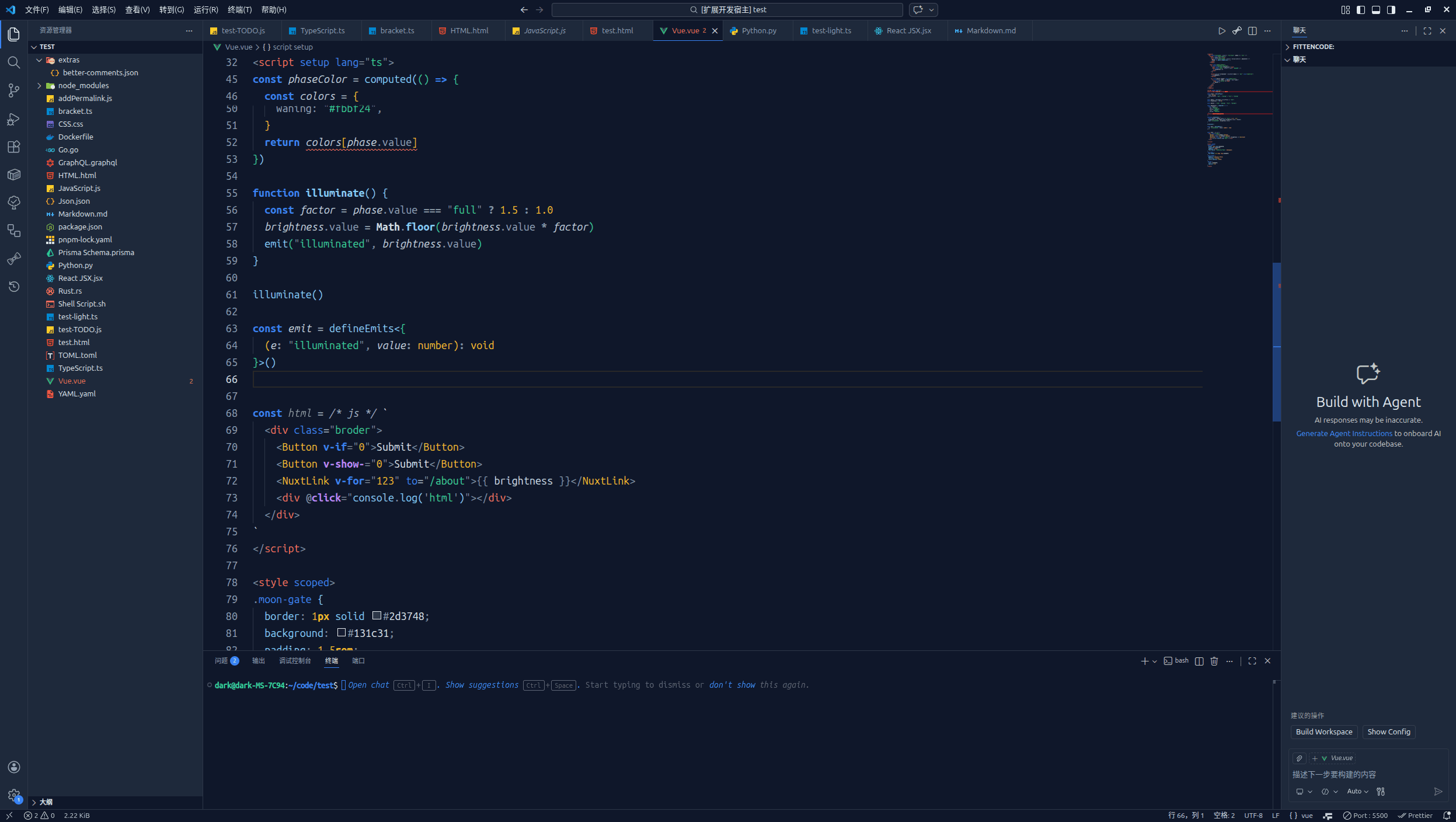
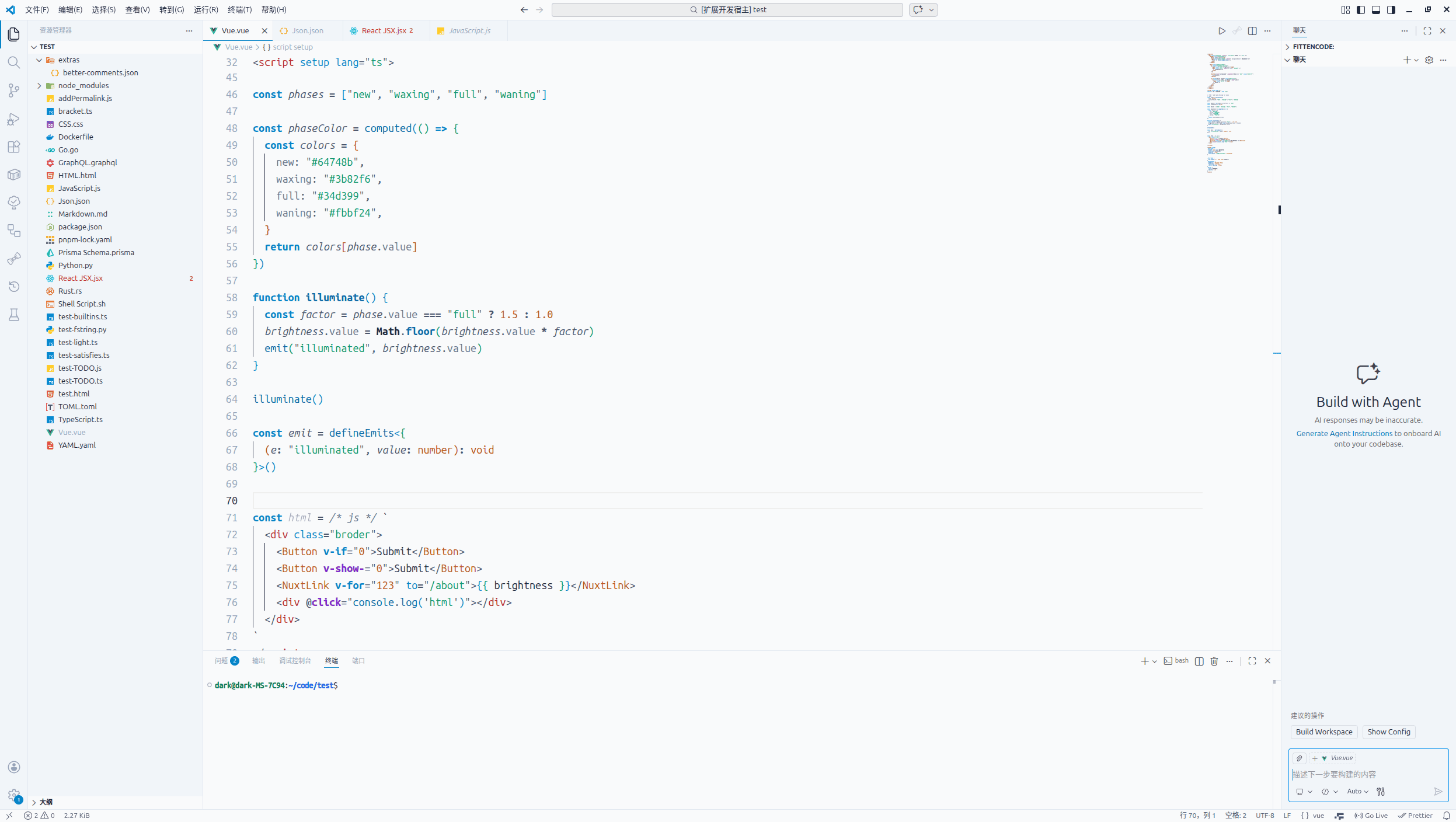
📸 预览 (Preview)

深色 / 浅色对比

语言 深色 (Night Sky) 浅色 (Dawn)
HTML HTML 深色 HTML 浅色
JavaScript JS 深色 JS 浅色
TypeScript TS 深色 TS 浅色
Vue Vue 深色 Vue 浅色
React React 深色 React 浅色
Python Python 深色 Python 浅色
JSON JSON 深色 JSON 浅色
Markdown Markdown 深色 Markdown 浅色

中文

从博客到编辑器,让代码栖息在月光里

Moongate 是一个从个人博客 moongate.top 衍生而来的 VS Code 主题,它将博客的视觉语言带到了代码编辑器中。
v2.0 双子星版本 首次带来完整的昼夜双主题:深色“晴夜”与浅色“晨曦”,通过重力补偿原则,让两种模式下语义一致、视觉重量对等。
v2.1.0 海拔系统 进一步为 UI 注入物理深度,让界面层次从平面走向立体。
v2.2.0 工业级工程升级 引入 DTCG 设计令牌标准,自动生成跨平台 CSS 变量,并内置 WCAG 对比度质检,确保设计系统严谨可靠。

✨ 设计理念

  • 月光般的柔和:长时间 coding 不刺眼
  • 门扉般的边界:清晰的视觉层次
  • 明暗两相宜:无论白天黑夜,始终舒适如一
  • 🏔️ 物理海拔:通过微妙的明度阶梯,让界面元素拥有真实的深度——侧边栏微微隆起,弹窗轻盈浮现,代码区沉静深邃
  • 📐 工程校准:所有色值经过工业级校验,符合 WCAG 对比度标准,保证在任何屏幕上清晰可读

🎨 配色系统

  • 主色:取自月光的冷调蓝系(深色 #3b82f6,浅色 #0284c7)
  • 背景:深空 #0f172a / 冷月白 #f9fafb
  • 强调色:根据语义分层,形成亮度阶梯
  • 🏔️ 海拔色:新增四层明度阶梯(地面 surfaceGround、隆起 surfaceRaised、漂浮 surfaceFloating、提示 surfaceTooltip),让界面拥有真实的物理深度
  • 🎨 设计令牌:基于 DTCG 标准,原始值、语义层、组件层分离,自动生成 CSS 变量供博客和 UI 组件库使用

📐 设计系统

Moongate 基于 DTCG 设计令牌标准构建,所有颜色、海拔层级、对比度数据均已文档化,确保设计语言在各平台保持一致。
👉 查看完整设计系统文档

🧠 你可能没注意到,但我们已经考虑过的细节

优化项 常见主题的问题 Moongate 的解法
昼夜语义一致性 深色和浅色像两个主题,切换后需要重新适应 重力补偿:同一色系不同明度,视觉重量对等,切换主题无感
JSON 嵌套深度 嵌套 JSON 难以快速定位层级 蓝 → 青 → 紫 阶梯:顶层键 primary,二层 cyan,三层 purple,层次分明
私有字段标记 JS/TS 私有字段 #field 与普通变量无异 私有字段用红月 #f87171,一眼识别封装状态
只读变量标记 const 与普通变量无视觉差异 只读变量用斜体,暗示“不可变”
泛型参数识别 TypeScript 泛型淹没在类型中 泛型参数用青色 #22d3ee,特殊语法一眼可辨
装饰器突出 Python 装饰器与普通函数混同 装饰器用紫色 #c084fc + 斜体,元数据显性化
终端颜色同步 终端输出与编辑器配色割裂 16 色 ANSI 完全映射到主题语义色,输出即代码
界面层次感 UI 元素(侧边栏、弹窗)与背景粘连,缺乏深度 海拔系统:为不同 UI 区域分配明度阶梯(surfaceGround → surfaceRaised → surfaceFloating),深色模式逐级增亮,浅色模式逐级加深,实现自然的“纸张层叠”
设计系统一致性 博客、UI 组件库与编辑器颜色脱节 DTCG 设计令牌:自动生成 CSS 变量(moongate-tokens.css),一套颜色贯穿所有数字产品
📋 点击查看 Moongate 完整优化项清单(共 20+ 项)

🧠 基础语法优化

  • 键值对区分:键用月灰 (#94a3b8),值保持主色
  • 链式调用优化:方法名高亮,点操作符淡化
  • 形参特殊化:参数斜体 + 稍淡色
  • 只读变量标记:只读变量斜体
  • 泛型参数识别:泛型参数青色 (#22d3ee)
  • 装饰器突出:装饰器紫色斜体 (#c084fc)

🧠 语义修饰符深度定制

  • 函数定义加粗:与调用区分
  • 静态成员斜体
  • 废弃标记删除线
  • 异步函数加粗斜体
  • 抽象类/方法斜体
  • 内置对象加粗

🧠 跨语言与集成优化

  • 终端颜色同步:ANSI 16色映射
  • 括号高亮月语义化:6层嵌套色
  • JSDoc/TSDoc 高亮:标签蓝、参数绿、类型发光蓝
  • 混合语言嵌入:组件月光黄,标签红色
  • 特殊注释高亮:Better Comments 官方预设
  • Python 装饰器统一:紫色斜体
  • Vue 指令高亮:紫色加粗
  • 搜索结果高亮分层:当前匹配项主蓝背景+边框,其他匹配项更淡
  • JSON 嵌套色阶:蓝 → 青 → 紫

✨ v2.2.0 版本亮点

  • 🎨 DTCG 设计令牌标准:三层架构(原始值 → 语义层 → 组件层),颜色管理规范化,为跨平台复用(博客、UI 组件库)奠定基础。
  • 🏔️ 海拔系统深度优化:浅色模式采用“越高越亮”原则,侧边栏纯白,编辑器微冷白,弹窗边框更清晰;深色模式层次进一步强化。
  • 🛠️ 工业级构建脚本:内置颜色标准化、循环引用检测、透明度安全网;自动校验 WCAG 对比度,不合格即中断构建,保证主题可读性。
  • 📄 自动生成设计资产:输出 moongate-tokens.css(供博客/组件库使用)和 DESIGN_SYSTEM.md(完整设计系统文档),实现设计语言统一。
  • 🔧 终端可读性增强:浅色模式下 ansiWhite 调整为浅灰,避免文字消失。

📜 查看完整更新日志

⚙️ 推荐配置

显示器校准

为了确保 Moongate 的月光能在你的屏幕上准确还原,我们准备了一份 《视觉契约》 显示器校准指南,帮助你找到最适合硬件的设置。详见 extras/VISUAL_CONTRACT.md 或 在线查看。

语义高亮

为了获得 Moongate 最佳的视觉体验,建议开启 VS Code 的语义高亮功能:

  1. 打开设置(Ctrl+,)
  2. 搜索 editor.semanticHighlighting.enabled
  3. 勾选 Enabled(或者直接在 settings.json 中添加):
{
  "editor.semanticHighlighting.enabled": true
}

开启后,Moongate 会对变量、参数、属性等进行精细的亮度分层,大幅提升代码可读性。

与 Better Comments 插件搭配

如果你使用 Better Comments 插件,可以应用 Moongate 的官方配色预设:

  1. 打开 VS Code 设置(JSON 格式)
  2. 将 extras/better-comments.json 中的内容合并到 better-comments.tags 字段中
  3. 保存后即可看到特殊注释呈现 Moongate 专属色彩。

⬆ 返回顶部


English

From blog to editor, let your code rest in moonlight

Moongate is a VS Code theme born from my personal blog moongate.top. It brings the same visual language you loved on my blog into your code editor — minimalist, sci-fi, terminal-inspired.
v2.0 Gemini Release introduced a complete dual‑theme system: dark “Night Sky” and light “Dawn”. Through gravity compensation, both modes share identical semantics with equal visual weight.
v2.1.0 Elevation System brought physical depth to the UI, taking the interface from flat to layered.
v2.2.0 Industrial‑Grade Engineering introduces the DTCG design token standard, automatically generates cross‑platform CSS variables, and includes built‑in WCAG contrast validation – ensuring a robust design system.

✨ Design Philosophy

  • Soft as moonlight: Easy on the eyes during long coding sessions
  • Clear as a gate: Visual hierarchy that doesn't get in your way
  • Day and night: Thoughtfully balanced for both dark and light environments
  • 🏔️ Physical elevation: Subtle lightness steps give real depth – sidebars gently lift, popups float, the editor recedes.
  • 📐 Engineering calibration: Every color value is validated against WCAG standards, guaranteeing legibility on any screen.

🎨 Color System

  • Primary: Cool blues inspired by moonlight (dark #3b82f6, light #0284c7)
  • Background: Deep night sky #0f172a / cold moon white #f9fafb
  • Accents: Layered by semantics, forming a brightness ladder
  • 🏔️ Elevation colors: Four new lightness steps (surfaceGround, surfaceRaised, surfaceFloating, surfaceTooltip) bring authentic physical depth to the interface.
  • 🎨 Design tokens: DTCG‑based architecture with primitives, semantics, and components – automatically generates CSS variables for use in blogs and UI component libraries.

📐 Design System

Moongate is built on the DTCG design token standard. All colors, elevation layers, and contrast data are fully documented, ensuring a consistent design language across platforms.
👉 View the complete design system documentation

🧠 The Details That Make a Difference

What You Might Have Missed The Problem with Most Themes How Moongate Fixes It
Day‑Night Semantic Consistency Dark and light feel like different themes; you have to re-learn the mapping Gravity compensation: same hue family, different lightness – seamless switch
JSON Nesting Depth Hard to quickly locate levels in deeply nested JSON Blue → Cyan → Purple gradient: top keys primary, second cyan, third purple
Private Field Marking JS/TS #field looks like any other variable Private fields use red moon #f87171 – encapsulation visible at a glance
Read-Only Variables const variables look identical to mutable ones Read-only variables are italic – a subtle hint of immutability
Generic Parameter Recognition TypeScript generics get lost in a sea of types Generics stand out in cyan #22d3ee
Decorator Emphasis Python decorators blend with regular functions Decorators are purple #c084fc + italic – metadata you can actually see
Terminal Color Sync Terminal output feels disconnected from the editor 16‑color ANSI fully mapped to theme semantics – output matches code
UI Layering UI elements (sidebar, popups) stick to the background, lacking depth Elevation System: lightness steps (surfaceGround → surfaceRaised → surfaceFloating) create a natural paper‑stack effect in both dark and light modes.
Design System Consistency Blog and UI component colors diverge from the editor DTCG Design Tokens: Automatically generate CSS variables (moongate-tokens.css) – one color language across all your digital products.
📋 Click to view Moongate's complete optimization list (20+ items)

🧠 Basic Syntax Optimizations

  • Key‑Value Distinction: Keys in moon gray (#94a3b8), values keep primary colors
  • Chain Call Optimization: Method names highlighted, dots dimmed
  • Parameter Specialization: Parameters in italic + slightly dimmed
  • Read‑only Variable Marking: Read‑only variables in italic
  • Generic Parameter Recognition: Generic parameters in cyan (#22d3ee)
  • Decorator Emphasis: Decorators in purple (#c084fc) + italic

🧠 Deep Customization of Semantic Modifiers

  • Function definitions bold: Distinguished from calls
  • Static members italic
  • Deprecated symbols strikethrough
  • Async functions bold italic
  • Abstract classes/methods italic
  • Built‑in objects bold

🧠 Cross‑language & Integration Optimizations

  • Terminal color sync: 16 ANSI colors mapped to lunar semantics
  • Lunar semantic bracket highlighting: 6‑level nested colors
  • JSDoc/TSDoc highlighting: Tags blue, parameters green, types glowing blue
  • Mixed language embedding: Components moon yellow, tags red
  • Special comment highlighting: Official Better Comments presets
  • Python decorators unified: Purple italic
  • Vue directives highlighting: Purple bold
  • Search result layering: Current match with primary‑blue background + border, other matches dimmed
  • JSON nesting color gradient: Blue → Cyan → Purple

✨ v2.2.0 Highlights

  • 🎨 DTCG Design Token Standard: Three‑layer architecture (Primitives → Semantics → Components) – standardized color management, ready for cross‑platform reuse.
  • 🏔️ Elevation System Refinements: Light mode now uses “higher = brighter” logic – pure white sidebars, subtle cool‑white editor, sharper popup borders. Dark mode layering is further enhanced.
  • 🛠️ Industrial‑Grade Build Script: Includes color normalization, circular reference detection, alpha‑safety net, and WCAG contrast validation – any failing check halts the build.
  • 📄 Automated Design Assets: Generates moongate-tokens.css (for blogs/UI libraries) and DESIGN_SYSTEM.md (complete design system documentation) – one source of truth for all products.
  • 🔧 Terminal Readability: Light mode ansiWhite adjusted to light gray to prevent invisible text.

📜 View full changelog

⚙️ Recommended Setup

Monitor Calibration

To ensure Moongate’s moonlight renders faithfully on your screen, we have prepared a monitor calibration guide – the Visual Contract. It helps you find the settings that best suit your hardware. See extras/VISUAL_CONTRACT.md or view online.

Semantic Highlighting

For the best Moongate experience, enabling VS Code's semantic highlighting is highly recommended:

  1. Open settings (Ctrl+,)
  2. Search for editor.semanticHighlighting.enabled
  3. Check Enabled (or add it directly to your settings.json):
{
  "editor.semanticHighlighting.enabled": true
}

Once enabled, Moongate applies fine‑grained brightness layering to variables, parameters, and properties, significantly improving code readability.

Pairing with Better Comments

If you use the Better Comments extension, you can apply Moongate's official color presets:

  1. Open your VS Code settings (JSON format)
  2. Merge the contents of extras/better-comments.json into the better-comments.tags field
  3. Save the file, and your special comments will instantly display Moongate's exclusive colors.

⬆ Back to top


探索不息,编码不止 | Explore endlessly, code without ceasing

© 2026 MOONGATE

  • Contact us
  • Jobs
  • Privacy
  • Manage cookies
  • Terms of use
  • Trademarks
© 2026 Microsoft