Codex Chat CleanerDelete only current-project Codex chats, including archived chats. Busy chats are temporarily hidden with a count and automatically reappear when released. Installation Launch VS Code Quick Open ( Ctrl+P), paste the following command, and press enter.Copied to clipboard |

Codex Chat CleanerManage and permanently delete only Codex chats associated with the current VS Code project, including archived and unarchived chats. This extension does not delete your entire Codex chat history or chats belonging to other projects. This is an independent extension, not an official OpenAI product. Deletion is irreversible. Features
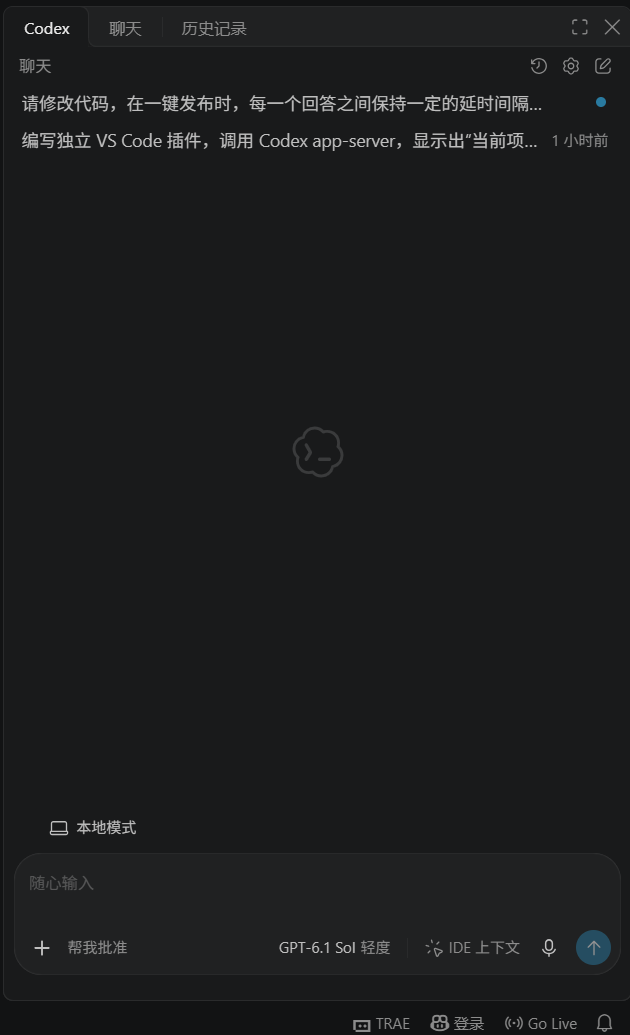
How it runs with CodexCodex Chat Cleaner monitors the activation state of the official Codex extension ( Open History when you need it. While Codex is active, it automatically checks for changes to chats associated with the current project approximately every three seconds, plus server response time. Closing the Codex panel is not the same as deactivating the Codex extension; History remains available while the extension is still active. ScreenshotsReal screenshots of the extension running in VS Code. The screenshots show the Chinese UI; the extension also supports English automatically. Alongside Codex
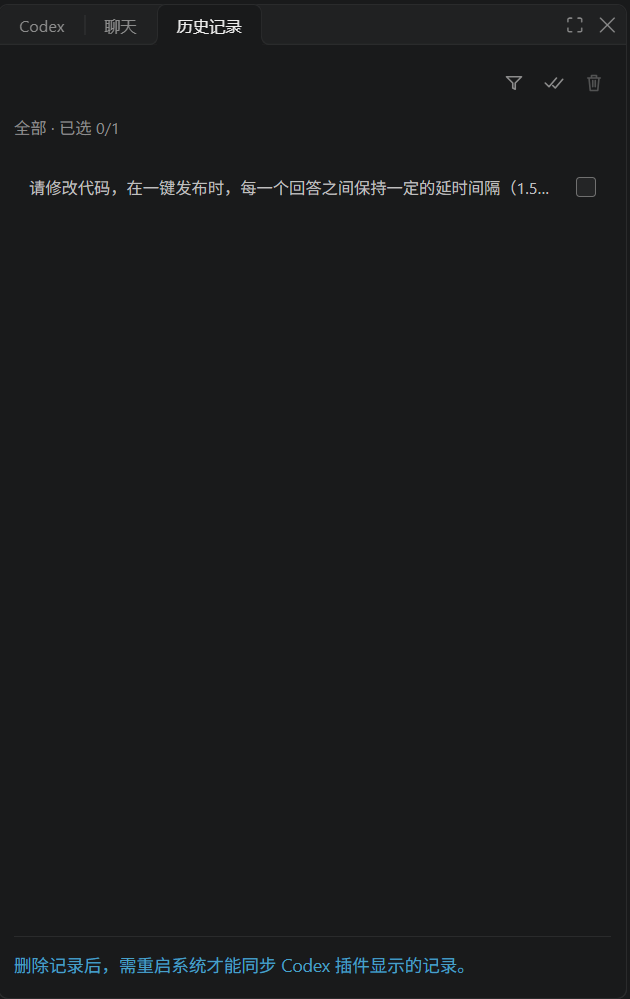
Current-project history
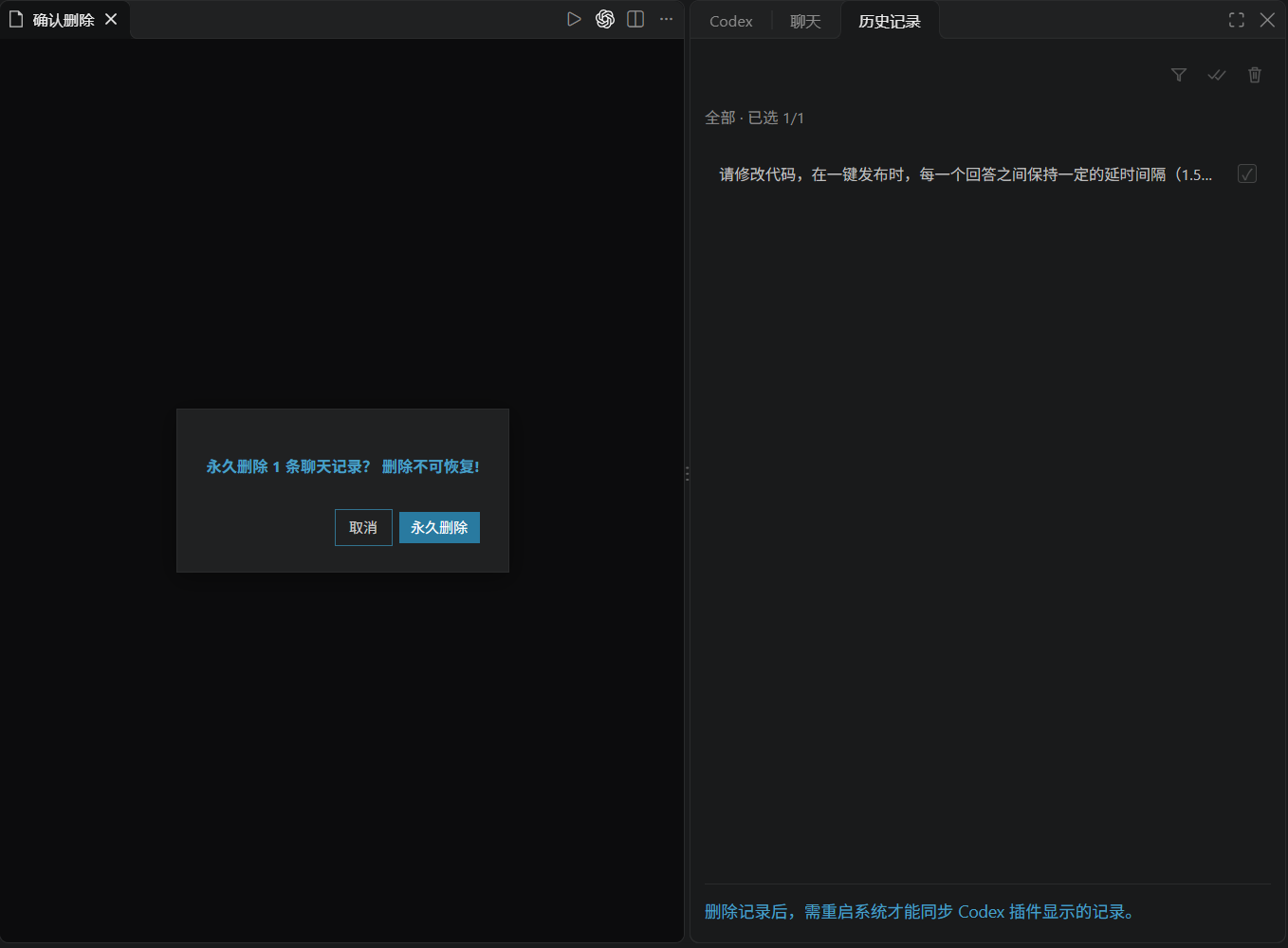
Permanent deletion confirmation
Requirements
The implementation was developed on Windows. macOS, Linux and remote workspaces have not yet been validated. Browser-only VS Code is not supported. Usage
Long titles are truncated with an ellipsis; hover to see the full title. Move the view using VS Code's standard docking controls. Its default secondary sidebar is on the opposite side of the primary sidebar. Project scope and limitationsThe current project is the folder containing the active editor, falling back to the first workspace folder. The server matches the session working directory exactly; sessions created in subdirectories or under different path spellings may not be included. Filters cover the server's interactive chat sources, not every possible internal agent session. Deletion updates this extension's list. The official Codex extension may continue showing cached records until it is restarted. Codex may synchronize automatically after a delay. The interface notes that a system restart may be needed if it does not; restarting the operating system is not a confirmed universal requirement. This extension does not reload other Webviews or restart VS Code automatically. A timeout can leave the deletion outcome unknown. Wait for the list to update and verify before retrying. Batch deletion is sequential and can partially succeed. Busy chats and deletion failuresWhen records are temporarily hidden, the extension displays “N chats are still in use by Codex and temporarily hidden. They will appear automatically when released.” Here, N is the number of hidden chats. In the Chinese UI, the equivalent message is “N 条聊天记录仍被 Codex 占用,暂时隐藏;释放后自动显示。” This includes newly created chats that Codex still holds open. It does not mean those records were deleted or that refresh failed. Automatic polling and the refresh icon recheck their status; released records return to the list automatically. A chat may still have an active writer even when it is not generating a reply. It is not necessarily the latest chat. Closing its tab does not guarantee Codex has unloaded the session. The extension combines runtime status returned by Codex with Windows writer-lock detection. Chats reported as active or writer-locked are hidden. While Codex is active, checks repeat approximately every three seconds plus query time; chats reappear once no longer reported busy. A status message shows how many chats are temporarily hidden, including newly created chats still held by Codex. Windows lock detection briefly probes operating-system locks on existing files under CODEX_HOME/thread-writer-locks. It does not modify chat history. Lock-file existence alone does not imply occupancy. This depends on Codex internal storage and is not a stable public API. Other platforms use runtime status and deletion-time rejection only. A separate app-server cannot observe every runtime state of the official extension. A selected chat can become busy before deletion. The deletion API is the final authority. Each selected chat is attempted; individual failures do not stop the batch. After all attempts, a dialog lists failed titles and groups identical reasons with their affected-record counts only if any deletion failed. No result dialog is shown when all selected chats are deleted successfully. Failed records remain visible, including active-writer failures, for inspection and manual retry. They intentionally bypass busy-record hiding for that view session. The result remains in the view until another deletion or project change. Finish or stop busy conversations and let Codex release them; restart the relevant Codex/VS Code instance if needed. Do not remove lock files manually. No forced deletion or automatic deletion retry is performed. A timeout can leave the outcome unknown. Settings
Data handlingThe extension reads local session metadata through Codex app-server and sends selected session IDs to its deletion API. It does not directly edit session files or databases and does not implement its own telemetry or upload service. Codex app-server retains its own configuration and behavior. Install from VSIXRun Extensions: Install from VSIX..., choose the package, and reload if prompted. |