Skeleton DSL Support



VS Code language support for Skeleton (Skel), an open-source DSL for describing software architecture.
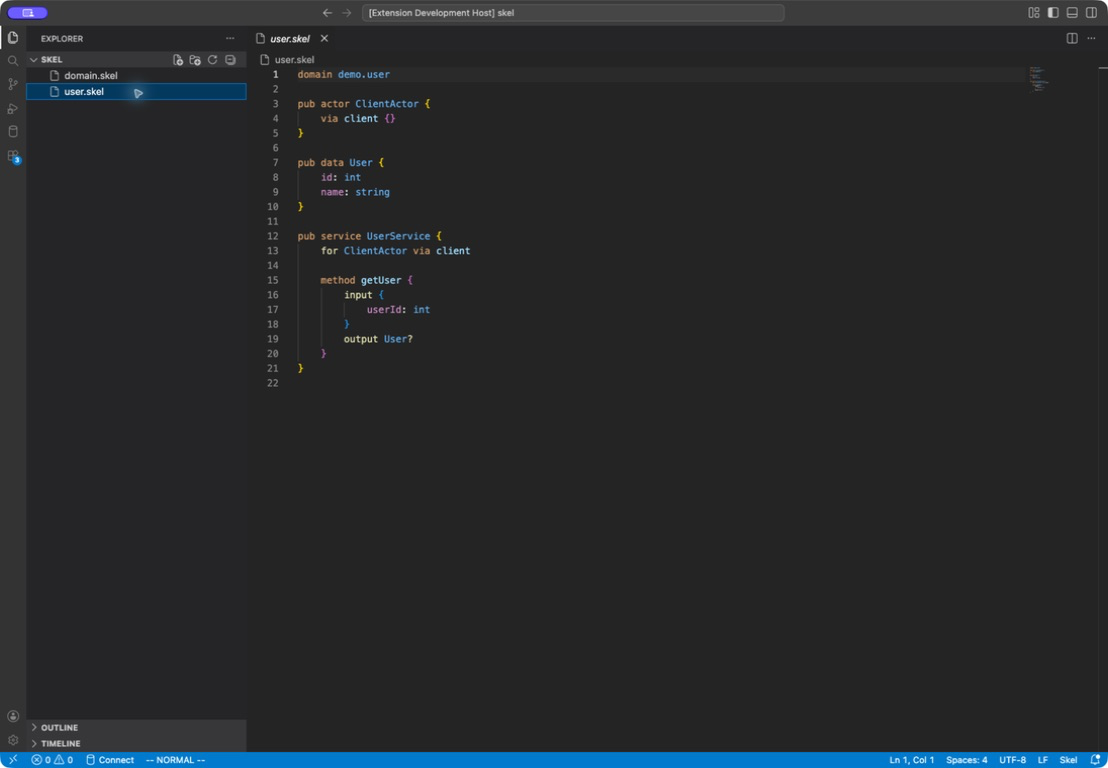
Features
- TextMate syntax highlighting for Skel declarations, types, decorators, comments, and strings
- Recoverable syntax and workspace semantic diagnostics, including multiple diagnostics and related locations
- Live schema compatibility diagnostics, CodeLens checks, and complete JSON diff reports
- Diagnostic quick fixes, formatting, context-aware decorator completion, hover details, and hierarchical symbols from
skelc lsp
- Go to Definition and Find All References across workspace Skel files
- Workspace symbol search and top-level declaration rename
- Best-effort navigation while the current document contains a syntax error
- A Skel-focused dark color theme
- Commands to restart the language server and open its output channel
Installation
Install skelc first:
go install go.yorun.ai/skel/cmd/skelc@latest
skelc version
Install the Skeleton DSL Support extension from the VS Code Marketplace, then open a .skel file. The extension starts skelc lsp from PATH.
The extension supports VS Code 1.91 or newer and requires skelc v0.14.0 or newer. The language server reports syntax, source-directory-scoped semantic diagnostics, and schema compatibility changes while you edit; use skelc check and skelc schema diff for reproducible terminal and CI validation. Decorator completion is filtered by the following target and omits decorators already present on it. Deprecated declarations and elements are identified in completion, hover, and symbol views.
When the configured skelc executable is replaced, the plugin offers Restart Now or Later after verifying the replacement. The running server continues until you choose to restart; choosing Later suppresses further prompts for that same update. Detection uses directory change notifications and a check when the editor regains focus, without periodic polling. Symbolic links and their resolved targets are monitored. No IDE restart is required.
Use skelc v0.18.0 or newer for api service diagnostics and completion, and skelc v0.24.0 or newer for ext service and ext event diagnostics and completion. Authentication modes auth required, auth optional, auth anonymous, and web-only auth off require skelc v0.26.0 or newer for diagnostics and completion. Legacy bare auth/noauth remain highlighted, but skelc v0.31.0 and newer reject them. Syntax highlighting recognizes these modes, api, and ext independently of the installed compiler. Config values containing nested data, binary values and nullable generic parameters require skelc v0.23.0 or newer for language intelligence.
Names with Vn suffixes (such as OrderApiServiceV10) and comma-separated actor audiences (such as for UserActor, AdminActor) require skelc v0.32.0 or newer for language intelligence. Comma lists may span lines. This compiler warns about repeated for clauses and empty audience blocks; duplicate actors are errors. The extension is tested with v0.14.0 and v0.33.0.
Abstract configs (abs config CacheAbsConfig eternal { ... }) and config adoption (config CacheConfig = CacheAbsConfig, including imported sources) require skelc v0.33.0 or newer for language intelligence. Their syntax highlighting works independently of skelc.
Configuration
| Setting |
Default |
Description |
skelc.path |
skelc |
Executable used to start the language server. Changing it restarts the server. |
skelc.strict |
false |
Pass --strict to skelc v0.18.0 or newer. With v0.31.0 or newer, validation is identical to the default; older versions promote migration warnings to errors. Changing it restarts the server. |
skelc.trace.server |
off |
Protocol tracing: off, messages, or verbose. |
skelc.schemaCompatibility.diagnostics |
true |
Report breaking and dangerous schema changes while editing. |
skelc.schemaCompatibility.includeCompatible |
false |
Also report compatible changes as hints. |
skelc.schemaCompatibility.codeLens |
true |
Show a compatibility action above domain declarations. |
skelc.schemaCompatibility.baseline |
empty |
Explicit baseline file or directory relative to the domain source directory; empty uses Git HEAD. |
Available commands:
Skel: Restart Language ServerSkel: Show Language Server OutputSkel: Check Schema Compatibility
Remote and Virtual Workspaces
The extension runs as a workspace extension. In Remote SSH, WSL, and Dev Container windows, install skelc in that remote environment or configure a remote value for skelc.path.
Untitled Skel documents receive language-server support. Virtual and untrusted workspaces are intentionally unsupported because the extension requires filesystem access and starts the configured executable.
Troubleshooting
If the server does not start:
- Run
skelc version in the same environment as the VS Code extension host and confirm the version is v0.14.0 or newer.
- Set
skelc.path to the executable's absolute path when it is not on PATH.
- Run
Skel: Restart Language Server.
- Run
Skel: Show Language Server Output and set skelc.trace.server to messages or verbose when protocol details are needed.
Development
From the repository root, install dependencies and run the normal checks:
npm ci
npm run check
Open this repository in VS Code and press F5 to launch the portable Extension Development Host configuration.
Protocol and Extension Host tests require a local skelc build with LSP support:
SKELC_PATH=/absolute/path/to/skelc npm run test:integration
SKELC_PATH=/absolute/path/to/skelc npm run test:extension
Local Extension Host tests reuse an installed VS Code and do not download a
test runtime. Set VSCODE_EXECUTABLE_PATH when VS Code is installed in a
non-standard location. CI may set VSCODE_VERSION to opt into a managed,
versioned test runtime.
License
Skel for Visual Studio Code is open source under the Apache License 2.0.

