This extension brings the love2d-snippets collection to VS Code.
For more detailed information, see the main snippets repository.
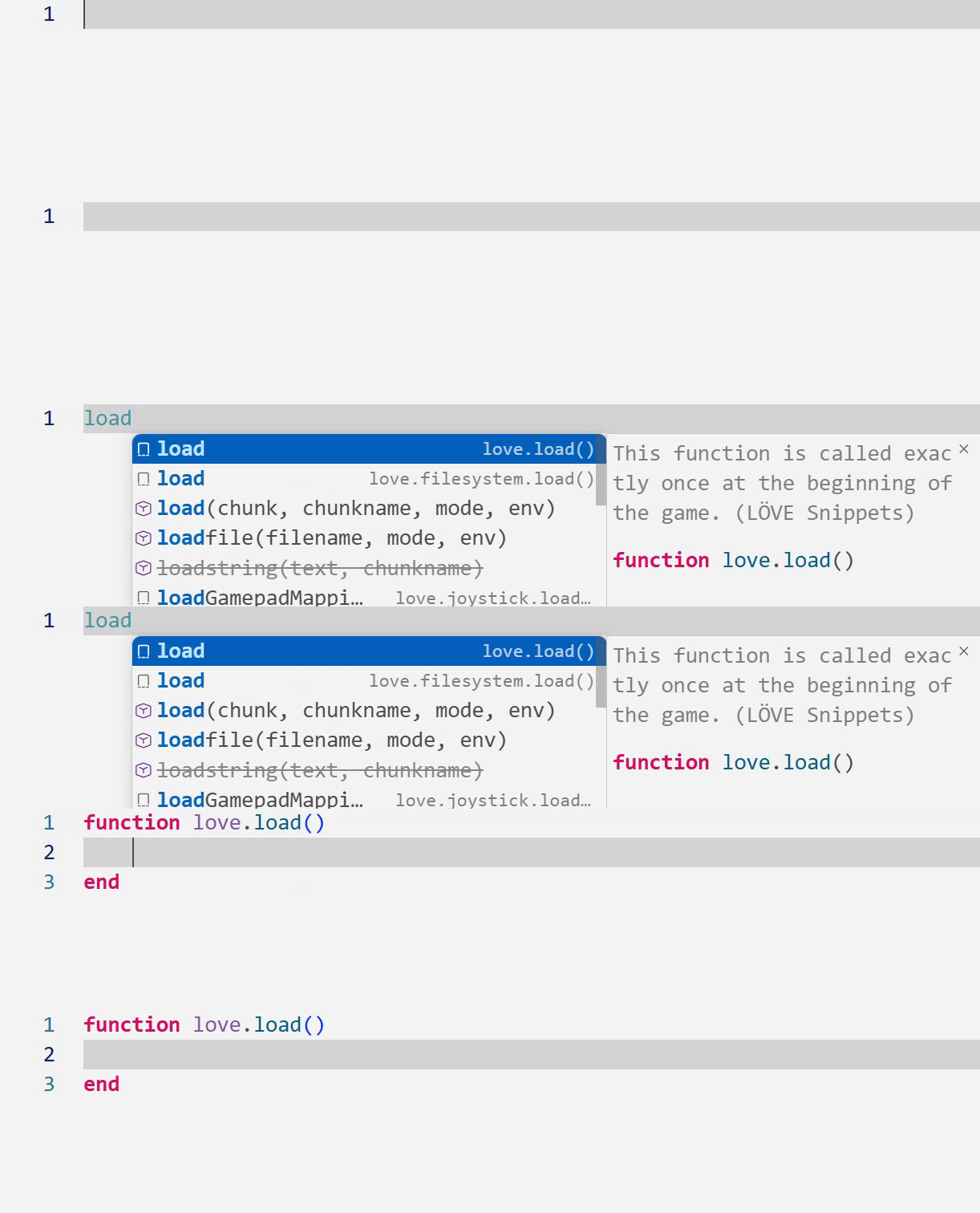
🚀 Features
- Universal snippet collection – the generated JSON files work in any editor that supports VS Code-style snippets compatible with any VS Code snippets loader.
The
snippets/ folder contains prepared snippet JSON files for all LÖVE modules
- Standalone script – run in repository workflows (GitHub Actions, CI/CD, or plugin repos) to generate snippets automatically
- GitHub Actions automation – optional CI workflow re-runs the generator to keep snippets up to date when the official love-api changes
- Full API coverage – generates snippets for all modules, functions, callbacks, type methods, constructors, getters/setters, enums, and
conf.lua
📝 What's included
For full instructions, see USAGE.md.
⚙️ Example settings
| Setting |
Value |
Purpose |
editor.tabSize |
4 |
Matches common LÖVE/Lua indentation styles. |
editor.insertSpaces |
true |
Converts tabs to spaces, preventing mixed indentation. |
editor.snippetSuggestions |
"top" |
Shows snippet suggestions at the top of the IntelliSense list for faster access. |
extensions.ignoreRecommendations |
false |
Allows VS Code to suggest this extension to other developers opening the project. |
⭐ Recommended Configuration
{
  "[lua]": {
    "editor.tabSize": 4,
    "editor.insertSpaces": true,
    "editor.snippetSuggestions": "top"
  },
  "extensions.ignoreRecommendations": false
}
🔧 Per-Project (Local) Configuration
To ensure consistent snippet behavior across your team or isolate settings to a specific LÖVE project, you can configure the extension locally within your project's folder. This approach keeps settings portable and team-friendly.
❓ Where to Put Project Settings
VS Code allows you to define project-specific settings in a .vscode/settings.json file inside your project's root directory. These settings override your global user settings when that project is open.
- Create the
.vscode folder in the root of your LÖVE project.
- Create a
settings.json file inside that folder.
- Add the recommended configuration to tailor the editor for LÖVE development.
📢 Sharing the Recommendation with Your Team
To automatically suggest this extension to anyone who clones your project, create a .vscode/extensions.json file in your project root:
{
  "recommendations": [
    "yorik1984.love2d-snippets-vscode"
  ]
}
When your team members open the project, VS Code will prompt them to install the recommended extensions, ensuring everyone has the same snippet experience.
🎯 Benefits of Per-Project Configuration
- ✅ Consistency: All contributors use the same tab size and snippet behavior.
- ✅ Portability: Settings travel with the project via Git, so no manual setup is needed.
- ✅ Isolation: Project settings do not affect your other Lua/LÖVE projects.
- ✅ Team-Friendly: New members get the correct configuration automatically.
❗ Important Note
If you already have global user settings, the project-specific settings in .vscode/settings.json will take precedence when you are working in that project folder.
📜 License
MIT License