Elephant Theme 🐘
A clean, modern and blue-focused dark theme for Visual Studio Code.
Designed for long coding sessions with excellent readability and calm colors.
✨ Features
- 🔵 Blue-focused palette with pastel tones
- 🌙 Dark, comfortable background (low eye strain)
- ⚛️ Optimized for TypeScript, JavaScript, TSX & React
- 🌬 Great support for Tailwind CSS & styled-components
- 🧠 Semantic tokens enabled (TypeScript 100%)
- 🔍 Readable diffs, Git decorations and search results
- 📘 Clean Markdown rendering
- 🖥️ Styled terminal and UI
Built to look good and feel good after hours of coding.
🎨 Screenshots
Good screenshots:
Default Dark
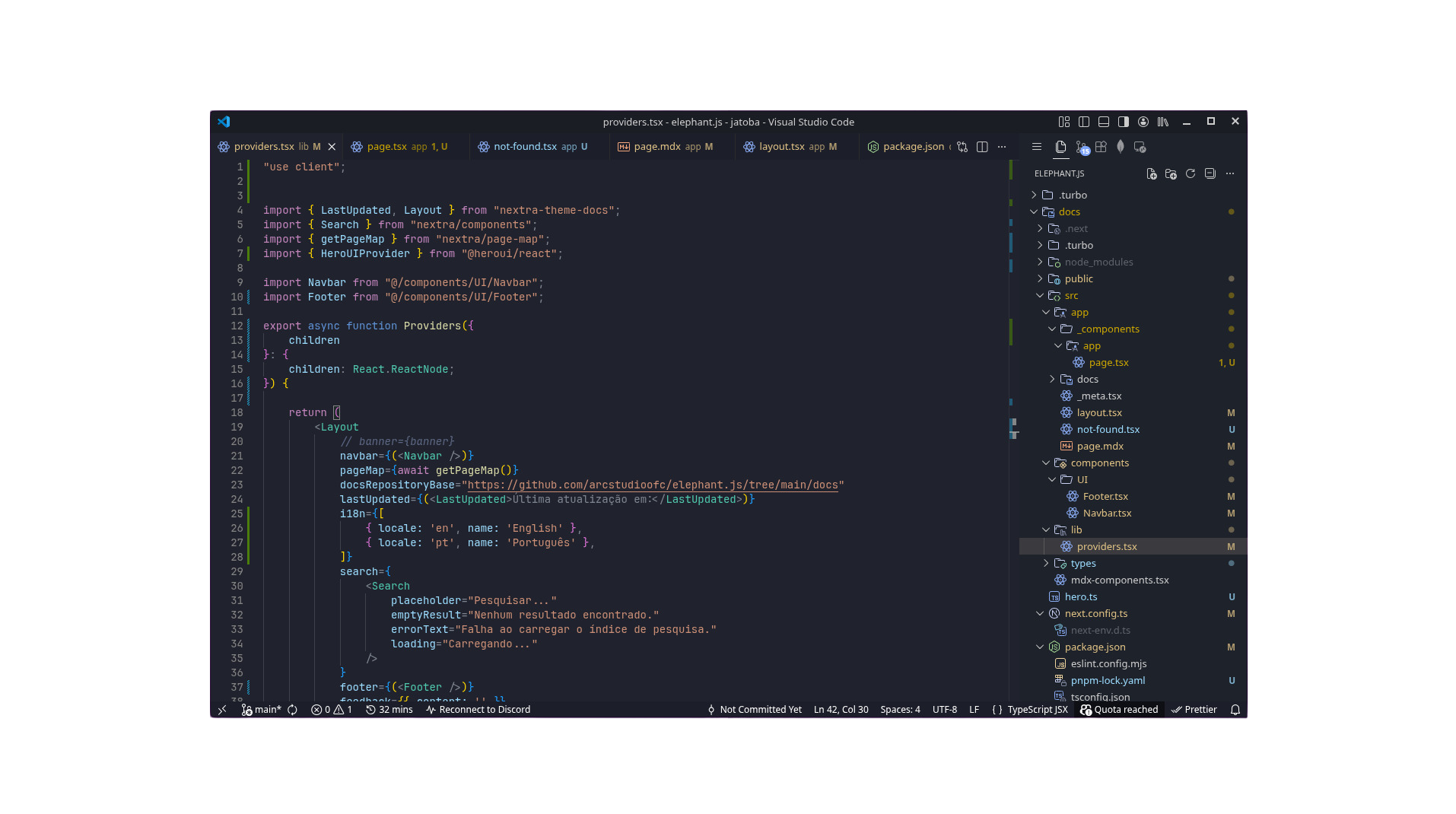
Dark Plus
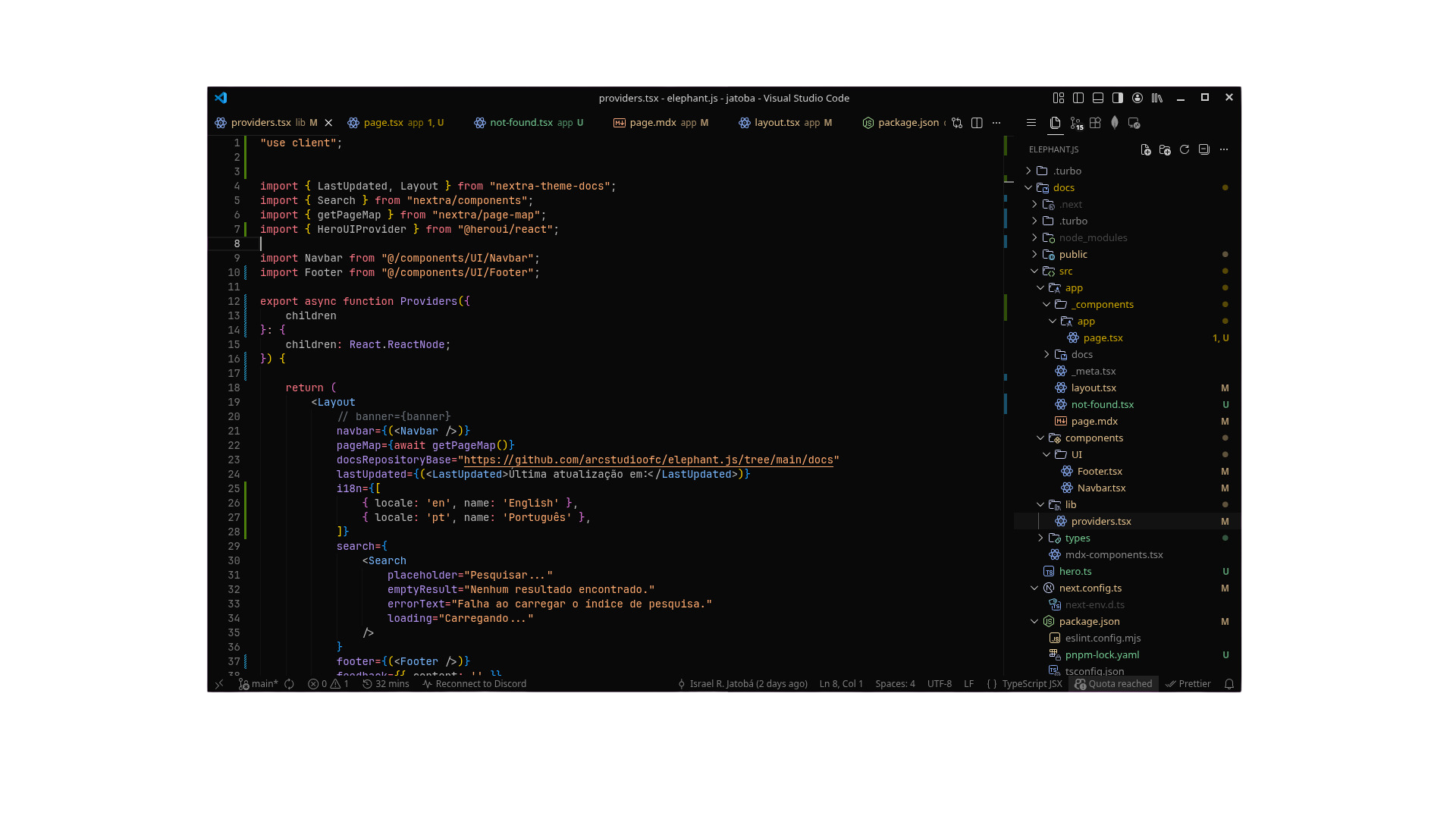
macOS AMOLED
Available as Elephant macOS AMOLED (screenshot coming soon).
- Editor with TypeScript / React
- Sidebar + tabs
- Diff view
🚀 Installation
From VS Code Marketplace
Open Extensions (Ctrl + Shift + X)
Search for Elephant Theme
Click Install
Open Command Palette:
Preferences: Color Theme
Select one of:
- Elephant Default Dark
- Elephant Dark Plus
- Elephant macOS AMOLED
🧠 Recommended Settings
For the best experience:
{
  "editor.semanticHighlighting.enabled": true,
  "editor.fontLigatures": true,
  "editor.renderWhitespace": "selection",
  "editor.cursorSmoothCaretAnimation": "on"
}
🧩 Language Support
Elephant Theme is optimized for:
- TypeScript / JavaScript
- React (JSX / TSX)
- HTML / CSS
- Tailwind CSS
- styled-components
- Markdown
- JSON / YAML
- Regex & diffs
- Git (added / modified / deleted / ignored)
Other languages will still look great thanks to semantic highlighting.
🐘 About ElephantJS
This theme is part of the ElephantJS ecosystem — focused on clean design, readability and developer experience.
💬 Feedback
Found a bug or have a suggestion?
Open an issue or contribute — feedback is always welcome.

