Between Trains
A waiting room for agentic development.
Turn the wait while your AI agent works into a short moment for play, calm, or
learning — then it's gone the instant you start typing again.
You prompt, the agent works, you wait, you review, you steer — repeat. That
"agent working" wait is too short and fragmented for real work, yet it repeats all
day long. Between Trains claims that gap: something useful, restful, or fun in
twenty seconds, and out of your way the moment you're back at the keyboard.
The name is the metaphor — you're standing on a platform between two passing
trains. You're not starting a journey; you're just waiting for the next one.
Everything runs locally on your machine. No telemetry, no cloud, no accounts.
What's inside
Pick a mode from the top bar; each is built to satisfy in a few seconds and never nag.
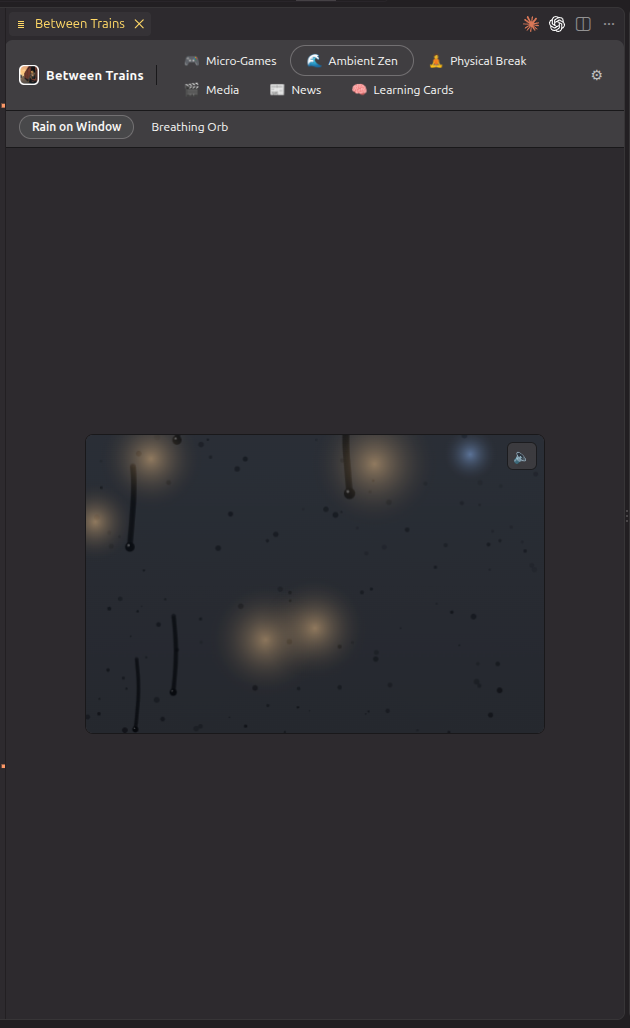
🌧️ Ambient Zen
Rain-on-glass and a slow breathing orb, with optional ambient sound synthesized live — no files, no network.
|
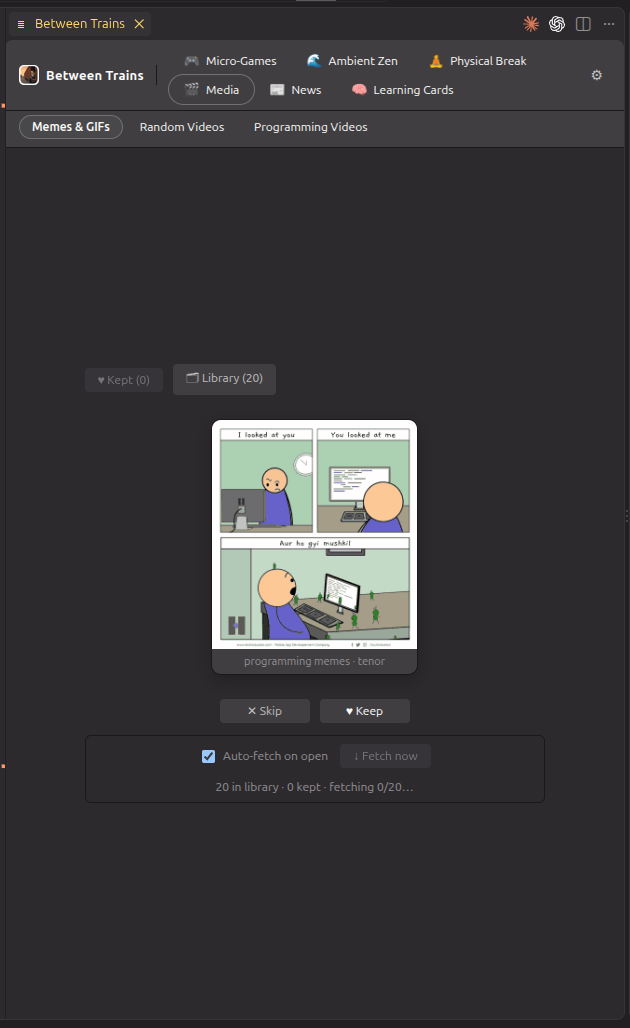
🖼️ Media
Curated memes, GIFs, and videos in a swipe deck — keep or skip, and it learns your taste. Saved locally.
|
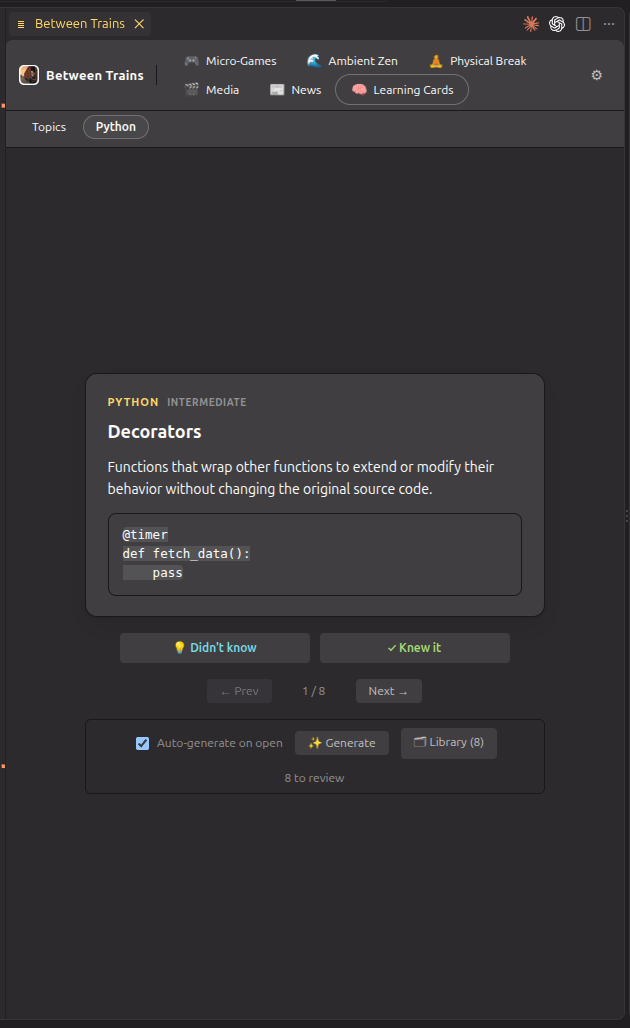
🧠 Learning Cards
Bite-sized concept cards on any topic you choose. Rate what you knew; the next batch focuses on what you didn't.
|
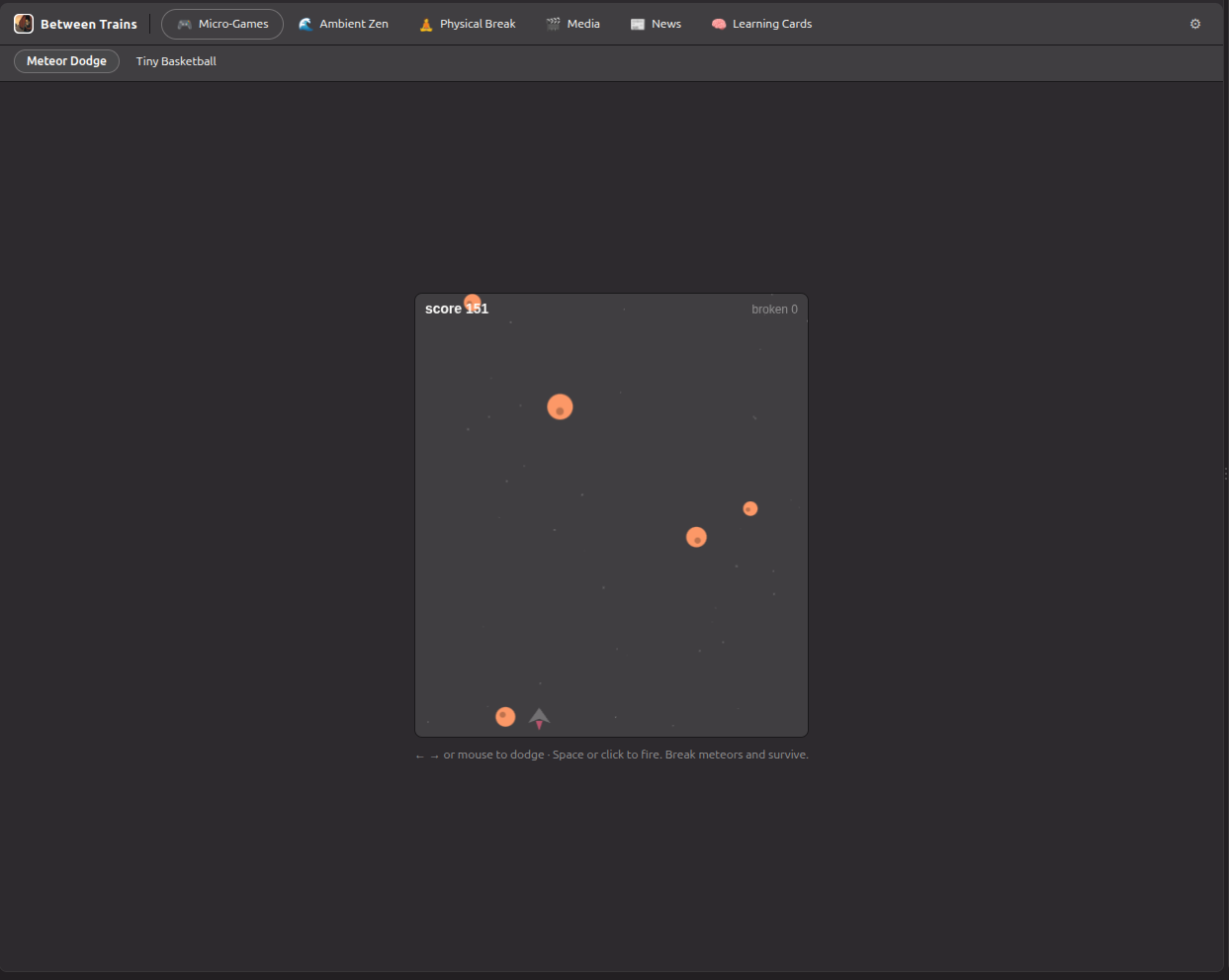
- 🎮 Micro-Games — dodge-and-shoot Meteor Dodge and flick-shot Tiny Basketball, with persistent high scores (shown above).
- 🧘 Physical Break — one small, optional reset at a time: neck, wrist, breathing, eye rest, posture. Gentle, no timer, no guilt.
- 📰 News — quick cards across Technology, World, Business, and Science.
How it works
- Start it: run “Between Trains: Start Waiting Room” from the Command
Palette, or press
Ctrl+Q to toggle it (remappable).
- It opens as a tab next to your code, without stealing focus.
- Switch modes from the top bar; close the tab, or hit
Ctrl+Q, to get back to work.
Local-first & private
Between Trains never sends your code or prompts anywhere. Content libraries and
usage stats live on your machine in the extension's private storage; you can
inspect, export, or clear them anytime. There is no telemetry and no account.
The AI is optional
Content curation and card generation run on a local Ollama
model — nothing leaves your machine. Memes, videos, and news fall back to a
deterministic fetcher when Ollama is off, so they keep working; Learning Cards
need Ollama running with a model installed. Leave the model setting blank and the
first installed model is used automatically.
Requirements
- VS Code
^1.101.0
- (Optional) A running Ollama server with a model pulled
(
ollama pull llama3.2) — improves curation and powers Learning Cards. Games,
ambient, and physical modes need nothing.
- (Optional) A news-search API key (Tavily, Brave, or Serper) for the
News mode, entered via a secure prompt and stored only in VS Code SecretStorage.
Commands
| Command |
ID |
| Between Trains: Start Waiting Room |
betweenTrains.startManualSession |
| Between Trains: Stop Waiting Room |
betweenTrains.stopSession |
| Between Trains: Open Waiting Room |
betweenTrains.openWaitingRoom |
| Between Trains: Toggle Waiting Room |
betweenTrains.toggleWaitingRoom |
| Between Trains: Select Mode |
betweenTrains.selectMode |
| Between Trains: Open Settings |
betweenTrains.openSettings |
| Between Trains: Test Ollama Connection |
betweenTrains.testOllamaConnection |
| Between Trains: Fetch New Memes |
betweenTrains.fetchMemes |
| Between Trains: Fetch New Videos |
betweenTrains.fetchVideos |
| Between Trains: Set News Search API Key |
betweenTrains.setNewsApiKey |
| Between Trains: Show Local Metadata Location |
betweenTrains.showLocalMetadata |
| Between Trains: Export Local Metadata |
betweenTrains.exportLocalMetadata |
| Between Trains: Clear Session History |
betweenTrains.clearSessionHistory |
| Between Trains: Reset Personalization |
betweenTrains.resetPersonalization |
| Between Trains: Clear Generated Content Cache |
betweenTrains.clearGeneratedContentCache |
| Between Trains: Clear All Local Metadata |
betweenTrains.clearLocalMetadata |
Settings
All settings (click to expand)
| Setting |
Default |
Description |
betweenTrains.enabled |
true |
Master on/off switch. |
betweenTrains.autoOpen.enabled |
false |
Auto-open the waiting room when an agent is detected. Off by default; the MVP is manual-first. |
betweenTrains.defaultMode |
lastUsed |
Which mode opens with a session. |
betweenTrains.brain.enabled |
true |
Use the local Ollama brain to curate content and generate learning cards (off = deterministic fallback; learning cards need the brain). |
betweenTrains.brain.provider |
ollama |
LLM backend for the brain. Editable from the panel's Global config. |
betweenTrains.brain.workspaceContext.enabled |
false |
Allow small, safe workspace hints (e.g. active language). Never sends source. |
betweenTrains.ollama.baseUrl |
http://localhost:11434 |
Local Ollama server. |
betweenTrains.ollama.model |
"" |
Model to use. Blank = auto-select the first installed model; set a name to pin one. |
betweenTrains.ollama.timeoutMs |
30000 |
Timeout before falling back. |
betweenTrains.memes.autoFetch |
false |
Automatically fetch new memes/GIFs on entering the mode. |
betweenTrains.memes.fetchCount |
20 |
How many new memes to fetch per run. |
betweenTrains.videos.autoFetch |
false |
Automatically fetch new videos on entering the mode. |
betweenTrains.videos.fetchCount |
15 |
How many new videos to fetch per run. |
betweenTrains.news.provider |
tavily |
News search provider (tavily, brave, or serper). Needs an API key. |
betweenTrains.news.autoFetch |
false |
Automatically fetch news on entering the mode. |
betweenTrains.news.fetchCount |
10 |
How many news cards to fetch per run. |
betweenTrains.learning.autoFetch |
false |
Automatically generate learning cards when the deck runs low. |
betweenTrains.learning.cardCount |
8 |
How many learning cards to generate per run. |
betweenTrains.autoFetch.cooldownMinutes |
30 |
Minimum minutes between automatic fetches per stream. |
betweenTrains.metadata.enabled |
true |
Store local personalization metadata on this machine. |
betweenTrains.metadata.retentionDays |
30 |
Days of raw session history to keep. |
Privacy
Between Trains is local-first. No workspace content leaves your machine unless you
explicitly enable a networked feature. The Ollama integration talks to a local
server by default, and there is no telemetry.
Session metadata is stored on your machine in VS Code's per-extension global
storage as append-only JSONL traces plus aggregate stats — interaction patterns
only (session start/end, chosen mode, durations), never source code or prompts.
Show Local Metadata Location opens the folder, Export Local Metadata saves
it to JSON, and the various Clear commands remove it (all at once, or per
category). Set betweenTrains.metadata.enabled to false to stop all metadata
writing.
License
MIT

