Drylake- Agent Control - Free LLM - Free Security Scans - Opensource LLM
Free local security scan for AI coding setups. AWS GuardDuty service terms
DryLake Guard ranks your AI coding setup before agents touch your repo. Scan MCP servers, agent skills, IDE extensions, secrets, prompt injection risk, supply-chain risk, token bloat, and workspace blast radius.
DryLake is backed by 99VC and AWS Startups.
Free. No credit card. Connect your DryLake account and run a local Guard scan in under 30 seconds.
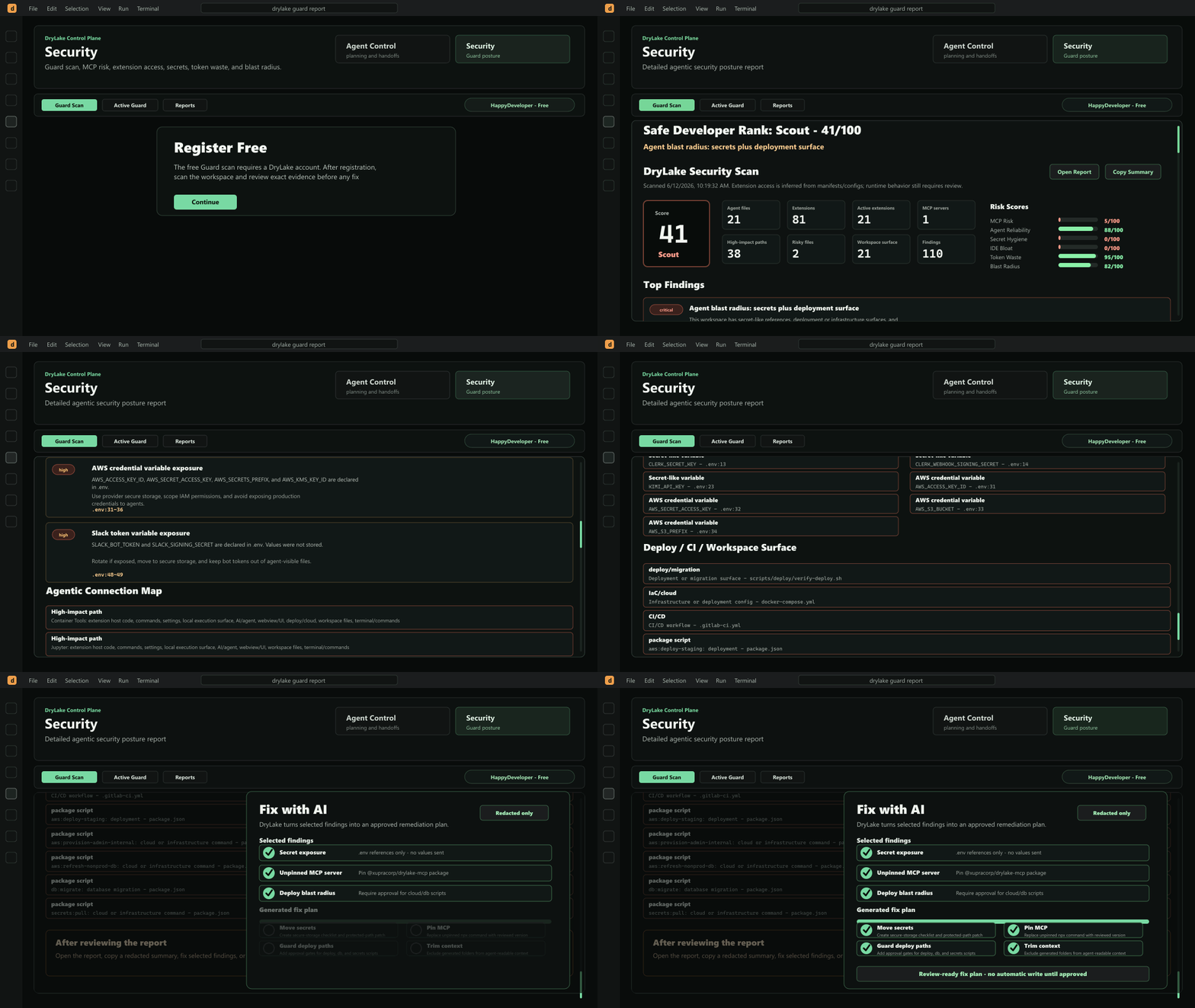
What DryLake Guard scans
- MCP risk: Finds MCP configs for VS Code, Cursor, Claude, and workspace setups, then flags unpinned packages, broad tool gateways, secret-like env vars, and deploy-capable tools.
- Agent skills and rules: Scans
AGENTS.md, CLAUDE.md, Cursor rules, Claude/Codex/Cline/Roo-style rules, and SKILL.md files for drift, bloat, and unsafe agent context.
- IDE extension access: Reviews installed extension manifests, activation events, contributed commands, debug/task access, publisher signals, and AI/agent overlap.
- Secret hygiene: Detects secret-like variable names, token patterns, credential-like files, and protected paths without storing secret values.
- Workspace blast radius: Maps deploy scripts, CI/CD, Docker, Terraform, Kubernetes, cloud configs, package scripts, and command-capable agent surfaces.
- Token waste: Finds long or duplicate agent instructions and generated folders that agents may accidentally pull into context.
AWS-backed Active Guard
The free scan runs locally first. After the scan, you can choose whether to upload skills and MCP settings to DryLake for AWS-backed Active Guard.
Paid Guard features include:
- Fix with AI
- Active Guard / Watchdog
- Deep Cloud Analysis
- Team Baseline
- Continuous Watch
- Suspicious Artifact / malware scan
Active Guard uses AWS-backed storage and malware-scanning infrastructure for consented Guard artifacts. AWS service terms for GuardDuty Malware Protection apply: AWS Service Terms - Amazon GuardDuty.
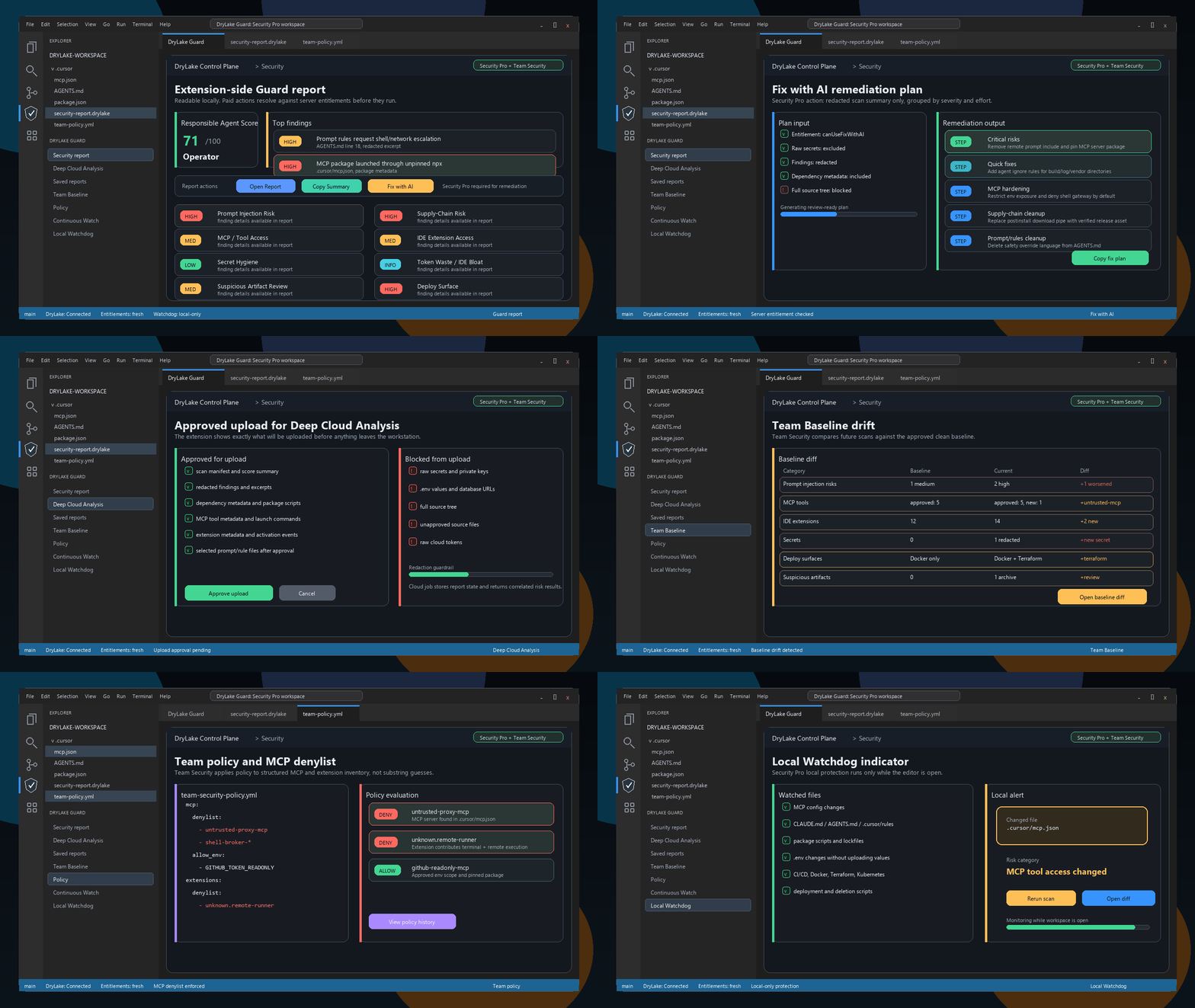
- Fix with AI: Turn selected redacted findings into a review-ready remediation plan instead of a generic summary.
- Deep Cloud Analysis: Approve upload of redacted findings, MCP metadata, extension metadata, package scripts, and file path inventory for a richer cloud-side review.
- Saved reports: Keep personal and team report history in the website, then reopen linked reports directly from the extension.
- Team Baseline and policy: Mark clean reports as baselines, diff later scans against them, and enforce MCP or extension denylists.
- Continuous Watch and local Watchdog: Continuous Watch records scheduled team drift and policy events, while local Watchdog stays on-device and watches for risky local changes.
Also included: Coding Agent Control Plane
DryLake still includes visual planning and handoff orchestration for coding agents. Turn tickets, bugs, and product specs into phase cards, assign each phase to your preferred coding agent, attach a skill, and run focused handoffs.
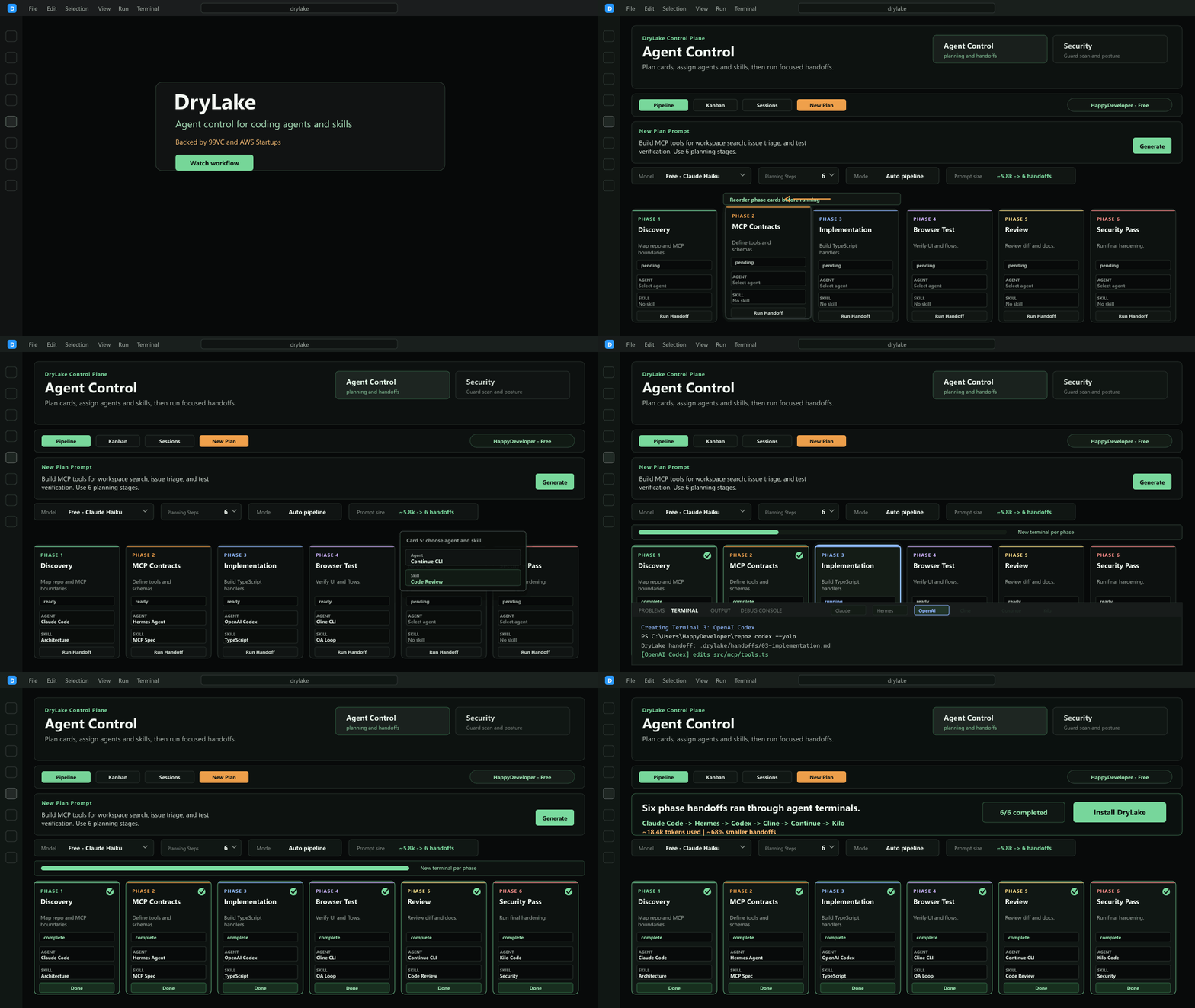
- Free AI planning: Start with free planning, then upgrade when you want Xupra AI Frontier Models.
- Save tokens and time: Visual planning cards allow you to use smaller models with better results.
- All agents, one planning workflow: Plan work for Claude Code, Codex, Cursor, Gemini, Hermes, Copilot, Blackbox, Goose, OpenCode, Qwen, Continue, Cline, Aider, Kilo, Auggie, and more.
- Skills for every handoff: Attach reusable skills/profiles for architecture, implementation, review, testing, and debugging.
- Bring your own API/model: Use direct OpenAI, Claude/Anthropic, Databricks, or Hermes planning providers today, with broader OpenAI-compatible provider support planned.
- Visual Kanban orchestration: Move from ticket to plan to agent handoff without losing context.
What DryLake does
- Converts tickets into phased implementation plans.
- Lets you assign each phase to Claude Code, Codex, Cursor, Gemini, Blackbox, Goose, OpenCode, Qwen, Continue, Cline, Aider, Kilo, Auggie, etc.
- Runs DryLake Guard scans for agent files, MCP configs, installed extensions, risky env references, and workspace blast radius.
- Runs focused handoffs from a visual Kanban or pipeline.
- Attaches skills/profiles to phase prompts.
Best for
- Breaking large tickets into safe implementation phases.
- Planning refactors before sending work to an AI coding agent.
- Coordinating multiple AI tools without losing task context.
- Reducing wasted tokens from oversized prompts.
Open Source
DryLake has a public open-source mirror on GitHub:
github.com/ceogp/drylake
Support
Non-affiliation
DryLake is not affiliated with Anthropic, OpenAI, Google, GitHub, Microsoft, Cursor, Blackbox, Block, Alibaba Cloud, Continue, Cline, Aider, Kilo Code, Augment, or their respective owners.
| |

