FolderPilot

FolderPilot is a VS Code extension that runs Copilot-powered skills against a folder. Skills live in workspace-level .agent/interactive_skills/<skill>/SKILL.md files and are enabled per folder with .agent/interactive_skills.yaml. Outputs are written into the folder's tmp/ directory and opened in VS Code.
Features
- Explorer view to discover skill-enabled folders.
- One-click skill execution with input prompts.
- HTML, Markdown, PNG, and JPG preview support.
- Per-skill cache to avoid rerunning unchanged inputs.
Requirements
- VS Code 1.107+
- GitHub Copilot extension installed and signed in (active subscription)
- For development: Node.js 22 and npm
Quick start (example workspace)
npm installnpm run watch- Press
F5 to launch the Extension Host
- In the Extension Host, open
agent_plan/examples/workspace
- Open the "FolderPilot" view in Explorer and run a skill
Example: Stakeholder Update
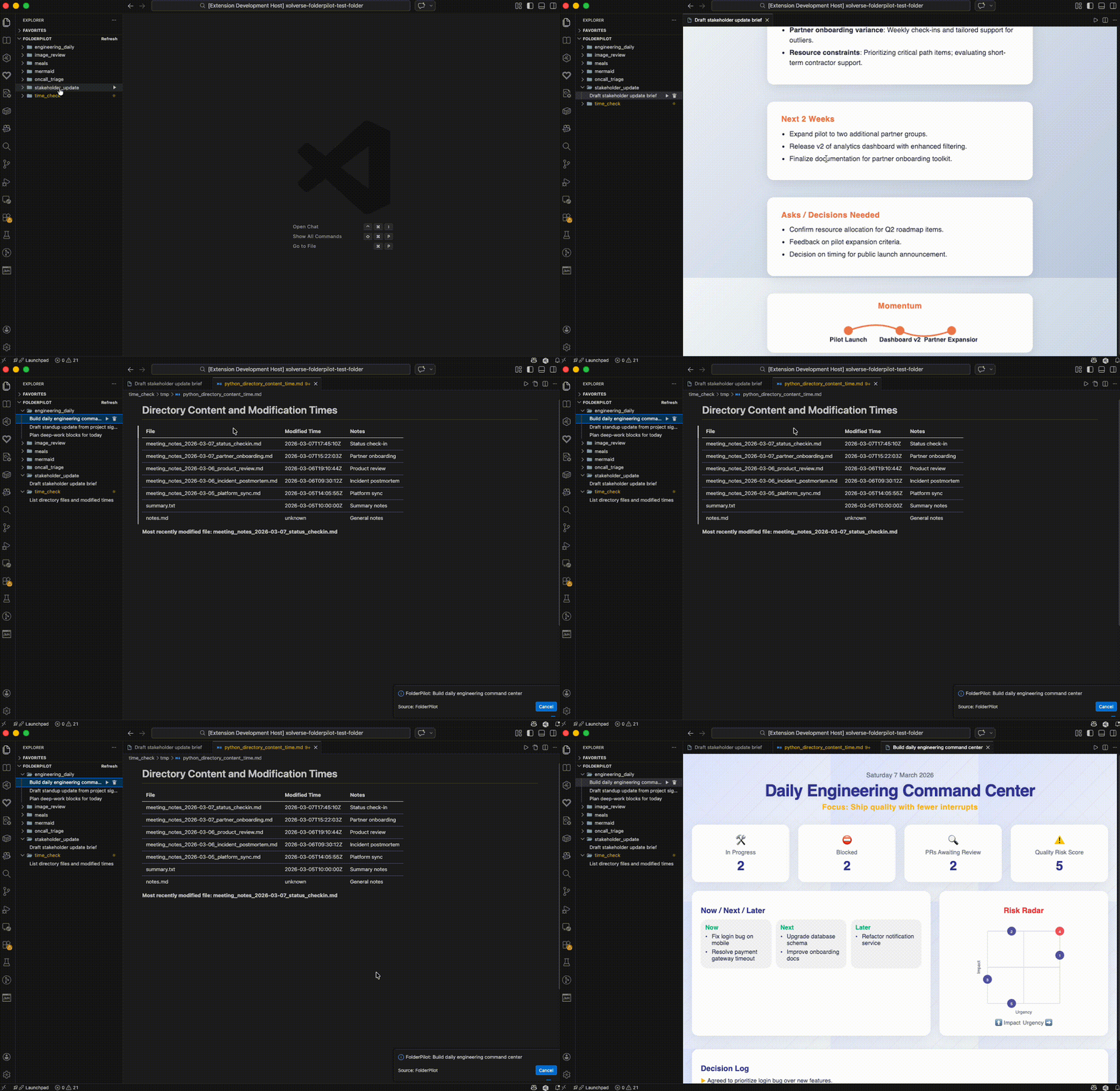
Open the stakeholder_update/ folder, run the Draft Stakeholder Update skill, and get a polished report in seconds.
Folder and skill layout
workspace/
  .agent/
    interactive_skills/
      <skill>/
        SKILL.md
  <content-folder>/
    .agent/
      interactive_skills.yaml
      cache/
    tmp/
Skill files are Markdown with YAML frontmatter. Required fields: name, description, prompt. Optional: inputs, output_format.
---
name: build_daily_command_center
description: Build daily command center
output_format: html
inputs:
  timezone:
    description: Timezone label
    default: "PT"
prompt: |
  Summarize the folder content into a dashboard.
  Use ${input:timezone} when listing dates.
---
The extension asks Copilot to return a JSON object with outputs, for example:
{"outputs":[{"path":"tmp/build_daily_command_center.html","type":"html","content":"..."}]}
Keep outputs under tmp/ and return content directly; the extension does not execute scripts.
Commands
- FolderPilot: Run Skill
- FolderPilot: Clear Skill Cache
- FolderPilot: Refresh
Caching
Cached outputs are stored under <folder>/.agent/cache/ and keyed by skill file content, input values, and input file mtimes.
Development
npm run compile to build oncenpm run watch to build on changenpm run lint to lintnpm test to run tests

