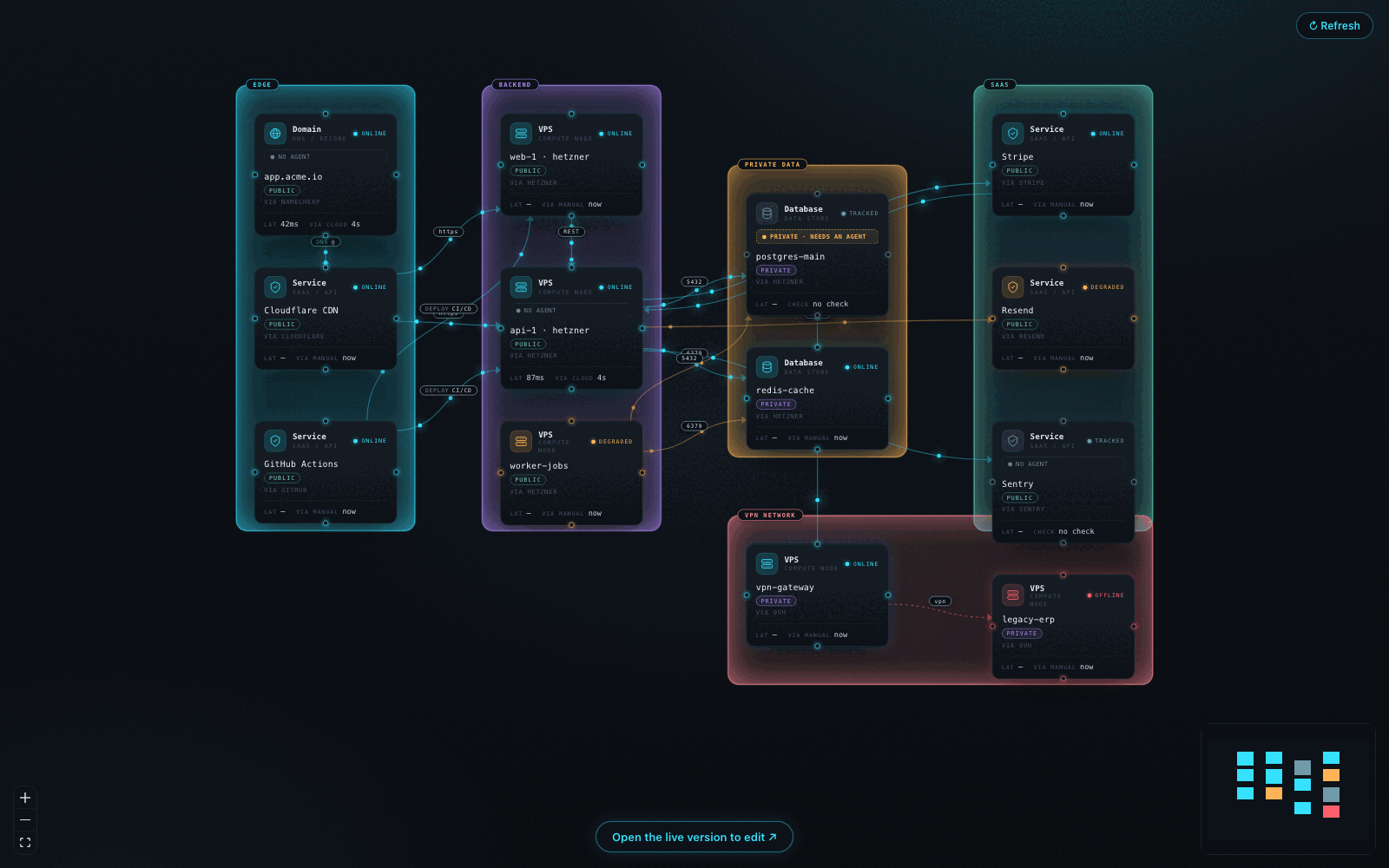
The living map of your infrastructure, inside your editor: nodes, dependencies and health of xNode360 right next to your code.
Features
Live map in a side panel, identical to the one in the app, with a Refresh button and a button to open the web version to edit it.
Sidebar with your nodes grouped, with status and latency, and the count of failing nodes in the status bar.
Manifest as code: validation and autocompletion for xnode360.yaml/.json, with commands to import and export the map.
GitHub Copilot, zero setup: after connecting, xNode360 appears in Copilot Chat (Agent mode) as a tool. Ask about your infrastructure without leaving the editor. Claude Code and Cursor are one command away.
Getting started
In the xNode360 app, open the MCP panel and create a key (nxm_…).
In VS Code: xNode360: Connect (MCP key) and paste the key.
Open the xNode360 sidebar, then xNode360: Open the map.
A guided walkthrough opens on first install (xNode360: Getting started).
Privacy and security
The key is stored in VS Code's SecretStorage, never in project files.
The key is bound to a single map; the extension has no access to anything else.
No telemetry. The extension only talks to the configured endpoint (xnode360.endpoint).
xNode360 stores references to secrets, never their values.
Requirements
VS Code 1.101 or later. For Copilot, MCP servers must be enabled for your account or organization.
Settings
Setting
Default
xnode360.endpoint
https://xnode360.com/api/mcp
MCP endpoint
xnode360.appUrl
https://xnode360.com/app
web app to edit the map
xnode360.openMapOnStartup
false
open the map at startup
xnode360.autoRefreshSeconds
0
automatic refresh (0 = off, min. 15)
Available in English and Italian, following the VS Code display language.