Open Path
Open links, URLs, file paths, and folders directly from the current editor line.
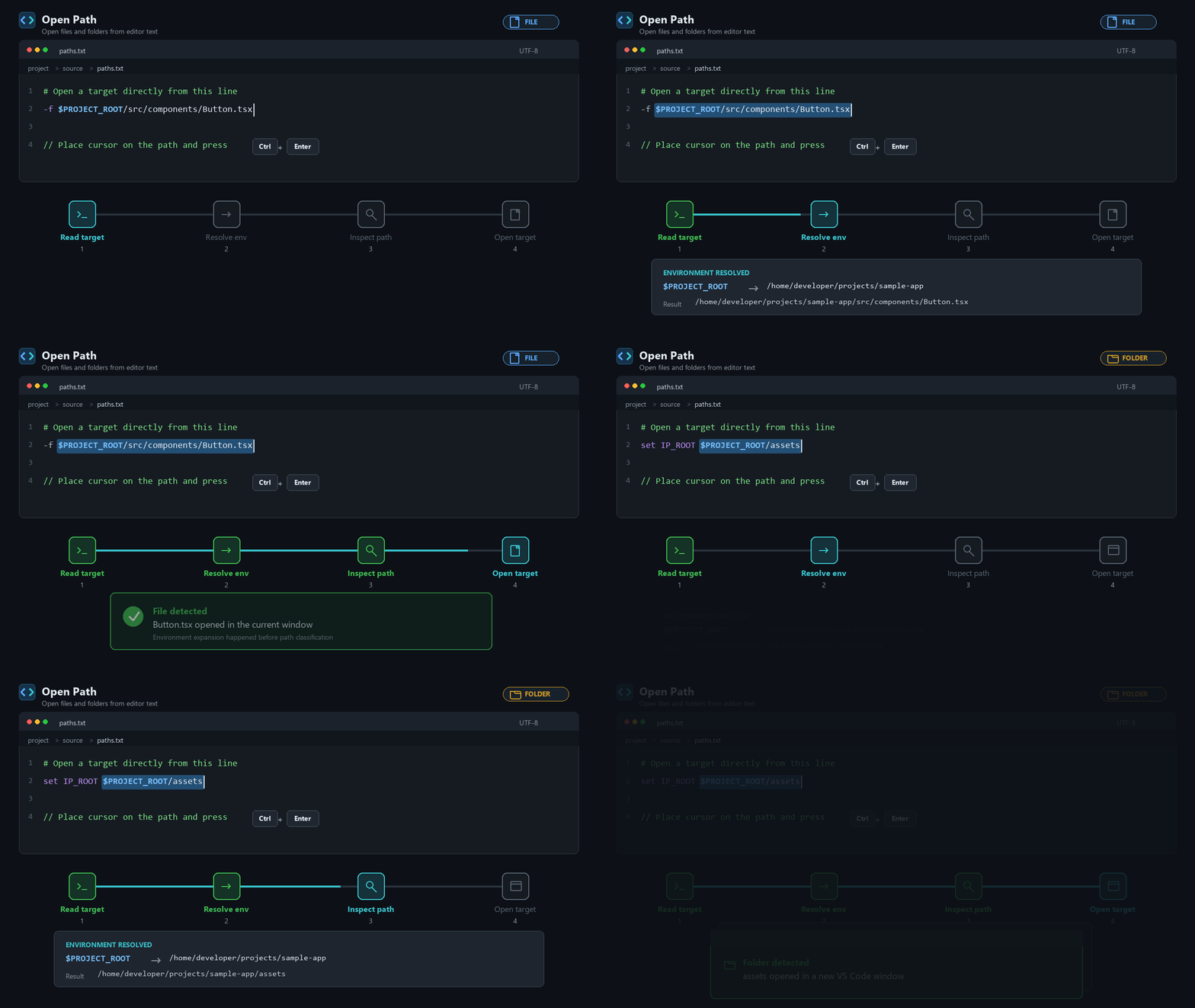
Use It
- Put the cursor on a link or path, or anywhere on the same line.
- Press
Ctrl+Enter on Windows and Linux, or Cmd+Enter on macOS.
- Open Path chooses the target under the cursor; otherwise, it opens the first valid target on the line.
Files open in the current VS Code window. Folders open in a new VS Code window.
Use the Command Palette and run Open Path: Open Under Cursor when a keyboard
shortcut is unavailable.
Features
- Open inline Markdown links like
[Guide](https://github.com/xmleee/open-path/blob/HEAD/README.md#commands)
- Open plain URLs like
https://example.com/docs
- Open local file paths like
src/app.ts
- Open local folder paths in a new VS Code window
- Open file locations like
src/app.ts:42 and src/app.ts:42:7
- Open Markdown heading targets like
README.md#getting-started
- Resolve environment variables in local paths, such as
$PROJECT/src/app.ts
- Prefer the target under the cursor when a line contains multiple targets
- If the cursor is not on a target, fall back to the first valid target on the same line
- Work in Markdown and non-Markdown files
- Resolve relative paths from the current file, with a workspace-folder fallback
Path Rules
Relative paths are resolved in this order:
- The current document's directory
- The current document's containing workspace folder root, if the first path does not exist
In a multi-root workspace, the fallback uses the workspace folder containing the active document.
Environment Variables
Environment variable resolution is enabled by default. Open Path expands
variables in local paths before deciding whether the result is absolute or
relative, so an unresolved variable is never treated as a relative path.
The extension detects the integrated terminal shell when possible and supports
cmd.exe, PowerShell, bash, zsh, sh, fish, csh, and tcsh. It also uses VS Code
terminal environment settings. If a variable cannot be resolved, Open Path
shows a warning instead of opening an incorrect path.
If a leading variable such as $PROJECT/path/to/file cannot be read,
open-path.inferEnvironmentVariablesFromPaths can infer it from existing
ancestor directories only when the resulting path exists.
Choose the accepted syntax with open-path.environmentVariableFormat:
dollar: $VARbraced: ${VAR}percent: %VAR%all: all supported formats
Origin
Open Path is based on the MIT-licensed
Open Target extension by danbi2990,
with added environment-variable resolution and folder opening support.

