Skip to content
| Marketplace
Sign in
Visual Studio Code>Other>CPU StatusNew to Visual Studio Code? Get it now.
CPU Status

CPU Status

xmarano

|
1 install
| (1) | Free
Shows CPU core usage as bars in the status bar
Installation
Launch VS Code Quick Open (Ctrl+P), paste the following command, and press enter.
Copied to clipboard
More Info

CPU Monitor

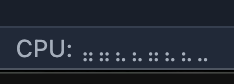
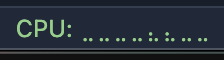
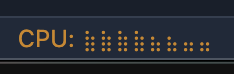
A minimalist extension that displays real-time CPU usage per core in your status bar.

Extension Screenshot Green Extension Screenshot Orange Extension Screenshot

Download : here

Features

  • Visual Graph: Uses Braille characters (like ⡀, ⣀, ⣄, ⣿) to visualize load intensity.
  • Per-Core Tracking: Shows individual usage for every CPU core.
  • Interactive: Click the status bar item to change the update frequency.

Configuration

Simply click on the CPU text in the status bar to toggle the refresh rate:

  • 500ms (Fast)
  • 1000ms (Normal)
  • 2000ms (Slow)

Enjoy :)

  • Contact us
  • Jobs
  • Privacy
  • Manage cookies
  • Terms of use
  • Trademarks
© 2025 Microsoft