Image Caption Gallery
English | 简体中文
A fast, local-first VS Code extension for browsing image datasets and reading sidecar captions without leaving the editor.
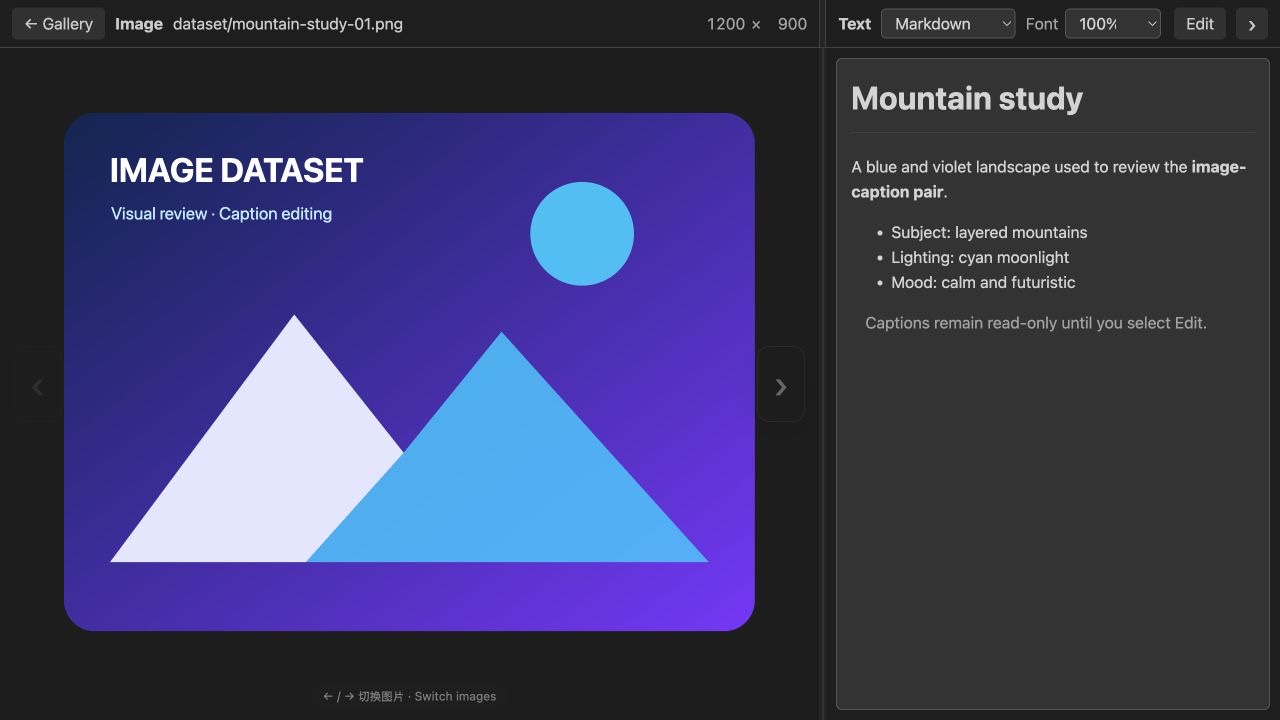
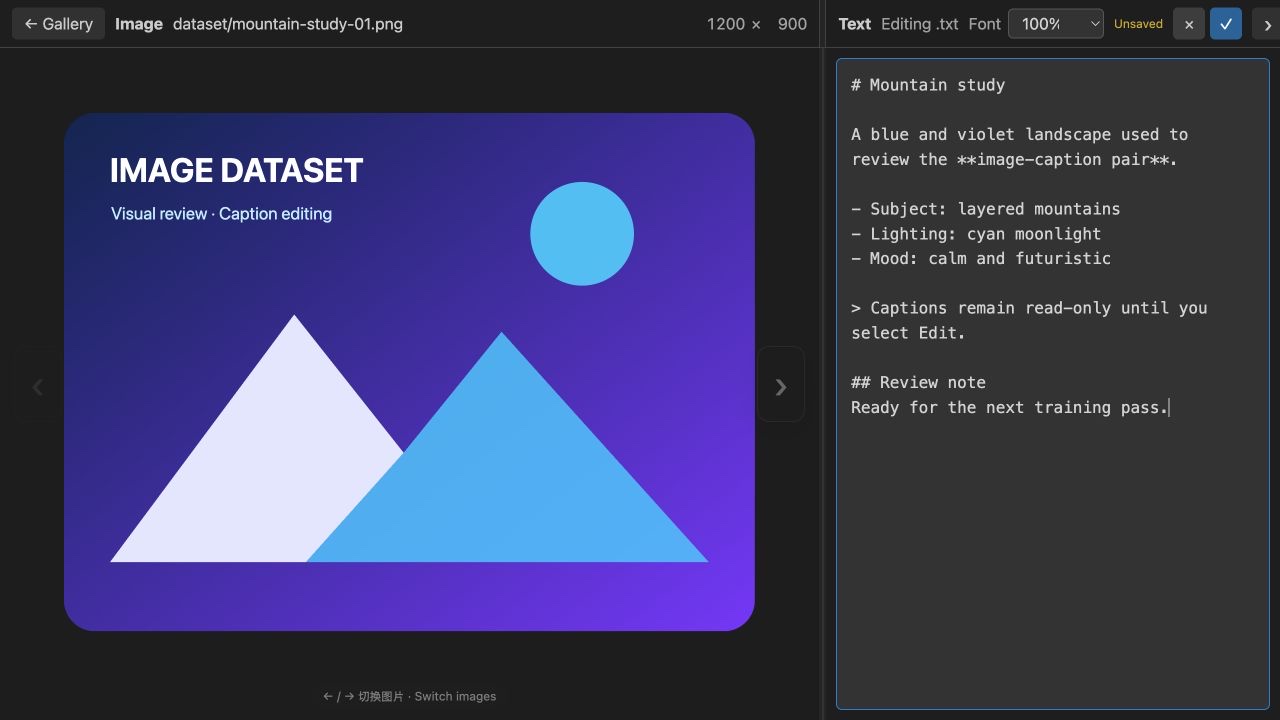
Open a folder as an adjustable thumbnail gallery, select an image, and review its matching .txt caption beside it. Captions are read-only and can be rendered as Markdown, raw text, or formatted JSON.
Preview
Gallery overview
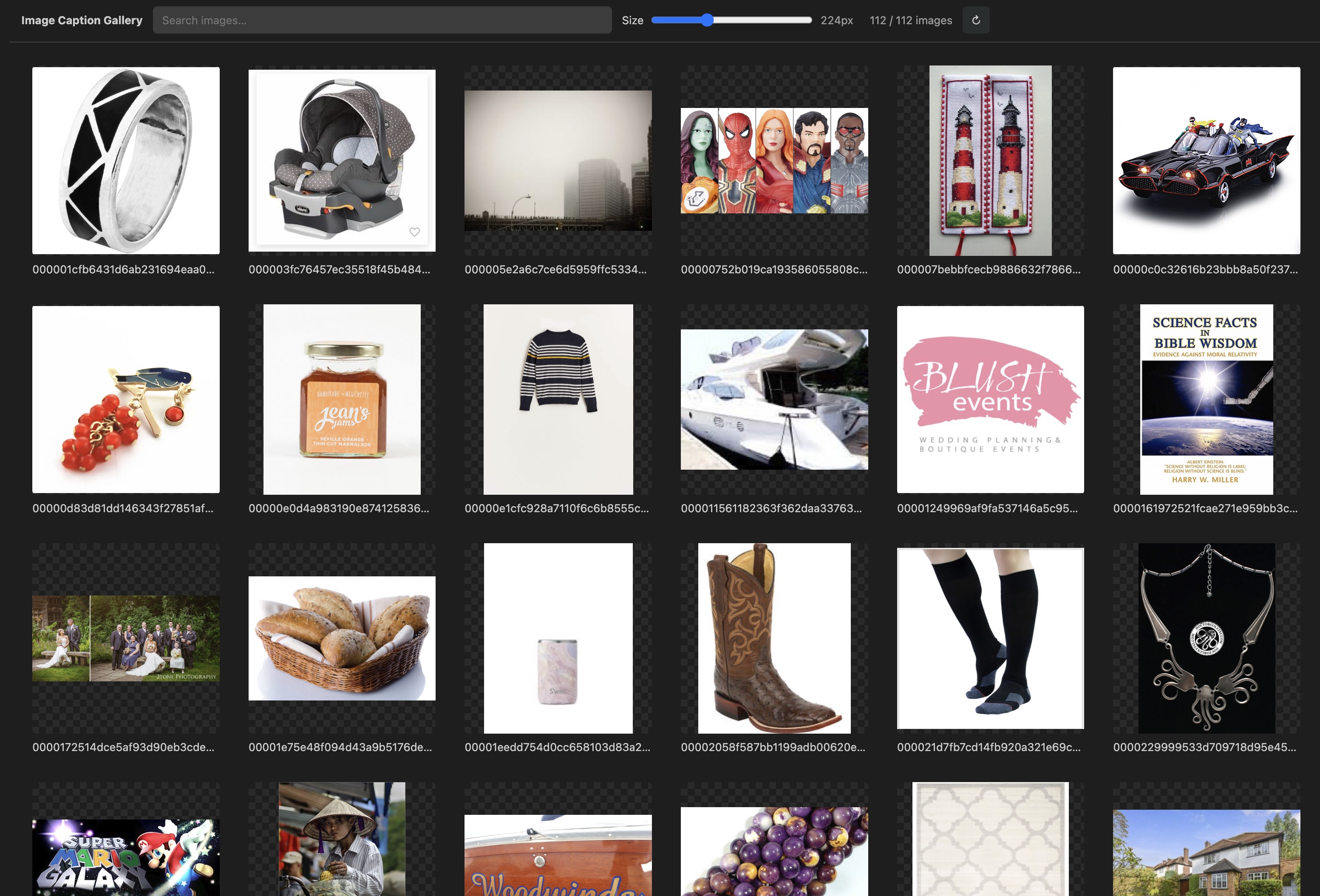
Image and Markdown caption
Multilingual captions
Features
- Open a folder or selected image from the Explorer context menu.
- Launch instantly with
Command+Option+G (⌘⌥G) on macOS or Ctrl+Alt+G on Windows/Linux.
- Recursively discover
.jpg, .jpeg, .png, .webp, .gif, .bmp, and .avif files.
- Resize gallery thumbnails continuously from 96 px to 480 px.
- Search images by filename or relative path.
- Read same-name
.txt sidecar captions without modifying dataset files.
- Render captions as Markdown by default, with Raw text and formatted JSON modes.
- Drag the center divider to resize the Image and Text panes.
- Keep every image fully visible without cropping, even after resizing the window or divider.
- Zoom from 25% to 400% with a trackpad pinch or
Ctrl/Command + wheel.
- Pan an enlarged image by dragging or two-finger scrolling, and double-click to restore the original fitted view.
- Show the original
width × height resolution as right-aligned values in stable four-character fields.
- Scale caption text from 70% to 180%.
- Switch images with
Left / Right or the translucent image-edge controls.
- Return to the gallery with
Escape while preserving search and thumbnail state.
- Work with local folders and VS Code Remote SSH workspaces.
Install
Install directly from the VS Code Marketplace:
code --install-extension xingfu-yi.image-caption-gallery --force
You can also download the latest .vsix from GitHub Releases and run Extensions: Install from VSIX... from the VS Code Command Palette.
When using Remote SSH, install the extension in the remote extension host. If you run the command in a remote terminal, copy the .vsix to the remote machine first and use its remote path.
Usage
- Open a folder that contains images and matching caption files.
- Right-click an image or folder in Explorer and select Image Caption Gallery. You can also select an image and press the launch shortcut.
- Adjust the thumbnail size or search the gallery.
- Select an image to open the side-by-side Image and Text view.
Shortcuts
| Action |
macOS |
Windows / Linux |
| Open Image Caption Gallery |
Command+Option+G (⌘⌥G) |
Ctrl+Alt+G |
| Previous / next image |
Left / Right |
Left / Right |
| Zoom image |
Trackpad pinch or Command + wheel |
Touchpad pinch or Ctrl + wheel |
| Pan enlarged image |
Drag or two-finger scroll |
Drag or two-finger scroll |
| Reset image view |
Double-click image |
Double-click image |
| Return to gallery |
Escape |
Escape |
Dataset layout
The caption file must use the same base name as the image:
dataset/
├── image-001.jpg
├── image-001.txt
├── image-002.png
└── image-002.txt
Compatibility
- Visual Studio Code 1.85.0 or newer.
- Local workspaces and VS Code Remote SSH.
- Platform-independent package with no native runtime dependencies.
Privacy
Image Caption Gallery reads images and captions directly from the current workspace. It does not upload dataset files and does not include telemetry.
Development
npm install
npm run compile
Open the repository in VS Code and press F5 to launch an Extension Development Host.
Roadmap
- Virtualized rendering for very large datasets.
- More configurable caption and metadata formats.
- Richer sorting and filtering.
- Image metadata and dataset-quality tools.
Contributing
Issues and pull requests are welcome. Please keep changes focused and describe how you tested local and Remote SSH behavior.
License
MIT

