Skip to content
| Marketplace
Sign in
Visual Studio Code>Visualization>PDM — Project Density MeasuresNew to Visual Studio Code? Get it now.
PDM — Project Density Measures

PDM — Project Density Measures

woulgar

|
1 install
| (0) | Free
See what every part of your AI project costs — flow map, version diff, per-box tokens/$/GPU — right inside VS Code.
Installation
Launch VS Code Quick Open (Ctrl+P), paste the following command, and press enter.
Copied to clipboard
More Info

PDM — Project Density Measures (VS Code)

See what every part of your AI project costs — a flow map, version diffs, per-box tokens / $ / GPU — right inside your editor.

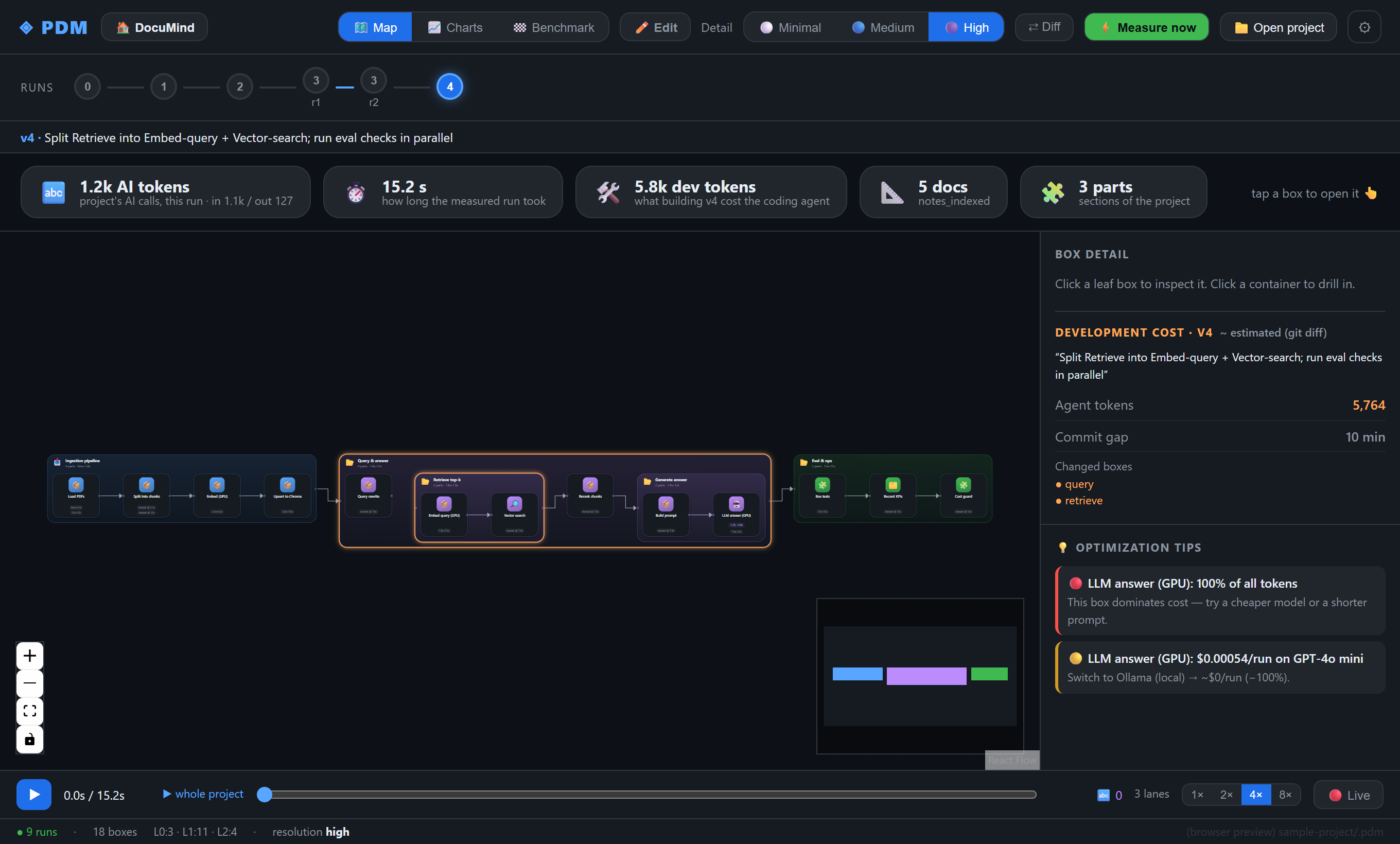
PDM flow map with per-box cost and optimization tips

You shipped an AI feature and the token bill arrives — but which step spent it: the retrieval, the rewrite, the answer? PDM turns your project into a box / layer / connector map and measures tokens, cost, time and GPU per box, every version. Your own coding agent (Claude Code, Codex, …) writes the map by following the PDM spec, so it's language- and framework-agnostic — and nothing about your code or prompts ever leaves your machine.

This extension hosts the PDM viewer in a VS Code webview and reads your project's .pdm/ folder. It's the same viewer as the desktop app — just inside your editor (works in VS Code and forks like Cursor & Windsurf).

Getting started

  1. Install this extension.
  2. Open a project that has a .pdm/ folder. Don't have one yet? Either let your agent set up PDM (see the PDM repo), or clone the ready-made demo and open it: woulgar/documind.
  3. Open the viewer — three ways:
    • click the ◈ PDM item in the status bar, or
    • run “PDM: Open Viewer” from the Command Palette, or
    • right-click a folder in the Explorer → “PDM: Open viewer here”.

What you can do

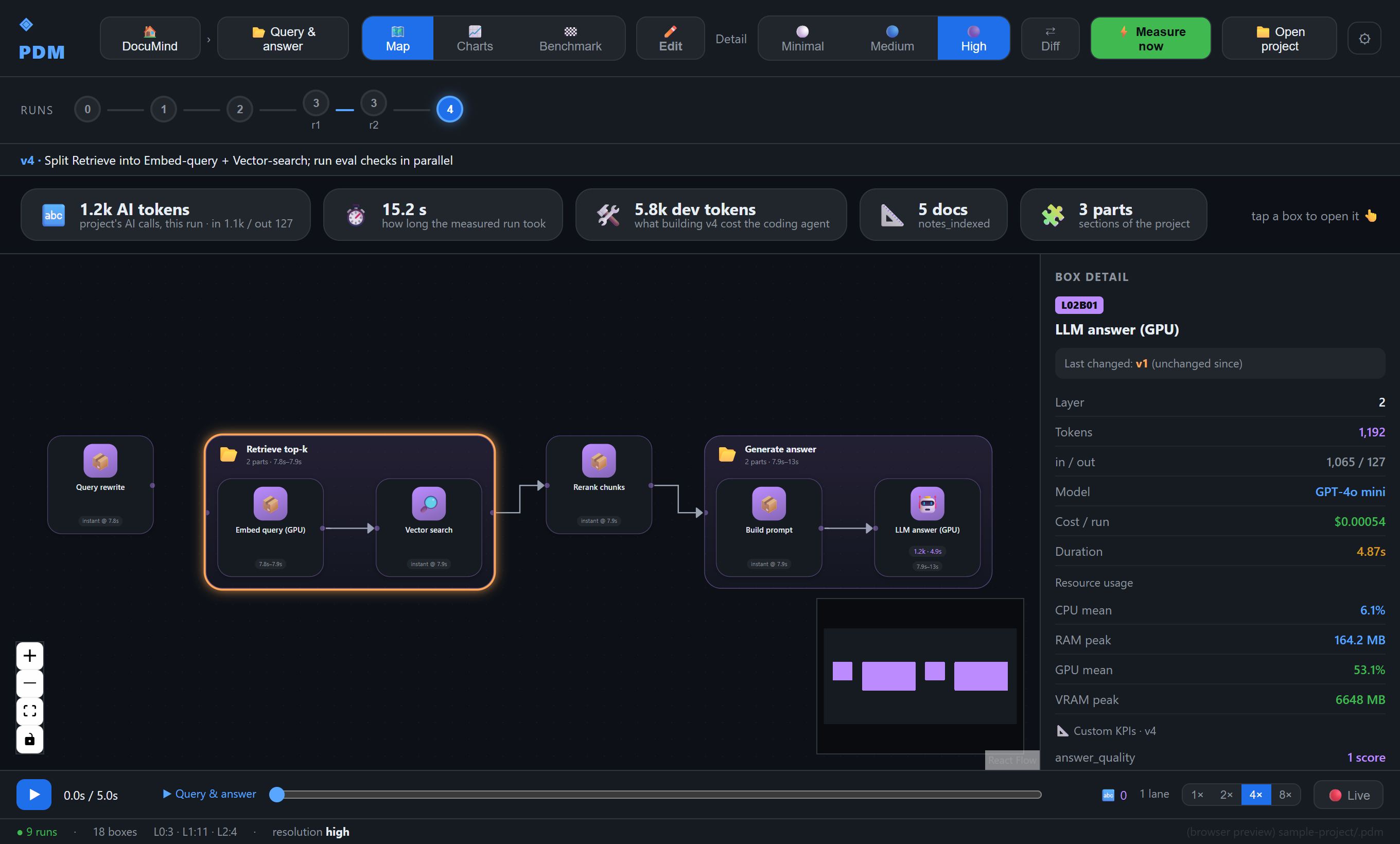
Drill into the map — every box shows when it ran and what it cost; click a leaf for tokens (in/out), $, duration and real CPU / RAM / GPU / VRAM.

Per-box detail with GPU and VRAM

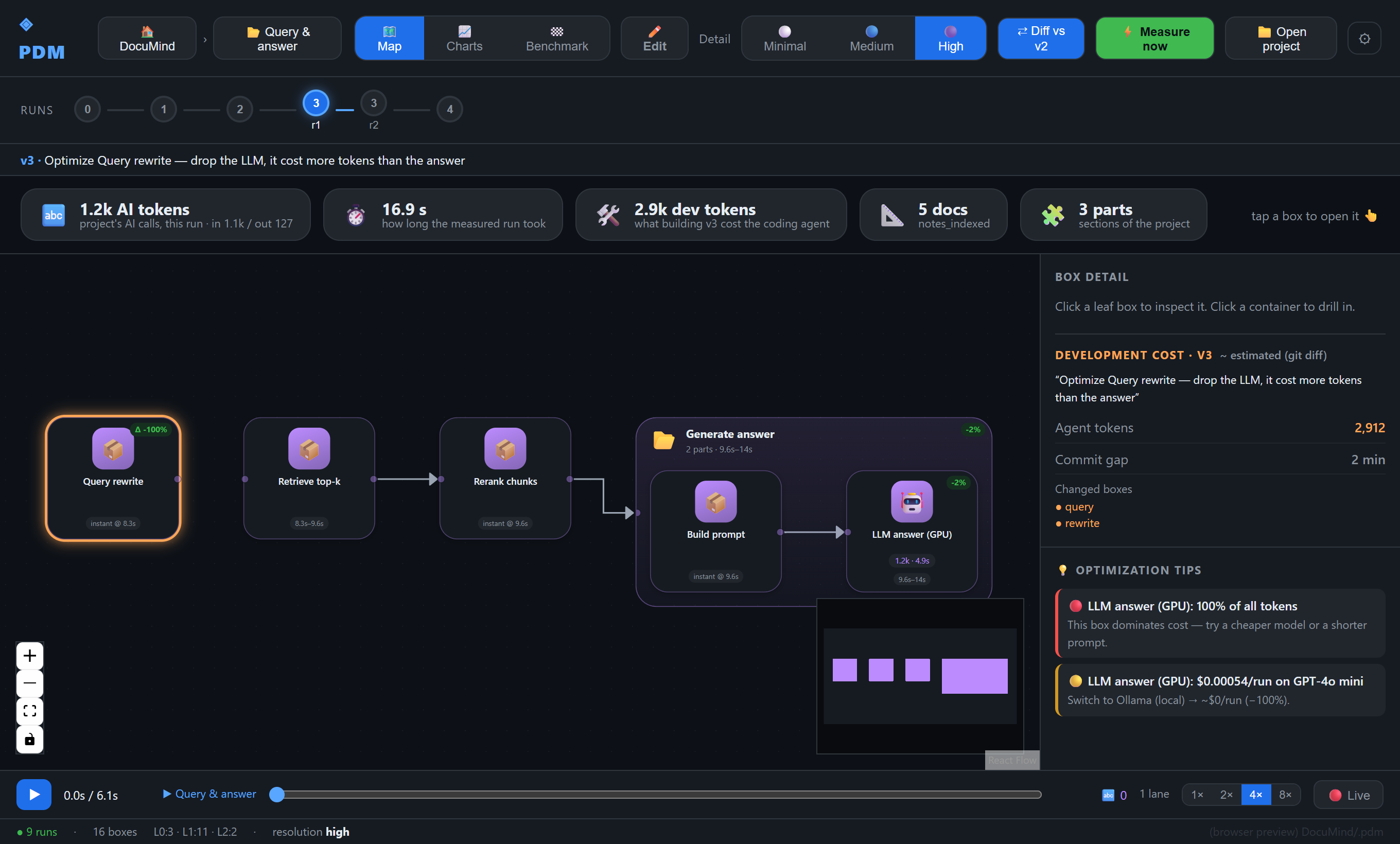
Diff versions — ⇄ Diff compares a version against the previous one, with per-box token deltas and NEW / SPLIT badges. (Here a query-rewrite step that quietly called an LLM was dropped: −100% on that box, −28% on the run.)

Version diff showing a step dropped to zero

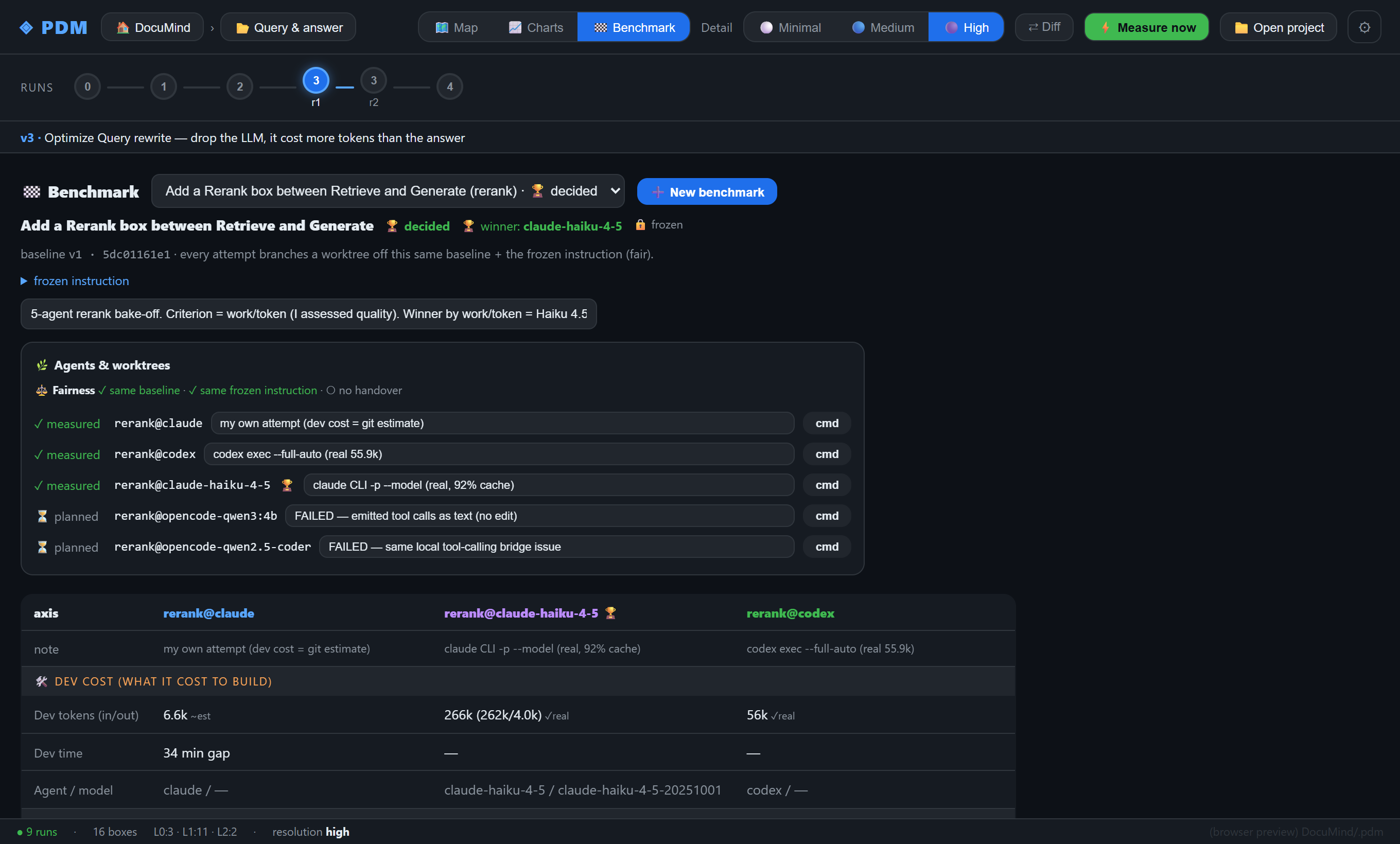
Benchmark agents — hand the same frozen task to several coding agents off the same baseline and compare dev tokens, time, model and outcome side by side.

Five-agent benchmark

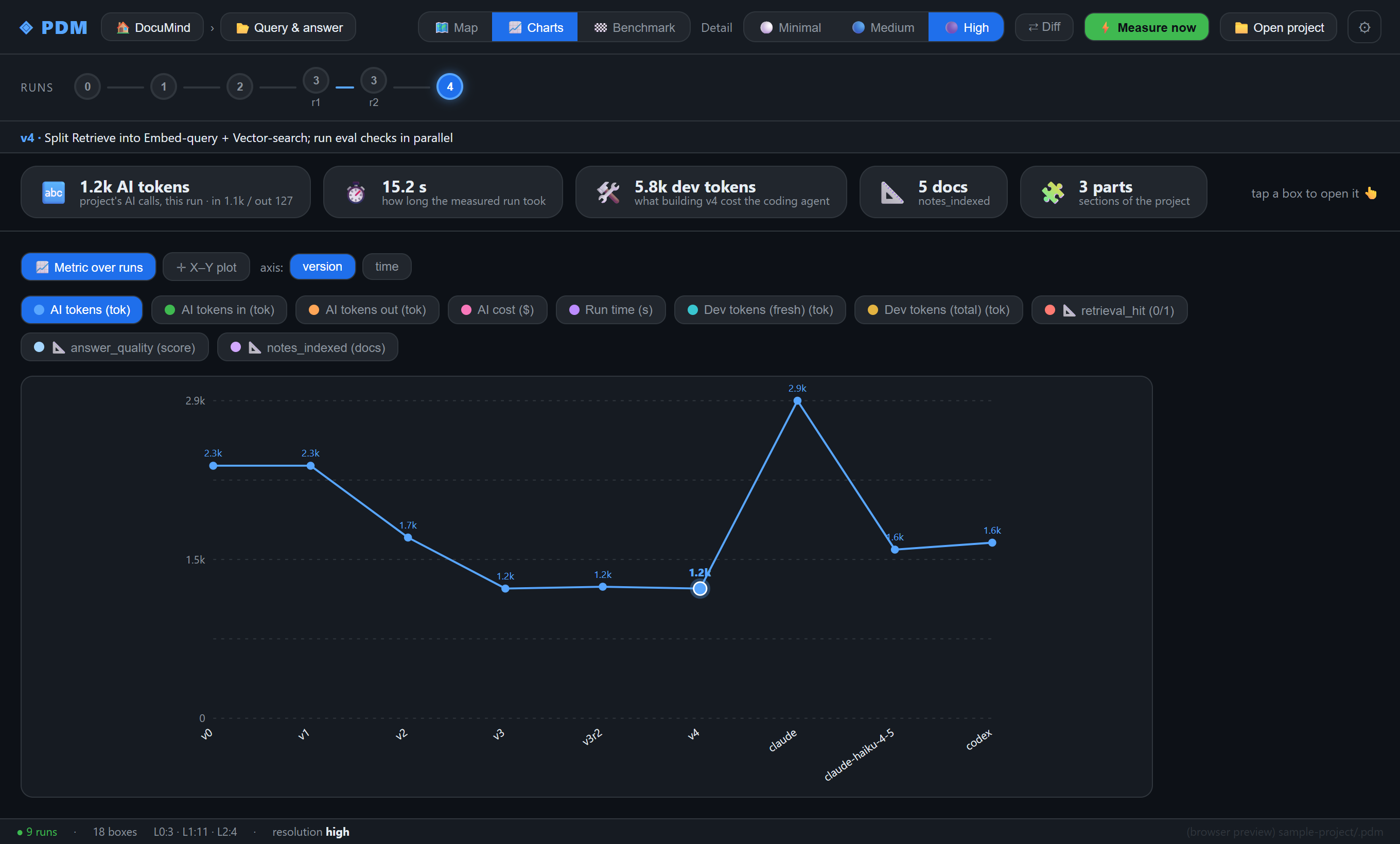
Plot trends — any metric (tokens, cost, run time, dev cost, your own KPIs) over versions or time.

Charts of metrics across versions

Measure from the editor — ⚡ Measure now runs a new version using your project's own Python venv; the timeline refreshes when the run lands. ▶ Playback replays a run box-by-box.

Learn more

  • Project, docs and the install kit: https://github.com/woulgar/pdm
  • Ready-to-open demo project: https://github.com/woulgar/documind

License

MIT

  • Contact us
  • Jobs
  • Privacy
  • Manage cookies
  • Terms of use
  • Trademarks
© 2026 Microsoft