Skip to content
| Marketplace
Sign in
Visual Studio Code>Other>WormaNew to Visual Studio Code? Get it now.
Worma

Worma

worma

|
1 install
| (0) | Free
| Sponsor
Generate and search APIs without API documentation any more
Installation
Launch VS Code Quick Open (Ctrl+P), paste the following command, and press enter.
Copied to clipboard
More Info

Worma VSCode Extension

Bring your API documentation directly into your editor. View complete API information on hover, browse APIs by tag, and auto-detect OpenAPI changes — all without leaving VSCode.

Features

  1. In-editor API documentation — Hover over generated API calls to view full parameter tables, response structures, and path information
  2. Sidebar API explorer — Browse all APIs grouped by tag with search functionality
  3. Auto-detect changes — Automatically regenerate when the OpenAPI spec is updated
  4. JS project IntelliSense — Get TypeScript-level hints and docs even in plain JavaScript projects

For detailed documentation, visit Editor Documentation.

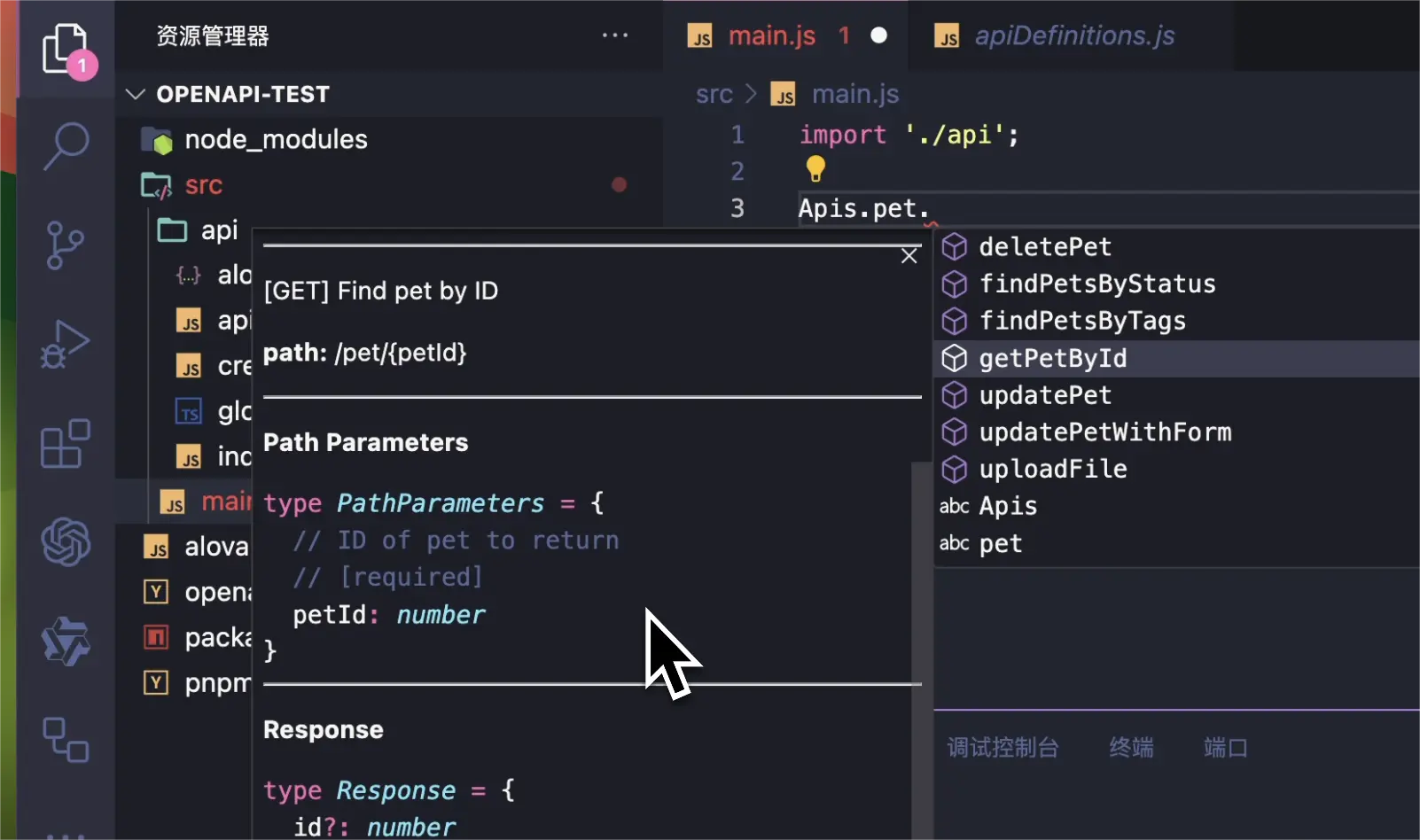
View API documentation on hover

Hover over any generated API function to see complete API documentation:

VSCode API documentation screenshot

Quick API access

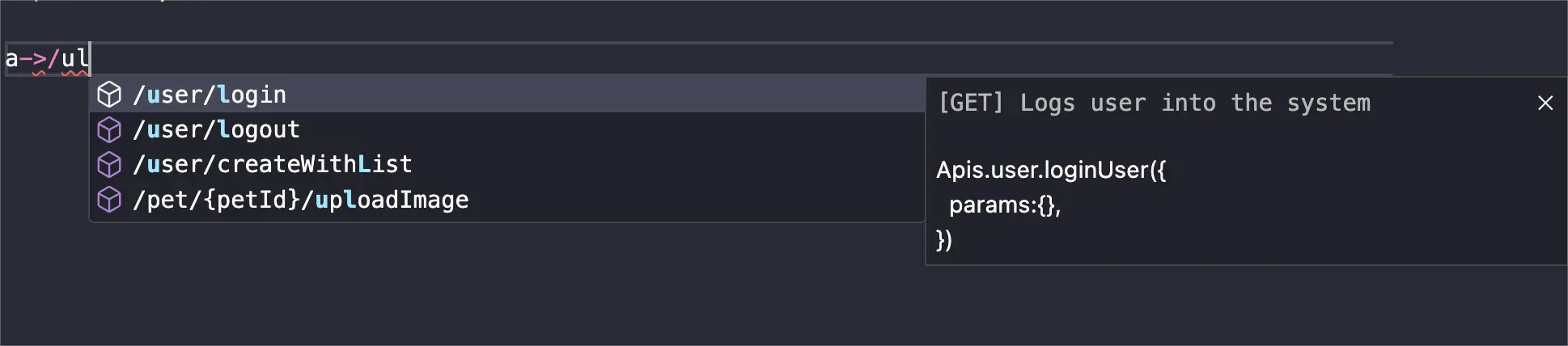
Use the trigger word a-> or press Ctrl+Alt+P (Mac: Command+Option+P) to quickly navigate to any API:

Search by URL

Search by url screenshot

Search by description

Search by description screenshot

Sidebar API explorer

Browse all APIs grouped by tag in the sidebar panel, with support for multiple OpenAPI documents grouped by serverName.

Installation

Search "worma" in the VSCode Extensions marketplace, or click:

Install Worma VSCode Extension

Prerequisite: Install and configure worma (npm i wormajs -D) in your project before using the extension.

  • Contact us
  • Jobs
  • Privacy
  • Manage cookies
  • Terms of use
  • Trademarks
© 2026 Microsoft